
TeachQuill
What is TeachQuill?
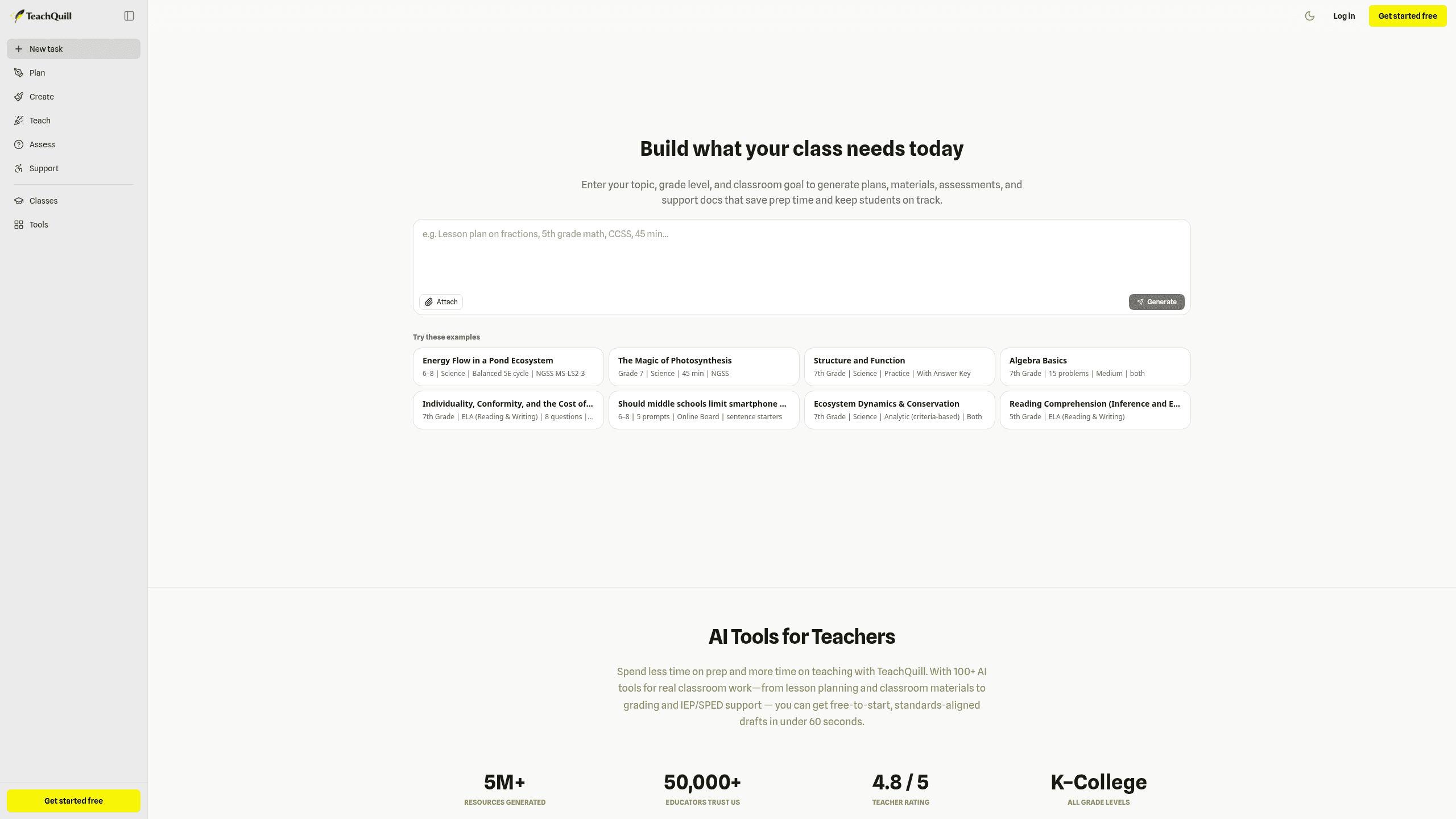
TeachQuill is an AI lesson-planning and classroom-content platform for K, College teachers that turns a topic, grade level, standards, and classroom goal into ready-to-edit drafts. It spans Plan, Create, Teach, Assess, and Support, with tools like the AI Lesson Plan Generator, AI Worksheet Generator, and AI Rubric Generator. It integrates with Google Docs, Google Slides, Frontline, and PowerSchool SPED. Plans run Free $0, Pro $15.00/month, and School & District custom.
Last verifiedHow we evaluate
At a glance
- TeachQuill is best for K, 12 teachers who need fast, standards-aligned drafts across planning, materials, assessment, and support.
- Free $0; Pro $15.00/mo; School & District Custom
What does TeachQuill do?
TeachQuill turns a topic, grade level, standards, and classroom goal into ready-to-use drafts for planning, materials, assessment, and support. Its workflow spans the Plan, Create, Teach, Assess, and Support hubs, so teachers can move from a lesson outline to worksheets, quizzes, slides, rubrics, and intervention documents without rebuilding the prompt each time. The outputs are standards-aligned, export-ready, and designed to be edited before use, with tools like the AI Lesson Plan Generator, AI Worksheet Generator, and AI Rubric Generator handling the heavy lifting. At scale, TeachQuill says it has generated 5M+ resources, 2M+ plans, 1M+ activities, and 500k+ rubrics, with 50,000+ educators trusting the platform and a 4.8/5 teacher rating. It supports K, College across all grade levels and includes FERPA-compliant workflows for student privacy. Teachers cite classroom-ready drafts, while named users like Sarah J. And Emily Rodriguez point to planning time savings and SPED differentiation.
Why use TeachQuill?
- TeachQuill keeps planning, creation, assessment, and support in one workflow, so teachers do not have to jump between separate tools.
- Its outputs are standards-aligned and export-ready, which makes first drafts easier to adapt for real classroom use.
- The platform covers both general classroom materials and SPED-oriented support, reducing the need for a separate intervention tool.
- School and district plans add admin dashboards, seat management, analytics, and shared libraries for team-wide consistency.
- FERPA-compliant handling and no student PII requirement make it easier to use for sensitive learner workflows.
Who is TeachQuill for?
- Classroom teachers who need lesson, unit, and weekly planning drafts fast.
- Special education staff who need IEP goals, BIPs, and differentiated supports.
- Instructional coaches who need reusable templates and curriculum mapping support.
- Teachers who need worksheets, quizzes, slides, and flashcards ready to edit.
- School leaders who need admin controls, usage analytics, and shared templates.
What are TeachQuill's key features?
Plan
Build lesson plans, unit plans, and weekly schedules with AI lesson plan, weekly lesson planner, and curriculum mapper tools for K, College classrooms.
Create
Generate editable teaching materials like worksheets, slides, flashcards, and guided notes, then export them to Google Docs, Slides, PDF, or PowerPoint.
Teach
Produce classroom activities such as bell work, review games, discussion questions, and choice boards, including Jeopardy Game Generator and Debate Topic Generator.
Assess
Create quizzes, rubrics, exit tickets, and grading support with AI Rubric Generator, AI Teacher Grader, and MCQ Generator across 20 AI-powered assessment tools.
Support
Draft feedback, report card comments, and substitute materials with AI Feedback Generator, Essay Feedback Generator, and Substitute Binder for faster follow-up work.
Editable, Printable Resources
Export resources as copy, PDF, Google Docs, Google Slides, or PowerPoint files so teachers can edit, print, and reuse materials in class.
Standards auto-tagged
Auto-tag standards while building plans and assessments, helping teachers map content across 12 grade bands and review coverage faster.
One Place for Every Teaching Task
Keep planning, creation, assessment, and support tools in one workspace, with LMS, Frontline, Infinite Campus, and PowerSchool SPED integrations.
What does TeachQuill integrate with?
- Google Docs
- Slides
- Google Slides
- PowerPoint
- Quizlet
- LMS
- Frontline
- Infinite Campus
- PowerSchool SPED
What are TeachQuill's use cases?
Lesson planning for teachers
Classroom teachers use TeachQuill to draft lesson, weekly, and unit plans fast, starting in Plan with the AI Lesson Plan Generator and Weekly Lesson Planner. They then refine the draft in One Place for Every Teaching Task, saving time on prep and getting a ready-to-teach structure before the next class.
IEP and support drafting
Special education staff use TeachQuill to build IEP goals, BIPs, and differentiated supports with Support and the AI Checklist Maker. They can turn needs into practical accommodations faster, then keep everything organized in One Place for Every Teaching Task for easier review and follow-up.
Editable classroom materials
Teachers use TeachQuill to create worksheets, quizzes, slides, and flashcards in Create with the AI Worksheet Generator, Practice Quiz Generator, and Flashcards Generator. They export Editable, Printable Resources that are ready to edit, print, and use the same day.
Shared planning for school leaders
School leaders use TeachQuill to coordinate templates and monitor adoption through School & District controls, using One Place for Every Teaching Task and Standards auto-tagged content. They can manage shared templates, track usage analytics, and keep planning consistent across teams.
How does TeachQuill work?
- Start by choosing a teaching task in Plan, such as an AI Lesson Plan Generator, Weekly Lesson Planner, or Unit Planner, and generate a first draft in seconds.
- Refine the draft with Standards auto-tagged suggestions, then adjust objectives, pacing, and differentiation inside One Place for Every Teaching Task until it fits your class.
- Move into Create to generate Editable, Printable Resources like worksheets, slides, flashcards, or quizzes, and export them to PDF or Google Docs for quick editing.
- Use Teach and Assess to build exit tickets, rubrics, and feedback with AI Teacher Grader or AI Rubric Generator, then save everything for reuse.
- Return to Support whenever you need IEP goals, BIPs, or substitute-ready materials, and organize finished work into folders or shared templates for ongoing planning.
How much does TeachQuill cost?
| Plan | Price | What's included |
|---|---|---|
| Free | $0 |
|
| Pro | $15.00/month |
|
| School & District | Custom |
|
Frequently asked questions
What is TeachQuill?
TeachQuill is an AI lesson-planning and classroom-content platform for K, College teachers that turns a topic, grade level, standards, and classroom goal into ready-to-edit drafts. It spans Plan, Create, Teach, Assess, and Support, with tools like the AI Lesson Plan Generator, AI Worksheet Generator, and AI Rubric Generator. It integrates with Google Docs, Google Slides, Frontline, and PowerSchool SPED. Plans run Free $0, Pro $15.00/month, and School & District custom.
How much does TeachQuill cost? Is it free?
TeachQuill has a free plan, with paid tiers including Pro at $15.00/month, School & District at Custom.
What is TeachQuill used for? Who is it for?
TeachQuill is used for Plan, Create, and Teach. It's built for Classroom teachers, Special education staff, and Instructional coaches.
Does TeachQuill have an API and what does it integrate with?
TeachQuill doesn't publish a public API. It integrates with Google Docs, Slides, PDF, Google Slides, PowerPoint, and 5 more.
Editor's read
Check the Free plan's 30 daily refreshed credits and limited history before relying on it for regular classroom production. If you need unlimited history, folders, or faster generation, those sit on Pro.

Where we've written about TeachQuill
Explore other Education & Learning Agents
