Cline vs Cursor: Which AI Coding Agent Should You Use?
Cline vs Cursor compared: open-source bring-your-own-key vs proprietary AI IDE. Updated 2025 pricing, MCP Marketplace, background agents, and a clear decision framework.

Written by AgentsIndex
Cline and Cursor are two of the most popular AI coding agents right now. Cline is an open-source coding agent under the Apache 2.0 license — a VS Code extension first, and now also a CLI, an SDK and a JetBrains plugin in early access — that lets developers bring their own API key and connect any large language model they choose, Claude, GPT-5.6, Gemini, or local models via Ollama. Cursor is a proprietary AI-powered IDE built on VS Code, with bundled frontier models and a subscription pricing model. Both help developers write, debug, and refactor code using large language models, but their architectures, cost structures, and underlying philosophies are genuinely different.
Most articles comparing these two tools have a real problem: they're either written by the tools' own teams (Cline's own blog holds the number two SERP position for this keyword), based on data from early 2025 before Cursor overhauled its pricing model in June 2025, or simply too shallow to support an actual decision. This guide is neutral, current as of August 2026, and structured around the questions developers actually ask when choosing between them.
TL;DR: Cline is free to install but requires API spend, typically $10–40/month using Claude Sonnet 5, per community estimates from Cline's GitHub. Cursor's free Hobby tier excludes Cloud Agents — renamed from Background Agents in Cursor 2.0 — making Pro ($20/month) the real entry point for agentic work. Cline's site reports more than 8 million installs. Cursor was acquired by SpaceX in an all-stock deal valued at about $60 billion, which closed on 14 August 2026. Pick Cline for model flexibility and control; pick Cursor for polished autonomous cloud agents.
Two variables determine which tool fits your situation: whether you need background agents that run while you work on something else, and whether you need full control over which model processes your code. If both matter, you face a genuine tradeoff. If only one does, the decision resolves quickly. The sections below break down each dimension in enough detail to make that call.
How do Cline and Cursor compare at a glance?
Before diving into the details, here is a structured side-by-side overview.
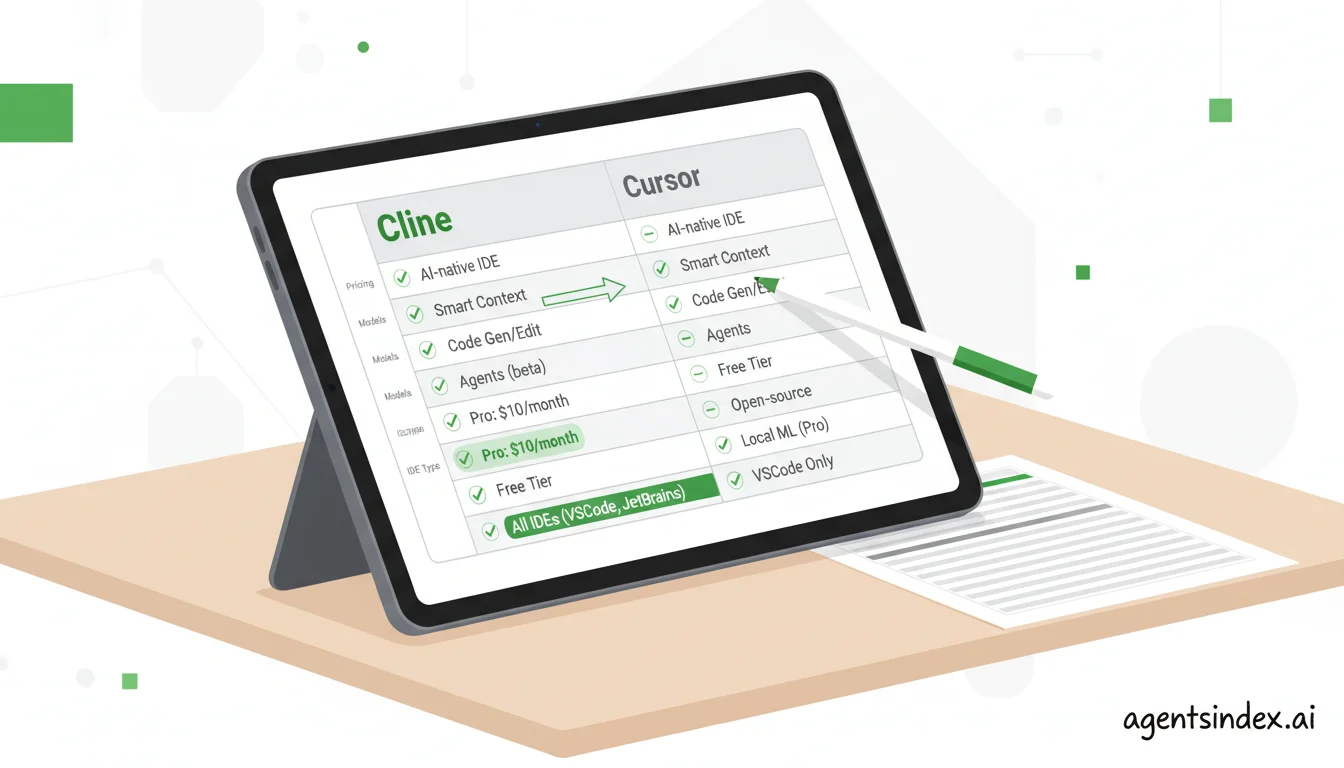
A structured feature comparison reveals fundamental architectural differences between the two platforms.
| Feature | Cline | Cursor |
|---|---|---|
| Free tier | Free to install; pay only for API calls | Hobby tier free; limited features, no Cloud Agents |
| Paid pricing | API costs only (~$10–40/mo for active Claude Sonnet 5 use) | Pro: $20/mo ($16 annual); Pro+: $60/mo; Ultra: $200/mo; Teams: $40/user/mo (Standard) or $120/user/mo (Premium) |
| Model support | Any LLM: Claude, GPT-5.6, Gemini, DeepSeek, Ollama (local) | Included usage on frontier models: Claude, GPT-5.6, Gemini, plus Cursor's own Composer and Grok |
| IDE | VS Code extension, JetBrains plugin (early access), CLI and SDK | Standalone VS Code fork (separate application) |
| Open source | Yes (Apache 2.0 license) | No (proprietary, closed-source) |
| MCP support | First-class; MCP Marketplace with curated servers (v3.4, Feb 2025) | First-class; official Cursor Marketplace with one-click install, or manual JSON |
| Cloud agents | No mature hosted service; the CLI runs headlessly in your own CI. A "Cloud sessions" handoff feature is in beta preview in Cline's desktop app | Yes (isolated cloud VMs run by Cursor; any paid plan) |
| Context window | Up to 1M tokens theoretical; ~300KB practical per file operation | Session-based with semantic codebase indexing |
| Local model support | Yes (Ollama, up to 70B parameter models) | No |
| Enterprise compliance | No certification; enables air-gapped and self-hosted deployments | SOC 2 Type II and AIUC-1 certified; Privacy Mode on all plans |
| Code completion speed | Depends on API provider and model selected | ~260ms p50 server latency on the Fusion Tab model (Cursor engineering blog) |
| Best for | Developers wanting model flexibility, open-source, or low cost | Teams wanting a polished all-in-one IDE with cloud agents |
What is Cline?
Cline is an open-source AI coding agent, available under the Apache 2.0 license and free to install. It started as a VS Code extension and still is one, but the project now also ships a CLI, an SDK, and a JetBrains plugin in early access. Cline's site reports more than 8 million installs, and the repository carries around 66,000 GitHub stars, a notable adoption signal for a tool that requires you to supply your own API key rather than bundling a subscription. Cline launched in 2024 and reached v3.4 in February 2025, when it introduced its MCP Marketplace: a curated catalog of Model Context Protocol servers covering CI/CD pipelines, cloud monitoring, database connections, and project management tools. The extension is on v4.1 as of August 2026.
The core design decision behind Cline is model agnosticism. You connect Claude, GPT-5.6, Gemini, DeepSeek, or any OpenAI-compatible endpoint. You can also run local models via Ollama, including models up to 70B parameters, enabling fully offline or air-gapped operation at near-zero cost, as documented in the Cline documentation. Fortune 500 companies reportedly use Cline specifically because the bring-your-own-key model means no code leaves to a third-party vendor beyond the LLM provider your team has already chosen to trust.
Within VS Code, Cline operates as a full agentic loop: it reads and writes files, executes shell commands, manages browser interactions, and calls any MCP server you have configured, all with an explicit approval flow that shows you exactly what it is about to do before it does it. Developer sentiment from Hacker News and the Cline GitHub community consistently highlights this transparency as a real differentiator: "Cline is the only AI coding tool I've used where I feel genuinely in control of what the agent is doing. The 'approve every action' model means I learn from it rather than just accepting its output blindly."
For cross-session context, Cline uses a Memory Bank architecture: project intelligence stored in structured markdown files, projectbrief.md, activeContext.md, progress.md, that the agent reads at each session start, per the Cline Memory Bank feature documentation. You control what goes into these files explicitly, which gives you more agency over what the agent "knows" versus what it might hallucinate from a large codebase index it assembled automatically.
See Cline's full profile in the AgentsIndex Cline directory listing.
What is Cursor?
Cursor is a proprietary AI-powered code editor built by Anysphere, structured as a fork of VS Code with AI capabilities integrated directly into the editing experience. According to coverage in multiple verified funding reports including Sequoia Capital's blog, Cursor reached $100M ARR by mid-2024, growing from near zero in 2023, and reportedly hit $500M ARR by 2025, making it one of the fastest-growing developer tools in recent memory. On 14 August 2026, that run ended in an acquisition: SpaceX closed an all-stock deal valued at about $60 billion, and Cursor now operates as a wholly owned subsidiary inside SpaceX's AI division. Product and pricing are unchanged as of this update, but a change of owner is worth knowing about if you are picking a tool for a long-lived toolchain.
Cursor's flagship feature is Cloud Agents, renamed from Background Agents in Cursor 2.0: autonomous coding agents that run in isolated cloud VMs with full development environments, working on tasks independently while you continue doing other work. Cursor's documentation says you can run as many in parallel as you want and that a paid plan is required; Cursor 2.0 separately added running up to eight agents in parallel on a single prompt, each in its own worktree. Fire off a large refactor or a test-writing task, switch to something else, and come back to a pull request that is largely correct. Developer sentiment from Cursor's community forums captures the appeal: "Cursor's background agents are genuinely transformative for large refactors, you fire off the task, go write something else, and come back to a PR that's largely correct. That said, the credits system makes it harder to predict monthly spend."
Code completion speed is another concrete advantage. Cursor's engineering blog reports that its current Fusion Tab model has a p50 server latency of 260ms, down from 475ms on the original March 2024 model. For tab completion in daily coding, that speed difference is tangible in a way that API-latency-dependent tools are not.
On the compliance front, Cursor holds a SOC 2 Type II attestation report, available on request through its trust portal, and in August 2026 it added AIUC-1 certification, an agent-security standard that requires re-testing at least quarterly. Privacy Mode, under which Cursor does not train on your data, is available on every plan including the free one rather than only at enterprise level. For regulated-industry teams that need documented security credentials, this matters in a way that Cline's self-hosted approach does not address out of the box.
Cursor's codebase indexing also scales well for very large repositories. It semantically indexes your entire codebase and retrieves relevant context on demand, a different architecture from Cline's explicit Memory Bank, with different tradeoffs worth understanding before you choose.
See Cursor's full profile including current pricing details in the AgentsIndex Cursor directory listing.
What does each tool actually cost?
The "Cline is free" framing is misleading. So is "Cursor has a free tier."
Both tools use pricing structures that obscure their real cost at the tier most developers actually need. Cline's free install means nothing without an API key, and a developer doing moderate work will spend real money on API calls. Cursor's Hobby tier excludes Cloud Agents, which is the feature that defines Cursor's core value proposition, so most developers who choose Cursor for its agentic capabilities are effectively paying $20 per month as their entry point, not $0.
The misleading framing cuts both ways. Calling Cline free ignores that a developer doing real work will spend $15 to 40 per month on API calls before touching Ollama. Calling Cursor free ignores that the Hobby tier omits Cloud Agents, the feature that defines Cursor's core value proposition. In practice, both tools have a functional entry cost: roughly $10 to 30 per month for Cline using Claude Sonnet 5 at moderate usage, and $20 per month for Cursor Pro. Developers comparing the two should start from those real numbers rather than the headline free labels, because the actual cost difference between the tools is far smaller than the marketing framing implies.
Here is what these tools actually cost for a developer doing real work, and why the price difference between them is smaller than most comparisons suggest.
Cursor pricing: updated June 2025
Cursor updated its pricing model in June 2025, replacing fixed request limits with usage-based credits, which its documentation now calls "included usage". This is the single biggest factual gap in existing comparison articles, most still describe the old 500-requests-per-month model. The current tiers from the Cursor pricing page are:
| Tier | Monthly price | Annual price | Included usage | Cloud Agents |
|---|---|---|---|---|
| Hobby (free) | $0 | $0 | Limited | No |
| Pro | $20/mo | $16/mo | ~$20 in credits | Yes |
| Pro+ | $60/mo | — | ~$70 in credits (3x Pro limits) | Yes |
| Ultra | $200/mo | — | ~$400 in credits (20x Pro limits) | Yes |
| Teams (Standard) | $40/user/mo | — | Shared team usage pool | Yes |
| Teams (Premium) | $120/user/mo | — | 5x Standard limits | Yes |
Cursor also runs Start, a lower-priced plan for developers in India (₹649/mo), and this table covers self-serve plans only — Enterprise is quoted separately. How fast you burn through included credits depends on which model you select — heavier models like Claude Opus 5 consume credits faster than lighter ones like GPT-5.6 Luna, since usage is billed at each model's API rate. Heavy Cursor users who exhaust their monthly allocation can find actual monthly costs unpredictable, a concern raised consistently across Cursor's community forums and GitHub discussions.
Cline pricing: bring your own key
Cline's extension is free to install (Apache 2.0 license). You pay your chosen API provider directly, no markup, no intermediary. Cline now also sells inference through its own provider on a pay-as-you-go basis, but bring-your-own-key remains the default and there is no subscription or seat fee either way. Using Claude Sonnet 5 at Anthropic's standard API rates, a developer doing moderate coding assistance typically spends $10–30/month in API costs, based on community estimates from Cline's GitHub discussions. Using Gemini Flash or local models via Ollama, that cost approaches zero. Cline supports local models via Ollama including models up to 70B parameters, enabling fully offline operation at near-zero variable cost.
The honest cost comparison
At moderate usage, these tools cost within $10–20 of each other per month. The real differentiator is not price, it is what you get. Cline gives you maximum model flexibility and transparent API costs with no subscription markup. Cursor gives you cloud agents, faster completions, and a subscription credits system that is predictable until you hit the limit.
| Usage level | Cline (Claude Sonnet 5 API) | Cline (Ollama/local) | Cursor Pro |
|---|---|---|---|
| Light (1–2 tasks/day) | ~$5–10/mo | ~$0/mo | $20/mo |
| Moderate (5–10 tasks/day) | ~$15–30/mo | ~$0/mo | $20/mo (may require credit top-ups) |
| Heavy (power user) | ~$30–60/mo | ~$0/mo | $60–200/mo (Pro+ or Ultra) |
For additional context: GitHub Copilot charges $10/month for individual developers, half the price of Cursor Pro. That gap shapes how teams weigh whether Cursor's additional features justify the premium, particularly for teams already using Copilot as a baseline.
What are the architectural differences in how Cline and Cursor support MCP?
MCP (Model Context Protocol) is an open standard that lets AI coding agents connect to external tools, databases, APIs, CI/CD pipelines, cloud services, Slack, Jira, without custom integration work for each connection. As MCP adoption grows across developer tooling, how each tool implements it matters more than a simple yes/no feature checkbox.
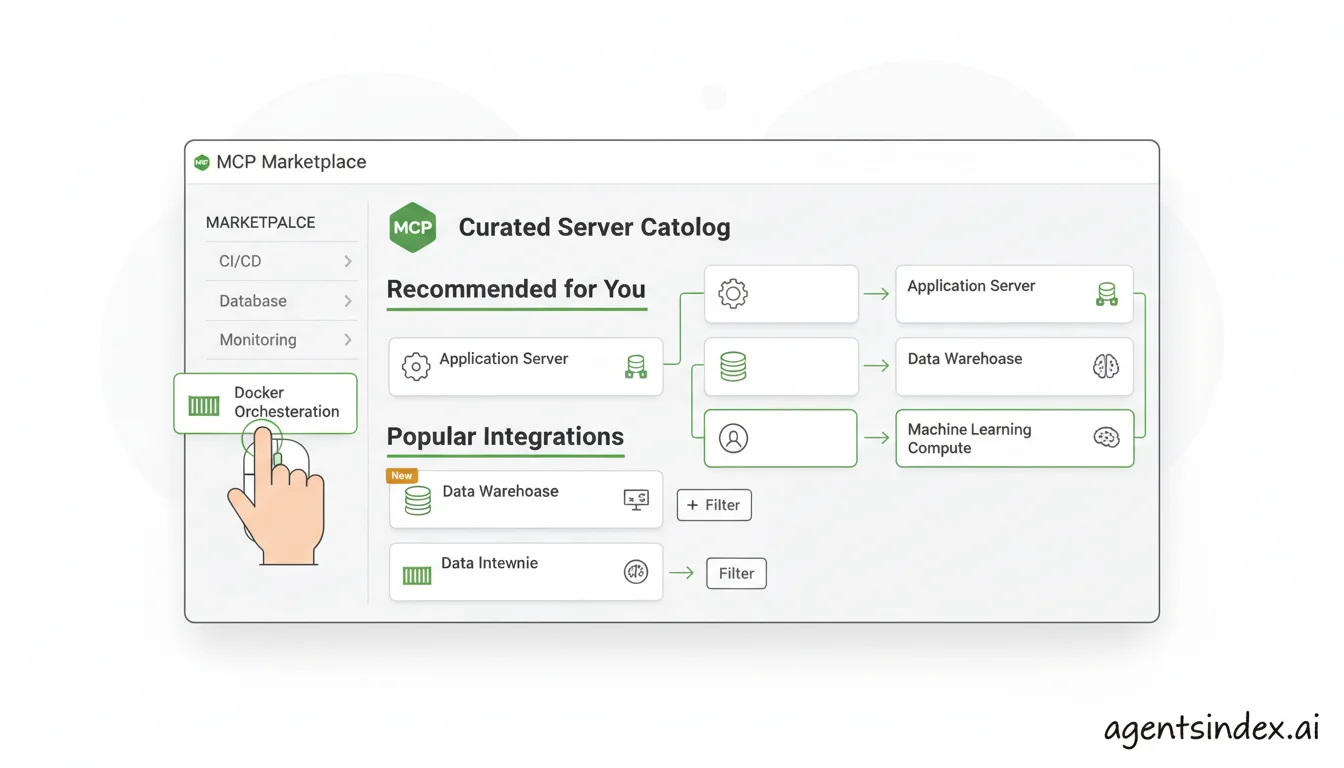
Cline's MCP Marketplace provides pre-configured servers for common integrations; Cursor now offers a curated marketplace of its own.
Cline built MCP into its core agent loop. Every tool call Cline makes, file reads, shell commands, browser actions, external API calls, goes through the same MCP-compatible interface. Cline launched its MCP Marketplace in v3.4 (February 2025) with pre-configured servers for CI/CD pipelines, cloud monitoring, databases, and project management tools, according to the Cline official changelog. Any MCP server integrates within Cline's existing approval flow without a separate configuration step for each new tool.
Cursor added MCP support in early 2025, and this is the part of the comparison that has changed most since. Cursor now runs an official Marketplace of plugins and MCP servers, covering infrastructure (AWS, Azure, Netlify), data (Snowflake, Elasticsearch, dbt), productivity (Figma, Linear, Jira) and payments (Stripe, Shopify), which install in one click and authenticate over OAuth. You can still configure a custom server by hand in mcp.json, and enterprises can register servers programmatically through an extension API, per Cursor's MCP documentation.
The approval story has also converged. Cursor's security documentation states that every MCP connection needs your approval, and that each tool call then needs individual approval unless you pre-approve it with an allowlist. The claim that Cursor's MCP calls sit outside its normal approval surface no longer holds.
What remains is a difference of degree rather than kind. Cline routes every agent action through one interface, and its marketplace ships with the free open-source extension. On Cursor's pricing page, MCP support is listed under Pro and above, not on the free Hobby tier, so the cheapest way to run MCP servers is still Cline. But the setup-friction argument that used to favour Cline heavily — source the server yourself, write the JSON, maintain it — has largely closed.
| MCP capability | Cline | Cursor |
|---|---|---|
| MCP support | Yes (core architecture) | Yes (added early 2025; listed under Pro and above) |
| Curated marketplace | Yes (launched v3.4, Feb 2025) | Yes (Cursor Marketplace, one-click install) |
| Configuration method | Marketplace GUI or JSON | Marketplace one-click, mcp.json, or extension API |
| Pre-configured servers | Yes (CI/CD, cloud, databases, PM tools) | Yes (infrastructure, data, productivity, payments) |
| Integration with agent approval flow | Unified with all other agent actions | Connection plus per-tool-call approval, with an allowlist to pre-approve |
How does IDE integration differ between an extension and a standalone fork?
This is the most underreported practical consideration when teams evaluate Cursor, and one of Cline's clearest advantages for existing VS Code users.
Cline runs inside VS Code as an extension. Your entire existing setup stays intact: keybindings, themes, extensions, language servers, debuggers, everything. It is no longer only a VS Code tool — there is a JetBrains plugin in early access and a terminal CLI — but the extension remains the primary way most people use it.
This distinction compounds over time. Every extension you rely on for linting, database management, container tooling, or language support was built and tested against VS Code's extension API. Running inside VS Code as Cline does means those extensions behave exactly as documented. Running inside Cursor's fork means compatibility depends on how closely Cursor tracks VS Code's internal APIs, which it does not guarantee. For teams whose workflows depend on a specific combination of extensions, the IDE choice effectively determines which tools remain available.
If your organization has standardized on VS Code, Cline slots in without friction. It also works inside VS Code forks like Windsurf, so it follows you if you use multiple editors.
Cursor is a standalone VS Code fork. You install it as a separate application. It imports your VS Code settings on first launch, which helps with initial onboarding, but you are now maintaining two IDE installations if you also use VS Code. More importantly, some VS Code extensions do not work in Cursor. Language servers, database GUI tools, or specialized extensions that rely on VS Code's internal APIs may have compatibility issues that are not obvious until you have already committed to the switch.
For individual developers comfortable switching IDEs, this is manageable. For teams, it is worth checking a few things before committing:
- Do all your current VS Code extensions work in Cursor? Test critical ones, particularly language servers and any internal tools, before rolling out.
- Does your organization's IT policy restrict non-standard IDEs? Some regulated industries and larger companies maintain approved software lists that may not include Cursor.
- If you use VS Code forks like Windsurf for other purposes, Cline works across all of them. Cursor does not.
Neither situation is a dealbreaker for most developers. But for teams in regulated industries or organizations with strict software policies, Cline's architecture removes a layer of approval friction that Cursor requires you to work through.
How do Cline and Cursor each handle context windows and memory for large codebases?
Context window handling is a frequent point of confusion in Cline vs Cursor discussions, partly because the marketing numbers and the practical reality do not always match up.
Cline's context approach
Cline's theoretical context limit depends entirely on the model you are using. With Claude Sonnet or Gemini models that support large context windows, you could theoretically pass up to 1 million tokens in a single context. In practice, Cline's per-file-operation limit is approximately 300KB due to VS Code API constraints, per community documentation and GitHub issues on the Cline repository. That is substantial enough for most files and many multi-file operations, but the "1M token" headline requires the right model and is not a practical constant you can count on.
For cross-session context, Cline uses the Memory Bank architecture: project intelligence stored in structured markdown files, projectbrief.md, activeContext.md, progress.md, that the agent reads at each session start, as documented in the Cline Memory Bank feature docs. You control what goes into these files explicitly. Some developers find this gives them more genuine agency over what the agent understands about their project, rather than relying on an automated indexer to decide what is relevant.
Cursor's context approach
Cursor uses Codebase Indexing: it semantically indexes your entire repository and retrieves relevant snippets on demand using @-mentions and automatic relevance detection. This scales better for very large codebases where passing the entire thing as context is not practical, Cursor selectively pulls what it calculates as relevant for each query.
The tradeoff is control versus convenience. With Cursor's indexing, you have less explicit visibility into what context the model receives. The retrieval is automatic. For most use cases this works well. For complex projects with unusual conventions or undocumented coupling patterns, Cline's explicit Memory Bank gives you more control over what the agent understands, and more ability to correct it when it is wrong.
Which tool is right for you?
The comparison between Cline and Cursor is not "which is better", it is which better matches your actual priorities. Here is a structured decision framework based on two variables: how much you value control and flexibility versus polish and autonomous features, and whether enterprise compliance is a requirement.
| Your priorities | Recommended tool | Why |
|---|---|---|
| Model flexibility + budget-conscious | Cline | Bring any model including local ones via Ollama. API-only cost structure with no subscription markup. Runs inside your existing VS Code setup. |
| Privacy-first or IP-sensitive + no third-party vendor | Cline with enterprise LLM | Code only goes to your chosen LLM provider, not through Cline's infrastructure. "For any team handling sensitive IP, Cline's bring-your-own-key model is the only defensible choice, your code goes to Anthropic or OpenAI, not through a third-party vendor's servers." This is a recurring theme in enterprise and security-focused developer communities. |
| Speed and polish + background autonomous agents for small to medium team | Cursor Pro | Fast Tab completions (~260ms p50), cloud agents that work while you code on something else, and cleaner onboarding. The $20/month Pro tier is the real entry point for serious agentic use. |
| Enterprise team + documented compliance + autonomous agents | Cursor Teams/Enterprise | SOC 2 Type II and AIUC-1 certification, Privacy Mode, centralized billing. Teams starts at $40 per user per month (Standard), with a $120/user/month Premium tier for 5x the usage limits; Enterprise is quoted. The clearest choice for regulated industries that also want cloud agents. |
Specific scenarios worth calling out
Solo freelancer on a tight budget: Cline with a cheaper model like Gemini Flash costs almost nothing month-to-month. Cursor Pro at $20/month is a meaningful recurring cost when usage is light and the cloud agent capability goes unused.
Team already standardized on VS Code: Cline extends VS Code with zero friction. Cursor requires the team to switch editors, verify extension compatibility, and potentially navigate IT approval for a non-standard application.
Large-scale autonomous refactors: This is Cursor's strongest use case. The ability to fire off a large refactor, go work on something else, and come back to a mostly-correct pull request is a workflow Cline does not yet fully replicate as a mature hosted service — its new "Cloud sessions" handoff feature, which keeps a session running in Cline's cloud after you close the desktop app, is still in beta preview. Cline's CLI does run headlessly and unattended, including inside GitHub Actions or any other pipeline, so the pattern is available to you — you just supply the infrastructure.
Deep tool integration across your stack: This used to be a clear win for Cline's MCP Marketplace. It no longer is: Cursor's own marketplace covers databases, CI/CD, cloud and project management with one-click install. The remaining differences are that Cline's marketplace comes with the free open-source extension while Cursor lists MCP support from Pro upward, and that Cline routes MCP calls through the same approval surface as every other action.
If you want to see the broader field beyond these two tools, the best AI coding agents guide covers the full landscape including GitHub Copilot, Claude Code, and others that might fit workflows neither Cline nor Cursor addresses well.
Frequently asked questions
Is Cline better than Cursor?
Neither is universally better, they excel in different scenarios. Cline is better for developers who want model flexibility, open-source transparency, or the ability to run local models for privacy. Cursor is better for teams wanting a polished all-in-one IDE experience with cloud agents and SOC 2 compliance. The right choice depends on whether you prioritize control and flexibility or speed and autonomous features.
Is Cline AI free?
Cline itself is free to install under the Apache 2.0 license. However, you need to supply your own API key from a provider like Anthropic, OpenAI, or Google, or buy inference from Cline's own provider. API costs typically run $10–40/month for active developers using Claude Sonnet 5, based on community estimates from Cline's GitHub. Using local models via Ollama makes Cline essentially free to run at the cost of local compute.
Does Cursor have a free tier?
Yes. Cursor's Hobby tier is free and includes basic tab completion and limited chat and AI usage. However, the Hobby tier does not include Cloud Agents (formerly Background Agents), which is Cursor's flagship autonomous coding feature. For serious agentic coding work, you need Cursor Pro at $20/month (or $16/month billed annually), which includes approximately $20 of included model usage per Cursor's documentation.
Does Cline support MCP?
Yes. Cline has first-class MCP (Model Context Protocol) support built into its core architecture, plus a curated MCP Marketplace launched in v3.4 (February 2025), per the official Cline changelog. The marketplace includes pre-configured servers for CI/CD pipelines, cloud monitoring, databases, and project management tools. Cursor now runs a comparable one-click marketplace of its own, so this is no longer the differentiator it was in 2025.
What is the difference between Cline and Cursor?
Cline is an open-source, Apache 2.0 licensed coding agent where you bring your own API key and choose any LLM. Cursor is a proprietary, closed-source IDE built on VS Code with bundled models and subscription pricing, owned by SpaceX since August 2026. Cline runs inside VS Code and preserves your existing extension setup. Cursor is a standalone fork requiring a separate installation. Both now offer curated MCP marketplaces. Cursor offers hosted cloud agents; Cline runs locally, or headlessly in infrastructure you provide, with a cloud session handoff feature now in beta.
Can Cursor use Claude?
Yes. Cursor supports Claude Sonnet and other Claude models as part of its model selection on Pro tier and above. You access Claude through Cursor's included usage rather than your own Anthropic API key. Cline also supports Claude but uses your direct Anthropic API key, giving you full control over usage, rate limits, and monthly costs without going through a third-party intermediary.
Which tool should you choose?
Cline and Cursor are both good tools that serve different developer profiles well. Cline is the stronger choice if model flexibility, open-source transparency, and cost control matter, especially if your team is privacy-conscious, wants to run local models, or is building in a regulated environment where code routing through a third-party vendor is a concern. Cursor is the stronger choice if you want the fastest code completion, cloud-based agents that work autonomously, and documented enterprise compliance with SOC 2 certification.
The pricing question is more nuanced than most comparisons admit. At moderate usage, both tools cost between $15–30 per month. The real question is what you get for that spend. Cline's value is transparency and flexibility. Cursor's value is polish, speed, and autonomous background work.
If you have not yet decided which direction fits, it is worth looking at more options before committing. The Cursor Alternatives guide covers the broader AI coding agent landscape.
Whatever you choose, both tools are actively developed and have substantial communities behind them. Most developers spend an afternoon with each before deciding, which is probably the most reliable evaluation method available given how fast this space moves.