

Brisk Teaching
What is Brisk Teaching?
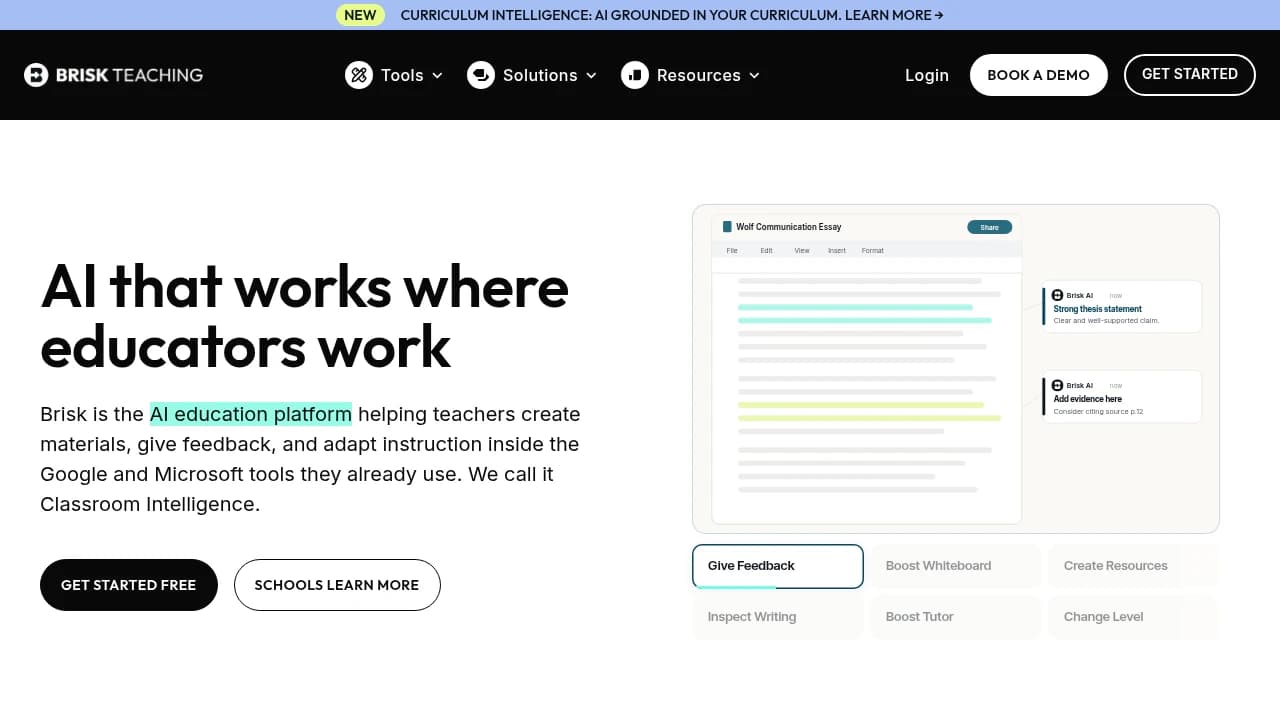
Brisk Teaching is an AI classroom workflow tool for teachers and district teams that creates lessons, student activities, feedback, and planning support inside the apps they already use. Its Presentation Maker, Lesson Plan Generator, Quiz Generator, Give Student Feedback, and Curriculum Intelligence features work through the Brisk Extension in Docs, Slides, PDFs, YouTube, and LMS tools. Brisk says it is used by more than 2 million teachers across 20,000 school districts, with Educator Free $0/month and custom Premium and Intelligence plans.
Last verifiedHow we evaluate
At a glance
- Brisk Teaching is best for teachers and district teams who need AI inside existing classroom workflows.
- Educator Free $0/mo; Premium Custom; Intelligence Custom
What does Brisk Teaching do?
Brisk handles classroom prep and feedback by embedding AI directly into the tools teachers already use, so they can create lessons, generate student activities, and respond to work without leaving their workflow. Its extension brings in-the-moment support into Docs, Slides, PDFs, YouTube, and LMS environments, while Brisk Boost gives teachers a controlled student-facing workspace and Brisk Next helps them plan what comes next. The result is faster creation, easier differentiation, and more consistent instructional support across daily teaching tasks. At scale, Brisk says it is used by more than 2 million teachers across 20,000 school districts, and its tools support 50+ languages. The company also points to district deployments such as Ottawa Catholic School Board and Barbers Hill ISD, with case studies showing 53,000 students and 8,000 students respectively. Brisk's curriculum intelligence option grounds outputs in district standards, pacing, scope & sequence, and instructional priorities, while the platform remains browser-based with no API or self-hosting offering listed.
Why use Brisk Teaching?
- It works inside the apps teachers already use, reducing copy-paste and tab switching during planning and grading.
- Curriculum Intelligence can ground outputs in district standards and adopted materials instead of generic web-based prompts.
- Brisk offers a free entry point for individual teachers, while district plans add centralized control and support.
- The platform combines teacher-facing, student-facing, and planning workflows in one connected experience.
- Case studies show district-scale adoption, including Ottawa Catholic School Board and Barbers Hill ISD.
Who is Brisk Teaching for?
- Teachers who want faster lesson creation, feedback, and student activities inside their daily tools.
- School and district leaders who need controlled AI adoption with visibility and consistency.
- Curriculum teams who want AI outputs grounded in standards, pacing, and instructional priorities.
- Special educators and ELL teachers who need differentiated materials and reading-level changes.
- Instructional coaches who want to support teachers without adding extra workflow steps.
What are Brisk Teaching's key features?
Presentation Maker
Creates slide decks inside Google Slides or Microsoft PowerPoint, helping teachers turn prompts into classroom-ready presentations in seconds.
Lesson Plan Generator
Generates lesson plans aligned to your standards and classroom context, so teachers can plan faster without starting from scratch in Google Docs or Canvas.
Quiz Generator
Builds quizzes and checks for understanding from PDFs, YouTube, or Google Docs, saving time when teachers need quick assessment materials.
Give Student Feedback
Produces targeted feedback on student work in Google Classroom, Turnitin, or Docs, helping teachers respond faster with clearer next steps.
Change Reading Levels
Adjusts text complexity for different learners, using supported formats like PDFs and DocX Files so materials match student reading needs.
Curriculum Intelligence
Grounds AI output in adopted curriculum, pacing, scope and sequence, and instructional priorities, helping districts keep resources aligned at scale.
Brisk Extension
Works in Chrome and Microsoft Edge, letting teachers create lessons, feedback, and activities directly inside tools like Google Classroom and Canvas.
Batch Feedback
Applies feedback across multiple student submissions at once, reducing repetitive grading work while keeping comments consistent in Google Forms, Docs, or PDFs.
What does Brisk Teaching integrate with?
- Microsoft
- Canvas
- Google Classroom
- Google Chrome
- Microsoft Edge
- Gemini
- ChatGPT
- YouTube
- Google Docs
- Google Slides
- Google Forms
- DocX Files
- PowerPoint
- Microsoft Forms
- ClassLink
- Blackboard
- Schoology
- Nearpod
- Google Drive
- OneDrive
- Microsoft Word
- Microsoft PowerPoint
- Turnitin
- Chrome
- Edge
- Docs
- Slides
- PDFs
What are Brisk Teaching's use cases?
Teachers plan faster lessons
Teachers who want faster lesson creation use Brisk Teaching to turn a prompt, doc, or slide into a ready-to-teach plan. With the Lesson Plan Generator and Presentation Maker, they can build classroom materials in seconds and spend more time on instruction and student support.
Feedback at classroom scale
Teachers use Brisk Teaching to give faster, more consistent comments on student work without leaving their daily tools. The Give Student Feedback and Batch Feedback features help them respond to whole classes quickly, while Targeted Feedback keeps comments specific enough to drive revision.
Differentiation for special educators
Special educators and ELL teachers use Brisk Teaching to adapt the same assignment for different reading levels and learner needs. Change Reading Levels and Personalize Student Learning help them produce accessible versions and next-step activities that match students where they are.
Curriculum-aligned district workflows
Curriculum teams and school leaders use Brisk Teaching to keep AI outputs aligned to district priorities instead of starting from scratch. Curriculum Intelligence and AI grounded in your curriculum help them generate materials from pacing, scope, and sequence, supporting consistency across classrooms.
How does Brisk Teaching work?
- Install the Brisk Extension in Chrome or Edge, then open Google Docs, Slides, Canvas, or another supported workspace where you already teach and plan.
- Choose a starting action like Lesson Plan Generator, Quiz Generator, or Presentation Maker, and let Brisk draft classroom-ready content from your prompt or source material.
- Refine the output with Chat to Iterate, then use Create Instructional Materials or Create Anything Tool to tailor activities, handouts, and slides to your lesson goals.
- Apply Give Student Feedback, Change Reading Levels, or Batch Feedback to student work so comments, accessibility, and differentiation happen inside the same workflow.
- For district use, connect Curriculum Intelligence and AI grounded in your curriculum so teachers generate aligned resources, leaders maintain consistency, and teams keep improving with shared standards.
How much does Brisk Teaching cost?
Educator Free
$0/mo- For Every Teacher
- Free Forever
- Built on
- Strong pedagogy and general best practices
- So teachers can
- Create lessons, feedback and student activities in seconds, right inside the tools they already use
- Leaders get
- A safe, trusted AI tool teachers can explore on their own
- Supported by
- Self-serve resources and community
Premium
Custom- For Schools & Districts
- Built on
- Your district's standards, rubrics and classroom insights
- So teachers can
- Generate with their standards, see what students need next and work with tools customized to their context
- Leaders get
- Control, visibility and consistency, every classroom benefits, not just the early adopters
- Supported by
- Dedicated CSM, onboarding and personalized professional development
Intelligence
Custom- For Districts
- Built on
- Your adopted curriculum, pacing, scope & sequence and instructional priorities
- So teachers can
- Built from the curriculum instead of starting from scratch, every resource is aligned before they even begin
- Leaders get
- Curriculum fidelity at scale, without policing teachers
- Supported by
- White glove curriculum setup, dedicated CSM and ongoing PD
Frequently asked questions
What is Brisk Teaching?
Brisk Teaching is an AI classroom workflow tool for teachers and district teams that creates lessons, student activities, feedback, and planning support inside the apps they already use. Its Presentation Maker, Lesson Plan Generator, Quiz Generator, Give Student Feedback, and Curriculum Intelligence features work through the Brisk Extension in Docs, Slides, PDFs, YouTube, and LMS tools. Brisk says it is used by more than 2 million teachers across 20,000 school districts, with Educator Free $0/month and custom Premium and Intelligence plans.
How much does Brisk Teaching cost? Is it free?
Brisk Teaching has a free plan, with paid tiers including Premium at Custom Pricing, Intelligence at Custom Pricing.
What is Brisk Teaching used for? Who is it for?
Brisk Teaching is used for Presentation Maker, Lesson Plan Generator, and Quiz Generator. It's built for Teachers, School and district leaders, and Curriculum teams.
Does Brisk Teaching have an API and what does it integrate with?
Brisk Teaching doesn't publish a public API. It integrates with Google, Microsoft, Canvas, Google Classroom, Google Chrome, and 25 more.
Editor's read
Check whether your district needs Curriculum Intelligence or the standard Premium plan. Intelligence is the tier tied to adopted curriculum, pacing, scope & sequence, and instructional priorities, while Premium is built around district standards and classroom insights.

Explore other Education & Learning Agents


