
Cuey
What is Cuey?
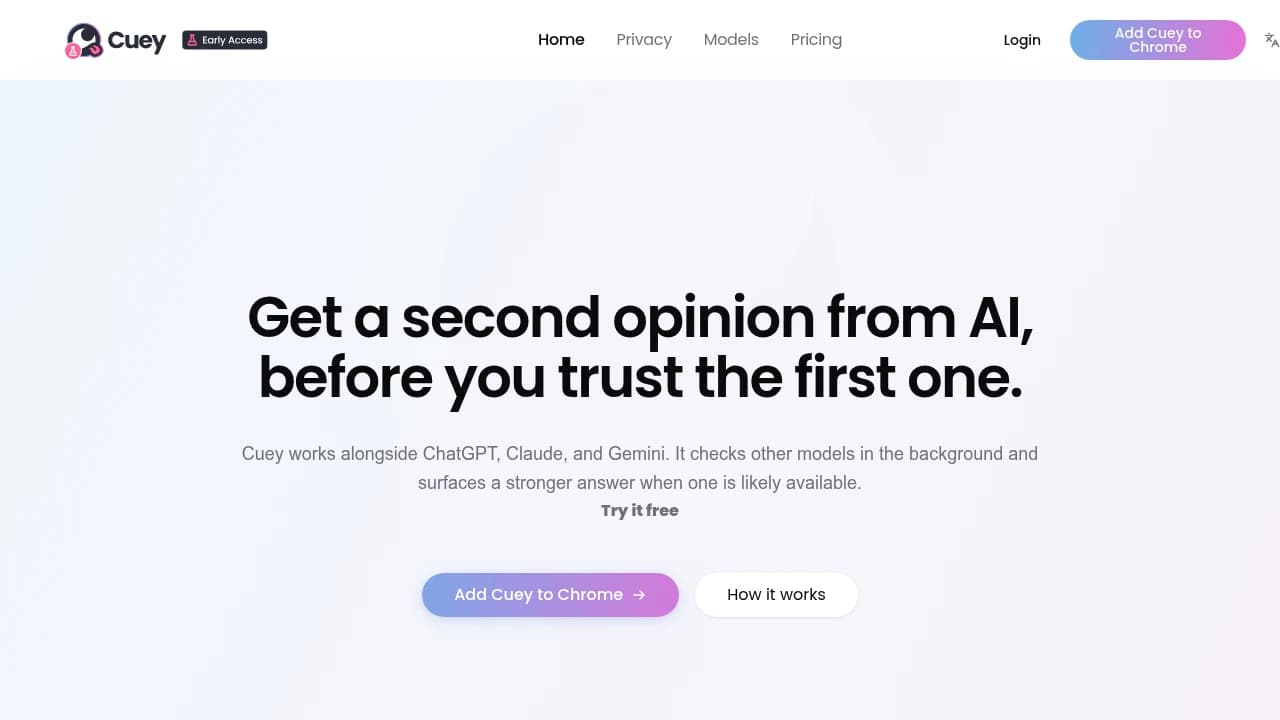
Cuey is a browser-extension AI comparison tool for knowledge workers that checks answers across models before you trust one. It runs alongside ChatGPT, Claude, Gemini, Grok, and Mistral, showing side-by-side responses with full context and manual prompt routing. Features include Compare before you trust, Own your memory, Built for trust, and Privacy by architecture. Plans run Free $0 forever and Pro $9.99/month.
Last verifiedHow we evaluate
At a glance
- Cuey is best for knowledge workers who want a quick second opinion before trusting an AI answer.
- Free $0 forever; Pro $9.99/month
What it actually does
Cuey is a browser extension (Chrome Web Store listing: "Compare ChatGPT, Claude, Gemini, Grok & DeepSeek answers side by side") that overlays a sidebar on ChatGPT, Claude, Gemini and other AI chat sites. You type a prompt as normal; Cuey also sends it to a set of other models you pick from its 20+ supported list and shows the responses side by side, flagging where they agree or diverge. It also offers to carry your prompt/chat history across the different AI tools you use. It does not click, navigate, or act on webpages on your behalf — it is an answer-comparison and cross-model memory layer, not a browser-automation or agentic-browsing tool.
Where it's genuinely useful
The core idea — run one prompt across several models and surface disagreement — solves a real problem for anyone who treats a single model's answer as provisional, and independent reviewers on the Chrome Web Store back this up: reviewers describe using it for research, judgment-heavy tasks, and catching "confident-sounding wrong" answers without tab-switching. The free tier is genuinely usable (all 20+ models, not a cut-down subset) rather than a teaser that paywalls the models you'd actually want to compare against.
Pricing
Free: $0, all 20+ models, 5 comparisons/day, resets daily. Pro: $18.99/month, same model access, 25 comparisons/day, plus 500MB file storage, priority queue and "long-context & advanced reasoning modes." Confirmed against both the rendered pricing page and the page's own JSON-LD pricing schema on 2026-09-26. Our database previously carried $9.99/month for Pro — that figure is stale/incorrect against the vendor's current price and has been corrected here.
What happens to your prompts
Cuey is built by Llama Valley, Inc. and its privacy policy states prompts and file uploads ("User Content") are sent to third-party AI providers, named as OpenAI, Anthropic and others, to generate the comparison responses. The policy also states Llama Valley may use anonymized/aggregated User Content to improve its own models unless you opt out by emailing support — this is opt-out, not opt-out-by-default, and the opt-out doesn't retroactively undo training on data already collected. Payments run through Stripe; the company is based in Delaware and states its servers are in the US.
Track record and scale
The Chrome Web Store listing shows about 1,000 users, 11 ratings (5.0 average), version 0.1.20.7, last updated September 15, 2026. Reviews on the store date back to April 2026, suggesting the extension has been live roughly five months as of this writing. No listing was found for Cuey in Firefox's Add-ons store (a search for "cuey" returned 243 unrelated results, none matching), and Microsoft's Edge Add-ons store search did not return usable results either way — Chrome is the only confirmed distribution channel.
How much does Cuey cost?
| Plan | Price | What's included |
|---|---|---|
| Free | $0 forever |
|
| Pro | $9.99/month |
|
Frequently asked questions
What is Cuey?
Cuey is a browser-extension AI comparison tool for knowledge workers that checks answers across models before you trust one. It runs alongside ChatGPT, Claude, Gemini, Grok, and Mistral, showing side-by-side responses with full context and manual prompt routing. Features include Compare before you trust, Own your memory, and Privacy by architecture. Plans run Free $0 forever and Pro $9.99/month.
How much does Cuey cost? Is it free?
Cuey has a free plan, with paid tiers including Pro at $9.99/month.
What is Cuey used for? Who is it for?
Cuey is used for Compare before you trust, Own your memory, and Built for trust. It's built for Researchers, Writers, and Product teams.
Does Cuey have an API and what does it integrate with?
Cuey doesn't publish a public API. It integrates with ChatGPT, Claude, Gemini, Grok, Mistral.
Editor's read
Free users get 15 comparisons per week, while Pro raises that to 100. Check whether your expected review volume will stay under the free cap or quickly require the paid tier.

Explore other Browser Agents


