ERIUS PHONE review (2026): a cloud Android phone for AI agents — features, pricing and alternatives
A buyer's guide to ERIUS PHONE, the cloud Android phone an AI agent drives over HTTP or MCP: what it does, what it costs, who it suits, and how it compares with the alternatives.

Written by AgentsIndex
ERIUS PHONE is a Featured listing on AgentsIndex. This post was commissioned as part of that tier. Every claim in it is sourced and independently checked.
AI agents got good at the web quickly. Give one a browser and it will read a page, fill in a form and click through a checkout. But a large share of what people actually do every day happens inside phone apps, and many of those apps have no website and no public API. An agent that only has a browser cannot reach them. Teams that ship Android apps have the same gap from the other side: they want to know how a real user gets through the app on a real phone, and scripted UI tests tend to break the moment a screen changes.
ERIUS PHONE answers both problems with one idea: give the agent a phone of its own. Each customer gets a full Android 13 system in the cloud, running in its own isolated container, and a small JSON API (plus an open-source MCP server) that lets the agent read the screen, tap, type, swipe, install apps and pull crash logs. This review covers what it does, what it costs, who it suits, how it compares with the alternatives in our directory, and what to check before you commit.
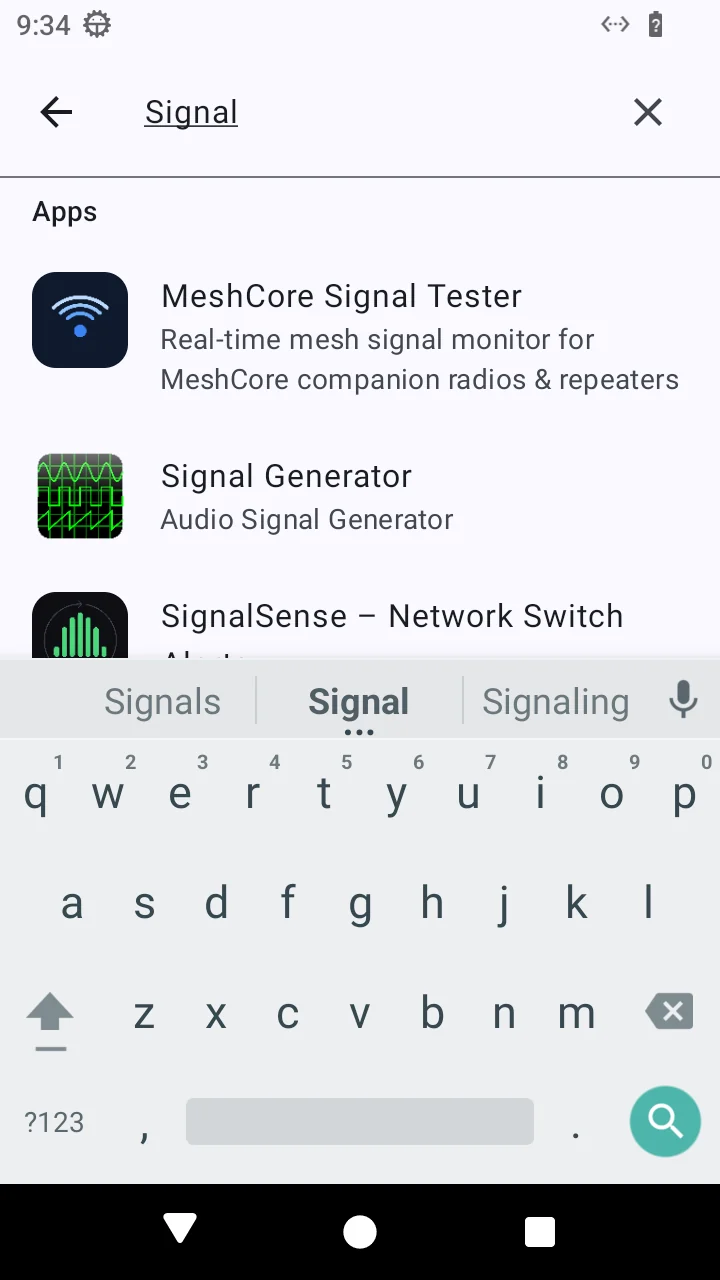
A screen captured on an ERIUS PHONE device, as published by the vendor.
Key takeaways
- ERIUS PHONE gives an AI agent its own Android 13 phone in the cloud, with real apps, the Google Play Store and a real mobile browser. The agent drives it over plain HTTP, or through the MIT-licensed
erius-phone-mcpserver for Claude Code, Claude Desktop and Cursor.- The agent works the way a person does: it reads the screen (as an accessibility tree with a
[ref=N]on everything it can act on, or as a screenshot), decides, then taps. There are no locators to write in advance.- It is built for two jobs: agent-driven QA of your own Android app, and giving an agent access to apps that have no API.
- Published preview pricing is $39 a month for one phone (Starter) and $129 a month for three (Team, $43 per phone), with Enterprise on request. Online billing is not live yet: early access is invite-based and takes no card.
- It is an early-access product, and the vendor says so plainly: one server, no uptime guarantee and no certifications yet. That makes it a strong fit for QA and prototyping today, and an early one for anything that needs an SLA.
ERIUS PHONE at a glance
| What it is | A cloud Android phone for AI agents, controlled over a JSON HTTP API or MCP |
| Best for | Android app teams that want agent-driven QA; developers whose agents need to use native apps |
| Device | Android 13; phone screen 720×1280, tablet 1600×2560; one isolated container per device |
| Agent interface | HTTP API with an API key, plus the open-source erius-phone-mcp server (21 tools) |
| Pricing (preview) | Starter $39/mo (1 phone), Team $129/mo (3 phones), Enterprise custom; tablets from $59/mo |
| Free tier | None. A 90-second live demo phone on the homepage needs no signup |
| Status | Early access: devices and API keys are set up by hand, and no payment is taken yet |
| Hosting | One server in a Hetzner data centre in Helsinki, Finland |
| Alternatives on AgentsIndex | Browserbase, Browser Use, Playwright MCP, MultiOn, AgentPhone |
What ERIUS PHONE is
ERIUS PHONE describes itself as "a virtual Android phone for AI agents". Each phone is a full Android 13 system rather than an emulator skin or a screenshot simulator, and apps behave the way they do on a handset, with permissions, notifications, keyboards and the back stack. The agent can install apps from Google Play, from an alternative store or from your own APK, and whatever it installs is still there in the next session.
Two design decisions shape the product.
The agent reads the screen instead of following a script. Classic mobile test automation, with Appium as the best-known open-source example, drives an app through locators written in advance: resource IDs, XPath expressions, accessibility labels. ERIUS PHONE hands the agent the current screen instead. The /snapshot endpoint returns the accessibility tree with a short [ref=N] on every element the agent can act on, and the agent taps {"ref": 12}, or targets an element by its visible text or content description. For WebViews, Flutter apps and games, where the tree shows little, it takes a /screenshot and taps by coordinates. Refs reset on every snapshot, so the API itself nudges the agent to look again before each action. That look, decide, act loop is exactly what language models are good at, and it is why a moved button does not break the run.
Sign-ins stay human. You sign the phone into Google or any other account once, yourself, on the phone's live screen in the dashboard. The agent then works inside that session and never handles your passwords or two-factor codes. ERIUS PHONE is careful to describe this as a rule for using the product rather than a technical lock: the type action types whatever it is sent, so the advice is simply never to give your agent a password.
Under the hood, the device descriptions in the vendor's own MCP documentation read "redroid Android 13", which points to redroid, the open-source project for running Android in containers. The security page confirms the model: phones are containers that share the server's kernel, not separate virtual machines.
Key features
- A real Android 13 system per phone. One phone per agent, each in its own container with its own storage volume and its own private network. ERIUS PHONE says it tested from inside a phone on 5 October 2026 that connections to other phones, to the host server and to the hosting provider's metadata address were all blocked.
- One small API for every gesture. Tap, type, swipe, launch, install, read, screenshot and microphone input, as plain HTTP calls any agent framework can make. The full reference adds long-press, scroll, hardware keys, Android intents and deep links, uninstall, force-stop, and a
/waitcall that blocks until a given text appears on screen. - Crash detection built in.
/foregroundreports whether Android is showing an "app has stopped" dialog and which package crashed, and/crashesreturns the Java and native crash lines from the device log, so an agent can tell a crash from a slow screen. - Google Play and your own builds. Install from the Play Store, or upload an APK of up to 1 GB, optionally granting every runtime permission at install. ARM-only APKs install too.
- Microphone input, camera in beta. Upload an audio clip and it plays into the phone's microphone, so voice assistants, recorders and voice-verification steps hear real input. A virtual camera that plays a video clip to any app that opens the camera is in beta on newly provisioned devices.
- State that persists. Installed apps, settings and signed-in sessions stay on the phone between sessions.
- A live dashboard to watch and control your phones, which you sign in to with your API key.
- Voice and video calls. The agent can take part in one-to-one WhatsApp or Telegram voice and video calls, appearing as an avatar on video. Conference calls are planned and not built yet.
You do not have to take any of this on trust before talking to the team. The homepage has a shared, live demo phone: 90 seconds, no signup, and the same touchscreen the agent uses. You can tap, swipe and scroll on it, but not type or install apps.
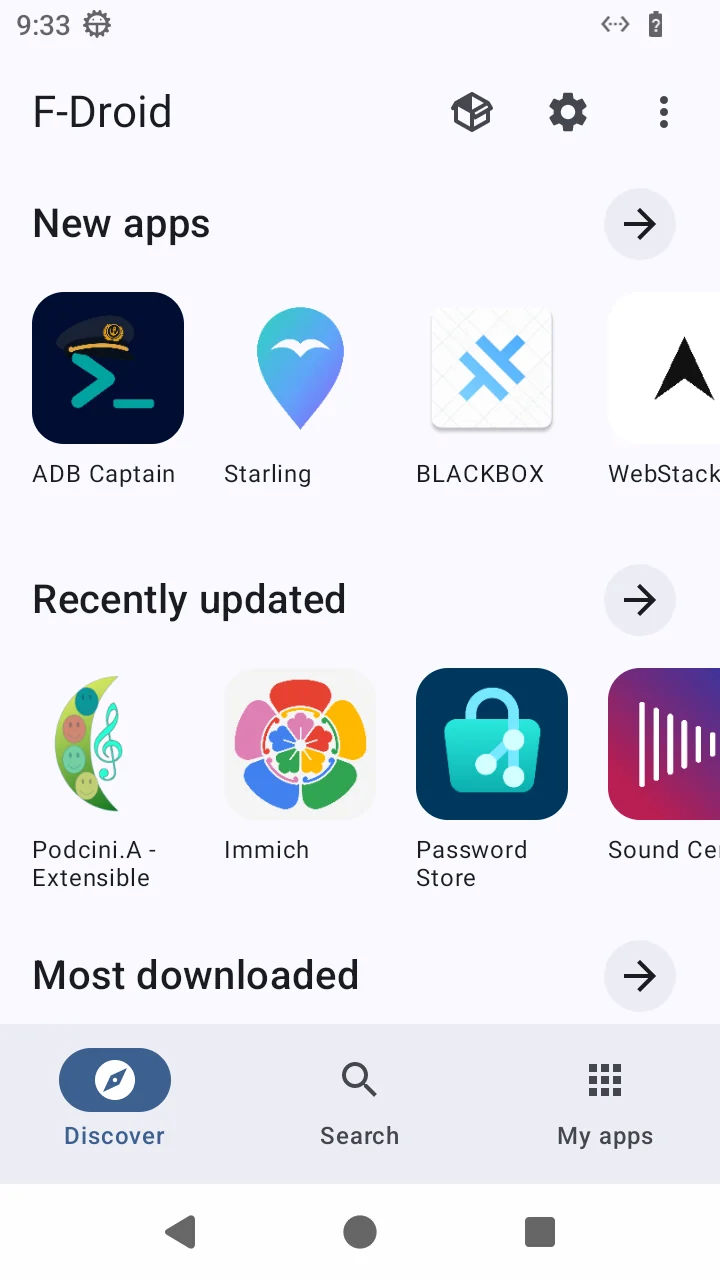
F-Droid on an ERIUS PHONE device, as published by the vendor. Read through /snapshot, the same screen comes back as a tree of [ref]-tagged elements.
How it works in practice
The documented quickstart is the whole agent loop in a few calls: find your phone, read the screen, act, look again. Below, /whoami lists the phones the key controls, /snapshot?format=text reads the screen as text with a [ref=N] on everything the agent can act on, and /tap presses an element by its visible label rather than by coordinate.
curl -s -H "X-API-Key: $ERIUS_KEY" https://api.eriusphone.com/whoami

curl -s -H "X-API-Key: $ERIUS_KEY" \
  "https://api.eriusphone.com/device/dev_7f3a/snapshot?format=text"

curl -s -H "X-API-Key: $ERIUS_KEY" -H 'Content-Type: application/json' \
  -d '{"text": "Network & internet"}' \
  https://api.eriusphone.com/device/dev_7f3a/tap
For app QA the flow is: install the build, force-stop and relaunch it for a cold start, let the agent work through a goal such as "sign up, add an item, check out" by snapshotting and tapping, and pull a screenshot, the UI tree and the crash log at any step. Today your own agent runs that loop and collects the evidence. A packaged pass/fail report per flow is on the roadmap for the Team plan, marked "coming soon" on the pricing page.
The documented limits are worth knowing before you wire it into CI:
- Up to 30 requests per second per IP address, with bursts to 60.
- Actions on one phone run in order, while different phones run in parallel. Each phone queues at most 8 waiting requests, and no single action holds a phone for longer than 150 seconds.
- Reading the accessibility tree takes roughly one to three seconds, so the docs recommend
/waitover tight polling. - Typing is printable ASCII only, an adb limitation, so no emoji or non-Latin scripts.
Using ERIUS PHONE as an Android MCP server in Claude Code, Claude Desktop or Cursor
If your agent already lives in an MCP client, you do not need to write any HTTP code. ERIUS PHONE publishes its own MCP server, erius-phone-mcp: MIT-licensed, on PyPI since 2 October 2026 (version 0.1.0), and requiring Python 3.10 or later. It exposes 21 tools, from snapshot, tap and type_text to install_apk and get_crash_log. In Claude Code the setup is a single command:
claude mcp add erius-phone \
  -e ERIUS_PHONE_API_KEY=your-api-key \
  -e ERIUS_PHONE_DEFAULT_DEVICE=your-device-id \
  -- uvx erius-phone-mcp
Claude Desktop and Cursor take the same mcpServers block in their config files. The screenshot tool returns the screen as MCP image content, so the model sees the phone directly, and the README gives a practical tip: a phone screenshot is roughly 50–700 KB, so prefer the much smaller text snapshot and take pixels only when you need them. The package is labelled alpha, and its README says tool names and arguments may still change before 1.0.
Who ERIUS PHONE is for
- Android app teams that want agent-driven QA. Give an agent the APK and a list of things a user should be able to do, and it works through them on a real Android system, with screenshots and crash logs as evidence. The Team plan's three isolated phones let you run three flows, or three builds, side by side.
- Developers whose agents need native apps. Ride-hailing, messaging, delivery, your own company's app: if it is on Google Play and has no API, the phone is the interface.
- Builders of personal or assistant agents who want the agent to have a phone of its own, with its own apps and sessions, rather than lending it yours.
- Teams testing voice flows. Real microphone input makes voice assistants and voice-verification steps testable end to end.
It is a less natural fit if you need iOS (the devices are Android only, and Android 13 only), a contractual uptime guarantee, a named legal entity and reviewed terms to sign, or apps that refuse uncertified devices, which the next sections cover.
ERIUS PHONE pricing
ERIUS PHONE publishes its prices openly, priced per device:
| Plan | Price | Devices | Per device | What it adds |
|---|---|---|---|---|
| Starter | $39/mo | 1 phone | $39 | Full device API, accessibility snapshots, APK install, persistent state |
| Team | $129/mo | 3 phones | $43 | Everything in Starter, more than one API key; goal-based QA runs and pass/fail history are "coming soon" |
| Enterprise | Custom | Sized to you | n/a | Dedicated capacity, custom isolation, priority support, terms agreed directly |
| Tablet | from $59/mo | 1 or 3 tablets | $59 / $63 | The same API on a 1600×2560 screen; $189/mo for three on Team |
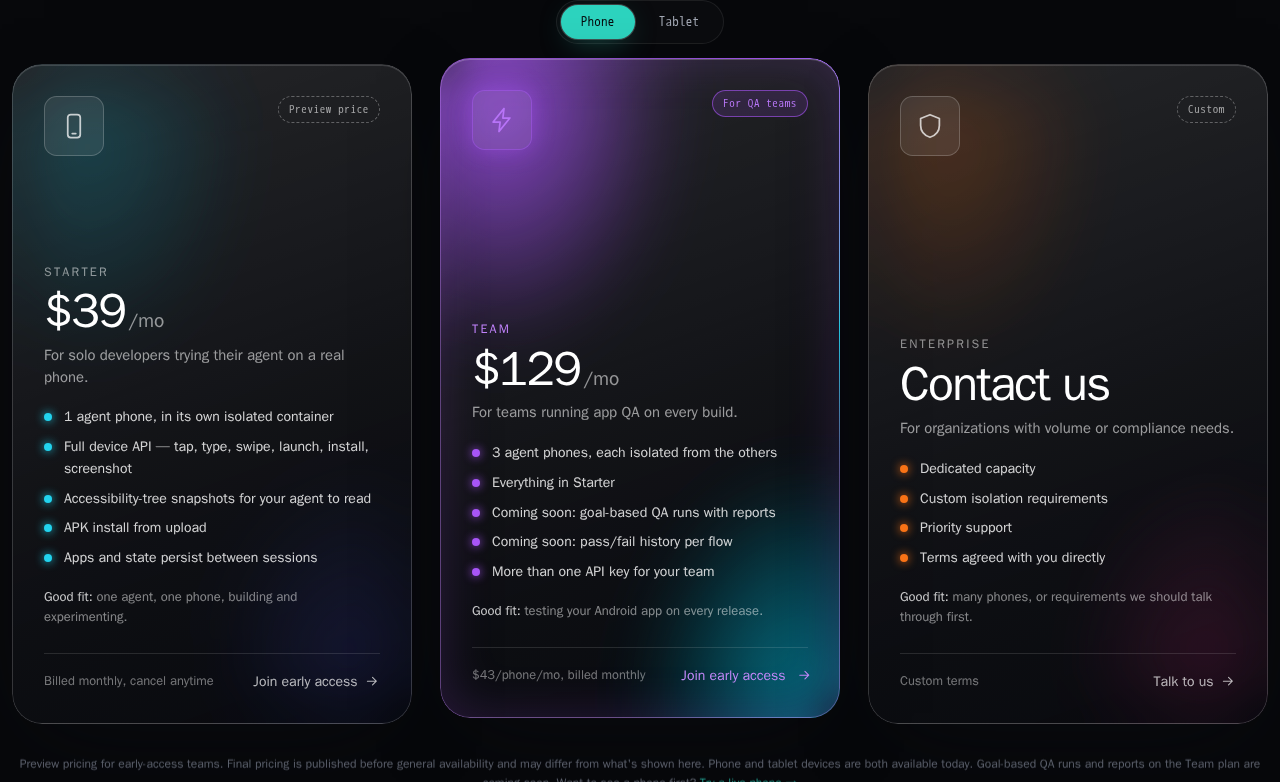
The phone plans on the ERIUS PHONE pricing page, captured 9 October 2026.
There is no per-minute or per-session metering: once billing opens, Starter and Team are flat monthly prices for the device count shown, billed in advance, cancel any time. For a QA team that is the useful part of the arithmetic. Team costs $1,548 a year for three always-on, isolated devices, and running the agent on every merge rather than once a release does not change the bill.
Three details matter when you plan a budget:
- These are preview prices. The pricing page labels them early-access previews that may still change before general availability, and says the team intends to honour them for early-access customers.
- Payment is not live yet. Right now you sign up by email, the team gets in touch and sets up your device by hand, and there is no card to enter.
- There is no free tier or trial. ERIUS PHONE's stated reason is that every phone is a real Android system that costs real compute. The 90-second demo phone is the way to try it first. Early-access signups also get a founder offer: a phone and a tablet for the price of one phone when general registration opens, and free voice and video calling with the agent for 14 days.
Pros and cons
What ERIUS PHONE does well
- It reaches apps that browser agents cannot. A real Android system with the Play Store opens up every app without an API, with no per-app integration.
- The API is agent-native. Ref-tagged snapshots, taps by visible text,
/wait, and crash detection map directly onto how a model reasons about a screen. The reference is short, precise and honest about its limits, with real status codes for every error. - MCP support is first-party. Claude Code, Claude Desktop and Cursor get the phone as native tools with one command.
- Pricing is simple. Flat per-device plans, published up front, with no metering to model.
- Isolation and key handling are thought through. Each phone has its own container and network; a key sees only its own account's phones, and any other device ID gets the same 403 whether or not it exists. Keys are 256-bit and stored only as a SHA-256 hash, and API logs leave out request bodies, so typed text is never written to them.
- It is unusually transparent. The security page, checked against the live system on 5 October 2026, includes a section headed "What we do not do yet", and the about page lists what is working today and what is not.
Trade-offs to weigh
- Early access. There is no self-serve signup or online payment yet, and API keys cannot be created, rotated or revoked by the customer; you email the team.
- Single-server reliability. Everything runs on one server, with no failover, no uptime guarantee and no backup job for phone storage, so keep your own copy of anything important.
- Container isolation, not VMs. Phones share the host kernel and run in privileged mode, and the vendor notes that its network and key checks do not protect against a kernel-level escape. The server's disk is not encrypted by the vendor, and there are no security certifications yet.
- App compatibility. The phones are not Play Protect certified, so some banking, DRM-protected streaming and game apps will not run. Phones connect from data-centre IP addresses, and the vendor warns that some platforms limit or ban accounts for that or for automated use.
- One OS version and ASCII-only typing. Devices run Android 13 only, and typing is limited to printable ASCII.
- QA reporting is still to come. Your own agent assembles the evidence today; the packaged pass/fail reports are on the roadmap.
ERIUS PHONE vs alternatives
No other listing in our directory today is a hosted Android phone for agents, so the useful comparison is by job: what your agent needs to drive.
| Tool | What your agent drives | Where it runs | Choose it when |
|---|---|---|---|
| ERIUS PHONE | Native Android apps, through the touchscreen | Hosted; one isolated container per phone | Your agent must use a mobile app, or test your APK |
| Browserbase | Websites, in cloud browsers | Hosted | The task lives on the web and you want managed browsers |
| Browser Use | Websites, through an open-source (MIT) agent library or its hosted browsers | Your machine or their cloud | You want an open-source web agent you can run yourself |
| Playwright MCP | A browser, through Microsoft's Apache-2.0 MCP server | Locally, next to your MCP client | Web testing or browsing from Claude Code or Cursor at no cost |
| MultiOn (now AGI, Inc.) | The user's own phone or computer, through its own action AI | A ready-made assistant | You want an assistant that acts on your phone, not a phone for your own agent |
| AgentPhone | Phone numbers: voice calls and text messages through one webhook | Hosted | "Phone" means telephony and your agent needs to call or text |
If your agent's world is the web, a browser tool is simpler and cheaper, and you do not need a phone. ERIUS PHONE earns its place the moment the task is inside an app. Anyone who has used Playwright MCP will find the model familiar: it also gives the agent an accessibility snapshot with refs instead of pixels, and ERIUS PHONE applies the same idea to Android.
The other alternative is to build it yourself. Appium (Apache-2.0) is the standard open-source framework for scripted mobile automation over WebDriver; mobile-mcp (Apache-2.0) is an MCP server for driving emulators, simulators and real devices you provide; and redroid lets you run Android containers on your own servers. Those routes are free as software and give you full control, including iOS through mobile-mcp. In exchange, you own the devices, the hosting, the isolation and the maintenance. ERIUS PHONE positions itself against Appium on its own Appium alternative page: no Appium server, no desired-capabilities file and no locators to maintain.
Company, terms and maturity
ERIUS PHONE describes itself as built by a small team, and its about page promises you will hear back from someone who works on the product. The site does not yet name a company. Its MCP server is published under the GitHub organisation of Protremix Technology, which lists Spain as its location. The combined privacy and terms page, dated 2 October 2026, says that it has not been reviewed by legal counsel, does not yet name a legal entity or governing law, and will be replaced by reviewed terms before commercial launch.
The product is new: the MCP package's first release is dated 2 October 2026, and there are no independent reviews of ERIUS PHONE yet. That is the honest frame for everything above. What stands out for a product this young is how much of the operational detail is already written down, from the rate limits to the list of gaps, which makes it easy to judge whether your use case fits today.
The verdict
ERIUS PHONE is a direct, well-designed way to give an AI agent a real Android phone: one API call to read the screen, one to tap, and an MCP server that puts the phone inside Claude Code or Cursor in a minute. The API is designed around how agents actually work, the pricing is simple, and the vendor is candid about what is not built yet.
For an Android team that wants an agent to walk its core flows on every build, or a developer whose agent needs apps that have no API, it is well worth a trial. Start with the 90-second demo phone, then a Starter phone, and move up to Team when you want parallel runs. For workloads that need an uptime guarantee, certifications or signed terms, keep it on the shortlist and check back as early access matures. You can request a device on the ERIUS PHONE website or read our structured ERIUS PHONE listing.
Frequently asked questions
Is ERIUS PHONE an emulator?
No. Each device is a full Android 13 system running in its own container on ERIUS PHONE's server, based on the open-source redroid project. Apps run as they would on a handset, with Google Play and a real mobile browser. It is virtualised Android rather than a physical handset, which is why some apps that require Play Protect certification will not run.
How much does ERIUS PHONE cost?
Published early-access pricing is $39 a month for one phone (Starter), $129 a month for three phones (Team, $43 per phone) and custom pricing for Enterprise. Tablets cost $59 a month on their own or $189 a month for three. There is no per-minute metering. The prices are previews that may change before general availability, and online payment is not live yet.
Is there a free trial?
There is no free tier or free trial. ERIUS PHONE offers a 90-second live demo phone on its homepage with no signup, and early-access teams get free voice and video calling with their agent for 14 days.
Does ERIUS PHONE work with Claude Code, Claude Desktop and Cursor?
Yes. The vendor's MIT-licensed erius-phone-mcp server exposes the phone as 21 MCP tools, including snapshot, tap, type_text, install_apk and get_crash_log. It runs over stdio with uvx erius-phone-mcp and needs an ERIUS PHONE API key.
Can my agent use any app from Google Play?
Most apps work. Apps that refuse virtualised or uncertified devices, often banking, DRM-protected streaming and some games, will not run on any plan, and the vendor offers to say whether an app you care about is affected. Some platforms also restrict automated use or data-centre IP addresses in their terms.
Does the agent see my passwords?
It does not need to. You sign in to accounts once yourself on the phone's live screen, and the agent works inside that session. The vendor's API logs do not record request bodies, so typed text is not logged. The type action will type whatever it is sent, so you should simply never give your agent a password.
Can I run several phones in parallel?
Yes. Each phone runs its actions in order, but different phones run in parallel. The Team plan includes three isolated phones, and Enterprise is sized to the number you need.
Does ERIUS PHONE support iOS?
No. ERIUS PHONE provides Android 13 phones and tablets only. For iOS automation, open-source tools such as mobile-mcp and Appium work with simulators and devices you provide yourself.
What are the best alternatives to ERIUS PHONE?
It depends on the job. For web tasks, cloud browsers such as Browserbase or open-source tools such as Browser Use and Playwright MCP are simpler. For phone calls and text messages, AgentPhone provides phone numbers for agents. To run your own Android devices, Appium, mobile-mcp and redroid are the open-source options. For a hosted Android phone your own agent controls, ERIUS PHONE is the dedicated option.
Sources
- ERIUS PHONE, homepage: product, features, live demo, calls, founder perk
- ERIUS PHONE, pricing and pricing FAQ: plans, tablet prices, billing, free-tier policy, app compatibility, terms-of-service risk (checked 9 October 2026)
- ERIUS PHONE, API reference: endpoints, snapshots and refs, errors, limits and caveats
- ERIUS PHONE, security page: isolation, key handling, data storage, hosting and the "What we do not do yet" list (checked against the live system 5 October 2026, per the vendor)
- ERIUS PHONE, about page: team, what is working today and what is not
- ERIUS PHONE, privacy and terms, dated 2 October 2026
- ERIUS PHONE, Appium alternative page
- erius-phone-mcp on GitHub (README, tools, MIT licence) and on PyPI (version 0.1.0, released 2 October 2026)
- Protremix Technology on GitHub, publisher of the MCP server
- redroid, Appium, mobile-mcp and Playwright MCP on GitHub
Capabilities, isolation tests and plans described here are as documented by ERIUS PHONE, and prices are early-access previews that may change. Checked 9 October 2026.