
What is Grammarly?
Grammarly is an AI writing assistant for individuals and teams that catches mistakes, rewrites awkward passages, and adjusts tone across docs, email, and browser-based workflows. Its Proofreading, Paragraph rewrites, Tone suggestions, and Humanizer agent help polish drafts in place, while integrations with Google, Slack, Microsoft Teams, and Gmail keep it inside existing workflows. Plans run Free $0, Pro $12/month, and Enterprise custom.
Grammarly is an overlay, not a destination app
The product is installed rather than logged into. A browser extension, desktop app and mobile keyboard put suggestions directly into whatever text field is in front of you, and the vendor says the extension works in 1 million+ apps and programs, naming Gmail, Google Docs, Salesforce, Zendesk, Jira and LinkedIn. That shape matters for evaluation: there is no integrations catalogue to check, because nothing is integrated. Grammarly reads and writes in the page, which is also why the desktop page advertises a control to turn it off in any app or program.
The writing work splits into two halves. The checker half fixes grammar, spelling and punctuation, shows tone and rewrites sentences. The agent half is newer: an AI Detector, a Humanizer, a Citation Finder, Reader Reactions and an AI Grader. Grammarly describes these as agents that are aware of your context and can take action for you, while the same paragraph says they work alongside you to provide feedback and find sources. A buyer should read the second half of that sentence: the output is suggestions and predictions that a person applies.
Pricing is per member, with generative AI metered as prompts
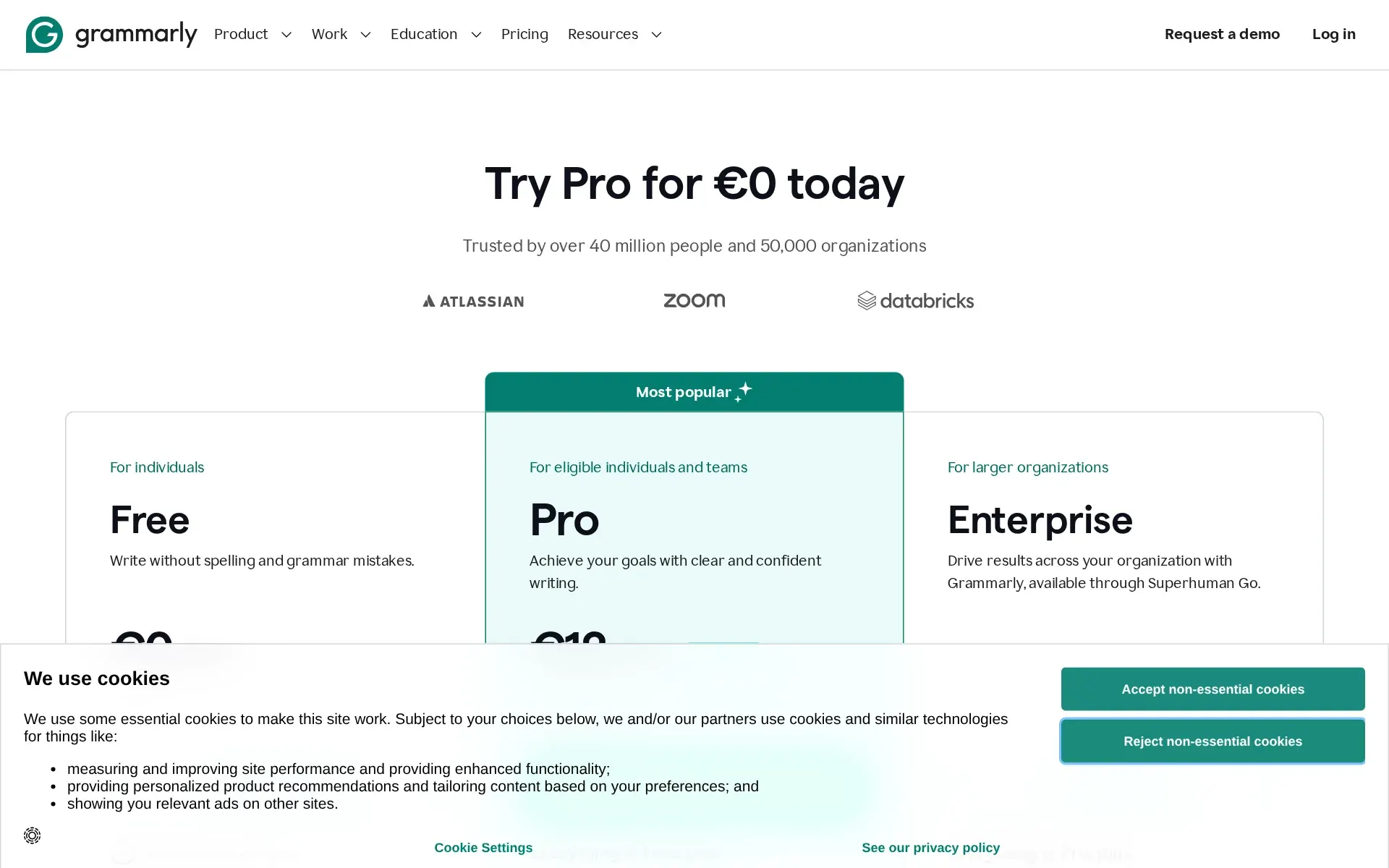
Three tiers. Free is a standing plan, not a trial, and covers mistake correction, tone detection and 100 AI prompts a month. Pro is €12 (about $13) per member per month billed annually, €30 (about $34) when billed monthly, with the annual saving advertised on the billing control as "Save up to 60%". Enterprise publishes no figure.
The second meter is the one to watch. Prompts are capped at 100 a month on Free, 2,000 per member per month on Pro and unlimited only on Enterprise, and the terms state that extra generative AI capacity bought mid-term is tied to that subscription and is not refunded when it expires. Several Pro limits are numeric rather than feature flags: one style guide, one brand tone, two user groups. Payment is by major credit card or PayPal, and an invoice can be requested for ten or more members on an annual plan.
The cancellation terms are plain and worth reading before committing a year. You may cancel at any time and keep access to the end of the billing cycle, after which the account converts to Free, but Section 8.10 of the terms says all payments are non-refundable and no credit is given for partially used periods.
The enterprise controls sit behind a sales call
The plan comparison table is unusually explicit about where administration lives. SAML single sign-on, SCIM, managed mode, invite and domain capture, custom roles, application and domain controls, confidential mode, data loss prevention, session timeout and the Audit Logs API are all marked unavailable on Free and on Pro, and checked only for Enterprise. Pro gets the Feature Management Hub, account roles and permissions, priority support and team analytics.
That is a clean line for an IT buyer: identity and logging are Enterprise, and Enterprise has no published price. The Enterprise tier is also now described as delivered through Superhuman Go, the proactive assistant from the same company, which changes what is actually being bought at that level.
The APIs are real, documented, and all in beta
There is a genuine REST API at api.grammarly.com with OAuth 2.0, and the developer documentation covers a Writing Score API, an AI Detection API, a Plagiarism Detection API, an Analytics API and a License Management API, each with its own scope such as scores-api:read. The Writing Score guide is specific where marketing pages usually are not: a 4 MB file limit, 100,000 characters, a 30 word minimum, 10 POST requests per second, scores retrievable for 30 days, and uploaded documents retained no longer than 24 hours.
Two caveats. Credentials are restricted to admins with Grammarly Enterprise and Grammarly for Education institution-wide licenses, so no individual or Pro customer can call it. And the vendor's own APIs page labels every available endpoint Beta, with Certified Readability Score and Tone Analysis listed as Coming Soon. No MCP server appears anywhere in that documentation.
Security evidence is published, data location is not negotiable
The compliance page names SOC 2 Type 2, SOC 3, ISO 27001, ISO 27017, ISO 27018, ISO 27701 and ISO 42001, and publishes the ISO certificates; the SOC 2 report itself is available only on request through sales. GDPR compliance is claimed outright, and HIPAA compliance is claimed with the condition that no protected health information be processed without a signed Business Associate Agreement.
Data residency is settled and single: storage is on Amazon Web Services in US-based data centers, with no region choice offered. On model training, the privacy policy says user content may be used to train the vendor's AI models and that an account setting controls it, while the home page states that third-party providers are not allowed to train on user content. Those are consistent but not identical claims, and the difference is between first-party and third-party training. No uptime commitment or service level agreement is published anywhere on the plans, enterprise, security or terms pages.
Where it fits, and where it does not
It fits a team that writes constantly in other people's software and wants one consistent voice across all of it, especially where a shared style guide and brand tone are worth paying for. It fits an organisation that has to answer a vendor security questionnaire, because the certification list is long and the certificates are downloadable.
It does not fit a buyer who wants programmatic access without an Enterprise contract, because API credentials are gated to that tier and every endpoint is still in beta. It does not fit anyone needing data held outside the United States, or needing a contractual uptime number. And a heavy generative user on Pro should count prompts before committing: 2,000 a month per member is a real ceiling, and the extra capacity sold on top is non-refundable.
How much does Grammarly cost?
Free
Free
- Write without mistakes
- See your writing tone
- Generate text with 100 AI prompts
Pro
$12 a month
- Achieve your goals with clear and confident writing.
- Email reminder 2 days before trial ends.
- $0 payment today
- Everything in Free, plus:
- Rewrite full sentences with a click
- Adjust your writing tone with ease
- Write fluently in English
- Unlimited personalized suggestions
- Detect plagiarism and AI generated text
- Generate text with 2,000 AI prompts
Enterprise
Contact Sales
- Drive results across your organization with Grammarly, available through Superhuman Go.
- Everything in Pro, plus:
- Proactive AI that works everywhere
- Dedicated support
- BYOK encryption
- Custom roles and permissions
- Data loss prevention
- Cost center visibility
Price and terms
- Sign up without sales
- PartlySome plans
What needs a higher plan
- Grammarly Enterprise
- Public API
- Enterprise
- Limits on what it may do, Single sign-on, Audit log
From grammarly.com/plans, checked .
The AgentsIndex digest
Price changes and new tools like Grammarly, at most once a week.
Last issue: ChatGPT vs Claude: Which One Should You Use? · 13 October 2026
Works with
- YesGoogle
- YesZendesk
- YesGmail
- YesOutlook
- YesGoogle Docs
- YesMicrosoft Word
- YesSlack
- YesMicrosoft Teams
- YesMicrosoft PowerPoint
- YesApple Mail
- YesNotion
- YesLinkedIn
- YesFacebook
- YesFigma
- YesGrammarly for Chrome
- YesGrammarly for Edge
For AI agents
- API
- PartlyGrammarly Enterprise
The facts, with their sources
What it costs to start
- What the price counts
- YesPaid Pro is priced per member per month, with generative AI metered separately as a monthly prompt allowance that rises by tier; Enterprise is quote only.
€12 (about $13) EUR / member / month, billed annually€30 when billed monthly
grammarly.com - Free tier
- YesA standing Free plan at €0 per month covers mistake correction, tone detection and 100 generative AI prompts a month, with no time limit stated.
Free Write without spelling and grammar mistakes. €0 EUR / month
grammarly.com/plans - Self-serve signup
- PartlyFree and Pro are bought by creating an account on the site, but the Enterprise tier is sold only through a sales conversation with no published rate.
Enterprise Drive results across your organization with Grammarly, available through Superhuman Go. Contact Sales
grammarly.com/plans - Contract
- PartlyBoth a month-to-month rate and a cheaper annually billed rate are published for Pro, and every paid subscription renews automatically unless canceled.grammarly.com/terms
- Cancel any time
- PartlyYou can cancel at any time and keep access until the billing cycle ends, but the terms say payments are non-refundable, so a part-used period is not returned.
No Refunds. To the fullest extent permitted by applicable law, all payments made by you under these Terms are non-refundable and payment obligations…
grammarly.com/terms
What it works with
- Works with
- YesThe extension and desktop app overlay named third-party tools including Gmail, Google Docs, Salesforce, Zendesk, Jira and LinkedIn rather than connecting by integration.
Grammarly's browser extension works in 1 million+ apps and programs to help improve your writing without breaking focus or toggling tabs. Gmail…
grammarly.com/browser - Public API
- PartlyA documented REST API with OAuth 2.0 exists for writing score, AI detection, plagiarism, analytics and license management, but only admins on Enterprise or institution-wide Education licenses can obtain credentials.
Who has access: Admins with Grammarly Enterprise and Grammarly for Education institution-wide licenses.
developer.grammarly.com/oauth-credentia…
What it does on its own
- Acts on its own
- PartlyGrammarly describes agents that take action on your goals, but the published agents produce feedback, predictions, sources and suggested rewrites that the writer still applies.
Grammarly's AI agents work alongside you to provide feedback, predict reactions to your work, find sources,
grammarly.com/ai-agents - Limits on what it may do
- PartlyAdmin limits on where and how it runs, including application and domain controls, custom roles and a confidential mode, are listed only in the Enterprise column of the comparison table.grammarly.com/plans
- No code needed
- YesThe product is installed as a browser extension, desktop app or mobile keyboard and used in place; setup needs no code from the buyer.
Install and start getting writing assistance in seconds.
grammarly.com/browser
What happens to your data
- No training on your data
- YesThe privacy policy says user content may train the vendor's AI models and gives an account setting to decide that, and the site says third-party providers are not allowed to train on user content.
You can decide whether Superhuman can use your user content to train our AI models by adjusting the available training control(s) in your account…
grammarly.com/privacy-policy - Data stays in your region
- NoThe compliance FAQ names a single storage location, Amazon Web Services data centers in the United States, and offers no choice of region to a buyer.
Grammarly stores data on servers hosted by Amazon Web Services, an industry-leading infrastructure provider, in their US-based data centers.
grammarly.com/compliance - Open source
- NoThe terms forbid reverse engineering or attempting to discover the source code of the service, which is incompatible with a published open license.
reverse engineer, decompile, disassemble, or otherwise attempt to discover the source code, object c
grammarly.com/terms - Take your data out
- PartlyUsers can request a personal data report from privacy settings and a copy of their information in a portable format, but no self-serve bulk export of documents is documented.
As a user you can request a personal data report at any time to see what personal information Grammarly processes about you by navigating to your…
grammarly.com/trust
Whether a company can buy it
- Security audits
- YesThe compliance page names SOC 2 Type 2, SOC 3, ISO 27001, 27017, 27018, 27701 and ISO 42001, with certificates published for the ISO standards.
Grammarly's SOC 2 (Type 2) report validates our controls based on the security, privacy, availability, and confidentiality trust services criteria.
grammarly.com/compliance - Single sign-on
- PartlySAML single sign-on and SCIM provisioning are marked unavailable on Free and on Pro and carry a checkmark only in the Enterprise column of the comparison table.grammarly.com/plans
- Audit log
- PartlyAn Audit Logs API is listed in the security comparison table, unavailable on Free and Pro and checked only for Enterprise buyers.grammarly.com/plans
Frequently asked questions
- What is Grammarly?
- Grammarly is an AI writing assistant for individuals and teams that catches mistakes, rewrites awkward passages, and adjusts tone across docs, email, and browser-based workflows. Its Proofreading, Paragraph rewrites, Tone suggestions, and Humanizer agent help polish drafts in place, while integrations with Google, Slack, Microsoft Teams, and Gmail keep it inside existing workflows. Plans run Free $0, Pro $12/month, and Enterprise custom.
- How much does Grammarly cost? Is it free?
- Grammarly has a free plan, with paid tiers including Pro at $12, Enterprise at Contact Sales. A 7-day free trial is available.
- What is Grammarly used for? Who is it for?
- Grammarly is used for Paragraph rewrites, Tone suggestions, and Proofreading. It's built for Marketing teams, Customer support teams, and Editors and content leads.
- Does Grammarly have an API and what does it integrate with?
- Grammarly doesn't publish a public API. It integrates with Google, Zendesk, Gmail, Outlook, Google Docs, and 11 more.
Screenshots
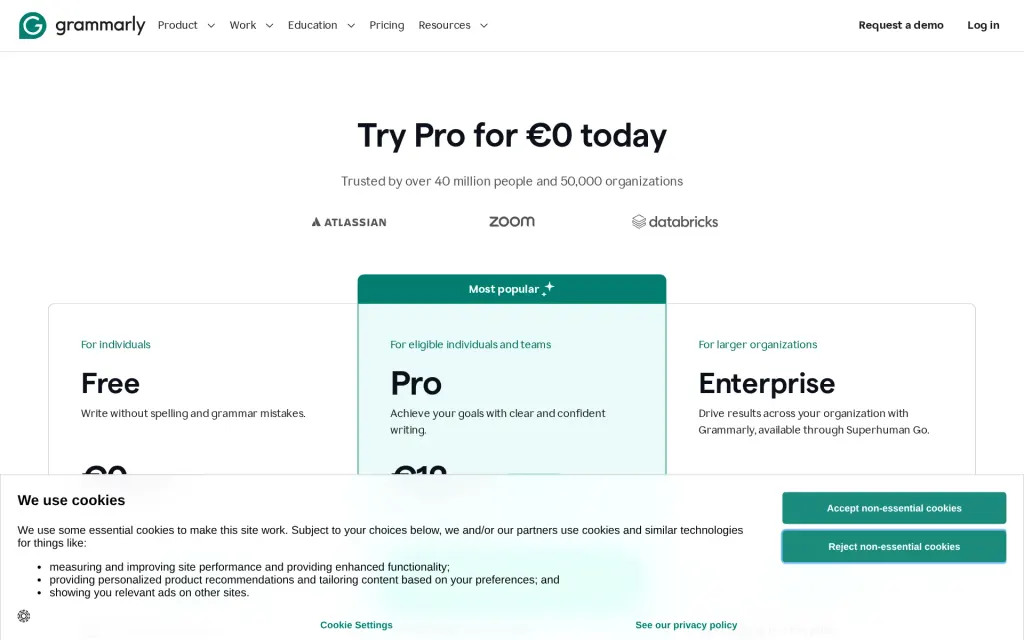
Pricing page, grammarly.com, captured 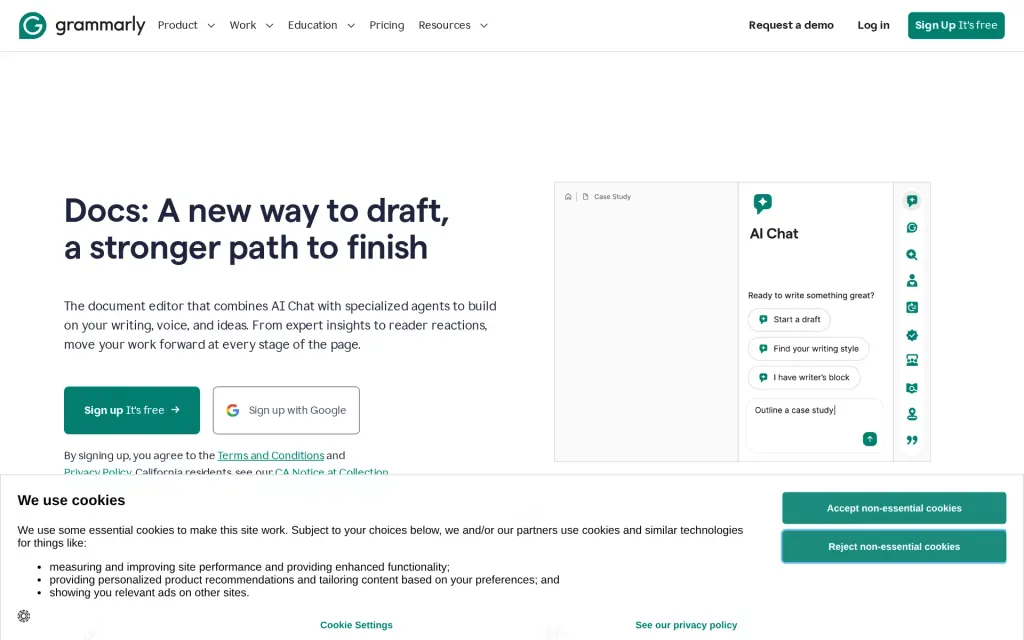
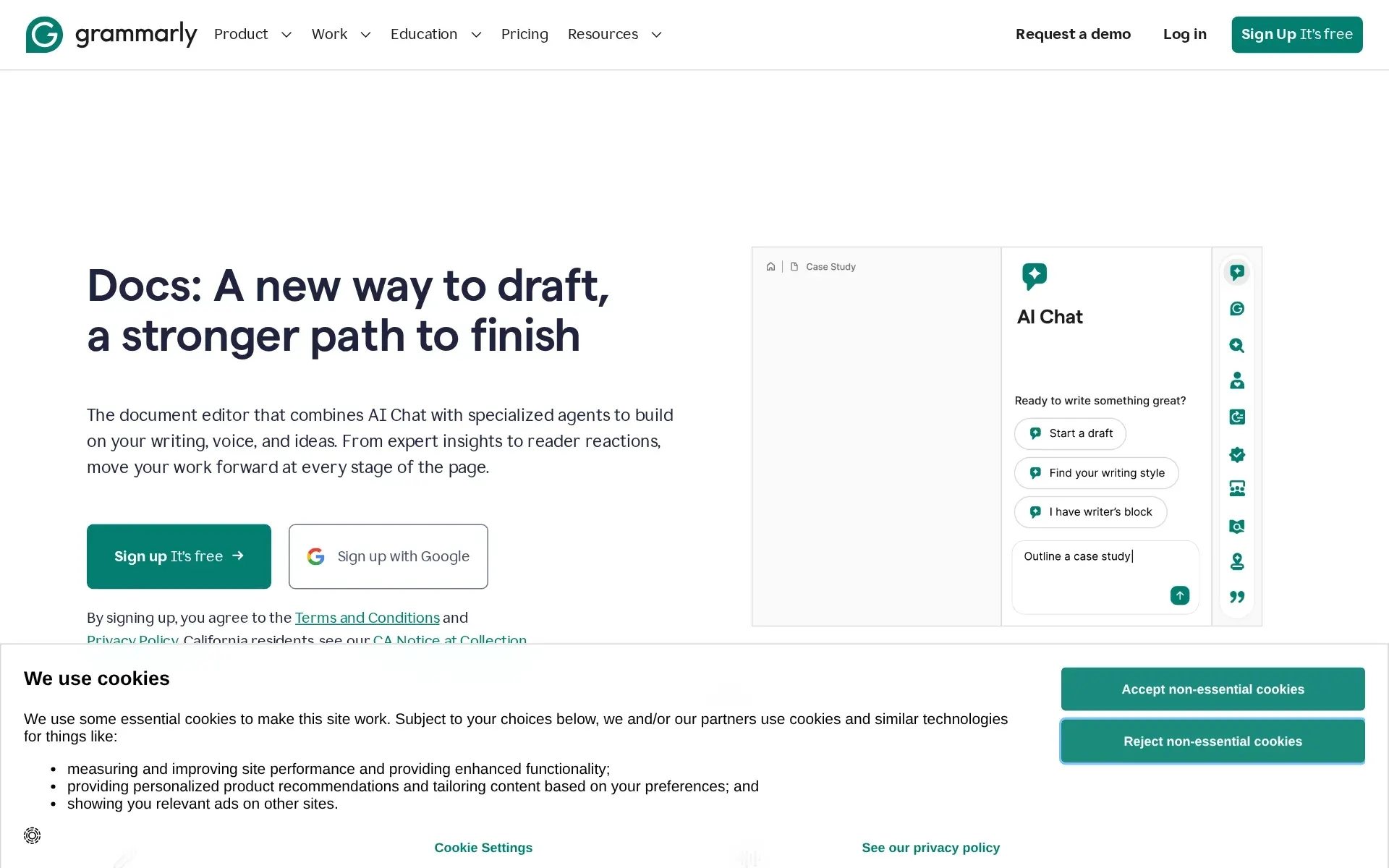
Docs, grammarly.com, captured
Filed under
Sources and updates
Last changed
Is this yours? Claim it free and edit it in your dashboard, or feature it in Writing Agents.