
At a glance
- Tags
- Local AI, Open source, Self-hosted
For developers
- Works with
- Gmail, GitHub, Claude Code, Codex, SharePoint, OneDrive and 3 more
Bees turns a plain request into staged agent work on your laptop
Bees is a native desktop application for macOS, Windows and Linux. You type an outcome into an Ask Bees box, and it proposes the agents, stages, tools and schedule that would produce it. Nothing runs until you apply the plan, and applying it creates the work rather than starting it: you press Start on the created item.
The unit of work is a process template of 2 to 12 ordered stages with an agent route for each runnable one. Stage names carry meaning: Discuss, Debate or Roundtable makes a multi-agent discussion stage, Approval or Sign-off requires a person, and Human, Inbox or Manual stops for an operator. Every team also gets a built-in Goals process of Work, Review and Done.
Review is the part worth knowing. A fresh reviewer agent starts in its own session with the result files and a list of which tools ran, not the worker's chat. It can read files and run checks but cannot edit the work, and its only moves are pass or send back with notes. After three send-backs the item stops and waits for you.
Execution is local and the cloud sees only coordination records
Each process run gets an isolated local folder: Bees stages selected inputs under inputs/, agents write to outputs/, and publishing into a mapped company folder needs explicit approval. Document bytes stay with whatever storage the company already uses, and the vendor names SharePoint, OneDrive, Google Drive, Dropbox, Git, NAS and SMB as the systems that keep doing synchronization and backup.
What Bees Cloud receives is enumerated: organizations and memberships, process and agent definitions, work item titles and owners, file names and paths relative to a shared folder, and a summary of each run capped at 20,000 characters. The vendor flags the one leak in that boundary itself: a run summary is the agent's own words, "so it can mention things from your files".
A Private organization never syncs at all, and the vendor is candid that it still makes three network requests, including a six-hourly GitHub update check and a twelve-hourly call to api.freellmapi.co for a free-model list even if you never use it. Tenant isolation on the server side rests on PostgreSQL Row-Level Security beneath application authorization. The same page refuses the easy claim about the run folder: asked whether it is a complete security sandbox, the answer is "No."
Pricing is zero today and undecided for later
The desktop app is open source under MIT or Apache 2.0, and Bees Cloud is free for unlimited teams, with no plan to pick and no card. There is no three-team limit, and a fourth or fifth team does not require payment.
It is equally direct that this is provisional. "If pricing is introduced later, it may scale with adoption, and some cloud coordination may remain free. No plans or rates have been set." The terms say Bees Cloud is offered as is and "We may change it, limit it or stop it", which is the whole of the uptime commitment.
The cost that does exist is somebody else's. Bees adds no per-run or per-token fee, so spend lands on the model you connect: a Claude Code or Codex subscription you already pay for, an API key, or nothing at all if you run a local model on 16 GB of memory.
Models, tools and the keys they need stay on the device
Settings has four ways to add a model: a local model through a bundled llama.cpp server, a Claude Code or Codex subscription, your own API key for a hosted provider, or a built-in free-tier router. Keys are saved on the computer, and a shared agent definition does not carry an employee's personal login. You can also add your own GGUF weights by direct HTTPS link and make one the system default.
Tools arrive through MCP, scoped per agent as all, none or a named few, with each enabled server running as its own process. That makes Bees an MCP client rather than something an outside assistant can call: there is no Bees MCP server in the documentation, and no public HTTP API either.
The runtime underneath is DeepSeek Harness, an open-source agent runtime that supplies models, credentials, sessions, tools, skills and approvals, with the Bees plugin owning the board, schedules, file boundaries, audit receipts and the UI. Long-term memory runs as a local service on 127.0.0.1:8898, and memory extraction always uses a local model.
Administration exists, third-party audit does not
A Regular organization gives administrators members, teams, devices, authentication, policy, exceptions, evidence and audit. Policy evaluates protected actions and returns allow, deny, or approval required, and a denial is handed back to the agent so it can take a permitted alternative or stop visibly. Activity, then Audit answers what ran, which process, stage, agent, model route and device were involved, and who approved or rejected it.
What is absent is external assurance. No SOC 2 report, ISO 27001 certificate or data processing agreement is published anywhere on the site, and the security page offers an email address for architecture questions instead. Sign-in is Google or email; no SAML or OIDC identity provider is documented, so a company standardized on Okta or Entra has nothing to point at yet.
The privacy policy is narrow in a useful way: Google Drive and Forms access is read-only, tokens and exported document content stay on the device, and the website itself has no signup form and counts visits with Umami, which sets no cookies.
A candid limitations page is the best reason to wait
The vendor publishes what the 0.2 series does not do yet and dates the review. Windows and Linux installers are unsigned, so SmartScreen warns. Version 0.1.1 is never offered 0.2 as an update and an upgrade does not bring data across, so you open an app with no workspaces and no runs. There is no way back to an earlier version.
Two items matter more than the rest. The agent's own Chrome listens on local debugging port 9333 with no password, which means any other program on the machine can drive it along with every site it is signed in to; the vendor says it plans to close that and the matching gap on 9332. And Gmail, Calendar and Drive connect through a Google app Google has not verified, so users see an unverified-app warning and only the first 100 people can connect at all.
Smaller ceilings are named too: shared application state is capped at 16 MB, a failed terminal extraction needs a manual retry, shared writes are refused rather than queued when the server is unreachable, and paid actions are not available. Turning memory off stops new retention but does not erase what is already stored.
Who it suits, and who should look elsewhere
The fit is a company that wants several agents working a repeatable process while documents and credentials stay on employee machines: contract review every Monday, a weekly feedback report, drafted email replies a person approves before sending. The vendor's own comparison pages position it against CrewAI and AutoGen as a desktop app rather than a Python framework, and against n8n as agents that plan open-ended work rather than nodes you wire up.
It is a poor fit for anyone who needs a browser surface, since there is none, or programmatic integration, since no public API or outbound webhook is documented. A Private organization also cannot become shareable later, so the choice between Private and Regular is made once at creation.
Scale evidence is thin: no customer references or independent reviews are published, so a buyer is relying on the vendor's documentation and the source itself.
Bees price and terms
Terms
- Free plan
- YesYesFree personal desktop use at $0 with no Bees account, using your own local or cloud AI
- Card to start
- YesNot required
- Sign up without sales
- YesYes
The terms in full
a local organization cannot be shared or add team members later.
For AI agents
- MCP server
- Nogithub.com,
What needs a higher plan
- Custom annual agreement
- Data stays in your region
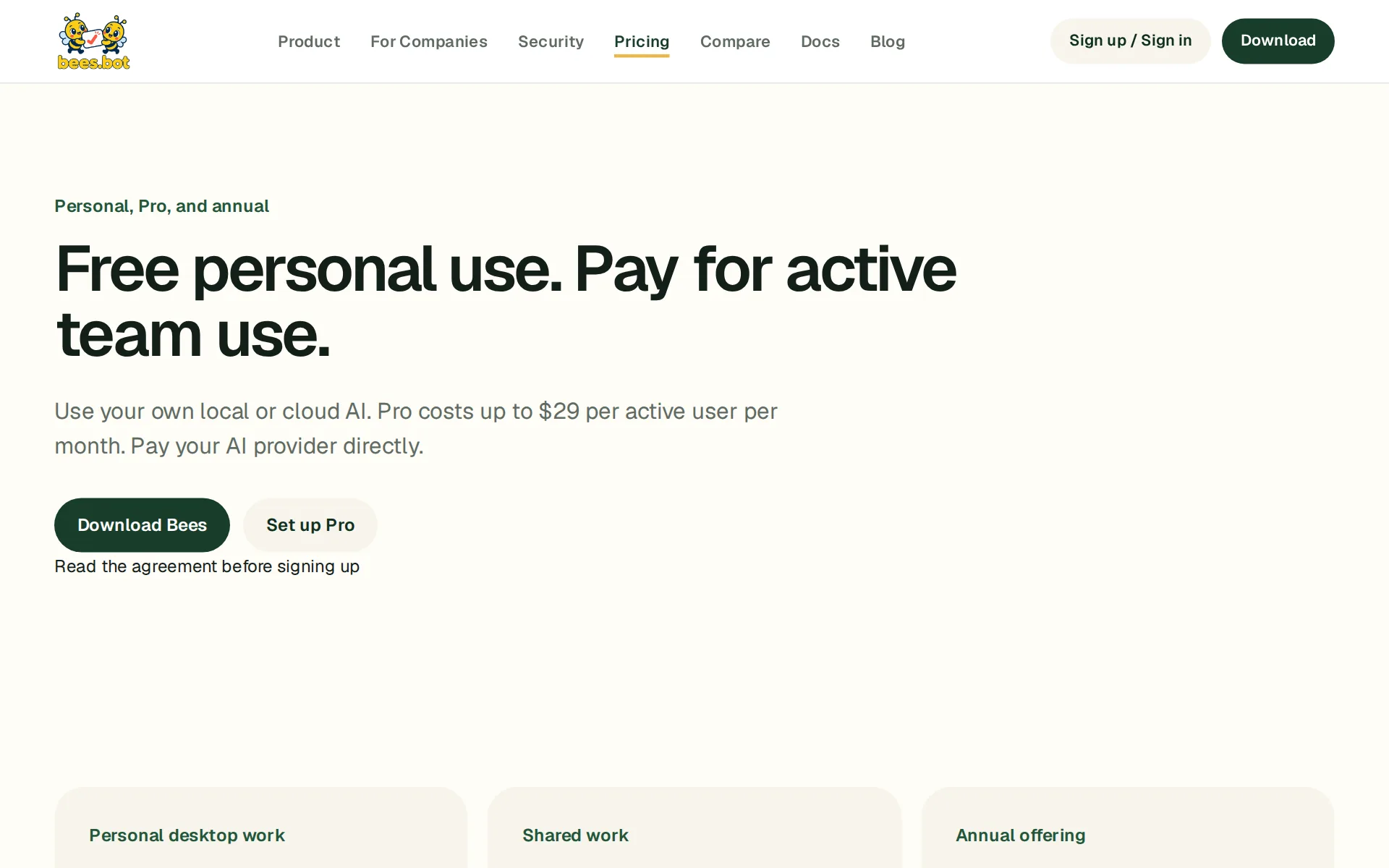
Pricing page, captured
bees.bot/pricing, checked
What we checked on Bees
What the price counts
Priced per active person per organization per calendar month on Pro, with personal desktop use free and annual deals quoted; AI provider costs are paid separately.
Standard Pro is $29 per active person per organization per UTC calendar month; lower rates require an agreed offer.
bees.bot/pricingChecked
Free to use
Personal desktop use is free at $0 with your own local or cloud AI; the free local edition cannot add team members later.
Personal desktop work needs no Bees subscription
bees.bot/pricingChecked
Self-serve signup
A buyer downloads the installer and gets a working private workspace with no sign-in and no sales contact; enterprise contact is optional.
Sign in, create teams, and invite people.
bees.botChecked
Card to start
The vendor states explicitly that both organization types are available with no paid plan and no credit card today.
For local desktop work without a Bees account.
bees.botChecked
Contract
Standard Pro is a monthly subscription by calendar month with no seat purchase; annual commitments exist only in a separately negotiated annual order.
Standard Pro is a monthly subscription measured by UTC calendar month.
bees.bot/agreementChecked
Cancel any time
Either party can stop renewal before the next month and cancellation takes effect at period end; activity already incurred is still invoiced after month-end.
Either party may stop renewal before the next period begins. Cancellation takes effect at the end of the current period
bees.bot/agreementChecked
Works with
The home page names Gmail, Slack, Notion, HubSpot, Linear, GitHub, Salesforce, Jira, Stripe and others via MCP servers and Composio; no plan gating per app is stated.
Give specialist agents verified access to codebases, production databases, ticketing boards, and internal APIs through standardized MCP servers.
bees.botChecked
MCP server
Bees acts as an MCP client that calls other vendors' servers; no Bees MCP server an outside assistant could call is documented.
It supplies models and providers, credentials, sessions, agents, tools, skills, the MCP client, and approvals as an internal runtime.
Webhooks
The vendor's own comparison points buyers to n8n for webhook-started automation and says Bees work only runs while the desktop app is open and awake.
The automation must run around the clock on a server, started by webhooks or queues. Bees schedules only run while the app is open and the computer…
bees.bot/compare/n8nChecked
Acts on its own
Agents plan and execute stages on their own, and the vendor states approval gates are off unless a stage is configured to need one.
Agents run on your owning desktop or hosted Client and act for you. You are responsible for what they do, including emails they send, files they…
bees.bot/termsChecked
Limits on what it may do
Tool scope is set per agent and protected actions can be denied or held for approval before anything leaves the machine.
Enter exact tool identifiers to block an operation or require a person's approval. You can also select allowed models and set a daily run limit per…
No code needed
The buyer describes an outcome in plain English and reviews a proposed process; no code is written to build or run it.
Describing the outcome in a desktop app versus building agents in code with a Python framework.
bees.bot/productChecked
Several agents
Several agents split one process: stage agents, discussion peers, tracked peer delegation and a separate independent reviewer.
Tracked peer delegation for bounded parallel work
bees.bot/enterpriseChecked
No training on your data
The subscription agreement commits FunCove not to train its own general-purpose models on customer content; the chosen AI provider's own training policy still applies.
FunCove will not sell Customer Content, use it for advertising, or use it to train its own general-purpose AI models.
bees.bot/agreementChecked
Retention you control
Long-term memory can be switched off per workspace and stored memories erased with Forget, but the vendor publishes no retention period for cloud coordination records.
The current Client does not automatically expire files after 30 days or execution history after 90 days.
Data stays in your region
Desktop work stays on the owning computer, but choosing a hosted data region is excluded from Pro and needs a separately approved enterprise agreement.
Custom product features, dedicated hosting, data residency, and specialized compliance commitments are excluded from Pro
bees.bot/agreementChecked
Self-hosted
The desktop app stores and runs work on your own machine, and a private deployment can put the Bees Server inside your network under an enterprise agreement.
A private deployment can use a reachable Bees Server inside your network; deployment and support commitments follow the accepted enterprise agreement.
Open source
The GitHub profile calls the desktop app open source under MIT or Apache 2.0, yet only two repos are public and the code-signing page says the desktop repository is private.
bees-desktop: the app itself. Free and open source under MIT or Apache 2.0.
github.com/Bees-botChecked
Take your data out
Hosted content can be requested back within 30 days of termination and is returned in a usable format at no charge; desktop files already sit on your computer.
Customer may request return of hosted Customer Content within 30 days after termination.
bees.bot/agreementChecked
Single sign-on
Company SSO and SCIM user provisioning are documented for organizations; the pages do not say which plan includes them.
Set up company sign-in, provision users through SCIM, and grant team or thread access.
bees.bot/enterpriseChecked
Audit log
An Audit view records what ran, which agent, model route and device were involved, and who approved or rejected each protected action.
Use Action history to filter by time, reporting Client, team, requester, agent, or operation and export a filtered CSV.
Uptime promise
Bees Cloud carries no uptime commitment: the terms say it is offered as is and may be changed, limited or stopped.
No minimum appointment availability, guaranteed response or resolution time, emergency coverage, or uptime service level applies unless expressly…
bees.bot/agreementChecked
Its own model
Bees trains and serves no model of its own; local inference runs through a bundled llama.cpp server on weights downloaded at first run.
Standard Pro does not resell inference, require AI credit purchases, or add a token markup.
bees.bot/agreementChecked
You pick the model
The buyer picks the model per agent or as a system default, including command-line agents, hosted providers and local servers.
Connect an available provider with your own API key, a supported subscription connection, or a running local OpenAI-compatible model server. Choose…
Open models
Open-weight GGUF models can be added by direct download link and run locally, or reached through an OpenAI-compatible server.
With a local model and local tools, desktop inference can stay on your computer.
Your own model key
Provider keys are added in settings, stored on the device, and used for calls that go from the machine straight to the provider.
You pay your selected AI provider directly. Desktop supports local models and cloud provider connections; the hosted browser client supports your own…
bees.bot/pricingChecked
Bees alternatives
Bees and its 2 alternatives
All 2 show a price.
Bees beside its alternatives: the price on each one's site and the day it was checked Tool Price Checked Bees Free, then $29 a seat a month 5dive Free The Colony Free


Questions about Bees
- How much does Bees cost?
- Bees has a free plan. From bees.bot/pricing, checked 14 November 2026.
- Does Bees have an API or an MCP server?
- Bees has no MCP server. From github.com/Bees-bot/bees-desktop, checked 20 October 2026.
- Is Bees open source, and can you host it yourself?
- Part of Bees is open source. From github.com/Bees-bot, checked 14 November 2026. You can host Bees yourself. From bees.bot/help/guides/enterprise, checked 14 November 2026.
- What have we checked on Bees?
- 26 facts, under these headings: What it costs to start, what it works with, what it does on its own, what happens to your data, whether a company can buy it, models it can use.
- How do we check Bees?
- We hold 26 facts on Bees, quoted from 21 pages. Facts and price last checked 14 November 2026, when we also found the last change.
Sources and changes
Last changed
Sources21
- github.com/Bees-bot/bees-desktop
- bees.bot/agreement
- bees.bot/pricing
- bees.bot/
- bees.bot/help/what-leaves-your-computer
- bees.bot/terms
- bees.bot/compare/n8n
- bees.bot/help/guides/enterprise
- bees.bot/enterprise
- bees.bot/help/enterprise
- bees.bot/help/getting-started
- bees.bot/help/understanding-basics
- bees.bot/product
- github.com/Bees-bot
- bees.bot/download
- bees.bot/help/getting-started/getting-started
- bees.bot/help/limitations
- bees.bot/help/workflows/privacy
- bees.bot/help/workflows/what-leaves-your-computer
- bees.bot/privacy
- bees.bot/security
Bees price history
We have read the price once so far, on 14 November 2026: a free plan, and paid plans from $29 a seat a month.
| Price | Plan | First seen | Last seen | Readings | Source |
|---|---|---|---|---|---|
| $29 a seat a month | Cheapest paid plan | 14 November 2026 | 14 November 2026 | 1 | Pricing page, read 14 November 2026 |
From our research on 14 November 2026. A date is when we read the page, not when the price changed.
Similar to Bees
- DifyOpen-source platform for building agents, agentic workflows and RAG pipelines, on cloud or self-hosted.
- AutoGPTAI Experts for content, sales, research and operations, led by Otto, on a visual builder you can self-host.
- GumloopNo-code builder for AI agents that connect to company apps, run on triggers and produce files.
- FlowiseOpen source visual builder for AI agents and LLM workflows, now being wound down by its team.


From our research
- Clay pricing: every plan, its Actions, Data Credits and rowsWhat Clay's Free, Launch, Growth and Enterprise plans cost, and how many Actions, Data Credits and table rows each one includes.
- Daytona vs E2B vs Modal: which sandbox for agent code?Daytona, E2B and Modal compared on sandbox pricing, concurrency, GPU support and open-source status, plus why Daytona's flagship repo is now archived.
- ERIUS PHONE review (2026): pricing, pros and consERIUS PHONE rents AI agents real cloud Android phones they drive by API, priced monthly per phone in euros, but it offers no webhooks.
Claimed by the Bees team.
We check its facts against the Bees site.Facts checked 14 November 2026
Report an error if a fact is wrong.