Favicon of Cuey

Cuey

Cuey is a Chrome extension that lets you send one prompt to multiple AI models and compare responses side by side in one sidebar.

Reviewed by Mathijs Bronsdijk · Updated May 4, 2026

ToolFreeUpdated 12 minutes ago
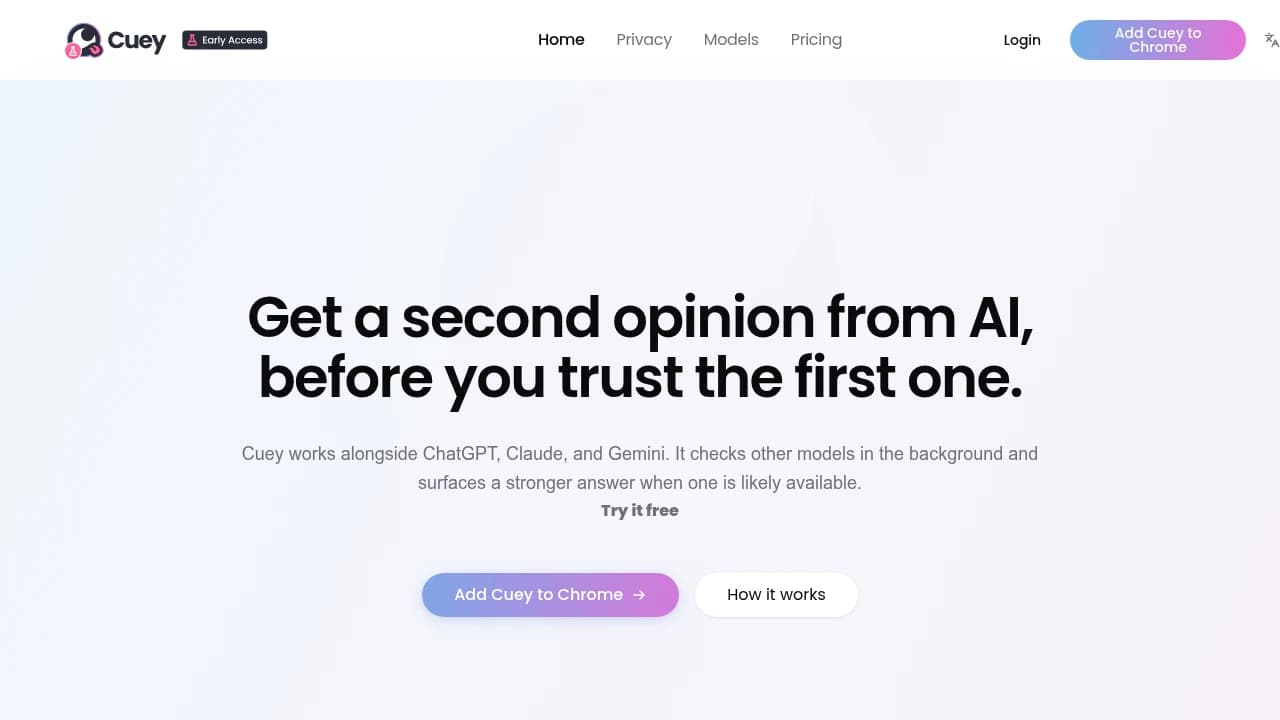
Screenshot of Cuey website

What is Cuey?

Cuey is a Chrome extension for people who already use tools like ChatGPT, Claude, Gemini, Grok, or DeepSeek and are tired of bouncing between tabs to compare answers. Instead of asking the same question five times in five different windows, you stay inside the AI tool you are already using, open Cuey’s sidebar, and send the prompt to multiple models at once. The result is a side-by-side view of responses, which is really the heart of the product.

We researched Cuey as a tool built by Llama Valley Inc, a company based in Newark, Delaware, with a stated goal of making AI useful for everyday work. That framing fits the product. Cuey is not trying to replace ChatGPT or Claude with yet another chatbot. It sits on top of the tools people already prefer and tries to solve a very practical problem: AI answers are often good, sometimes great, and sometimes confidently wrong. Cuey’s answer to that problem is simple, compare before you trust.

What makes Cuey interesting is that it treats multi-model work as a normal part of modern AI use, not a niche expert behavior. It also adds a prompt library and a memory portability angle, so users can carry context across services instead of starting from scratch every time they switch models. For researchers, writers, developers, analysts, and anyone making decisions from AI output, Cuey is really about reducing friction and reducing blind trust.

Key Features

  • Side-by-side model comparison: Cuey lets you send one prompt to multiple AI models and read the answers in a single sidebar. This matters because the value is not just speed, it is judgment. When 3 or 4 models agree, and 1 goes off in a strange direction, users get an immediate signal about where to trust and where to verify.

  • Works inside existing AI tools: Cuey runs as a Chrome extension on platforms like ChatGPT, Claude, and Gemini, so users do not have to adopt a separate chat app. That matters because a lot of comparison tools add one more workspace to manage. Cuey keeps people in the interface they already know, which lowers the odds that the tool gets abandoned after a week.

  • Multi-model support across major providers: Research points to support for ChatGPT models including GPT-4o and GPT-5 variants, Claude models including Sonnet and Opus, plus Gemini, Grok, DeepSeek, and other major models. The practical benefit is that users can compare models with very different strengths in one place, instead of guessing which one might do best on a task.

  • Portable memory and context: Cuey says it keeps context and memory portable across AI services. For people doing long-running work, a research project, a content series, a coding task over several days, this matters because switching models usually means re-explaining everything. Cuey tries to remove that repeated setup work.

  • Built-in prompt library: Cuey includes prompt templates for areas like marketing, software development, education, and business tasks. This is useful for newer users who know they want better outputs but do not want to invent every prompt from scratch. It also helps experienced users standardize recurring workflows.

  • Free to install, no account required to start: The company positions Cuey as easy to try, with free installation and no account needed to begin. That matters because comparison tools often lose people at the first signup wall. Cuey makes it possible to test the workflow before committing.

  • Tiered access to model capabilities: Research describes Free or Basic, Advanced, and Ultra model groupings, with paid plans unlocking stronger models and more usage. In practice, this means casual users can test the idea cheaply, while heavy users can pay for access to top-tier reasoning models when the stakes are higher.

  • API for scheduled and automated tasks: Cuey also offers a REST API with events and cron-style scheduling, plus webhook support. That opens a different use case from the Chrome extension. Teams can build recurring checks, automated reports, or multi-model verification into internal workflows instead of using Cuey only as a manual comparison tool.

Use Cases

Cuey’s clearest use case is research and fact-checking. We found the company positioning it as “the de-risk solution for AI answers,” and that language makes sense when you look at how people actually use large language models. If you are writing a grant proposal, checking a technical claim, or preparing a business memo, one polished answer from one model is often not enough. Cuey gives users a way to ask ChatGPT, Claude, Gemini, and others the same question at the same time, then see where they agree and where they do not. That does not guarantee truth, but it does create a faster review loop.

For writers and marketers, the use case is less about factual verification and more about angle selection. A user can ask several models for a landing page intro, email subject lines, or a product explanation, then compare tone, structure, and originality side by side. Instead of committing to one model’s style, they can borrow the strongest parts from several answers. Cuey’s prompt library also suggests this audience is important, since marketing is one of the named template categories.

Developers have a different reason to care. Coding tasks often benefit from multiple approaches, not one “correct” answer. A developer debugging an issue can ask several models for root-cause analysis and compare whether they point to the same bug, the same dependency conflict, or entirely different fixes. When one model proposes a risky shortcut and another gives a more cautious explanation, the comparison itself becomes useful. This is especially relevant when code generated by AI is going into production or touching sensitive systems.

There is also a workflow story here for teams and operators using the API. Research mentions scheduled notifications, webhooks, automated reports, health checks, and data synchronization. That means Cuey is not only for individual prompting. A team could set up recurring prompts to multiple models, collect the outputs on a schedule, and use them for monitoring or reporting tasks. The documentation we found does not name enterprise customers doing this publicly, so we would not overstate adoption, but the capability is there.

Strengths and Weaknesses

Strengths:

Cuey solves a real annoyance that serious AI users run into quickly, tab chaos. If you use ChatGPT for drafting, Claude for reasoning, and Gemini for another perspective, the manual workflow gets old fast. Cuey’s biggest strength is that it cuts that comparison step down to one action inside the tool you are already using, instead of asking you to move your whole workflow into a new app.

It also has a clear point of view about AI reliability. Many tools try to win by promising the best single answer. Cuey assumes that for important work, people should compare answers before trusting them. That feels more honest than pretending hallucinations are gone. For researchers, analysts, and anyone using AI for decisions, the side-by-side design is more useful than a single polished response.

The product is also easier to try than many alternatives. Free installation and no account required to start reduce friction. Compared with standalone multi-model platforms that ask users to sign up, migrate, and learn a new interface, Cuey has a lighter first-run experience.

Its memory portability idea is another strength, at least in concept. People doing long-running work often lose time re-establishing context every time they switch AI tools. Cuey’s attempt to keep that context portable addresses a problem that most chat interfaces still handle poorly.

Weaknesses:

Cuey’s biggest weakness is that comparison is not the same as verification. If several models repeat the same wrong fact, the interface can create a false sense of confidence. Users still need outside sources for anything high stakes. In that sense, Cuey reduces blind trust in one model, but it does not remove the need for human judgment.

There is also a cost and speed tradeoff built into the product. Asking multiple models at once is naturally heavier than asking one. Even with tiered pricing, users who prompt constantly may find that the economics get less attractive than sticking to one paid chatbot and only spot-checking elsewhere. And because responses arrive from several systems, the workflow can feel slower than a single-model chat.

Browser dependence is another limitation. Cuey is a Chrome extension, which means people who work primarily in Safari or Firefox are out of luck. That is a practical barrier, especially for users with stricter browser policies.

Compared with alternatives like Poe or Perplexity, Cuey is also narrower. It is better at staying inside your existing AI workflow, but less of an all-in-one destination. Some users will prefer a standalone hub where everything already lives in one place, even if that means changing habits.

Pricing

  • Basic: Free
  • Plus: Paid plan, price not clearly stated in our research
  • Pro: Paid plan, price not clearly stated in our research

Cuey uses a freemium structure. The free Basic plan is there for testing the core idea, install the extension, compare some answers, see if the workflow fits. That is important because Cuey is a behavior change product. People usually need to feel the difference before they decide it belongs in daily work.

The Plus plan is aimed at regular AI users who want more credits and broader model access for everyday workflows. The Pro plan is for heavier use and access to stronger model tiers, including advanced and ultra models. Our research did not surface exact public prices for Plus and Pro, so we would not guess. What we can say is that users should pay attention to the credit model and which plans unlock frontier models, since that will affect real monthly spend more than the plan name alone.

The hidden cost question with Cuey is not unusual, it is simply the nature of multi-model usage. If your habit becomes “send every prompt to everything,” you will burn through usage faster than with a single chatbot subscription. For some users that is worth it, especially when output quality matters. For others, Cuey will make more sense as a selective comparison tool used on important prompts rather than every casual question.

Alternatives

Poe is one of the closest alternatives if you want many models in one place. It is more of a destination product than Cuey, a single app where you can switch among bots and models. Someone might choose Poe if they want a central AI workspace and do not care about staying inside ChatGPT or Claude. Someone might choose Cuey if they already have habits built around those native interfaces and do not want to leave them.

Perplexity serves a different need, but it overlaps for users who mainly want better answers with citations and web grounding. If your main problem is factual lookup and research, Perplexity may feel more direct than comparing several chatbot responses manually. Cuey becomes more appealing when you want to compare reasoning styles, writing outputs, or coding approaches across models, not just get one sourced answer.

OpenRouter is a stronger fit for developers and teams who want programmatic access to many models through a single API. It is less about visual comparison and more about routing and infrastructure. A technical team building its own internal AI layer might prefer OpenRouter. A writer, researcher, or analyst who wants to compare answers in a browser sidebar will probably find Cuey easier.

ChatHub and similar browser-based comparison tools are probably the most direct category match. They also focus on sending prompts to several models and reading responses together. The difference with Cuey is the emphasis on staying inside existing AI products and carrying context across them. If that workflow detail matters, Cuey has a more specific story. If not, another comparison extension may feel similar enough.

Using ChatGPT and Claude manually is still the real baseline competitor. A lot of people do not buy a comparison tool at all, they just open several tabs and copy prompts around. That costs nothing beyond existing subscriptions, which is a serious advantage. Cuey only wins if the time saved, the reduced friction, and the clearer comparison view are worth paying for.

FAQ

What is Cuey used for?

Cuey is used to send one prompt to multiple AI models and compare the answers side by side. People use it to cross-check facts, compare writing styles, test coding solutions, and reduce the risk of trusting one bad answer.

How do I get started?

Install the Chrome extension, open a supported AI tool like ChatGPT, Claude, or Gemini, and use Cuey’s sidebar to send your prompt to multiple models. The company says you can start without creating an account first.

How long does it take to set up?

For most users, setup should take a few minutes. It is a browser extension, not a full software deployment.

Does Cuey replace ChatGPT or Claude?

No. Cuey sits on top of tools like ChatGPT, Claude, and Gemini. It is built to work with them, not replace them.

Which AI models does Cuey support?

Our research found support for major models including ChatGPT variants such as GPT-4o and GPT-5, Claude models such as Sonnet and Opus, plus Gemini, Grok, DeepSeek, and other major providers.

Is Cuey free?

Cuey has a free Basic plan. There are also paid Plus and Pro plans for more usage and stronger model access.

Do I need an account to use Cuey?

Cuey says no account is required to start. That lowers the barrier for trying the extension before deciding whether to upgrade.

Can Cuey help reduce hallucinations?

It can help you spot disagreements between models, which is useful. But it does not eliminate hallucinations, and it should not replace fact-checking from real sources for important work.

Does Cuey keep my context across different AI tools?

Cuey says it offers portable memory and context across services. That means it is designed to reduce the need to repeat the same setup when switching between models.

Is Cuey good for developers?

Yes, especially for comparing different coding suggestions or debugging approaches from several models at once. It also has an API for scheduled tasks and webhook-based workflows.

Does Cuey have an API?

Yes. Research points to a REST API with events, cron scheduling, webhooks, and automation features for reports, monitoring, and recurring tasks.

Who should use Cuey?

Cuey is best for people who already use multiple AI models and want a faster, cleaner way to compare answers. Researchers, writers, analysts, and developers are the clearest fit.

Share:

Similar to Cuey

Favicon


Favicon


Favicon