
Devin
What is Devin?
Devin is an AI software engineer for engineering teams that need help with complex, multi-repo work, repetitive refactors, and operational coding tasks. It handles Code migration + refactors, PR review & visual QA, Documentation, Issue triage + bug fixing, Scheduled chores and application development, and Autonomous task completion. Devin integrates with GitHub, Slack, Linear, Datadog, AWS, GitLab, Bitbucket, Zapier, and MCP, and customer stories include Nubank, Cognition AI, Itau, Mercedes-Benz, Cognizant, Evinova, Ramp, and Linktree. Plans run Free, Pro $20/month, Max $200/month, Teams $80/month, and Enterprise custom.
Last verifiedHow we evaluate
At a glance
- Devin is best for engineering teams who need an AI agent to handle migrations, reviews, and ticketed work.
- Free; Pro $20/month; Max $200/month; Teams $80/month; Enterprise custom
- 14 days
- Yes — Public API for custom integrations and automation; available for programmatic session starts.
What Devin actually is
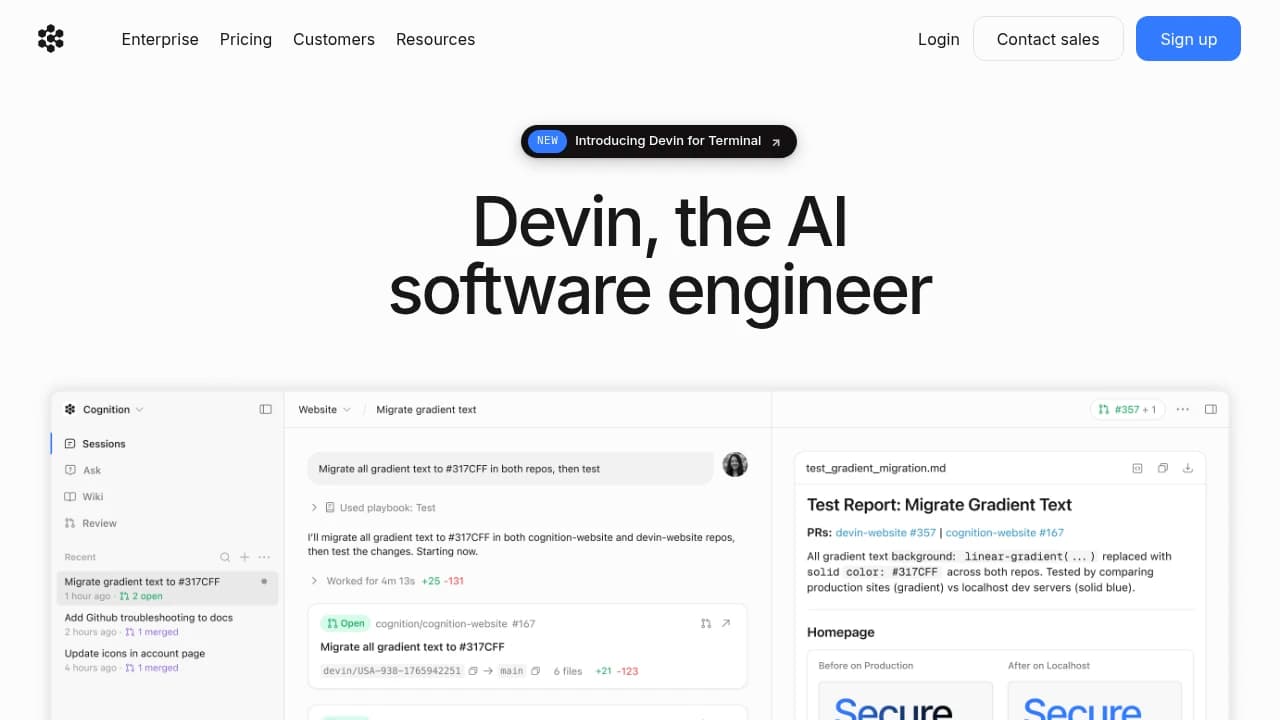
Devin isn't an editor extension — it's a cloud-hosted agent with its own VM (shell, browser, and embedded IDE) that you hand a ticket to, and it plans, edits, runs tests, and opens a PR largely unsupervised. You can watch or take over live. It ships as a web app, a desktop app, a CLI, and a Slack/Teams/Linear/Jira-triggered "automations" layer that can start work from an event without anyone opening a chat. That architecture is the main differentiator from IDE copilots: it's built for delegating whole tickets, not completing the next line.
Where it's strongest: migrations, backlog, and security triage
Cognition (Devin's maker) markets it specifically for code migrations and modernization (language ports, framework upgrades, monorepo splits), routine engineering work (PR review, bug repro, test writing), and — as of the security product launch — vulnerability discovery. On Cognition's own published benchmark, Devin Security Swarm found 36 of 50 real-world GitHub Security Advisory vulnerabilities (72% recall) at $90.23 per run, which it says beats Claude Security (68% recall, $131.87) and Codex Security (48%, $118.20) on both axes; Cursor Security scored lower recall (26%) but far cheaper ($4.60) (https://devin.ai/security, https://devin.ai/blog/security-swarm-eval). These are vendor-run, vendor-published numbers on a benchmark Cognition built — no independent lab has replicated them — but the methodology (published GHSA vulnerabilities, cost-per-finding, exploit validation before surfacing) is more transparent than most vendor security claims we see.
Coding model and independent benchmarking
Devin runs on Cognition's own SWE-2 model (released 2026-09-10), which the company says scores 50.0% on its own FrontierCode 1.1 benchmark — within a point of Fable 5.1 and beating Grok 4.6, at a fraction of the cost of larger frontier models like GPT-6 Astra (https://cognition.com/blog/swe-2). FrontierCode is Cognition's own benchmark, not an independent one; we could not find Devin or SWE-2 on a third-party leaderboard we could verify (Terminal-Bench's public leaderboard table rendered empty via automated fetch, and we could not confirm a listing there). Treat all model-quality comparisons above as vendor-reported until an independent benchmark confirms them.
Pricing
Free tier ($0) gives a light usage quota, limited model access, and unlimited inline edits/Tab completion. Pro is $20/month with full model access (OpenAI, Claude, Gemini, and others) and cloud agent access; Max is $200/month for "significantly higher" quotas. Teams costs $80/month plus $40/month per full seat. Enterprise is quote-only and adds SSO, VPC deployment, and dedicated support. All paid tiers meter usage by an internal quota that resets daily/weekly; going over it bills extra usage at API cost, and Cognition doesn't publish that per-model rate card on the pricing page (https://devin.ai/pricing, verified 2026-09-19).
Company and funding
Cognition (Devin's maker), founded 2024, closed a Series E on 2026-09-08: over $2B raised at a $48B valuation, led by Andreessen Horowitz and Accel, up from a $26B valuation in its May 2026 Series D. Cognition says run-rate revenue grew from $492M to almost $900M over that period, and names NVIDIA, GE Aerospace, Citi, Mercedes-Benz, and Modal as customers — these are vendor-stated figures and customer names, not independently confirmed (https://cognition.com/blog/series-e). The company has also expanded into an independent "agent lab" model, building its own SWE-2 coding model rather than relying solely on third-party LLMs, and has opened offices in Washington D.C., Tokyo, Singapore, London, São Paulo, and Madrid in the past year per the same post.
Security and compliance posture
Cognition publishes a SafeBase-hosted Trust Center listing SOC 2 Type 2, ISO/IEC 27001:2022, and CCPA compliance, plus a Data Processing Addendum, pentest report, and SOC 2 report — the underlying documents require an NDA click-through to view, which is standard for this format (https://trust.cognition.ai/). Enterprise plans add SAML/OIDC SSO and VPC deployment. A separate status page (devinstatus.com) tracks incidents with an Atom feed of past outages, though incident titles aren't populated in the feed we could fetch, so we can't characterize Devin's reliability history from it directly.
Release pace
Devin's public release notes show near-daily shipped changes — new integrations (PagerDuty, Datadog MCP, 21 new one-click OAuth connectors), UI and workflow changes, and security-review features — through at least September 16, 2026, the week this listing was checked (https://docs.devin.ai/release-notes/overview). This is an actively developed product, not a stalled one.
How much does Devin cost?
| Plan | Price | What's included |
|---|---|---|
| Free | Free |
|
| Pro | $20/month |
|
| Max | $200/month |
|
| Teams | $80/month |
|
| Enterprise | Custom pricing |
|
Frequently asked questions
What is Devin used for?
Devin is an AI assistant for engineering teams that automates complex work across codebases and workflows. The vendor positions it for tasks like code migrations, PR reviews, documentation, bug fixing, and event-driven automation, so engineers can spend more time on higher-value work.
Does Devin have a free plan?
Yes. Devin offers a Free plan with limited Devin usage, Devin Review, and DeepWiki. The site also lists a 14-day free trial, which gives teams a low-friction way to evaluate the product before upgrading.
What integrations does Devin support?
Devin supports integrations with GitHub, Slack, Linear, Datadog, AWS, GitLab, Bitbucket, Zapier, and MCP. The vendor also says Devin can work where your team works, including routing Slack messages, assigning Linear tickets, and shipping PRs through GitHub.
Can I use Devin through an API?
Yes. Devin provides a public API for custom integrations and automation. The vendor says Teams and Enterprise customers with API access only consume usage for sessions started programmatically, with no additional API-specific charges.
Can Devin be self-hosted?
Devin Enterprise supports deployment in your own virtual private cloud. The vendor says this gives organizations additional capabilities, security, and control, with data remaining under the customer's control.
Who owns code Devin generates?
You do. The vendor states that, regardless of plan, all inputs and outputs are considered your intellectual property.
What support comes with Enterprise?
Enterprise users receive dedicated account management, onboarding, training, and support from assigned Forward Deployed Engineers. The plan also adds centralized enterprise admin controls, SAML/OIDC SSO, and custom terms.
How does MultiDevin work?
MultiDevin lets teams delegate tasks across multiple Devins that can operate in parallel. The vendor describes it as a way to manage larger tasks more efficiently, especially for multi-week or multi-repo projects.
Editor's read
Check whether the workflow you need sits behind the Pro quota or the Teams/Enterprise controls. Pro includes Devin usage quota plus Slack, Linear, and MCP integrations, while Enterprise adds SAML/OIDC SSO and centralized admin controls.

Explore other Coding Agents


