
Salesforce Agentforce
What is Salesforce Agentforce?
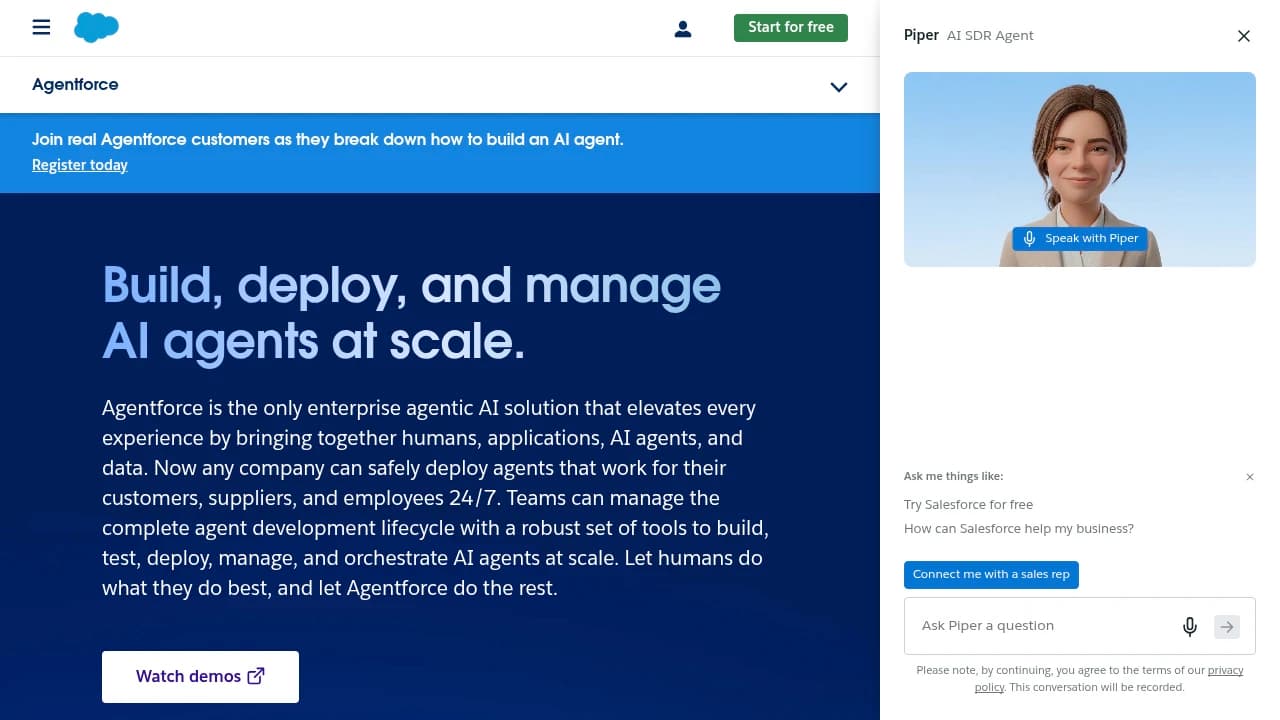
Salesforce Agentforce is Salesforce's AI agent layer for businesses that want humans and software agents working together across sales, service, marketing, and commerce. It includes AI Agents, Agentforce Builder, Agentforce Voice, Agentforce Dev Tools, AgentExchange, Slack Integration, Analytics with Tableau, Sales Cloud, Service Cloud, Marketing Cloud, and Salesforce Platform. Salesforce says it's used by over 150,000 customers in 100+ countries, including PepsiCo, Pandora, and American Express. Pricing runs Free Suite, Starter Suite at $25/month, Pro Suite at $75/month, and Enterprise Suite custom.
Last verifiedHow we evaluate
At a glance
- Salesforce Agentforce is best for enterprise customer teams who want AI agents inside Salesforce workflows.
- Free; Starter Suite $25/month; Pro Suite $75/month; Enterprise custom
- Yes — Provides RESTful and SOAP APIs for integrating with Salesforce.
Who this is for, structurally
Every purchase path on the Agentforce pricing page attaches to an existing Salesforce org. The free on-ramp, Salesforce Foundations, is described by Salesforce as "a $0 add-on that gives your org access to more functionality", with eligibility determined by your org's edition. The paid ladder is Flex Credits at $500 per 100,000 credits, an Agentforce User License at $5/user/month (marked "Requires Flex Credits"), Agentforce add-ons at $125/user/month for Sales, Service and Field Service, Industries add-ons at $150/user/month, and Agentforce 1 Editions "from $550" per user/month. Separately, Salesforce's own rate-card FAQ states that "a subscription to Customer Data Cloud is still required" and that none of the credit changes alter "the requirement for a Customer Data Cloud subscription and consumption of Data Cloud Credits." There is no path on the published pricing page to buy Agentforce as a standalone agent platform without Salesforce underneath it. If you are shopping for an agent framework to sit on top of a non-Salesforce stack, this is the wrong product; if Salesforce is already your system of record, the integration depth is the entire argument.
The strongest technical argument: agents that inherit your permission model
The hardest unsolved problem in enterprise agents is authorization — what the agent is allowed to read and write, and on whose behalf. Salesforce's answer went GA on 29 April 2026 with hosted MCP servers, available to "every Enterprise Edition org and above". Salesforce describes the security model directly: "Your existing permissions automatically apply — CRUD, FLS, sharing rules, and all the other controls you've already mastered. Every transaction runs as the authenticated user, without anonymous service accounts or a new security model to learn." That is a materially better posture than the service-account-with-broad-scope pattern most agent stacks default to, and it is not a claim you have to take on faith — it is the same sharing model your org already audits. Two practical consequences worth weighing in Agentforce's favour: the servers are Salesforce-hosted, so there is no infrastructure to run, and because they speak MCP, an org can be driven from Claude, ChatGPT or Slack rather than only from Salesforce's own UI — which cuts against, rather than deepens, interface lock-in. Prebuilt standard servers cover the Agentforce 360 Platform, Tableau Next and Data 360 SQL; custom servers can expose your own Flows, Apex actions and Named Query APIs. Note the edition floor: Professional Edition orgs are excluded.
Agent Script: a deliberate retreat from pure LLM planning
Agent Script, launched with Agentforce 360 in October 2025, is a declarative scripting language for agent behaviour — conditionals, if/then rules, handoffs and tool calls — running against a configurable Atlas Reasoning Engine that Salesforce calls hybrid reasoning. Salesforce's own framing is unusually candid about why it exists: it is pitched as a way to "break the prompt doom loop" and "guarantee consistency", replacing prompt-tuning with "auditable, step-by-step control over agent behavior". That is an honest admission that free-running LLM planning was not reliable enough for regulated workflows, and shipping a first-class answer to it is a point in the product's favour rather than against it. It costs nothing extra: per Salesforce's FAQ, "Agent Script does not cost anything and is included with the purchase of Agentforce", as is the AI assistance inside Agentforce Builder. Model choice underneath is broad — OpenAI, Anthropic (including via Amazon Bedrock), Google Gemini and Amazon Nova models all appear in Salesforce's published usage-type tiers. What we could not establish: whether an Agent Script definition is portable to any non-Salesforce runtime. Salesforce describes it as a "human-readable, portable JSON expression language", but no external execution target is documented, so treat scripts as Salesforce-resident assets when modelling switching cost.
What it actually costs: three meters, not one
Flex Credits are the headline meter and the simple part. At $500 per 100,000 credits the unit price is $0.005 per credit; Salesforce's FAQ sets an Agentforce action at 20 credits and an Agentforce Voice action at 30, so $0.10 and $0.15 respectively. Salesforce's own worked example confirms the arithmetic: "60 Flex Credits X 3 Cases a day X 20 days a month X 100 users = $1,800 per month". Against the legacy $2-per-conversation SKU, the crossover is straightforward — per-action wins until a conversation exceeds 20 actions. The two meters buyers miss are both documented only in a help article. First, prompts are metered separately from actions: "Consumption associated with Prompts is independent of consumption of Flex Credits for Actions." Each LLM call includes 2,000 tokens, and "requests larger than 2,000 tokens will trigger additional multipliers as needed" — so a long grounded prompt is not one flat charge. Salesforce's example: a 2K-token prompt on a Standard model consumes 4 Flex Credits, $0.02. Second, Data Cloud credits are consumed on top, per the requirement quoted above. Other terms worth pricing in: unused Flex Credits "do not roll over into subsequent subscription terms"; there is no overage penalty, with excess "billed monthly in arrears" at your contracted rate; and Flex Credits and Conversations "will not be supported in the same org", so switching models means swapping every Agentforce SKU. For scale, Agentforce 1 Editions bundle 2.5M Flex Credits per org per year — 125,000 actions annually at the current multiplier, which is roughly 340 actions a day across the whole org.
The multipliers are not contractually fixed
This is the procurement detail worth reading twice. Even if you lock $500 per 100,000 credits, that only fixes the price of a credit — not how many credits an action costs. Salesforce's rate-card FAQ states plainly: "It is possible that these rate cards will be updated in future as contemplated in our product special terms. Any multipliers and token quantities set forth herein are current as of the date of publication and may be updated from time to time." This is not hypothetical — the FAQ documents a rate-card migration effective 24 October 2025 that moved Agentforce 1 Edition and add-on customers off Einstein Requests onto Flex Credits and introduced entirely new prompt usage types. Salesforce says that specific change was "materially on par" with prior pricing and "designed so that customers will see no price increase", and the action multiplier itself was left unchanged, so the precedent is a neutral one rather than a repricing. The point for a buyer is structural: your effective cost per unit of agent work is a function of a document Salesforce can revise, so ask your AE what, if anything, in your contract fixes the multipliers and the 2,000-token inclusion, and get the answer in the order form rather than the FAQ.
Trying it before a negotiation
Unusually for enterprise software at this price point, there is a real self-serve evaluation path that does not require an AE conversation. Salesforce Foundations is a $0 add-on that grants 200,000 Agentforce Flex Credits — 10,000 actions at the current multiplier, or $1,000 of credits at list — explicitly "to get you started testing use cases and proof of concepts". It also carries Agentforce Builder, Prompt Builder, Agent Script, Agentforce Coworker and Agentforce Vibes. Two caveats stated by Salesforce: "overage fees will apply" once the grant is exhausted, tracked in Digital Wallet, and eligibility depends on your org edition and region. That grant is enough to run a genuine bounded pilot on one workflow — which is the right way to evaluate this, since the credit consumption of your specific agent, on your specific data, is the number no pricing page can give you.
Prompt injection: two disclosures, and Salesforce's position on the second
In September 2025 Noma Security disclosed ForcedLeak, a CVSS 9.4 vulnerability chain in Agentforce that allowed CRM data exfiltration via indirect prompt injection. The entry point was the Web-to-Lead form: instructions hidden in a lead's free-text field executed when an internal user later asked the agent to process that lead. Part of the chain relied on an expired domain still sitting on a trust allowlist. Salesforce remediated it. In April 2026 Capsule Security disclosed PipeLeak, structurally the same attack on the same surface — a public lead form, an agent that later retrieves lead data via GetLeadsInformation, and bulk exfiltration by email. CSO Online reported Salesforce's on-record response: "Salesforce is aware of the issue identified by Capsule Security and has remediated the specific scenario described. Prompt injection is an evolving challenge across the AI industry, and our approach includes layered safeguards designed to help mitigate these risks, including controls around instruction isolation, tool-use restrictions, and human oversight." Salesforce characterised the exfiltration vector as configuration-specific and pointed to optional human-in-the-loop controls; Capsule's rebuttal, per the same report, is that requiring manual approvals undermines the point of an autonomous agent. Both positions are defensible and the disagreement is the useful part for a buyer: it tells you the mitigation Salesforce expects you to run. This is not an Agentforce-specific weakness — the same CSO piece covers ShareLeak in Microsoft Copilot Studio (CVE-2026-21520, CVSS 7.5), which Microsoft patched. The practical implication is scoping, not avoidance: any agent grounded in untrusted externally-submitted text needs HITL or tightly restricted tools, and that materially changes the labour-saving business case you should be modelling.
Reading the adoption numbers honestly
Salesforce discloses more about Agentforce than most vendors do, and the disclosures cut both ways. For the quarter ended 30 April 2026, Salesforce reported Agentforce ARR of $1.2 billion, up 205% year over year, within $3.4 billion of combined Agentforce and Data 360 ARR. For context, FY26 total company revenue was $41.5 billion. The prior quarter's release reported 29,000 Agentforce deals closed since launch, up 50% quarter over quarter, that "Agentforce accounts in production increased nearly 50% Q/Q", and that more than 60% of Agentforce and Data 360 Q4 bookings came from existing-customer expansion. That expansion figure is a genuinely good signal — customers who bought are buying more, which is what you would expect if pilots were converting. Note what is not disclosed: the growth rate of production accounts is published, but not the absolute count, so the gap between "deals closed" and "agents actually running in production" cannot be measured from public filings. Independent read: on 9 July 2026 KeyBanc Capital Markets and Bernstein both downgraded Salesforce to Hold-equivalent ratings, with reporting citing weak customer feedback and the view that customer data is not organised enough for real AI work. Sell-side ratings are about the stock, not the product, and should be weighted accordingly — but the specific objection raised, data readiness, is the same one a buyer will hit in their own implementation, which is what makes it worth reading. On Salesforce's own use of the product, Benioff told the Logan Bartlett Show that support headcount went from "9,000 heads to about 5,000, because I need less heads", which CNBC reported alongside a Salesforce statement attributing the reduction to Agentforce efficiencies.
Customer outcomes, and who is reporting them
The published customer results are worth knowing but every one of them is vendor-published. In its Agentforce 360 launch release, Salesforce reported that Reddit "deflected 46% of support cases and cut resolution times by 84%, reducing average response time from 8.9 minutes to 1.4 minutes", quoting Reddit's VP of Sales Strategy and Operations by name, and that OpenTable "resolved 70% of diner and restaurant inquiries autonomously", quoting its SVP of Global Customer Success. Named-executive attribution in a press release is better evidence than an anonymous logo wall, and these are specific, falsifiable numbers rather than vague satisfaction claims — but they are still selected and published by the vendor, from customers with a marketing relationship, with no methodology disclosed for how deflection was measured. A Forrester Total Economic Impact study reporting 396% ROI is Salesforce-commissioned and models a composite organisation rather than a real one; treat it as a structured vendor claim. We found no independent, third-party-measured Agentforce deployment results in public. That is unsurprising for enterprise software of this age and is context, not an indictment — but it does mean the deflection rates above should anchor your expectations loosely, and your own Foundations pilot should anchor them tightly.
How much does Salesforce Agentforce cost?
| Plan | Price | What's included |
|---|---|---|
| Free Suite | Free |
|
| Starter Suite | $25/month |
|
| Pro Suite | $75/month |
|
| Enterprise Suite | Custom |
|
Frequently asked questions
What does Salesforce Agentforce do?
Salesforce Agentforce is Salesforce's AI agent layer for customer-facing work. It helps teams automate and coordinate tasks across sales, service, marketing, and commerce inside the Salesforce platform, rather than operating as a separate point solution.
Which tools does it integrate with?
Salesforce says it supports APIs and connectors for popular platforms such as Slack, Tableau, and MuleSoft. The integrations page also lists many outside applications and systems, which lets teams connect customer data across their stack.
Is there an API?
Yes. Salesforce provides RESTful and SOAP APIs for integrating with Salesforce. That gives technical teams a standard way to connect external systems, sync data, and extend workflows beyond the core UI.
Can Salesforce be customized or self-hosted?
Salesforce is a cloud platform and the public pages show customization rather than self-hosting. Enterprise plans are described as fully customizable, and the platform supports integrations and workflow tailoring through APIs and platform tools.
What support and training are available?
Salesforce offers Trailhead training resources, community support, and higher-touch support options depending on the subscription plan. The vendor also mentions advisory, adoption, and support plans for customers that need more implementation help.
What security does Salesforce provide?
Salesforce says it adheres to industry-leading security protocols and compliance standards to keep customer data safe. The public pages also point to the Trust site for security and privacy information.
How many customers use Salesforce?
Salesforce says over 150,000 businesses trust the platform, with 150,000+ customers and availability in 100+ countries.
Can I upgrade later?
Yes. Salesforce says you can add products or upgrade at any time, which makes it easier to start with a smaller setup and expand as needs grow.
Editor's read
Check whether your rollout depends on Salesforce Platform APIs or external-system integration, since the listing explicitly calls out RESTful and SOAP APIs. Also verify whether the Free Suite's limited integration options are enough before assuming Slack, Tableau, or MuleSoft connectivity at the entry tier.

Explore other Customer Service Agents


