v0.dev
What is v0.dev?
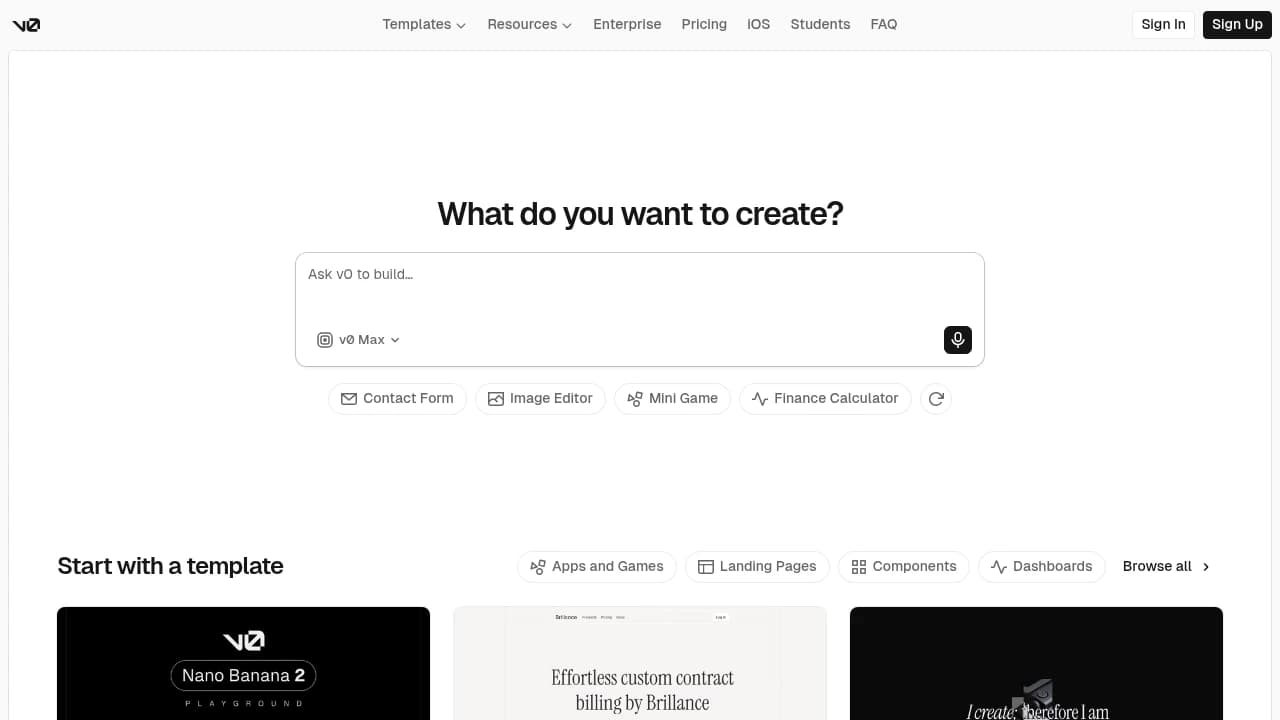
V0.dev is an AI app builder from Vercel for product teams, designers, and developers that turns prompts, templates, screenshots, and existing code into working web applications. It combines One-click deployment, Visual design mode, Connect to GitHub, Template support, Mobile app support, API Access, and Centralized Billing, with integrations with GitHub, Slack, Zapier, Stripe, AWS Marketplace, and AWS Bedrock. Customers shown include Vercel, Joyco, Ultrahive, Vanta, Code and Theory, Esteban Suarez, Chin Peerapat, and MindSpace. Plans run Free, Premium $20/month, Team $30/user/month, Business $100/user/month, and Enterprise custom.
Last verifiedHow we evaluate
At a glance
- V0.dev is best for product teams who want to ship web apps from prompts and templates fast.
- Free; Premium $20/month; Team $30/user/month; Business $100/user/month; Enterprise custom
- Yes — Public API for external integrations; docs are linked from v0's FAQ and developer pages.
Start here: the domain moved
v0.dev now issues a 307 redirect to v0.app, and the canonical URL on both the homepage and the pricing page is https://v0.app. The product is alive and shipping — this is a rename, not a wind-down — but bookmarks, SSO callback URLs, allowlists and any internal documentation pointing at v0.dev should be updated. A liveness check that only looks at the HTTP status will report success either way, because the 200 comes back from the new domain.
What v0 actually is in 2026
Vercel describes v0 as "an AI agent that helps anyone create real code and full-stack apps and agents" — it has moved well past the UI-component generator it launched as. It now covers full-stack work (Next.js App Router routes, React Server Components, databases via Supabase, Neon, Upstash and Vercel Blob without an ORM by default), a visual Design Mode, two-way GitHub sync, direct Figma file inspection, an iOS app, and a v0 API v2 for embedding app generation inside your own product. The changelog is the strongest evidence of investment: entries run through 14 August 2026 (two days before this listing was written), and recent ones add Opus 5 to the model picker, restructure the model selector into four tiers (Mini, Pro, Max, Max Fast), and rename the Team plan to Plus. This is an actively developed product on current frontier models, not a 2024 tool coasting.
How you actually get billed
This is the part that decides your bill, and it works differently from most seat-priced SaaS. Credits are denominated in dollars and function as a prepaid balance: each plan includes a monthly credit allowance, generations draw it down, and when it is exhausted generation pauses until you buy more. Consumption is token-metered — Vercel's docs are explicit that input includes "chat history, source files, and Vercel-specific knowledge," and that "higher-quality responses may use more tokens as a result." Unused monthly credits roll over and expire after 65 days; separately purchased credits expire one year after purchase and require an active paid plan to spend. Plus, Business and Enterprise also get a shared credit pool that is drawn on after each user's individual monthly credits run out.
The practical consequence: you cannot forecast a month from the price of a seat, because cost scales with how large your codebase and chat history get, not with headcount. Two mitigations are worth knowing. First, the price is not marked up at the subscription level — Plus costs $30/user/month and includes $30 of credits, so the subscription is close to a wallet rather than a margin on usage, and Plus and Business additionally list "$2 of free daily credits on login per user." Second, there is a real usage dashboard at v0.app/settings/usage with Credits and Activity tabs, date-range selection, and team-wide consumption visible to Owners and users with the Billing role — so overspend is observable per user, even if it is not predictable in advance. What is not published anywhere public is the per-model credit cost: Vercel's docs say to view model costs "by hovering each in the model selector," which requires an account. Budget from a paid trial, not from the pricing page.
The plan ladder, and what the jump to Business buys
Verified today against both the pricing page and the docs plan-comparison table, which agree:
- Free — $0/month, $5 of monthly credits, capped at 7 messages/day, deploy to Vercel, Design Mode, GitHub sync.
- Premium — $20/month, $20 of credits. Vercel's docs state this plan "is in the process of being sunsetted and is no longer available to new users." Third-party reviews still listing Premium as a current option are out of date.
- Plus — $30/user/month, $30 of credits per user, plus $2/day login credits, shared credit pool, team features, centralised billing.
- Business — $100/user/month, and also $30 of credits per user.
- Enterprise — custom pricing; adds SAML SSO, role-based access control, priority access with no queues, and support SLAs.
The Plus-to-Business step is worth pausing on, because it is a 3.3x price increase for the same credit allowance. Reading the docs comparison table row by row, the only capability that changes between Plus and Business is Data Opt-out (No on Plus, Yes on Business); access controls are "Basic" on both, and SSO and priority access remain Enterprise-only. To Vercel's credit they are upfront about this rather than burying it — their own one-line description of Business is "For privacy conscious teams." But a buyer should go in understanding that the extra $70/user/month buys a data-handling guarantee and not additional capacity. If you need the opt-out for ten people, that is $840/month more than Plus for the same amount of generation.
Data and model training
The docs plan-comparison table lists Data Opt-out as No for Free, Premium and Plus, and Yes for Business and Enterprise. The pricing page phrases the same thing as "Training opt-out by default" on Business and "Your data is never used for training" on Enterprise. So on the free and mid tiers, content you put into v0 is used for model training and there is no documented way to opt out short of upgrading to $100/user/month.
One inconsistency to be aware of when you diligence this: the security documentation is narrower than the pricing page, stating only that "Enterprise customers can opt out of having their content used for model training," with data isolation on separate infrastructure also described as Enterprise-only. The pricing page and the pricing docs both grant the opt-out to Business. If the opt-out is the reason you are buying Business, get the scope confirmed in writing rather than relying on the tier card — the vendor's own pages do not currently say the same thing.
On other security posture: v0 is included in Vercel's SOC 2 Type 2 attestation for Security, Confidentiality and Availability, and the docs claim GDPR compliance. Generated code runs in sandboxed, isolated environments, and v0 analyses NEXT_PUBLIC_ prefixed environment variables and warns when a secret risks being exposed to the browser.
Lock-in: unusually good, with one sharp edge
This is where v0 compares well against the category, and it deserves to be stated as plainly as the cost caveats. When you connect a GitHub repository, Vercel's docs are explicit: "Once a GitHub repository is connected, it becomes the source of truth for your project. v0 does not store a separate copy of your code." Each chat gets its own working branch (for example v0/username-abc123), every code-changing message is an auto-commit, and you merge to your base branch through a normal pull request. The output is standard Next.js, React and Tailwind that runs on any Node host, and the TypeScript SDK (vercel/v0-sdk, MIT licensed, 510 stars, last pushed 12 August 2026) is genuinely open source. If you stop paying, you keep a working repository with readable code and ordinary git history — which is not true of every tool in this category.
The sharp edge is the direct consequence of the same design, and Vercel flags it themselves: because v0 keeps no second copy, "if the repository is deleted from GitHub, your code may become unrecoverable." Your GitHub backup policy is your only backup policy. Note also that the open-source SDK is a client for the hosted service — the generation agent itself is closed and hosted, so MIT on the SDK is not portability of the product.
Where the output is strongest, and the framework gravity
v0's strength is concentrated where Vercel's own expertise is, and the vendor is refreshingly direct about the boundary. The docs state that "v0 defaults to Next.js, which offers advantages like server actions and API routes for colocating frontend and backend code. While v0 can use other frameworks, Next.js provides the most reliable results." Documentation does now exist for Nuxt, SvelteKit, TanStack Start, FastAPI, Nitro and xmcp, so the tool is no longer React-only in principle — but by the vendor's own account those paths are the less reliable ones.
Read that as a fit test rather than a flaw. If you are a Next.js and Tailwind shop deploying to Vercel, v0 is working in its home territory and the integration surface (preview deployments, environment variables in Vercel's vault, marketplace database provisioning through a Connect panel) is tighter than a general-purpose coding agent will give you. If your stack is Django, Rails, Laravel or a non-Vercel host, you are buying the least-supported configuration of a tool whose main advantage is depth in one ecosystem, and a framework-agnostic competitor is likely the better evaluation.
How much independent evidence exists (not much)
Worth being straight about: rigorous independent evaluation of v0's output quality is not established. There is no peer-reviewed or methodologically transparent benchmark of v0 against its competitors that we could verify. The review sites that rank highly for "v0 review" are SEO content, and several are demonstrably stale — multiple list a "Team" tier and a current $20 Premium plan, when Team was renamed to Plus on 21 July 2026 and Premium is being sunsetted. Product Hunt hosts user reviews but is behind Cloudflare verification and we could not retrieve the rating or review count to verify them, so we are not repeating a figure.
The one independent user signal we could retrieve is about the parent platform rather than v0: Trustpilot rates vercel.com "Poor" at 1.8 out of 5. Read that with care in both directions. The complaints cluster on support responsiveness, billing cancellation and WAF false-positives on the hosting platform — not on v0's code generation — and Trustpilot self-selects hard for grievance, so it is not a verdict on the product. It is, however, relevant to a v0 buyer specifically because v0 bills through Vercel and deploys to Vercel, so Vercel's support queue is the one you will be in when something goes wrong. Treat it as a reason to test the support path during a trial, not as a reason to rule the tool out.
Company and durability
Vercel is a low-risk vendor on the survival axis, which is not a given in this category. It is a ten-year-old company whose annual recurring revenue went from $100 million at the start of 2024, as reported by The Information, to a $340 million run rate by the end of February 2026, per Forbes — both figures cited in TechCrunch's April 2026 report, in which CEO Guillermo Rauch discusses IPO readiness. Note this ARR is Vercel-wide, covering hosting and the whole platform; v0's individual contribution is not broken out publicly.
Two caveats on the numbers you will see quoted elsewhere. The widely repeated "$300M Series F at a $9.3B post-money valuation, co-led by Accel and GIC, September 2025" comes from the research firm Sacra; Vercel's own Series F blog post is a vision piece that does not state the amount or the valuation, so treat those figures as secondary reporting. Likewise the "4M+ people have used v0" figure traces to Vercel via Sacra rather than to an audited disclosure. Rauch's claim that 30% of apps on the platform already come from agents is a vendor statement made onstage and is not independently corroborated.
How much does v0.dev cost?
| Plan | Price | What's included |
|---|---|---|
| Free | Free |
|
| Premium | $20/month |
|
| Team | $30/user/month |
|
| Business | $100/user/month |
|
| Enterprise | Custom |
|
Frequently asked questions
How do I start using v0?
Start by signing up and exploring the Template Library. V0's own FAQ points users to templates as the first step, and the homepage shows categories like dashboards, landing pages, components, and apps.
Does v0 have a mobile app?
Yes. V0 says you can build and design with the v0 iOS app, and the homepage explicitly promotes creating from your phone.
Can v0 connect to GitHub and Slack?
Yes. The vendor FAQ says v0 supports integrations with tools like GitHub and Slack, and the docs also list GitHub and Slack under integration topics.
Is there an API for v0?
Yes. V0 provides a public API for integrating with external applications, and the docs include an API section as part of the product documentation.
Can I link my Vercel account?
Yes. V0 says existing Vercel accounts can be linked during sign-up, which fits its tight connection to Vercel deployment and billing.
What security options does enterprise include?
Enterprise includes SAML SSO, role-based access control, priority access for better performance and no queues, and guaranteed customer support SLAs. The pricing page also says your data is never used for training on Enterprise.
Can I cancel my plan anytime?
Yes. V0 says you can cancel your plan anytime from account settings. The FAQ also notes that refunds are not offered on credits or subscription plans.
Do purchased credits expire?
Yes. V0 says additional purchased credits expire 12 months after the purchase date, and usage is deducted from monthly included credits.
What payment methods does v0 accept?
V0 currently accepts credit card payments only. The vendor FAQ says PayPal is not accepted.
Are there discounts for students or nonprofits?
Yes. V0 says it provides discounts for verified students and nonprofit organizations, and the site also links to a dedicated Students page.

Explore other No-Code/Low-Code Builders