Favicon of Vertex AI Agent Builder

Vertex AI Agent Builder

Google Cloud’s Vertex AI Agent Builder helps teams build, connect, deploy, and govern AI agents with visual tools, Python SDK, and managed runtime.

Reviewed by Mathijs Bronsdijk · Updated Apr 18, 2026

ToolOpen Source + PaidUpdated 25 days ago
API AvailableFree Tier · From $0.0864 per 3,600 vCPU secondsSDK: Python100+ IntegrationsHIPAA, ISO 27001, SOC 1, SOC 2, SOC 3Cloud
85% reduction in customer support costs70% faster engineering workflowsSupports multimodal and multilingual agents100+ pre-built connectors availableAgent2Agent protocol for seamless collaborationDynamic memory generation for personalized interactionsFully managed runtime with automatic scalingIntegrates with Google Cloud services
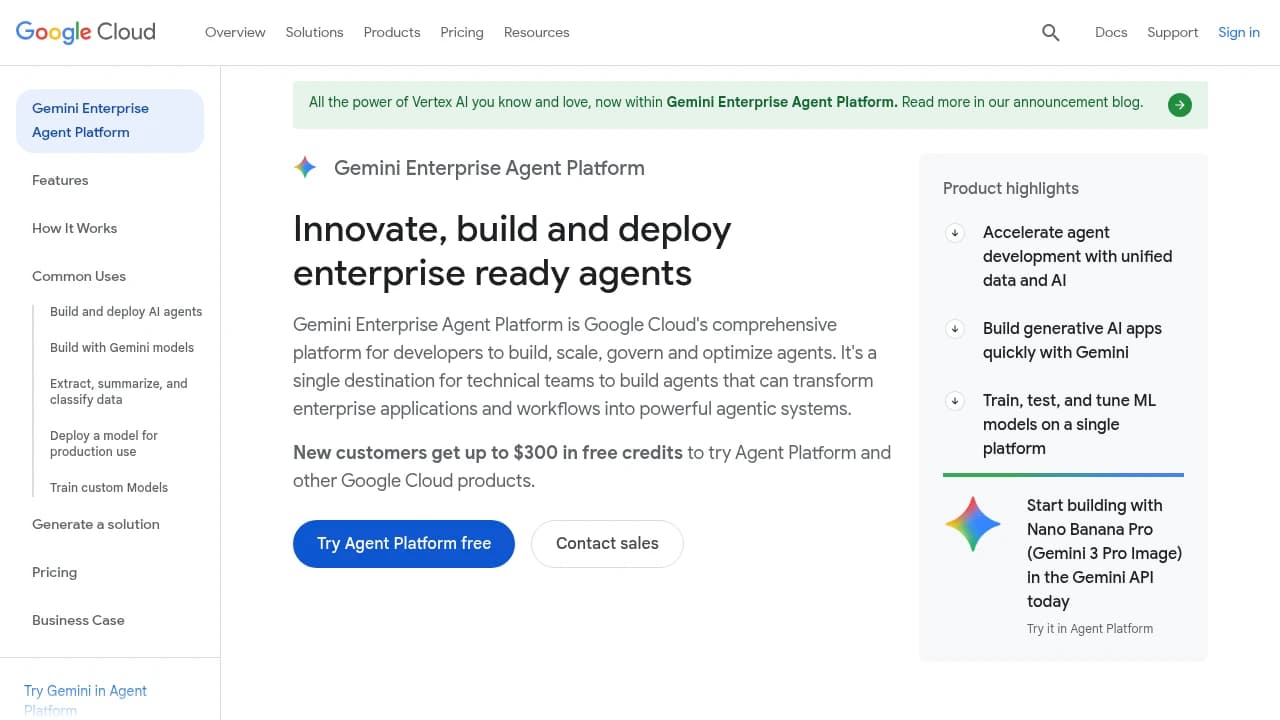
Screenshot of Vertex AI Agent Builder website

What is Vertex AI Agent Builder?

Vertex AI Agent Builder is Google Cloud’s platform for building AI agents that do more than answer questions. It combines a visual builder for simpler assistants, a Python-based development kit for engineers, and a managed runtime called Agent Engine for running agents in production. Google positions it around three jobs, build, scale, and govern. In practice, that means teams can prototype an agent, connect it to company data and APIs, then deploy it with Google Cloud security, monitoring, and access controls already in place.

We researched Vertex AI Agent Builder as part of the broader Vertex AI stack, and the story here is really about Google trying to turn agent development into an enterprise software discipline instead of a demo exercise. The platform supports Google’s own ADK, but it also works with LangGraph, LangChain, LlamaIndex, and AG2, which matters because many teams already have code and habits built around those frameworks. Google has also added newer pieces like the Agent2Agent protocol, Model Context Protocol support, long-term memory through Memory Bank, and code execution sandboxes, all aimed at teams building agents that need to reason, call tools, and keep context over time.

Who uses it? Mostly organizations that already live partly inside Google Cloud, or that want a managed path from prototype to production. The clearest fit is not the solo tinkerer building a weekend bot. It is the support team trying to automate millions of contacts, the operations group building internal assistants on top of BigQuery and Workspace data, or the product team that needs retrieval, observability, and security reviews before launch. Google’s customer examples reflect that. Honeywell used Vertex AI to help engineers work faster. Etsy rolled Gemini tools out across employee workflows. The Nevada Department of Employment built an appeals assistant that helped referees move four times faster on case review work.

Key Features

  • Multiple build paths: Vertex AI Agent Builder gives teams three ways in, a low-code Agent Designer, Google’s Python-based Agent Development Kit, and support for open-source frameworks like LangGraph and LangChain. That matters because teams do not have to choose between ease of use and engineering control on day one. A simple internal assistant can start visually, while a more complex multi-agent workflow can move into code without changing platforms.

  • Managed Agent Engine runtime: Agent Engine runs agents as managed services on Google Cloud, with serverless scaling, deployment controls, and built-in production services. Google also includes a free tier for the runtime, the first 50 vCPU-hours and 100 GiB-hours of memory each month, which is enough for early testing but not enough to hide production costs. For teams that would otherwise spend weeks building deployment, scaling, and monitoring pipelines, this is one of the strongest reasons to use the platform.

  • Sessions and Memory Bank: The platform supports persistent sessions and long-term memory. Sessions are priced at $0.25 per 1,000 events, and Memory Bank is $0.25 per 1,000 memories stored per month plus $0.50 per 1,000 memories returned. This matters if you want an agent that remembers user preferences, previous requests, or context across conversations, instead of acting like every chat starts from zero.

  • Code Execution sandbox: Agents can generate and run code inside a sandboxed environment, useful for calculations, data analysis, and verification workflows. Google prices this at $0.25 per 1,000 requests. The practical value is that the agent can do real work, not just describe what should be done, while still keeping execution isolated from the rest of your systems.

  • Search and RAG integration: Vertex AI Agent Builder connects directly to Vertex AI Search and Google’s RAG tooling. Search Standard starts at $1.50 per 1,000 queries, while Enterprise Search with generative answers goes higher. For companies with large document sets, policy libraries, or support content, this is often the difference between an agent that sounds confident and one that can actually cite current internal knowledge.

  • 100+ connectors and API integration options: Google supports prebuilt connectors plus REST APIs, webhooks, MCP servers, and A2A communication patterns. That breadth matters because most useful agents need to touch real systems, ticketing tools, databases, cloud storage, or internal apps. A platform can look polished in a demo, but if it cannot reach your actual stack, the project stalls.

  • Observability and tracing: Agent Builder integrates with Google Cloud Logging and Monitoring, and Google emphasizes tracing of requests, tool calls, latency, and errors. This matters more than it sounds. Once agents start calling tools and chaining actions, debugging becomes a product problem, not just a developer problem, and teams need to see why an agent made a decision, not just that it failed.

  • Enterprise security and governance: The platform uses Google Cloud IAM, encryption, VPC Service Controls, regional controls, and newer threat detection for agents. For regulated teams, Google also points to certifications tied to parts of the stack such as HIPAA and SOC support. This is one of the main reasons enterprises choose a cloud platform over stitching together open-source parts themselves.

  • Multimodal and multilingual support: Because it sits on Vertex AI and Gemini models, agents can work across text, images, audio, and video, and can support multiple languages. That matters for global support teams and internal assistants used across regions. A lot of competitors can bolt this on, but here it is part of the platform story from the start.

Use Cases

Google’s strongest examples are not novelty bots. They are workflow projects with measurable stakes.

Honeywell used Vertex AI in product lifecycle and engineering work. Google says engineers were able to create specifications faster, analyze product performance globally, and extend product lifecycles, with results helping engineers deliver up to 70 percent faster. That is a useful signal for technical buyers, because it shows where Agent Builder fits best, not as a chat widget, but as a layer over complex internal knowledge and repeatable operational steps.

The Nevada Department of Employment built an Appeals AI Assistant to help Appeals Referees synthesize case data. According to Google, the result was a process that moved four times faster than manual review. Public sector examples often matter more than polished startup case studies because they usually involve messy documents, strict process requirements, and a lower tolerance for hallucinated answers.

In customer support, Google highlights LiveX AI, which built customer-facing generative agents and reported an 85 percent reduction in support costs. Google also cites a reduction of about 120 seconds per customer contact in support workflows. That is the kind of metric that turns an expensive platform into a reasonable purchase. If your support team handles huge volume, shaving two minutes off each case can justify runtime, search, and token spend very quickly.

Etsy’s example is more internal and more relatable. Google says teams used Gemini in Sheets to analyze customer insights and trends, cutting tasks that used to take 2 to 4 hours down to 5 to 6 minutes. While that is not a pure Agent Builder story in the narrowest sense, it points to the broader type of work Google’s stack is good at, pulling knowledge together, grounding it in company data, and helping employees move faster on research and synthesis.

Wayfair used Vertex AI to speed up product attribute work, updating attributes five times faster. This is a good reminder that some of the best agent use cases are not conversational at all. They are structured back-office jobs where an agent reads messy inputs, applies rules, calls internal systems, and hands people a near-finished result.

Strengths and Weaknesses

Strengths:

Google has built one of the more believable bridges from prototype to production. A lot of agent tools are fun in a notebook and painful in deployment. Vertex AI Agent Builder is stronger once a team starts asking unglamorous questions, how do we monitor this, who has access, how do we keep it inside our cloud controls, how do we trace tool failures. Compared with using LangGraph or CrewAI alone, the managed runtime and governance story is much more complete.

It is unusually flexible about frameworks for a big cloud vendor. We found that Google supports its own ADK, but also LangChain, LangGraph, LlamaIndex, and AG2. That matters because teams do not want to rewrite working code just to get a deployment environment. Compared with more opinionated platforms, Google is less likely to force a full migration into its own abstractions.

The enterprise data story is strong. Search, RAG, connectors, Workspace integration, and BigQuery adjacency make Vertex AI Agent Builder attractive for companies that already have knowledge spread across Google systems. If your real problem is “our teams cannot find or use internal information fast enough,” Google’s stack is better positioned than many agent startups that still rely on thin wrappers around model APIs.

Google also has credible proof points. Honeywell, Etsy, Wayfair, LiveX AI, and the Nevada Department of Employment all point to actual operational projects, with outcomes like 70 percent faster engineering results, five times faster attribute updates, 85 percent lower support costs, and four times faster review work. Those numbers do not guarantee your result, but they are more useful than generic claims about productivity.

Weaknesses:

Pricing gets complicated fast. Runtime, sessions, memory, code execution, search, RAG, and model tokens all stack together. A small team can start cheaply enough, especially with the runtime free tier, but once an agent is doing real traffic and using retrieval heavily, spend becomes harder to predict. Compared with a self-hosted open-source stack, you trade engineering overhead for a bill that can surprise finance if nobody models usage carefully.

The best experience assumes some commitment to Google Cloud. Yes, the framework support is open, but the value of the platform comes from being close to Google services, IAM, logging, storage, search, and data systems. If your company is deeply standardized on AWS or Azure, Vertex AI Agent Builder can still work, but it stops feeling like a natural home and starts feeling like an extra island in your stack.

It is not actually simple once the project gets ambitious. Google offers low-code tools, but the moment you want multi-agent orchestration, custom tools, human review loops, or performance tuning, you are back in engineering territory. Compared with no-code platforms like Lindy, Vertex AI Agent Builder gives you more control, but it also asks more from your team.

Some of the most interesting pieces are still relatively new. Agent Designer, A2A, and some advanced orchestration features have arrived recently or in preview phases. For buyers who want mature, settled patterns, this means you are adopting a fast-moving platform. That can be good if you want new capabilities quickly, but less comfortable if you need every feature to feel battle-tested.

Pricing

  • Agent Engine runtime: Free for first 50 vCPU-hours and 100 GiB-hours/month, then $0.0864 per vCPU-hour and $0.009 per GiB-hour
  • Sessions: $0.25 per 1,000 events
  • Memory Bank storage: $0.25 per 1,000 memories/month
  • Memory Bank retrieval: $0.50 per 1,000 memories returned
  • Code Execution: $0.25 per 1,000 requests
  • Vertex AI Search Standard: $1.50 per 1,000 queries
  • Vertex AI Search Enterprise: $4.00 per 1,000 queries
  • Advanced generative answers / AI mode: additional $4.00 per 1,000 queries
  • RAG embeddings: $0.75 per 1,000 embeddings
  • RAG storage: $1.50 per GB/month
  • RAG generative answers: $2.00 per 1,000 requests
  • RAG advanced generative answers: $4.00 per 1,000 requests

The important thing is not any single line item. It is the stack effect. Teams often budget for model tokens and forget that search, memory, and runtime all add their own usage curves. For a small internal pilot, costs can stay modest. For a customer-facing support agent with millions of interactions, spend can move into serious enterprise territory quickly.

We think buyers should compare this less to a single SaaS seat price and more to the cost of replacing manual work or building the same infrastructure themselves. If your agent saves two minutes per support contact at scale, the bill can be easy to defend. If you are experimenting with a low-volume internal assistant, open-source frameworks or lighter tools may be cheaper until the use case proves itself.

Alternatives

Amazon SageMaker / AWS agent stack AWS is the obvious alternative for teams already deep in that ecosystem. SageMaker is stronger if your world revolves around broader machine learning operations, training pipelines, and AWS-native infrastructure. We found Vertex AI Agent Builder more focused on agent-specific runtime services like sessions, memory, and managed orchestration. If you want an agent platform inside a Google-heavy stack, Vertex feels more purpose-built. If your infra, security, and procurement all run through AWS, SageMaker will often be easier to justify.

Azure AI and Microsoft Copilot stack Microsoft’s strength is distribution. If your company already lives in Microsoft 365, Teams, and Azure, the Copilot approach can feel closer to where employees already work. Vertex AI Agent Builder is usually the better fit for teams building custom agents tied to specialized workflows and data systems, especially when they want more framework choice. Microsoft is often the practical pick for internal productivity assistants. Google is often the stronger pick for custom operational agents.

LangGraph and LangChain These are not direct platform replacements in every sense, but they are real alternatives for teams comfortable building their own stack. LangGraph in particular is popular for developers who want tight control over workflows, state, and human checkpoints. Compared with Vertex AI Agent Builder, the upside is lower platform cost and more portability. The downside is that you have to assemble deployment, monitoring, security, scaling, and governance yourself. Many teams end up using both, building with LangGraph, then deploying through Google.

CrewAI CrewAI appeals to teams that like the multi-agent metaphor and want fast experimentation with role-based agent systems. It is often easier to grasp conceptually for early projects. Vertex AI Agent Builder is stronger once governance, enterprise integration, and production operations become the real problem. If you are still exploring whether multi-agent workflows help at all, CrewAI can be a lighter starting point. If you already know the project needs cloud controls and managed runtime services, Vertex is the safer long-term choice.

Lindy and other no-code agent builders No-code tools win on speed and accessibility. A business user can often stand up a useful workflow assistant much faster in a product like Lindy than in Vertex AI Agent Builder. The tradeoff is depth. Once the project needs custom data access, stricter security, or more complex orchestration, no-code products tend to hit limits. Vertex asks for more setup and more technical skill, but it gives larger teams more room to grow.

FAQ

What is Vertex AI Agent Builder used for?

It is used to build AI agents that can answer questions, retrieve company knowledge, call tools and APIs, and automate parts of business workflows. The strongest use cases we found were support, internal knowledge assistants, operations, and document-heavy processes.

Is Vertex AI Agent Builder the same as Vertex AI?

No. It sits inside the broader Vertex AI ecosystem. Think of Vertex AI as the larger platform, and Agent Builder as the part focused on creating, deploying, and managing agents.

Who is Vertex AI Agent Builder best for?

It fits teams that want production-ready agents and are comfortable working in Google Cloud. The best fit is usually a company with real workflow volume, not just a hobby project.

Do I need to code to use it?

Not always. Google offers a low-code Agent Designer, but more advanced projects usually move into Python and frameworks like ADK or LangGraph. In practice, the more serious the use case, the more engineering work you should expect.

How do I get started?

The easiest path is to create a Google Cloud project, explore Agent Builder in Vertex AI, and run one of Google’s codelabs or tutorials. We would start with a narrow internal use case, something like FAQ retrieval or a simple workflow assistant, before trying a broad customer-facing agent.

How long does it take to set up?

A basic proof of concept can happen in days if your data and tools are simple. A production deployment usually takes weeks, because the real work is not just building the agent, it is connecting systems, testing behavior, and setting up monitoring and security reviews.

Does it work with LangChain or LangGraph?

Yes. Google supports several open-source frameworks, including LangChain and LangGraph. That is one of the platform’s better traits, because teams can keep familiar tooling and still use Google’s managed runtime.

Can it connect to company data?

Yes. It supports connectors, APIs, search indexes, and RAG workflows. The real question is how clean and accessible your data is, because the platform can connect to systems, but it cannot fix bad source data on its own.

Does it support memory?

Yes. It supports sessions for conversational state and Memory Bank for longer-term memory. Both are priced separately, so it is worth deciding early whether persistent memory is truly necessary for your use case.

Is Vertex AI Agent Builder expensive?

It can be. Small pilots can stay affordable, especially with free runtime allowances, but production agents can become costly once you add search, memory, code execution, and model usage. It works best when the business value is easy to measure.

Is it good for customer support agents?

Yes, especially for teams with high support volume and strong internal knowledge sources. Google’s examples around support cost reduction and faster handling times suggest this is one of the clearest use cases.

What are the biggest drawbacks?

The biggest drawbacks are pricing complexity, dependence on Google Cloud for the best experience, and the fact that advanced agent projects still require real engineering skill. It is powerful, but not lightweight.

Share:

Similar to Vertex AI Agent Builder

Favicon


Favicon


Favicon