
Amazon Q Developer
What is Amazon Q Developer?
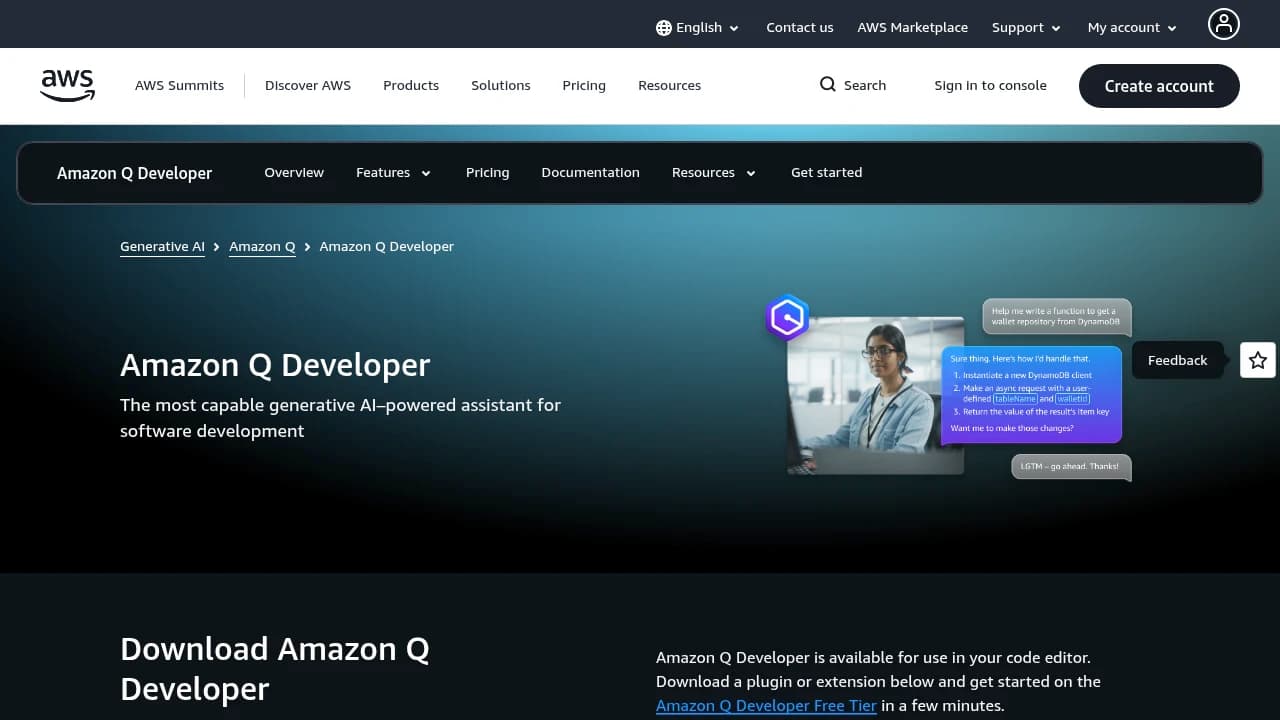
Amazon Q Developer is an AI assistant for software teams building on AWS that helps developers and operators across coding, deployment, security, management, and optimization. It works in the IDE and CLI, and includes agentic requests, Java and.NET transformation, an admin dashboard with Identity Center controls, reference tracking, data collection options, and enterprise-grade security. Pricing runs from Free Tier to On-Demand Pricing pay as you go and Reserved Instances up to 75% discount, with a Pro Tier at $19/mo per user.
Last verifiedHow we evaluate
At a glance
- Amazon Q Developer is best for AWS developers who need coding help, app transformation, and admin controls.
- Free Tier; Pro Tier $19/mo per user; AWS pay-as-you-go services
- Yes — AWS provides APIs across its services for integration and workflow automation.
Where the product stands today
On 30 April 2026 AWS published an end-of-support announcement for Amazon Q Developer. The concrete dates, all from that post: new Q Developer Free Tier account creation (via Builder ID in the IDE plugins) and new Q Developer subscription creation via the AWS Console were blocked starting 15 May 2026; IDE plugins and paid subscriptions reach end of support on 30 April 2027, described by AWS as a 12-month transition window to Kiro. Existing subscriptions are not frozen — AWS states that if you have an active Pro subscription you can continue adding new users to it, and the 15 May cutoff applies only to creating new accounts and new subscriptions. Model access has already narrowed: from 29 May 2026, Opus 4.6 is no longer available on Q Developer Pro, with Opus 4.5 and all other existing models remaining, and AWS says the latest coding models including Opus 4.7 are exclusive to Kiro. Plugins stay published on all four IDE marketplaces with critical bugfixes only — the VS Code extension was last updated 24 June 2026, consistent with maintenance rather than development.
One part is explicitly not being sunset: Amazon Q Developer in the AWS Management Console and other first-party AWS surfaces — the AWS marketing site, the AWS documentation site, the Console Mobile App, and Q Developer for Chat Apps in Slack and Microsoft Teams. If your use of "Q Developer" means asking questions about your AWS account in the console rather than an IDE plugin, none of the above applies to you.
One caveat worth checking before you rely on marketplace listings: AWS said the plugin listings would carry a deprecation notice directing users to Kiro. As fetched on 16 August 2026, the VS Code Marketplace listing text contains no mention of Kiro, deprecation, or end of support — it still opens with a "Try Amazon Q Free Tier" badge. A dynamically rendered banner could be missed by a text fetch, so treat this as "not visible in the listing description" rather than proven absent.
What it is genuinely good at
Q Developer earned a real position, and the strengths are the reason an existing subscriber might reasonably ride it to April 2027 rather than migrate in a hurry.
Legacy code transformation is the standout and has few direct competitors. Pro subscribers get 4,000 lines of code per month per user for Java upgrades, pooled at the AWS payer-account level — AWS's own worked example is that 100 Pro subscriptions give you 400,000 LOC per month before any extra charge, with overage at $0.003 per LOC submitted. AWS also only counts submissions where you actually receive suggested upgrade code back. For a shop sitting on Java 8 or .NET Framework, that is a well-priced, purpose-built capability rather than a general chat assistant pointed at old code.
Enterprise procurement is the second genuine strength. The Pro tier includes IAM Identity Center support with admin dashboards and controls, and IP indemnity — all billed through an AWS account you already have, with no new vendor, no new security review, and no new contract. For organisations where adding a software supplier takes a quarter, that is worth more than a feature comparison suggests.
The price was competitive: $19 per user per month, flat, charged per user and pro-rated for the first month, and AWS is specific that activation is triggered by actually using the product — signing in to Q chat in the console or an IDE, or downloading the toolkit, does not incur the fee, and one member of an Identity Center group activating does not bill the whole group.
Finally, the CLI was open source under a dual MIT and Apache-2.0 licence — a real differentiator against closed competitors, and something the successor gives up (see the migration section).
What the tiers actually include, and the number that is not on the pricing page
Two tiers, Free and Pro. Free: 50 agentic requests per month, and 1,000 LOC per month per user for Java upgrades. Pro: $19 per month per user, 4,000 LOC per month per user pooled at account level with extra LOC at $0.003, Identity Center support with admin dashboards and controls, and IP indemnity. AWS defines an agentic request as any Q&A chat or agentic coding interaction through either the IDE or the CLI.
The Pro agentic-request allowance is where the pricing page is unhelpful: it says only "Included (with limits)". The actual figure lives in the service quotas documentation — 10,000 inference calls per month per user, which AWS itself annotates as "the equivalent of roughly 1,000 user inputs". That is the number to plan against, and it is roughly an order of magnitude below what the pricing page's phrasing implies.
A related trap for anyone reading the page source: the pricing page's HTML still carries an orphaned third table column containing "3,000 agentic requests per month included (starting 8/1/2025)". The rendered table defines only two columns, Free and Pro, so that figure is leftover markup from a tier that is not on sale. Do not read it as the Pro limit.
Also note the pricing page itself carries no end-of-support notice. The product homepage does display an "End of support notice" banner pointing to Kiro, but as fetched on 16 August 2026 the pricing page contains no mention of Kiro, of discontinuation, or of end of support — and neither page mentions that new signups have already been blocked since 15 May 2026. A buyer who lands on the pricing page first gets no signal that the product is closed.
What migrating to Kiro actually costs
Kiro is not a rebrand, and three differences have real budget or workflow consequences.
The metering model changes. Q Developer Pro is $19 per user per month for roughly 1,000 user inputs. Kiro Pro is $20 per user per month for 1,000 credits, with tiers above it at $40 (Pro+, 2,000 credits), $100 (Pro Max, 5,000 credits) and $200 (Power, 10,000 credits), plus add-on credits at $0.04 each. Credits and user inputs are not the same unit and cannot be compared directly: Kiro states that simple prompts can consume less than 1 credit while complex prompts such as executing a spec task typically cost more than 1, and that model choice changes the burn rate — a task costing X credits under the default Auto agent costs 1.3X under Sonnet 4.6. Whether your team lands above or below its old $19 depends entirely on workload mix, so this is a thing to pilot, not to estimate. Kiro's free tier is 50 credits per month, and GovCloud pricing is approximately 20% higher with no free tier.
Two IDEs lose native support. Kiro's own migration guide states plainly that Amazon Q Developer offered extensions for Visual Studio and Eclipse but Kiro has no native plugin for either; the offered paths are switching to the standalone Kiro IDE or running Kiro CLI alongside your existing editor. JetBrains is supported only indirectly, through JetBrains AI Assistant via the Agent Client Protocol, rather than as a native plugin. VS Code users have the easiest path — Kiro IDE is built on the VS Code foundation and prompts to import your profile, extensions, settings and keybindings on first launch. Given that Visual Studio and Eclipse are exactly where .NET and Java shops live, and that Java and .NET transformation is itself included in the end of support, the audience with the most to lose is the one Q Developer served best. AWS's recommended replacement for that specific workload is AWS Transform rather than Kiro.
The CLI stops being open source. The aws/amazon-q-developer-cli repository README states that the project is no longer actively maintained and will receive only critical security fixes, and that the CLI is now available as Kiro CLI, "a closed-source product". The repository is still live and unarchived — 1,983 stars and 434 forks as of 16 August 2026 — but its last tagged release was v1.19.7 on 17 November 2025 and its last commit to main was 23 April 2026. If the dual MIT/Apache-2.0 licence was part of why you chose it, that property does not survive the migration.
On continuity: IP indemnity does carry over — Kiro states that Pro, Pro+, Pro Max and Power subscribers get indemnity for its output — and Kiro says customer content is not used to train foundation models on paid tiers, is HIPAA eligible, and is available on AWS GovCloud (US).
Security track record
This matters here more than it would for most tools, because Q Developer is the subject of the best-known supply-chain incident in an AI coding assistant to date.
In July 2025, a threat actor used an inappropriately scoped GitHub token in the extension's CodeBuild configuration to commit malicious code into the open-source repository, which was then automatically included in a release — version 1.84.0 of the VS Code extension. The injected code was a prompt instructing the agent to delete files and cloud resources. AWS's own security bulletin states that AWS Security inspected the code and determined that the malicious code was distributed with the extension but was unsuccessful in executing due to a syntax error, which prevented it from making changes to any services or customer environments. AWS revoked and replaced the credentials, released 1.85.0, and removed 1.84.0 from distribution — while noting that the code is still present in existing 1.84.0 installs, so those should be removed rather than left in place, including forks and derivative copies.
Separately, the independent researcher Johann Rehberger published a series of Q Developer findings in 2025, including remote code execution via indirect prompt injection (achieved by abusing a command AWS had classified as read-only, and demonstrated as far as downloading and executing a Sliver C2 implant with no human in the loop) and data exfiltration via DNS requests. Both were fixed. Two of the researcher's observations are relevant to how you weigh AWS as a vendor here: he notes AWS patched the RCE without issuing a CVE, despite the impact matching a Copilot issue Microsoft assigned CVE-2025-53773; and that on disclosing the DNS issue in July 2025 he found AWS's AI products were not initially in scope for reporting on its HackerOne VDP. He characterises AWS as reluctant to issue advisories or publicly credit researchers for client-product fixes, which he calls unusual against industry practice. That is his assessment, not an established fact, but it is a first-hand account from the person who ran the disclosures.
The fair reading is not that Q Developer is unusually insecure — indirect prompt injection is an unsolved problem across every agentic coding tool, and the wiper incident failed to execute. It is that the supply-chain failure was a process failure with a token, and that AWS's disclosure practice gives you less public signal than some competitors do.
Adoption signals
The VS Code extension reports 1,823,171 installs on the Visual Studio Marketplace as of 16 August 2026, at published version 2.4.0. Install counts measure reach rather than active or paid use, and this one accumulated over roughly two years including a large free tier, so read it as evidence the product was widely tried rather than widely retained.
User-rating evidence is thin: the same listing shows an average rating of 4.02 from just 53 ratings. Fifty-three ratings against 1.8 million installs is far too small a sample to draw conclusions from in either direction. No independent, methodologically credible benchmark or survey result specific to Q Developer was established for this listing. AWS made SWE-bench claims for the Q Developer agent during 2024 and 2025; those figures could not be verified against a current primary source today and are not repeated here.
Who this is still for
Still a reasonable place to be: existing Pro subscribers with in-flight Java or .NET transformation work, who should take AWS's advice literally and complete it before 30 April 2027, since transformation dies with the subscription. Also existing subscribers on VS Code, whose eventual migration is the cheap one, and who can add seats to their current subscription in the meantime. And anyone whose Q Developer usage is actually the AWS Console, mobile app, or Slack/Teams integration, which is unaffected.
Not for you: any new buyer, since you cannot sign up. Visual Studio and Eclipse shops should plan now rather than in 2027, because there is no native successor plugin and the transformation capability they most likely bought it for is going away. Teams that specifically wanted an open-source CLI should note that the successor is closed-source and look outside AWS. And anyone whose deciding factor is access to the newest models should note that Pro is already capped below Kiro's model lineup as of 29 May 2026.
How much does Amazon Q Developer cost?
| Plan | Price | What's included |
|---|---|---|
| Free Tier | Free |
|
| On-Demand Pricing | Pay as you go |
|
| Reserved Instances | Up to 75% discount |
|
Frequently asked questions
Is there a free tier for Amazon Q Developer?
Yes. AWS offers a Free Tier for Amazon Q Developer, and its public FAQ says the AWS Free Tier provides hands-on access to AWS services at no cost for 12 months after signup. The pricing page also lists a Free Tier with limited agentic requests and IDE or CLI use.
Does Amazon Q Developer have an API?
Yes. AWS says it provides a reliable set of APIs across its services, which developers can use to integrate and automate workflows. That makes Amazon Q Developer fit into broader AWS automation and tooling setups.
Can I use Amazon Q Developer in the IDE or CLI?
Yes. AWS says agentic requests cover Q&A chat and agentic coding interactions through either the IDE or the Command Line Interface. The pricing page also notes IDE plugins and CLI support.
What is an agentic request?
An agentic request is a Q&A chat or agentic coding interaction with Q Developer through the IDE or CLI. AWS says requests from both interfaces count toward usage limits, so teams should plan around that shared quota.
Does Amazon Q Developer support Java upgrades?
Yes. AWS includes a transformation capability for Java upgrades and shows separate usage limits for that feature in its pricing table. That makes it useful for modernization projects that need code transformation at scale.
Can admins manage users in Amazon Q Developer?
Yes. AWS lists an admin dashboard with user management, and the Pro tier adds Identity Center support with admin dashboards and controls. The FAQ also says subscriptions can be managed in the Amazon Q console.
Is Amazon Q Developer available globally?
Yes. AWS says it has data centers in multiple geographic regions, which allows global deployment with low latency. AWS also states its services are used in over 190 countries and across 73 Availability Zones globally.
How secure is AWS for Q Developer workloads?
AWS says it adheres to strict security standards and protocols to protect data and support compliance. That security posture applies to the broader AWS platform that Amazon Q Developer runs on and integrates with.
Editor's read
Verify whether your workflow depends on the IDE or CLI experience, since the listing shows both. Also check whether the Java and.NET transformation and admin dashboard with Identity Center controls cover the specific modernization and governance tasks you need.

Explore other Coding Agents


