Favicon of Bolt.new

Bolt.new

Bolt.new is a browser-based AI builder that lets you create, edit, and deploy full-stack web and mobile apps with simple text prompts—no local setup needed.

Reviewed by Mathijs Bronsdijk · Updated Apr 13, 2026

ToolFree + Paid PlansUpdated 22 days ago
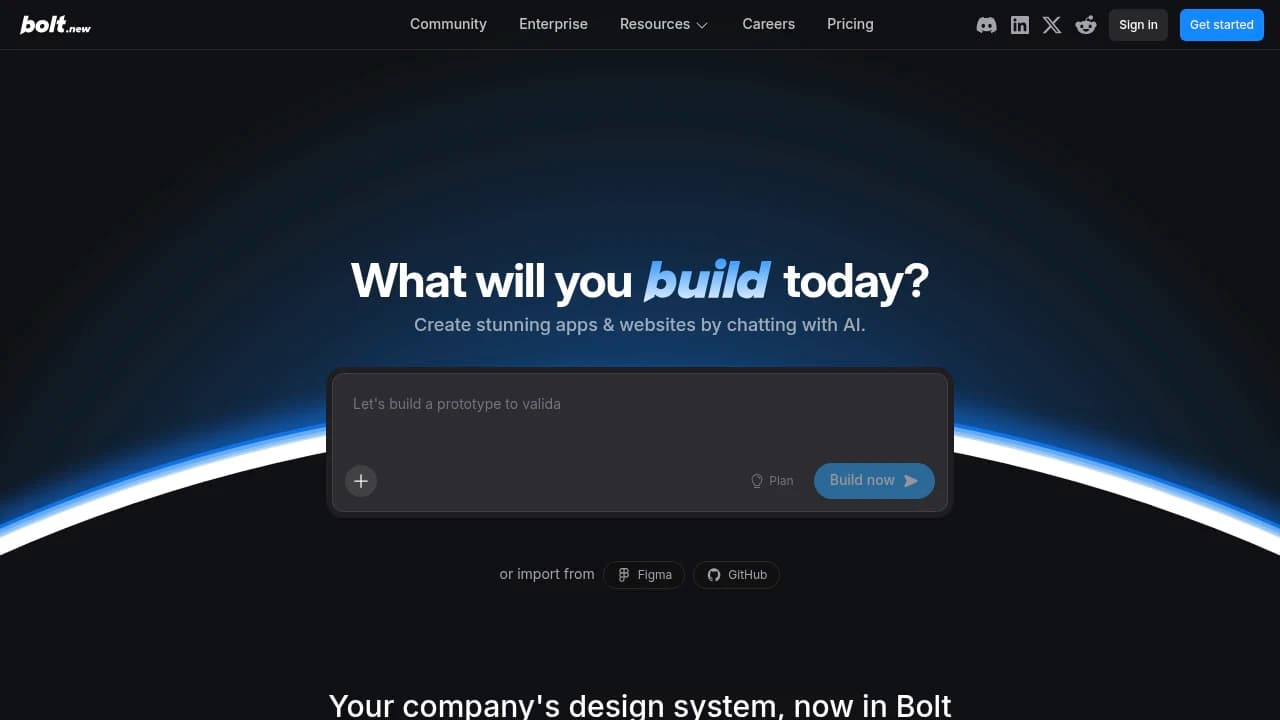
Screenshot of Bolt.new website

What is Bolt.new?

Bolt.new is a browser-based AI app builder that generates full-stack web and mobile applications from plain-language text prompts. It uses Anthropic's Claude to write and refactor code inside a built-in IDE, with no local installation required. The tool supports modern frameworks including Next.js, Svelte, and Vue, and lets users edit, test, and iterate on their projects in real time. It suits a wide range of users, from professional developers who want to skip boilerplate setup to non-technical builders prototyping an idea for the first time.

Key Features

  • Plan Mode: Outlines the full project structure and architecture before writing any code, so developers can review and adjust the plan before implementation begins.
  • Claude Agent with Model Selection: Runs on Claude Sonnet 4.6 by default, with options to switch to Haiku 4.5 for quick edits or Opus 4.6 for complex reasoning tasks.
  • Bolt Database: Provides unlimited built-in databases with authentication, edge functions, secrets management, and file storage included automatically, removing the need for external database services.
  • MCP Server Connectors: Connects external tools such as Notion, Linear, and GitHub directly into the editor through built-in or custom Model Context Protocol connectors, so live data is available during development without switching tabs.
  • Security Audit: Automatically flags potential vulnerabilities like missing password checks or unprotected routes and offers one-click fixes without requiring DevOps expertise.
  • Design Systems: Teams plan users can upload custom component libraries and Bolt generates a browsable Storybook from them; all users can explore pre-loaded systems including Porsche and Cloudscape from the homepage.
  • AI Image Generation and Editing: Generates images with transparent background support and automatic WebP conversion directly from the chatbox, and edits existing project images in place via the Nano Banana model.
  • Visual Inspector with Responsive Design Testing: Allows direct component editing on the page alongside mobile, tablet, and desktop preview modes within the Bolt.new V2 interface.

Use Cases

  • Non-technical SaaS founder: A founder with no coding background used Bolt.new to build and launch a full SaaS product with user logins and payments in 8 weeks. The app now generates $3,700/month in revenue, compared to a contractor quote of $19,000 and 8 months of development time.

  • Agri-tech entrepreneur without development skills: The founder of Pashu E-Chaara described product requirements in plain English and connected Supabase for user data and Stripe for payments. The platform went live in a fraction of the time custom development would have required, and farmers can now order animal feed online instead of traveling to purchase it.

  • Dairy farm tech startup founder: The DailyFertilo founder used Bolt.new to build a mobile app for scheduling pickups, tracking waste, and generating reports for a cow manure fertilizer business. The result avoided months of delay and thousands of dollars in custom development costs.

Strengths and Weaknesses

Strengths:

  • G2 reviewers note the interface is approachable and easy to navigate, with a low barrier to getting a project started (G2, not dated). Bolt.new holds a 4.4/5 rating on Product Hunt, compared to 3.8/5 on G2, though both ratings come from a small number of reviews.
  • G2 reviewers report that the interactive coding format reduces the need to write code manually, which suits developers looking to move quickly on early-stage projects (G2, not dated).
  • Direct integration with services like Firebase is cited as a practical benefit, and G2 reviewers describe the initial setup process as simple (G2, not dated).

Weaknesses:

  • The credit system is described as among the least transparent compared to similar tools. G2 reviewers report that credits deplete quickly during revisions, and multiple Trustpilot reviewers describe spending significant sums on minor changes, with one noting $25 spent on two small edits to a codebase with no backend code (G2, not dated; Trustpilot reviewer, March 2026).
  • Context window behavior during builds consumes additional credits without clear warning, according to a G2 reviewer (G2, not dated). Trustpilot reviewers from early 2026 describe the token consumption as unpredictable, with 200K to 1M tokens used on simple requests.
  • Scaling to heavier applications surfaces reliability problems. G2 notes mention looping and hallucination issues, and multiple Trustpilot reviewers from March 2026 report persistent disconnections and database connection failures.
  • Customer support coverage has drawn criticism. One Trustpilot reviewer reported their business was down on a Saturday with no support available until Monday (Trustpilot reviewer, March 2026). Trustpilot ratings overall sit at 1.4/5, with reviewers repeatedly citing unresponsive or unhelpful support.

Pricing

  • Free: $0/month. Includes public and private projects, 1M tokens per month (300K daily hard cap, no rollover), website hosting up to 333K web requests/month, 10MB file upload limit, unlimited databases, and Bolt branding on published sites.
  • Pro: $25/month. Removes the daily token limit, starts at 10M tokens/month with unused tokens rolling over. Includes private site sharing, custom domain support, AI image editing, 100MB file upload limit, 1M web requests/month, choice of database provider, and no Bolt branding.
  • Teams: $30/month per member. Adds centralized billing, team-level access management, admin controls, user provisioning, private NPM registry support, and design system knowledge with per-package prompts. Token and hosting limits match Pro on a per-member basis.

Contact sales for Enterprise pricing.

Who Is It For?

Ideal for:

  • Product Manager at a growth-stage SaaS company: Bolt.new fits PMs who want to turn Figma mocks into working prototypes fast, without waiting on a dev handoff. It supports prompt-driven iteration, so a live test build is reachable within a day.
  • Solo indie developer or side-project builder: Developers building social apps, community tools, or small utilities can spin up a full app in the browser with Supabase auth and responsive UI, no local environment setup needed.
  • Non-technical small business owner (team under 10): Business owners who need a CRM-connected landing page or niche site can build one in hours through plain-language prompts, no coding knowledge required.

Not ideal for:

  • Design-first UX teams: Bolt.new lacks the pixel-level visual control those workflows depend on. UX Pilot or Figma plugins are better fits.
  • Enterprises building data-heavy internal tools: The browser-based environment has real limits around persistent data handling and backend complexity. Replit or Lovable handle that class of project better.

Bolt.new is best suited for small teams and solo builders who need a working app quickly and are comfortable iterating through prompts. It fits idea validation well, particularly when the stack already includes Figma or Supabase. Skip it if your primary need is production-scale infrastructure, serious backend logic, or design work without any app-building intent.

Alternatives and Comparisons

  • Lovable: Bolt.new focuses on browser-based React prototyping at $20/mo with fast code export and no required backend setup. Lovable generates end-to-end full-stack apps with an integrated Supabase database from natural language input, which suits non-technical users building complete MVPs. Choose Bolt.new for quick UI prototypes you plan to hand off to developers; choose Lovable if you need a working full-stack product without writing any backend code.

  • v0 by Vercel: Bolt.new generates full React/Vite project files for broader app prototyping, not just isolated components. V0 excels at producing reusable React UI components from prompts or Figma designs, with one-click deployment to Vercel. Choose Bolt.new for complete app prototypes; choose v0 if your workflow centers on individual components within the Vercel ecosystem.

  • Taskade Genesis: Bolt.new outputs exportable code that you own and can deploy anywhere, with no built-in hosting or backend lock-in. Taskade Genesis targets non-developers by producing live working apps with a built-in backend, database, AI agents, real-time collaboration, and hosting across 100+ integrations. Choose Bolt.new if you want fast code prototypes for a developer to continue building; choose Taskade Genesis if you need a production-ready app with agents and collaboration tools and no deployment overhead.

Getting Started

Setup:

  • Signup: An email address is all that's required to create an account, no credit card needed, and a free tier is available.
  • Time to first result: Users report reaching a working result within about 5 minutes, helped by an onboarding wizard and ready-made templates.

Learning curve:

  • Bolt.new is designed for non-technical users and requires no coding background. You can describe what you want in plain English and get a working full-stack app on day one.
  • Beginner: Can build an app with authentication and data persistence from the start. Experienced developers: Typically reach full productivity within hours.

Where to get help:

  • Discord is the primary support channel, with BoltBot (an AI chatbot) handling instant questions. Human mentors appear mainly during events and streams rather than for general technical troubleshooting.
  • The community is small but growing. Third-party tutorials and user-written guides are limited, so official YouTube videos and the quickstart documentation at support.bolt.new are the most reliable starting points.

Watch out for:

  • OAuth flows and authentication setup are a common early stumbling block, particularly when previewing apps inside the Bolt environment.
  • Token usage is not always obvious at first. Understanding how prompts consume your token allowance takes some trial and error before you develop an efficient workflow.

Integration Ecosystem

Bolt.new's integrations are focused on a code-to-deploy workflow rather than broad business app connectivity. Users describe the ecosystem as limited but reliable for its core targets, with GitHub and Vercel drawing the most consistent praise. Supabase, Netlify, and Stripe round out the stack for teams building and shipping prototypes quickly.

  • GitHub: Users consistently highlight the one-click export to GitHub repositories, pointing to the direct push from Bolt.new's editor as a clean handoff for version control and team collaboration.
  • Vercel: Commonly used for deploying Next.js apps generated in Bolt.new, with users noting that integrated deployment buttons produce reliable previews and production pushes without extra configuration.
  • Supabase: Cited for adding auth and database functionality to generated apps via prompt-based setup, though some users report occasional schema sync issues that require manual fixes.
  • Netlify: Mentioned as an alternative to Vercel for static site deployments, with drag-and-drop or CLI exports working as expected.
  • Stripe: Used in e-commerce prototypes for payment flows via API key injection through prompts, though users note that webhook configuration typically requires manual work outside the editor.

No MCP server is currently available for Bolt.new. Users frequently request native support for cloud database options like PlanetScale and Neon, no-code tools such as Airtable, and deeper access to AI services beyond the default Anthropic APIs.

Developer Experience

Bolt.new is a browser-based generative IDE where users describe what they want to build and the tool produces full-stack application code directly in the browser. There is no public API or SDK, so it cannot be embedded into existing pipelines or automated workflows. Developers report reaching a runnable prototype in 5 to 15 minutes from a single prompt, though production-ready output typically requires manual refinement that can push total time to several hours.

What developers like:

  • The browser-based workflow removes local environment setup entirely, which lowers the barrier for less experienced developers.
  • Basic prototypes generate quickly enough to serve as a starting point for exploring ideas.

Common frustrations:

  • The absence of any API or SDK means Bolt.new cannot be integrated into automated build or deployment pipelines.
  • Generated code quality varies between runs, and inconsistencies often require manual correction before the output is usable.
  • There is no version control integration, so tracking changes or rolling back to earlier states requires manual effort outside the tool.

Security and Privacy

  • Trust center: Bolt.new maintains a security page at bolt.new/security, per that page.

Product Momentum

  • Release pace: Users report that Bolt.new is actively developed, with frequent enhancements shipped, though no public changelog or roadmap is available to confirm a formal cadence.
  • Recent releases: Notable community-driven additions in 2025 include GitHub sync workarounds and any-LLM support, both built and maintained by external contributors rather than announced as official releases.
  • Growth: Bolt.new is backed by StackBlitz as a core product, with active ecosystem expansion into GitHub syncing, Figma, Stripe, and Expo integrations, as well as CI/CD bridging.
  • Search interest: Google Trends data for this period shows no measurable search interest signal, so directional conclusions cannot be drawn from that source alone.
  • Risks: The tool depends on StackBlitz's WebContainers and browser environment, which ties its long-term stability to that underlying infrastructure. No controversy has been reported in the community.

FAQ

What is Bolt.new?

Bolt.new is an AI-powered web app builder that lets users generate full-stack web applications from a text prompt. It handles code generation, hosting, and deployment in the browser, with no local setup required.

Is Bolt.new free?

Yes, Bolt.new has a free tier that is available without a credit card. It includes 300K tokens per day and 1M tokens per month, though heavy projects will hit those limits quickly.

What do paid plans cost?

Paid plans start at $9 per month. Higher tiers unlock more tokens, increased file upload limits, and additional features. A 10% discount is available on annual billing.

What is Bolt.new built on?

Bolt.new is built on StackBlitz technology, which provides the in-browser web development environment. It uses AI models that interpret natural language prompts and generate full-stack application code from them.

Who is behind Bolt.new?

Bolt.new is connected to StackBlitz. Eric Simons serves as CEO and Albert Pai as CTO.

What can I build with Bolt.new?

Users can build landing pages, web communities, internal tools, and prototypes. It targets product managers, indie developers, and non-technical founders who need to move quickly from idea to working app.

How long does it take to get started?

Bolt.new requires only an email to sign up, supports SSO, and can produce a first result in roughly five minutes. There is no API key required to begin.

Does Bolt.new support GitHub?

Yes, Bolt.new includes one-click export to GitHub repositories, which users frequently cite as a valued integration for version control and handing off generated code.

What is Plan Mode?

Plan Mode lets Bolt.new outline the full project structure and architecture before writing any code. Developers can review and adjust the plan first, which reduces back-and-forth iteration.

What are the main alternatives to Bolt.new?

The most commonly cited alternatives are v0 by Vercel and Cursor AI. Both support prompt-based code generation but differ in scope. Bolt.new distinguishes itself by covering full-stack hosting and deployment from a single prompt without leaving the browser.

How does Bolt.new compare to Cursor AI?

Cursor AI is an IDE-based tool focused on helping developers write and edit code in a local environment. Bolt.new is browser-based and targets users who want to go from prompt to deployed app without managing a development setup.

Does Bolt.new support team collaboration?

Yes, team sign-up is available, and collaboration features are included on paid plans.

What integrations does Bolt.new support?

Beyond GitHub, Bolt.new integrates with Supabase for backend data and works alongside Figma for design-to-app workflows. These are the most frequently mentioned integrations among users.

Does Bolt.new add branding to my app?

The free tier includes Bolt.new branding on published websites. Paid plans remove that branding.

Share:

Similar to Bolt.new

Favicon


Favicon


Favicon