
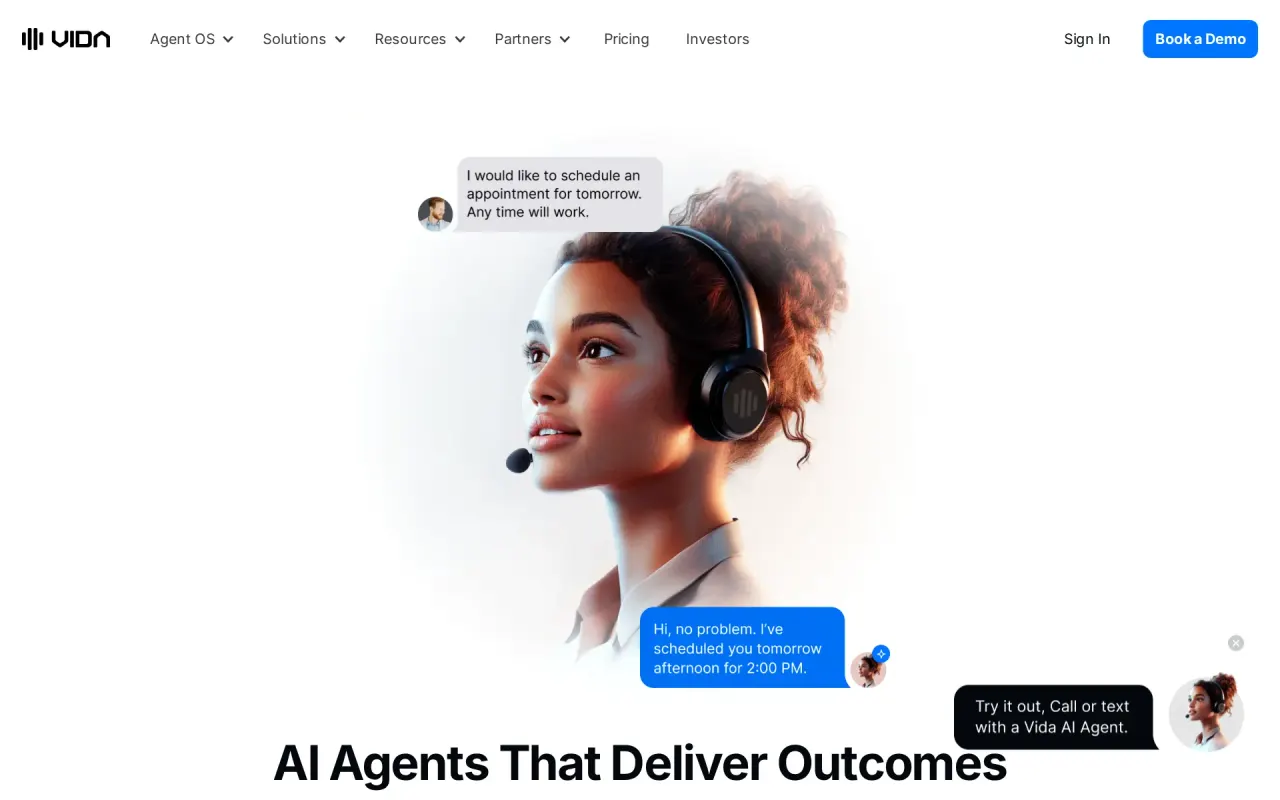
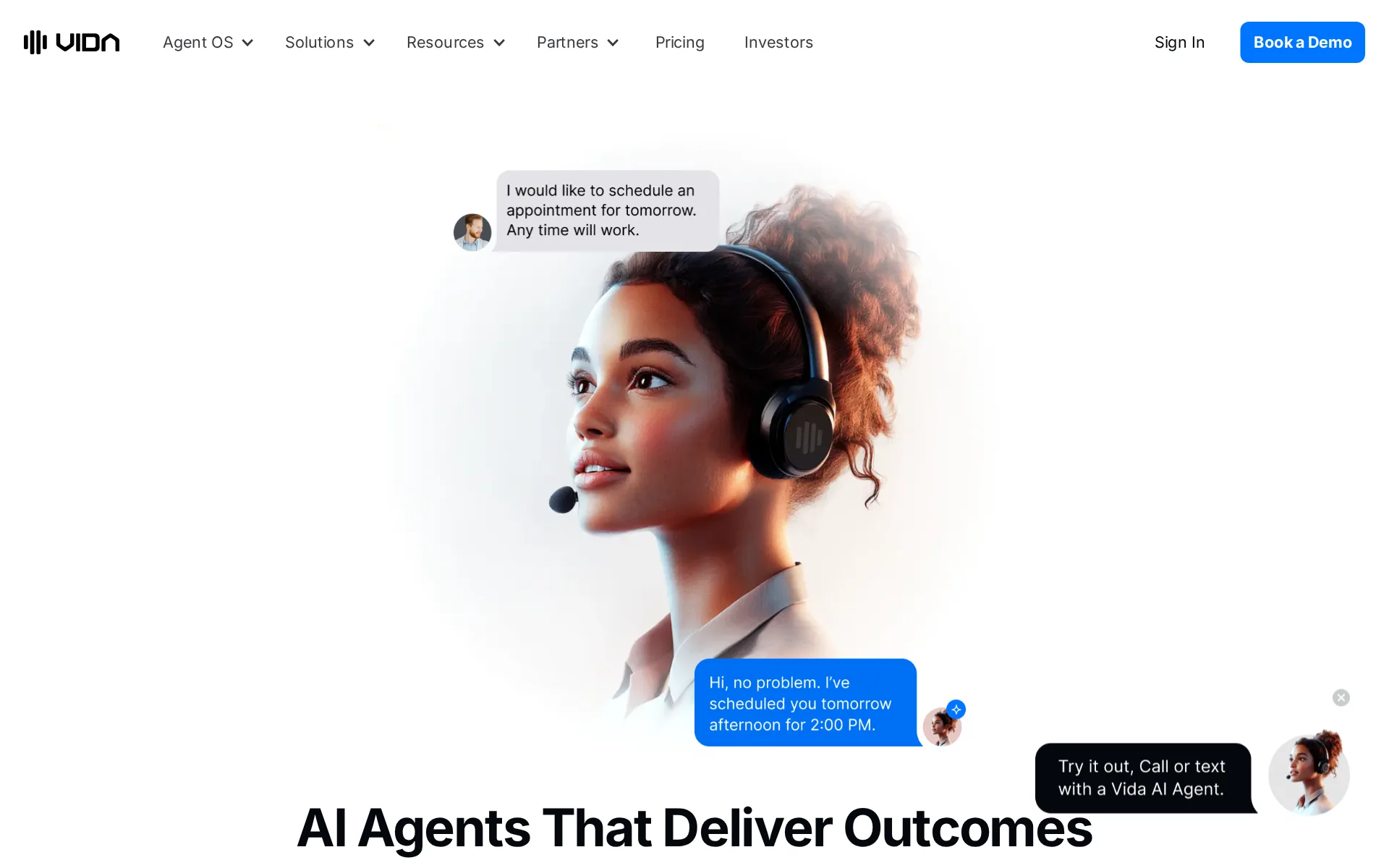
Vida's Computer Agents also work inside browsers and connected software to finish the task behind a conversation.
Changed since our last check
- MCP server: now No. It was Partly when we checked on .
- No training on your data: now Yes. It was Partly when we checked on .
- Take your data out: now Partly. It was Yes when we checked on .
- Audit log: now Partly. It was Yes when we checked on .
At a glance
Pricing
- Plan
- Custom Monthly Pricing · Custom Monthly Pricing
- Categories
- Customer Service AgentsVoice AI Agents
For developers
- Works with
- Zapier, Google Calendar, Athena Health, X-Time, Google Sheets, Slack and 15 more
Vida sells staffed roles rather than a bot builder
Vida presents its product as a catalog of AI employees: receptionist, appointment scheduler, lead qualification specialist, call recovery specialist, customer support representative, intake coordinator and administrative assistant. Each is a configured agent with instructions, business knowledge, a voice and a set of connected tools, and the vendor describes the role framing plainly: "An AI employee is an AI agent configured for a business role, such as receptionist, appointment scheduler, or customer support representative."
The conversational side covers phone, text and email, with concurrent conversations included on every plan. The second half of the platform is the Computer Agent, which works in software instead of talking to customers. Vida's documentation splits the two deliberately: a conversational agent keeps the caller, then hands a bounded job to a Computer Agent that uses skills, a browser session, workspace files and memory, and returns a linked work conversation showing its tool activity and result.
Pricing is a subscription with metered usage underneath it
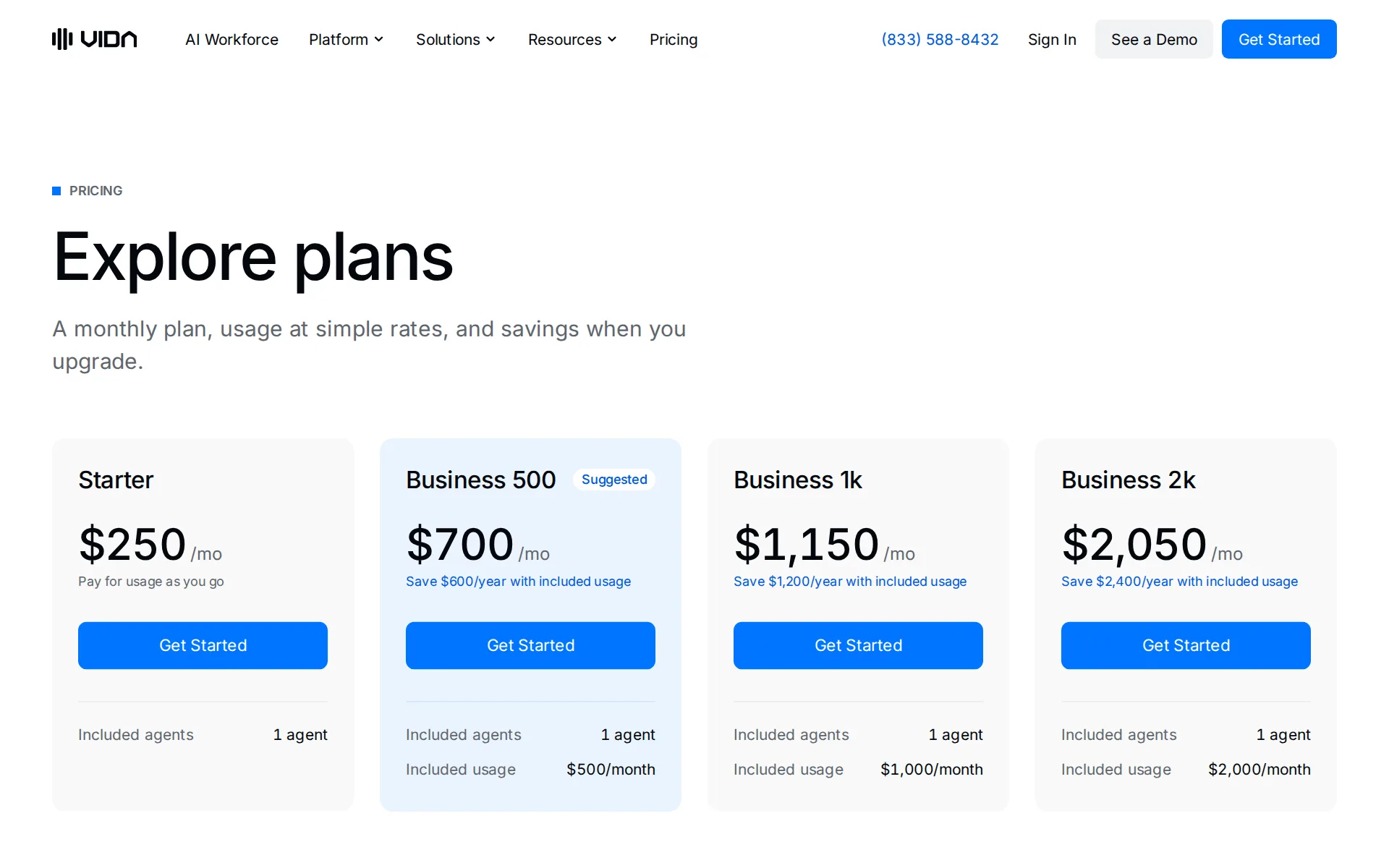
The plan table starts at Starter, $250 a month for one agent with no included usage. Business 500, 1k and 2k cost $700, $1,150 and $2,050 a month and prepay $500, $1,000 and $2,000 of monthly usage, which Vida frames as saving $600, $1,200 and $2,400 a year. The allowance is a dollar figure shared across every agent in the organization and does not roll over.
Usage is the part that moves. Voice is $0.15 a minute billed in 60-second increments, texts are $0.06 a message with no fee on inbound, and AI tokens have their own rate card. Additional agents are $250 each a month, phone numbers $5, and text messaging a $25 monthly add-on that also needs carrier registration Vida says can take up to two weeks. Outbound calling and managed agents are per-agent add-ons with no published price, and the terms add a Fair Use Policy over tokens, minutes and messages. There is no plan or platform setup fee, but one-time setup fees for selected agents and add-ons appear in the quote.
The API is broad and the docs are written for agents to read
The Vida API covers agent configuration with staging and publish, saved versions and weighted experiments, outbound call, SMS and email task queues of up to 10,000 targets, contacts and contact lists, conversation logs with CSV export and computed metrics, webhook destinations and relays, SIP registration and routing, and the full Computer Agent lifecycle including skills, secrets, workspace files and browser automation sessions.
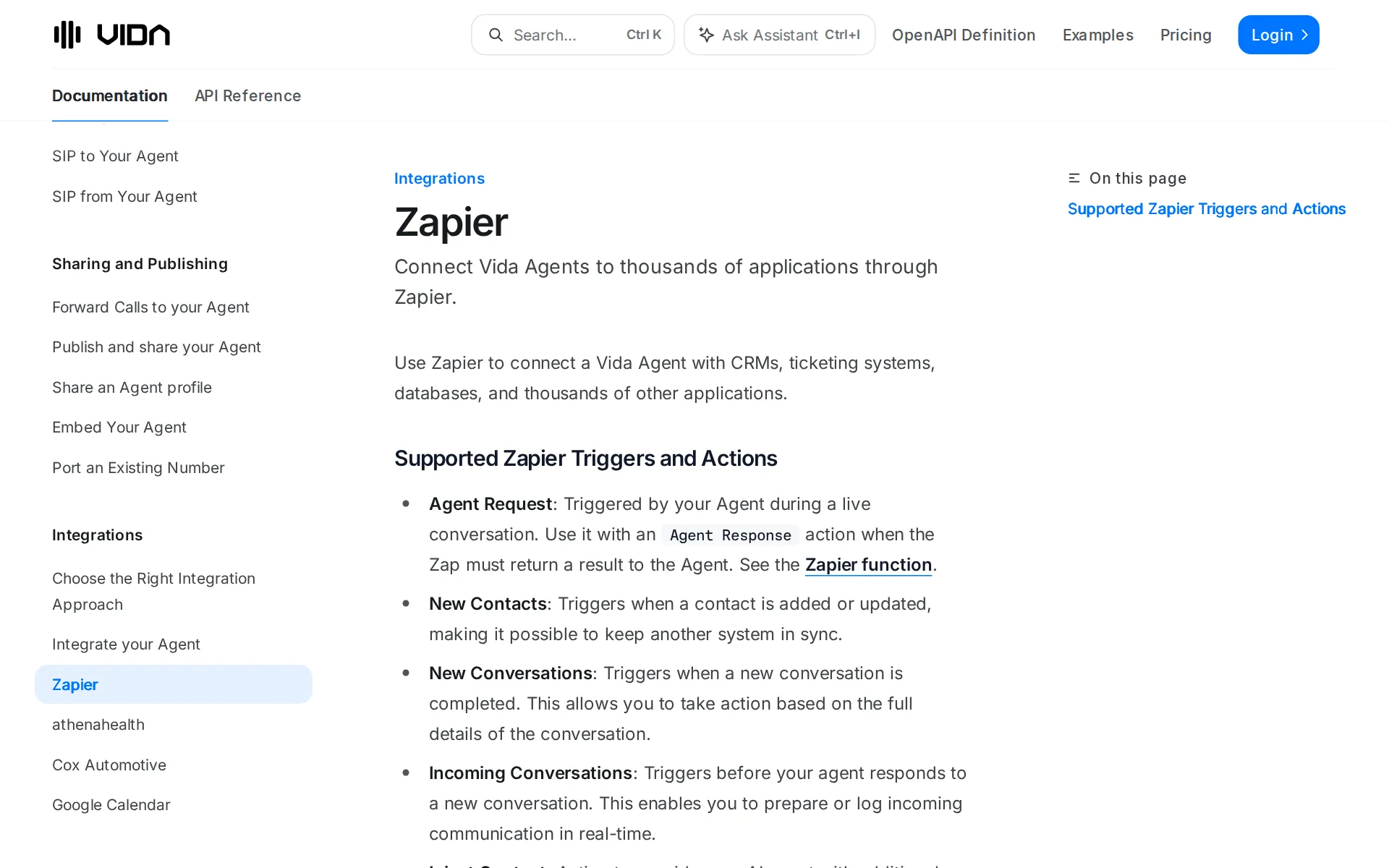
Vida also publishes a machine-readable operating guide, the API Skill, sourced from a public repository, for outside AI agents configuring Vida through the API. That is a documentation artifact, not an access path: "The skill does not grant access to Vida. Every request still requires a Vida API token with permission for the selected account." No MCP server is documented, and the integration comparison table lists apps, built-in functions, webhook functions, event webhooks, Zapier, reusable helpers, Computer Agents and Canvas as the available approaches.
Company, structure and the reseller business
The operator is VIDA Global Inc., registered in Texas with an address at 12160 W. Parmer Lane, Suite 130-716, Cedar Park, TX 78613, named in both the privacy policy and the terms. Press logos on the home page cite Forbes, Fast Company, Entrepreneur and TechRadar.
A large share of the platform exists for partners rather than end businesses. The docs carry a reseller and partner account hierarchy, agent templates with migrations, white-label domains, an embeddable customer application, Stripe and Chargebee billing for downstream customers, agent detail record exports to an external rating engine, and reseller payouts. A buyer evaluating Vida for one business will meet features gated to "eligible reseller" accounts throughout the documentation.
Security is audited, residency is not a choice
Vida states it undergoes regular independent SOC 2 Type II audits covering security, availability and confidentiality, with the report on request, and supports HIPAA-regulated workflows through designated configurations and a BAA. The data addendum is specific where it counts: customer content is not used to train general-purpose models without written authorization, and model, speech-to-text and text-to-speech providers are contractually held to the same restriction. Security incidents are notified within 72 hours, and encryption in transit is committed with encryption at rest "where supported by the applicable systems".
Two limits sit beside that. All data is stored in the United States, with Standard Contractual Clauses for EU and UK transfers, so there is no region to pick. And the pricing page sells a "SOC 2 Security" add-on and an "Advanced Privacy" add-on, both quoted by sales, with the FAQ saying HIPAA workflows "require the appropriate Advanced Privacy setup and authorization" before PHI is handled. The company publishes no SLA: the terms say "We cannot guarantee the Services will be available at all times."
Two places the site answers the same question differently
The home page FAQ answers "Is Vida HIPAA compliant?" with "Yes, Vida supports HIPAA-regulated use cases through designated HIPAA-enabled configurations." The pricing page FAQ drops the yes and adds a condition: "Vida supports HIPAA-regulated workflows through designated configurations and an applicable Business Associate Agreement (BAA). These workflows require the appropriate Advanced Privacy setup and authorization before handling protected health information." The second is the one to plan around, since Advanced Privacy is a quoted add-on.
Self-service is similarly two-sided. The start page asks only for a work email, while the FAQ describes a guided path: "Our team will help you choose an AI employee and review the workflow, systems, and setup you need." No page documents single sign-on through an identity provider, and no on-premise deployment is offered.
Where it fits, and where it does not
The fit is an appointment-driven business losing work when nobody picks up: the industry pages name home services, health clinics, telehealth, legal, property management and auto dealerships, and the published outcome metrics are confirmation rate, appointments and minutes saved. Existing numbers can be forwarded to a Vida agent for after-hours or overflow cover, though the FAQ notes forwarding calls does not forward texts.
It fits less well in three cases. A buyer wanting to test before committing has no free plan and no trial, only a demo call. A buyer who needs predictable monthly cost faces token, minute and message metering on top of the subscription, with AI token rates on a separate card. And a team that needs SSO, a region outside the United States, or a contractual uptime figure will not find any of them published.
Plans and pricing
Price and terms
- Free plan or trial
- NoNo
- Card to start
- NoRequired
- Sign up without sales
- PartlySome plans
For AI agents
- MCP server
- No
- API
- Yes
From vida.io/pricing, checked .
The facts, with their sources
What it costs to start
- Free tier
- NoThere is no free plan: the cheapest published tier is Starter at $250 a month with usage billed on top, and the only no-cost option is a demo call.
Starter $250/mo Pay for usage as you go
vida.io/pricing - Self-serve signup
- PartlySignup starts with a work email form, but Vida's team helps pick the role and scope setup, and Enterprise, outbound, managed agents, privacy and support add-ons are quoted by sales.
Select Get Started and tell us about your business. Our team will help you choose an AI employee and review the workflow, systems, and setup you need.
vida.io/faq - Card to start
- YesA card or ACH mandate is required to activate the subscription, and fees are billed in advance of each cycle and are non-refundable.
To activate your subscription and ensure you have continued access to your account(s) and the Services, you must provide a credit card or ACH direct…
vida.io/terms - Cancel any time
- PartlyMonth-to-month subscriptions can be canceled any time with no term, but nothing is refunded or pro-rated, cancellation takes up to 72 hours, and an order form can set different termination rights.
Subscribers may request cancellation of your subscription at any time through the Site or by emailing us at help@vida.io. ... In the case of…
vida.io/terms
What it works with
- Public API
- YesA documented REST API with a published OpenAPI definition covers agent configuration, tasks, contacts, conversations and Computer Agent operations.
The Vida API exposes the same core resources used to operate the AI Agent OS. Use it to configure conversational and Computer Agents, connect…
vida.io/docs/api-reference/overview.md - MCP server
- NoProgrammatic access for an outside AI agent is the REST API plus a written skill file, not an MCP server; the documentation index lists no MCP page and the integration comparison table names none.Was Partly before our last check.
If an AI agent will build or operate your integration, give it the Vida API Skill. The OpenAPI document remains authoritative for endpoint shape; the…
vida.io/docs/api-reference/overview.md
What it does on its own
- Acts on its own
- YesAgents complete configured work end to end, returning evidence rather than waiting for a person to approve each step, and Vida advises keeping explicit approval only for destructive or financial actions.
It can use connected skills, a browser, files, memory, and other tools to carry out a defined task and return evidence of what happened.
vida.io/docs/computer-agents/overview.md - Limits on what it may do
- YesYou scope instructions, connected systems and tools before the agent runs, and individual Computer Agent tools can be allowed or blocked one at a time.
You configure the employee’s instructions and the systems and tools they can access. Define the tasks they should complete, when they should hand…
vida.io/faq - No code needed
- YesAgent Builder and templates ship on every plan and the role is defined in written instructions, voice and knowledge settings rather than code.
You can configure an AI employee’s instructions, business knowledge, voice, and connected tools for the role they will perform.
vida.io/faq
What happens to your data
- No training on your data
- YesThe data addendum commits that customer content is not used to train general-purpose models without written authorization, and binds Vida's model, speech-to-text and voice providers to the same limit.Was Partly before our last check.
VIDA will not use Customer Content or Customer Personal Data to train, fine-tune, or improve VIDA’s or any third party’s general-purpose AI models…
vida.io/dpa - Retention you control
- PartlyRetention follows your configuration or order form rather than a published period, and tighter handling sits behind the quoted Advanced Privacy add-on; no self-serve retention switch is documented.
Customer Content, including call audio, call recordings, transcripts, prompts, messages, AI outputs, summaries, and related service data, will be…
vida.io/dpa - Data stays in your region
- NoVida states all data is stored in the United States and relies on Standard Contractual Clauses for EU and UK transfers, so there is no region to choose.vida.io/privacy
- Open source
- NoThe platform is proprietary and licensed, with reverse engineering and copying prohibited; only the separate API skill repository is published publicly.
Unless otherwise indicated, the Services are our proprietary property and all source code, databases, functionality, software, website designs,…
vida.io/terms - Take your data out
- PartlyOn termination you can ask for return or destruction of covered data, and logs can be exported as CSV through the API, but no self-serve bulk export is documented and data may be deleted after cancellation.Was Yes before our last check.
Upon the expiration or termination of the Terms of Service and at Controller’s request, Processor shall securely return to Controller or securely…
vida.io/dpa
Whether a company can buy it
- Security audits
- YesVida says it is audited to SOC 2 Type II for security, availability and confidentiality, with the report available on request, and supports HIPAA workflows under a BAA.
Vida undergoes regular independent SOC 2 Type II audits covering controls related to security, availability, and confidentiality. Contact our team to…
vida.io/pricing - Audit log
- PartlyVida's own service description lists audit logs alongside conversation history and transcripts, and the API queries logs and task history, but no admin action log is documented for review.Was Yes before our last check.
Agent observability, analytics, quality assurance, audit logs, conversation history, transcripts, workspace state, usage tracking, and performance…
vida.io/terms - Uptime promise
- NoThe terms disclaim any availability guarantee and say support coverage and service commitments depend on your agreement, so no uptime figure is published.
We cannot guarantee the Services will be available at all times.
vida.io/terms
Which models it runs on
- Its own model
- NoVida serves third-party models rather than its own: its data terms describe contracting with external model, speech-to-text and text-to-speech providers, and its fast-processing setting is OpenAI's.
VIDA contractually prohibits its AI model providers, speech-to-text providers, text-to-speech providers, and similar AI infrastructure providers from…
vida.io/dpa - You pick the model
- PartlyYou pick the conversation and thinking models in the editor or by API, but the choice is limited to the list your account and plan expose.
Open Edit Agent and select the Intelligence section. Choose from the models available to your account.
vida.io/docs/agents/intelligence.md
Screenshots
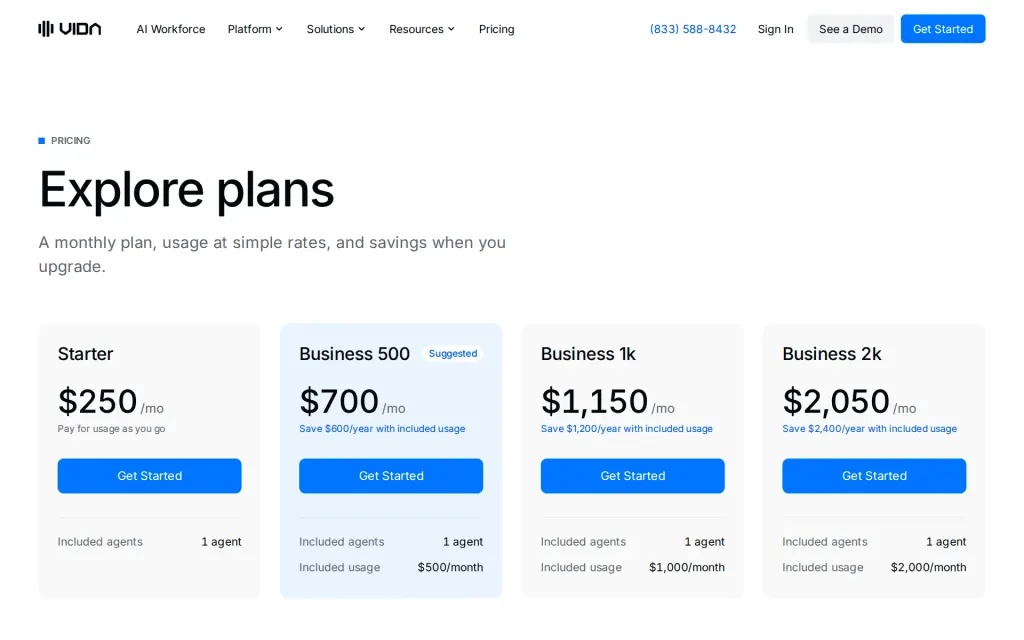
Pricing page, vida.io, captured 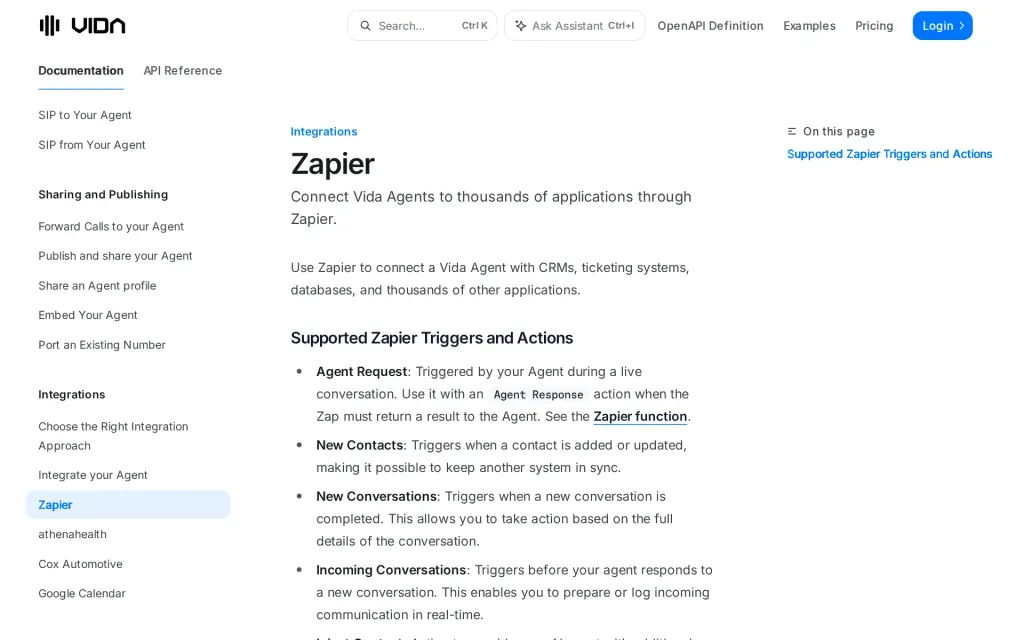
Docs, vida.io, captured
Filed under
Sources and updates
Last changed
Sources on vida.io12
Updates2
- Free tier · What it does
- Free tier · Price · What it does
Is this yours? AI assistants like ChatGPT, Claude and Perplexity opened AgentsIndex pages 807 times from 17 October to 25 October. Claim it free and edit it in your dashboard, or feature it in Customer Service Agents.