TinyFish, reviewed: one API for web search, extraction, and browser agents
A buyer's guide to TinyFish — the unified API for live web search, page fetching, cloud browser sessions, and multi-step agents. What it does, how the pay-as-you-go pricing works, the alternatives, and who it's for.

Written by AgentsIndex
TinyFish gives AI agents one clean way to work with the live web. Search, page fetching, cloud browser sessions, and multi-step agent workflows all sit behind a single API and a single prepaid balance. If you're a developer or a platform team weighing whether to buy that whole capability instead of wiring it together yourself, this guide walks through what TinyFish does, how the pricing actually works, who's behind it, and the kind of work it's built for.
Key takeaways
- TinyFish bundles four jobs that AI-agent teams normally stitch together on their own: web Search, page Fetch, cloud Browser sessions, and multi-step Agent workflows, all behind one API key and one prepaid Wallet.
- It's built for agents and applications that need to act on the live web. That means searching fresh results, reading pages that change constantly, logging into sites, and finishing multi-step tasks at production scale.
- The company is serious. It launched in 2025 with a $47M round led by ICONIQ Growth, and the CEO previously ran Nutanix as its President.
- Pricing is pay as you go, with no monthly plans: Search and Fetch are free within rate limits, Agent costs $0.016 per step and Browser $0.002 per minute from a prepaid Wallet, and Enterprise is priced by contract.
- It's a strong pick when you want one vendor for the entire "search, extract, act" loop rather than a drawer full of separate tools to maintain.
TinyFish at a glance
| What it is | A unified web-operations API (search, fetch, browser, agent) for AI agents and applications |
| Best for | Developers and platform teams building agents that act on the live web |
| Core products | Search, Fetch, Browser, Agent, plus Mako, its web-native model, behind one API key |
| Pricing | Pay as you go: Search and Fetch free, Agent $0.016/step, Browser $0.002/min; Enterprise custom |
| Free tier | Yes. Search and Fetch are free within rate limits, and new accounts start with $8 in Wallet funds, no card required |
| Standout feature | One prepaid Wallet across every product, plus authenticated multi-step browser workflows |
| Compliance | ISO 27001:2022; enterprise SSO, audit logs and VPC deployment on Enterprise |
| Company | Founded 2024, Palo Alto. $47M led by ICONIQ Growth (2025) |
| Alternatives | Browserbase, Firecrawl, Apify, Bright Data |
What TinyFish is, in one paragraph
TinyFish is a unified web-operations platform built for AI agents and AI applications. The company describes it as infrastructure for "enterprise web agents," software that browses the live web the way a person does to search, extract, and get things done at scale. Its homepage sums it up nicely: "Everything AI needs to use the web." Rather than gluing together a search API, a scraper, a headless-browser host, and your own orchestration code, you call one platform that covers all four. Search returns structured live results, Fetch turns any URL into clean content, Browser gives you cloud browser sessions, and Agent runs multi-step automation. They all share a single API key and one prepaid Wallet, and underneath sits Mako, TinyFish's own model tuned for live web work.
The problem it solves will be familiar to anyone who has built an agent. The moment your agent has to touch the real web, the architecture starts sprouting dependencies. You need one provider for search, another to turn HTML into something an LLM can read, a third to drive a real browser through login walls and JavaScript, and then a pile of your own retry, proxy, and anti-bot glue to hold it all together. Every piece has its own SDK, its own bill, and its own way of failing. The web doesn't make it easier, since layouts change weekly and more sites hide behind authentication and bot defenses. TinyFish's bet is that most teams would rather not run that stack themselves. They want an API that goes from lookup to extraction to action in one place, and that keeps working even when a target site has no API of its own.
How TinyFish works: four products, one Wallet
TinyFish routes web work through four coordinated products that share one key and one balance:
- Search delivers structured, live web results (TinyFish markets these as "never cached") that you can feed straight into an agent, instead of scraping a search engine yourself.
- Fetch takes any URL and returns clean, structured, model-ready content in a single call rather than raw HTML.
- Browser provides cloud browser sessions with a stealth browser, anti-bot handling, and an agent proxy, so pages that fight automation still load.
- Agent chains those primitives into multi-step workflows (find, open, extract, act) and returns structured JSON.
Two design choices really matter here. The first is the single prepaid Wallet. There's one balance and one bill rather than four invoices to reconcile, and because Search and Fetch are free and never draw from it, you only spend on the heavier agent and browser work. The second is how TinyFish handles authenticated workflows. Its cloud browser layer is designed to reach the logged-in, gated web without exposing raw credentials to the model, which is exactly the reassurance you want when you're automating anything behind a sign-in.
On reliability, TinyFish is clearly aiming at production rather than demos. It reports 89.9% accuracy on the Mind2Web web-agent benchmark and bills its Agent as "the highest publicly benchmarked web agent," alongside sub-250ms browser cold starts and strong anti-bot pass rates. Its trust center lists ISO 27001:2022 certification, and the Enterprise contract adds VPC deployment and a 99.99% uptime SLA. These performance figures are TinyFish's own, so the smart move is simply to reproduce them on your own traffic during a trial, which is what any careful buyer would do anyway.
Who's behind TinyFish
For infrastructure you plan to build on, the company matters as much as the API, and TinyFish's story is a reassuring one. It came out of stealth in August 2025 with a $47M round led by ICONIQ Growth, joined by USVP, Mango Capital, MongoDB Ventures, ASG, and Sandberg Bernthal Venture Partners. That's a serious set of backers for a company at this stage. The CEO, Sudheesh Nair, was previously President of Nutanix, and he's joined by co-founders Shuhao Zhang, an engineering leader who came from Meta, and Keith Zhai, a former Wall Street Journal correspondent. The team is based in Palo Alto.
This belongs in a buyer's guide because "who funds and runs it" is a real factor when you're standardizing your web layer on a young platform. Deep funding and an enterprise-operator CEO are good signs that the API will still be here, and improving, a year from now.
Who TinyFish is for
TinyFish fits developers and teams building AI agents that need reliable web search, extraction, and browser automation in one place. Four buyers map neatly onto it:
- Product engineers who want structured, live web data without assembling and babysitting a separate scraping stack.
- Automation teams who need browser-based workflows that can authenticate and finish multi-step tasks, not just fetch a page.
- Data-operations teams who need fresh, typed outputs from constantly changing sites at production volume.
- Enterprise platform teams who need controlled deployment, compliance, and an audit trail for web workflows.
The customer use cases show the shape of the work. For Google Hotels, TinyFish has been used to aggregate inventory from thousands of hotels, surfacing properties that couldn't otherwise be listed, and it did so without asking those hotels to change their own IT systems. For DoorDash, it reportedly collects large volumes of pricing variables to support real-time pricing. TinyFish's own product demos show the same pattern at a smaller scale: an agent that fills quote forms across five separate insurance-carrier portals, clears the bot checks along the way, and returns one structured comparison. Different industries, same job: pull fresh, structured data from a sprawl of external sites that will never build you an API. If your problem rhymes with any of that, TinyFish is aimed squarely at you.
Pricing: do the step math, not the sticker price
TinyFish is pay as you go. There are no monthly plans and no minimum: you add funds to a prepaid Wallet and pay for the Agent and Browser work you actually run.
| Product | Price | Limits |
|---|---|---|
| Search | Free | 30 requests/min, 500 requests/hour |
| Fetch | Free | 150 URLs/min, 1,000 URLs/day |
| Agent | $0.016 per step | 2 concurrent runs to start |
| Browser | $0.002 per minute | 5 concurrent sessions to start |
| Enterprise | Custom (contract) | Limits set to your workload, ISO 27001, enterprise SSO, audit logs, VPC deployment, 99.99% uptime SLA |
Two things make the math friendlier than it first looks. Search and Fetch never draw from the Wallet, so you only pay for the heavier agent and browser work, and that price bundles LLM inference, residential proxies, anti-bot handling and run storage rather than billing them separately. New accounts start with $8 in the Wallet, top-ups are $10 minimum, and auto-reload is optional.
That per-step price is the thing to focus on. The sticker prices are low, so the real question is how many steps your workflow takes per run, multiplied by your run volume. A task that searches, opens several pages, and then acts will naturally take more steps than a one-shot fetch. The easy way to estimate your cost is to run one representative task on the starting Wallet funds and see what it spends. You can see the full pricing on the TinyFish pricing page, and the TinyFish listing has the short version. Customers who signed up on TinyFish's earlier credit plans see their rates and balance in their account dashboard.
TinyFish vs. building it yourself (and vs. point tools)
The most useful comparison isn't TinyFish against one rival. It's TinyFish against the stack most teams assemble by default.
| Approach | What you manage | Trade-off |
|---|---|---|
| TinyFish (unified API) | One key, one prepaid Wallet, one vendor across search, fetch, browser, agent | Fastest path to a working agent, with less low-level plumbing to own |
| DIY stack (search API + scraper + headless-browser host + your glue) | Multiple SDKs, bills, rate limits, proxies, and orchestration code | Maximum control, but you own the integration and the anti-bot maintenance forever |
| Point tools (a URL→markdown fetcher, or a standalone browser host) | One narrow job, done well | Cheaper if you only need that slice, but you re-add the rest yourself as the agent grows |
If you want to shortlist by capability, the usual names are Browserbase for managed headless-browser sessions, Firecrawl for turning URLs into clean markdown, Apify for its scraper marketplace, and Bright Data for large-scale proxy infrastructure. Those are mostly raw infrastructure: they hand you a browser, a proxy, or clean text, and you bring the agent logic and the model. TinyFish's angle is different, because it bundles the agent logic and its own model, Mako, in with that infrastructure and puts it all behind one API. When your need is narrow and stable, a point tool is a fine choice. When you want the whole search-extract-act loop from a single vendor, TinyFish is the more natural home.
Strengths
- Real consolidation. Search, fetch, browser, and agent behind one key and one balance removes a genuine class of integration and billing overhead, and free Search and Fetch plus $8 of starting Wallet funds make it cheap to experiment.
- Built for authenticated, multi-step work. Reaching the logged-in web without handing raw credentials to the model is the detail that separates a "fetch a page" tool from a "finish the task" platform.
- Aimed at production. Anti-bot handling, a stealth browser, residential proxies, ISO 27001 certification, and VPC deployment with a 99.99% uptime SLA on Enterprise all point at workloads that have to keep running.
- Serious backing and real customers. A $47M ICONIQ-led round and named users like Google and DoorDash are exactly the signals that make an internal case easier.
What to check before you commit
None of these are dealbreakers. They're the normal diligence you'd do on any web-automation platform:
- Validate the performance numbers on your own traffic. Figures like 89.9% Mind2Web accuracy are TinyFish's own, so run your real sites and tasks on the starting Wallet funds and confirm they hold up for your use case.
- Model your step count. Agent work is billed per step, so meter a representative task before you scale and multiply by your expected volume.
- Plan for one vendor. Consolidation is the whole appeal, and it also means standardizing your web layer on one platform, so keep your integration reasonably portable, as you would with any core dependency.
- It's a newer platform. TinyFish launched publicly in 2025. The funding and team take a lot of the risk out of that, and it's simply worth noting on a long-horizon bet.
The bottom line
If you're building AI agents that have to operate on the live web, and you'd rather buy the "search, extract, act" loop than build and maintain it, TinyFish is a strong choice. The single API and shared Wallet cut real friction, the authenticated-workflow handling is well thought out, the funding and team are credible, and the enterprise tier answers the questions regulated buyers ask. Do the two pieces of homework that every web-automation purchase deserves: try it on the starting Wallet funds, and model your step count at real volume. For teams that want one vendor for the entire web layer, TinyFish is built for exactly that. You can start on the TinyFish website or read the structured overview on its AgentsIndex listing.
Getting started and further reading
The nice thing is that you can just try it. TinyFish is self-serve, you can create a free account without a card, and new accounts start with $8 in Wallet funds, which is 500 Agent steps at $0.016 each, so you can run real agent tasks and see what they cost before you add a card. A few good starting points:
- The listing. A structured overview of products, pricing, and fit on AgentsIndex.
- Pricing. Current prices and rate limits live on the TinyFish pricing page.
- Code examples. TinyFish publishes an open-source cookbook of sample apps and recipes on GitHub, which is the fastest way to see what an agent task looks like in code.
The single most useful thing to do before committing is to take one representative workflow, run it end to end on the starting Wallet funds, and see what it spends. That number, times your expected monthly volume, is your real cost, and it's the figure that tells you whether pay as you go is enough or an Enterprise contract is worth the conversation.
Frequently asked questions
What are the rate limits?
Search is free at up to 30 requests a minute and 500 an hour, and Fetch at up to 150 URLs a minute and 1,000 a day. Agent and Browser are bounded by concurrency instead: accounts start at 2 concurrent Agent runs and 5 Browser sessions. There are no plans to move up through; higher limits are set per account by TinyFish's sales team, and an Enterprise contract sets them to your workload.
Is the proxy included, or billed separately?
Included. TinyFish's pricing page lists residential proxies, anti-bot handling and run storage as part of every Agent and Browser run, plus LLM inference for Agent, so there's no separate proxy line on the price list.
Can TinyFish operate sites that require a login?
Yes, and it's a design goal rather than a bolt-on. Browser Context Profiles persist logged-in state between runs, so a recurring workflow doesn't burn steps re-authenticating each time, and credentials live in a vault instead of being pasted into task prompts. TinyFish reports an 85% pass rate against the major anti-bot services it lists (Akamai, Cloudflare, DataDome, PerimeterX and Imperva).
What happens when a run fails, or the Wallet runs out?
TinyFish's current pricing page doesn't say whether a failed run is charged, so check your usage records during a trial if your workload retries a lot. It is clear about an empty Wallet: Search and Fetch keep working within their limits, an Agent run that is already under way finishes, and Agent and Browser need funds before they start again.
How is Mako different from pointing a frontier model at a browser?
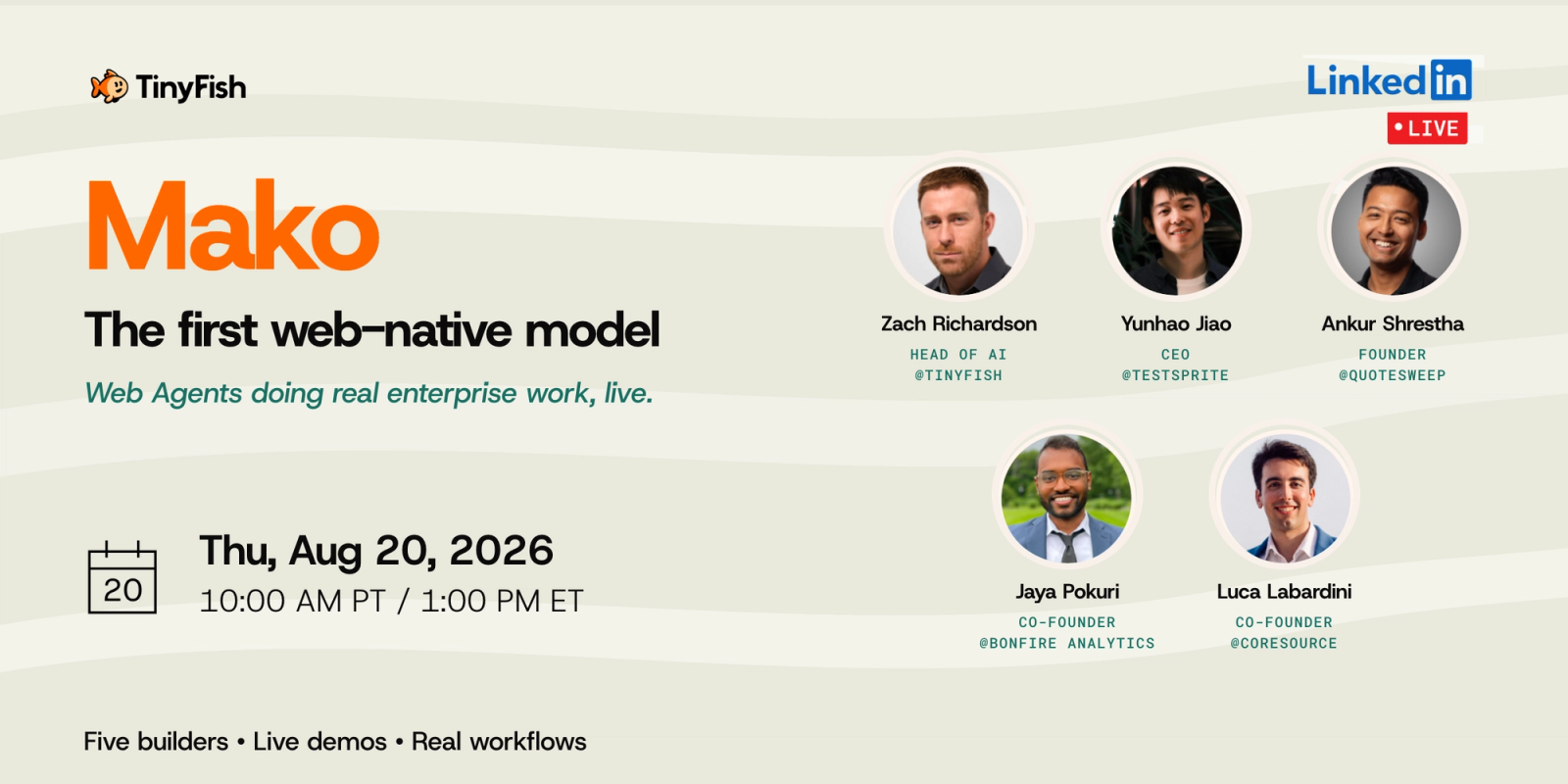
Mako is TinyFish's own web-native model, trained on authenticated, multi-step workflows taken from production runs rather than on general web text, and generally available to enterprises since 21 July 2026. TinyFish reports 89.9% overall on the Mind2Web benchmark, 81.9% on the hard split, and positions Mako at a fraction of frontier-model cost for the same work. Those are vendor-published figures, so treat them as a starting point for your own evaluation rather than a settled result.
What does TinyFish offer teams in regulated environments?
The compliance story sits on the Enterprise contract: rate limits and concurrency set to your workload, enterprise SSO, audit logs, VPC deployment and a 99.99% uptime SLA. TinyFish's trust center lists ISO 27001:2022 certification and a public breakdown of its security controls, and full security documentation can be requested there if your procurement needs more.
What are some alternatives to TinyFish?
Depending on the capability you need, common alternatives include Browserbase (managed browser sessions for agents), Firecrawl (clean markdown extraction for LLMs), Apify (a scraper marketplace and run platform), and Bright Data (large-scale proxy and web-data infrastructure). Those are mostly infrastructure you add your own agent logic to, whereas TinyFish bundles the whole search-extract-act loop, and its own model, behind one API.
Sources
- TinyFish, the product homepage and pricing page (product, positioning, and performance claims are as stated by TinyFish)
- TinyFish, the trust center (compliance)
- TinyFish, the open-source cookbook on GitHub
- ICONIQ Growth, "Powering the future of enterprise web agents", the lead investor's partnership note (funding, mechanism, Google Hotels use case)
- TechStartups, "TinyFish launches from stealth with $47M" (launch, funding, customers, DoorDash use case)
- Reuters via Yahoo Finance, TinyFish $47M raise coverage
Performance and benchmark figures (such as Mind2Web accuracy) and customer references are reported by TinyFish and cited here as vendor statements. Updated 27 September 2026: TinyFish replaced its credit plans with pay-as-you-go pricing, and the pricing, limits and compliance details above reflect its pricing page and trust center on that date. They may change.