
At a glance
- Category
- Voice AI agents
- Tags
- EU AI Act, No credit card
For developers
- Works with
- Claude Code, Cursor, Windsurf, VS Code, LangChain, OpenAI Agents and 22 more
What is Dial?
Dial is a communication layer for AI agent builders that gives agents a real phone identity for voice, SMS, WhatsApp, and iMessage. It exposes a single REST API with Python and Node.js SDKs, an MCP server, unified webhooks, and real-time transcription and TTS replies for voice. Plans run from Pay-as-you-go metered at $3.00/mo to Flat-rate per number at $20.00/mo.
What does Dial do?
Dial routes phone, SMS, WhatsApp, and iMessage through one agent-facing communication layer, so an AI system can get a real number and start interacting in seconds. The stack exposes a single REST API, plus Python and Node.js SDKs and an MCP server, while the product's unified webhook keeps call and message events in one signed format.
It also supports real-time transcription and TTS replies for voice, and can fall back across messaging channels when needed. Behind the scenes, Dial is built for high-volume agent traffic rather than human inboxes: the company frames the problem around 130 billion agents, 6.5 trillion daily agent communications, and ~15× the volume of today's human communication.
The site says setup can take 10 seconds, with $5 of free credit automatically loaded and no credit card required. Dial also positions itself around 180+ countries and a single agent identity that can move across channels without changing the number.
Why use Dial?
- One agent identity can span voice, SMS, WhatsApp, and iMessage, reducing channel switching and fragmented state.
- The unified webhook keeps every channel in one signed event format, which simplifies downstream automation.
- MCP support and coding-assistant compatibility let teams use Dial inside existing agent workflows instead of building custom glue.
- The platform is designed around agent-scale traffic, with a stated 1:100 agent-to-human ratio and 6.5 trillion projected daily communications.
- A real number can be provisioned in seconds, so teams can test live calling and messaging without a long telecom setup.
Who is Dial for?
- AI agent builders who need a real phone identity for outbound and inbound communication.
- Developer teams who want one API for voice, messaging, and webhook handling.
- Automation engineers who need agents to verify accounts and read OTP codes.
- Product teams shipping multi-channel agent workflows across chat and phone.
- MCP users who want communication tools that work inside coding assistants.
What are Dial's key features?
Communication stack
Run SMS, voice, iMessage, and phone workflows from one REST API with Python, Node.js SDKs, and an MCP server, reducing integration sprawl.
Real phone numbers
Provision real phone numbers for identity-anchored messaging and calling, with support across 180+ countries for consistent reach and reply handling.
WhatsApp-first
Send and receive WhatsApp conversations alongside iMessage and SMS, using Meta Biz API and Apple Biz Register to keep channel identities connected.
SMS worldwide
Route SMS across 180+ countries with region-based delivery tiers, so teams can standardize messaging without building separate country-specific carriers.
Voice calls
Place and receive voice calls through WebRTC, Twilio, Vonage, Telnyx, or Vapi-style workflows, enabling agent and human call automation.
Unified webhook
Receive calls and SMS in one signed webhook format, simplifying event handling and making it easier to sync downstream systems reliably.
MCP-ready
Connect extra tools and context through MCP, with support for Claude Code, Cursor, Windsurf, VS Code, LangChain, and OpenAI Agents.
channel-agnostic
Keep one workflow across WhatsApp, iMessage, Telegram, Gmail, and Outlook, so teams can switch channels without rewriting core logic.
What are Dial's use cases?
Outbound calling for agent builders
AI agent builders use Dial to give outbound agents a real phone identity for calls and follow-ups, using Real phone numbers and Voice calls to reach people without sounding like a throwaway bot. They can keep the same identity across sessions with session-persistent, which helps callbacks and ongoing conversations feel continuous.
Multi-channel workflows for product teams
Product teams shipping chat-plus-phone experiences use Dial to route conversations across channels, using Communication stack and channel-agnostic to keep one workflow moving from SMS to voice without rebuilding logic. Unified webhook helps them capture every event in one signed format, so downstream automations stay consistent.
OTP verification for automation engineers
Automation engineers use Dial to verify accounts and read OTP codes inside agent flows, using SMS worldwide and Unified webhook to receive codes and trigger the next step automatically. When a workflow needs a live fallback, Voice calls lets the agent complete verification without manual intervention.
Coding-assistant comms for MCP users
MCP users working inside coding assistants use Dial to add communication tools directly into their agent environment, using MCP-ready and Communication stack to send messages or place calls without leaving the editor. That makes it easier to test real-world agent behavior while keeping the same API surface.
How does Dial work?
- Connect your first phone number in the Communication stack and choose whether the agent should use Real phone numbers for inbound, outbound, or both.
- Pick your channel mix with WhatsApp-first, SMS worldwide, or Voice calls, then map each route to the same workflow so conversations stay channel-agnostic.
- Wire your app to the single REST API or SDK, and listen to the Unified webhook for signed call and message events in one place.
- Add MCP-ready tools if you work in Claude Code, Cursor, or VS Code, so coding assistants can trigger communication actions with extra context.
- Monitor session-persistent conversations and refine handoffs until the agent can verify users, continue threads, and complete tasks without manual follow-up.
Dial price and terms
Terms
- Free to start
- PartlyPartlyNo standing free plan
The terms in full
Every account starts with a one-time $5 usage credit and no card on file; a payment method is added when the credit runs out or the user scales. Pricing FAQ: "Every account starts with $5 of credit and no card on file."
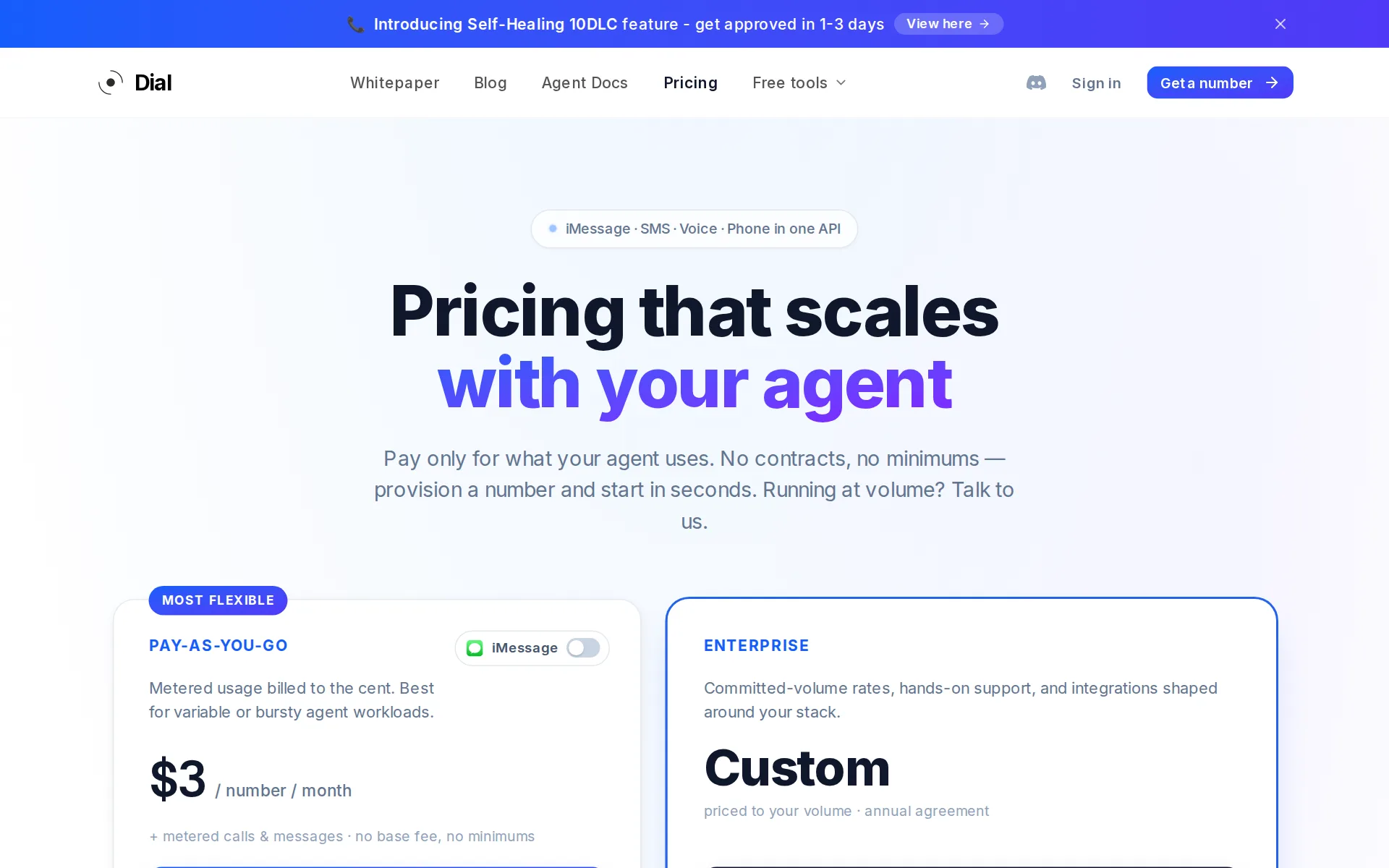
Pricing page, captured
getdial.ai/pricing, checked
All plans and limits
| Plan | Price | Main limits |
|---|---|---|
| Pay-as-you-go | $3 per number a month | Phone number: US number included |
| Virtual | $3 per number a month | None stated |
| Flat Fee | $20 per Number a month or $200 per Number a year | None stated |
| Local | $35 per number a month | SMS, iMessage, and WhatsApp messages: included in its monthly price and add-ons |
| All channels | $300 per number a month | Channels: Local + iMessage + WhatsApp |
| Enterprise | Price on request | None stated |
Read from getdial.ai/pricing and getdial.ai/terms.
What we checked on Dial
What the price counts
Priced per use: a $3 monthly fee per phone number, plus metered voice minutes ($0.13 self-hosted, $0.22 managed) and per-message SMS from $0.02; Enterprise is custom-quoted on an annual agreement.
Pay only for what your agent uses. No contracts, no minimums — provision a number and start in seconds.
getdial.ai/pricingChecked
Dial alternatives
- This spot is openBe the first tool people see on Dial's page.
- First on your rivals' pages
- Top of your category
- First in the home page list
- First in our search
- In comparisons and guides
1 more alternative
All 3 publish a price.
- VoiceFleetFrom about $110 a monthAI voice receptionist that books through calendars and booking systems, with a two-tier MCP server.


Questions about Dial
- How much does Dial cost?
- Dial costs $3 a number a month. From getdial.ai/pricing, checked 5 November 2026.
- Does Dial have an API or an MCP server?
- It has an API.
- What have we checked on Dial?
- 1 fact, under one heading: What it costs to start.
- How do we check Dial?
- We hold 1 fact on Dial, quoted from 4 pages. Facts last checked 2 November 2026. Price last checked 5 November 2026. Last change found 2 November 2026.
Sources and changes
Last changed
What changed on this page2
- Free tier
- Free tier
Similar to Dial
- DialNexaIndian calling agents for sales and collections in 22 Indian languages, switching between Hindi and English mid-call.
- BotpressAI support agents and a built-in helpdesk, priced per conversation with no per-seat fee and AI usage included.
- AgentforceSalesforce's platform for building and running AI agents across service, sales and employee support.
- OrkasOpen-source, local-first desktop app where a Commander agent coordinates a team of specialist AI agents.


From our research
- Aissist.io review (2026): pricing, pros and consAissist.io resolves tickets inside your helpdesk, billed per interaction with a free plan; it suits smaller support teams but has no public API.
- Best AI agents for sales: three kinds and how to chooseClay and Apollo research and enrich leads, Amplemarket drafts sequences from buying signals, and digital workers run outbound sequences and inbound calls.
- Best free AI agents: 10 tools with real free tiersTen free AI agents with real free tiers and no trial bait, with current pricing and the limits and use cases that matter.
The Dial team has claimed this listing
We check its facts against the Dial site.
- Facts checked
- 5 November 2026
Report an error if a fact is wrong.