
Hronaut
What is Hronaut?
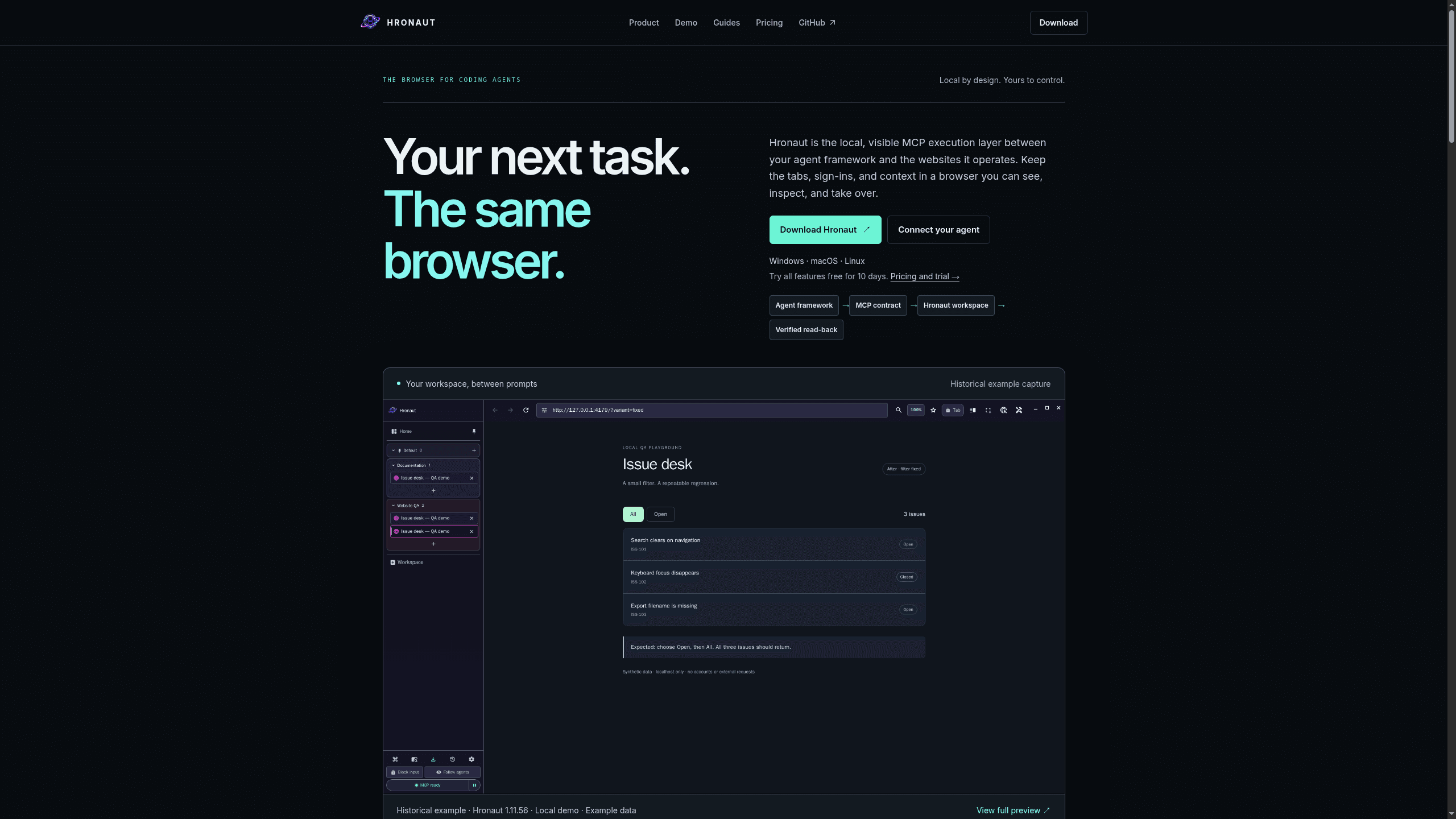
Hronaut is a local browser workspace for coding-agent teams that keeps tabs, sign-ins, and task context visible while exposing actions through an MCP tool contract. It includes visible MCP execution, verified read-back, split view, safe login handoff, and durable sessions across prompts. Hronaut integrates with Claude Code, Cursor, VS Code/Copilot, and GitHub. It offers a 10-day trial and a $24/year subscription seat.
Last verifiedHow we evaluate
At a glance
- Hronaut is best for coding-agent teams who need a visible browser with human handoff and durable session state.
- 10-day trial $0; Subscription seat $4/month or $24/year
- 10 days
- Yes — Hronaut connects through an MCP tool contract and offers 71 MCP tools for browser actions, inspection, and debugging.
What it actually does
Hronaut runs as a standalone desktop application (Windows, macOS, Linux) that exposes a local MCP server over loopback HTTP. Coding-agent clients (Claude Code, Cursor, Codex, VS Code/Copilot, OpenCode, or any Streamable HTTP MCP client) connect to it and drive a real, visible Chromium window instead of a headless or extension-owned tab. The pitch is continuity: sign into a site once in a named workspace, and the tabs, cookies, and storage for that workspace stay available the next time an agent (or a different agent client) connects, rather than resetting per session. Source: vendor homepage and setup docs (https://hronaut.dev/, https://hronaut.dev/setup).
Where it differs from the alternatives — in the vendor's own words
Hronaut publishes a comparison page against six other browser-MCP approaches (Playwright MCP, agent-browser, Chrome DevTools MCP, Browser MCP, Browser Control, Browserbase) and is unusually candid about not overclaiming: it explicitly corrects itself — "Playwright MCP preserves login state, cookies, and local storage by default. Hronaut should not claim otherwise" — and frames its actual distinction as owning a separate, visible desktop browser with named workspaces and explicit human pause/takeover, independent of any single agent client's lifecycle, rather than being the only tool that persists a login. Source: https://hronaut.dev/browser-mcp-guide.
Security architecture and release verification
Hronaut binds its MCP listener to 127.0.0.1 only and validates the Origin header against loopback origins (DNS-rebinding guidance from the MCP Streamable HTTP spec); bearer authentication is opt-in and off by default on a new profile. Renderer views for site content are created with contextIsolation, sandboxing, and nodeIntegration disabled, per the vendor's security page, which links directly to the relevant source files (tabs-manager.ts, main/index.ts) rather than just asserting it. Every release asset ships a SHA-256 checksum manifest and a GitHub build-provenance attestation that can be verified with gh attestation verify. None of this has been through an independent third-party security audit as far as this review could establish. Sources: https://hronaut.dev/security, https://github.com/hronaut/hronaut/blob/main/.github/SECURITY.md.
Install friction: unsigned binaries
Windows and macOS packages are not code-signed or Apple-notarized, so SmartScreen and Gatekeeper will warn on first launch. The vendor states this directly on both the download and security pages and gives a checksum-plus-attestation verification path as the mitigation, rather than instructing users to just click through the warning. Source: https://hronaut.dev/download.
How new and how small this actually is
The GitHub organization and repository (hronaut/hronaut) were created on 2026-08-23 — three weeks before this review — and the domain hronaut.dev was registered the same day. As of 2026-09-11 the repo has 2 stars, 1 fork, and 2 watchers. Of 671 total contributions, 586 are from the sole named contributor (Yevhen Tienkaiev, GitHub handle Hronom) and the rest from the repo's own CI bot — there are no other human contributors. All 5 open issues at review time were filed by that same developer as his own roadmap items (e.g., publishing to the official MCP Registry, scoping delegated browser capabilities), not community bug reports. Development pace is fast — the project is already at release v1.26.1 with commits merging same-day — but that reflects one person's output, not community validation. Sources: https://api.github.com/repos/hronaut/hronaut, https://api.github.com/repos/hronaut/hronaut/contributors, https://api.github.com/users/Hronom.
Pricing and licensing
10-day free trial, full functionality, no card required, starting from the first agent tool call. After that: $4/month or $24/year per named user (the annual price is stated as 50% off $48/year of monthly billing), each seat usable on up to 3 devices. Every use case pays — personal, educational, nonprofit, and commercial all require the same paid subscription after trial; there is no free tier for ongoing use. The source code is publicly readable on GitHub, but it ships under the "Hronaut Subscription and Trial License," a proprietary source-available license: it explicitly disallows redistribution, resale, sublicensing, or offering Hronaut as a hosted service without separate written permission, so "source available" here does not mean open source. Refunds: 14 days on a first purchase, 7 days on a renewal charge, no reason required, processed by Creem as merchant of record. Sources: https://hronaut.dev/ (pricing section), https://raw.githubusercontent.com/hronaut/hronaut/main/LICENSE, https://hronaut.dev/refunds.
The 71-tool MCP surface
Hronaut's own catalog groups 71 named MCP tools into six areas: workspace/tab/storage management (18), navigation and semantic interaction (17), environment and capture — screenshots, PDF, JS eval (7), QA/audit/reproduction tooling — accessibility, performance, memory, console, HAR-adjacent diagnostics (16), network diagnosis including request replay and routing (7), and mediated local crypto-wallet operations for EVM/Solana/Tron that the vendor says never return private keys (6). The vendor is specific that safety annotations (read-only/destructive hints) are advisory only and real enforcement happens via workspace ownership, token auth, and interaction locks — worth noting since MCP tool-hint metadata is often mistaken for an authorization boundary. Source: https://hronaut.dev/browser-mcp-tools (verified by vendor against source on 2026-09-02).
How much does Hronaut cost?
| Plan | Price | What's included |
|---|---|---|
| 10-day trial | $0 |
|
| Subscription seat | $4/month |
|
| Subscription seat | $24/year |
|
Frequently asked questions
What is Hronaut?
Hronaut is a local browser workspace for coding-agent teams that keeps tabs, sign-ins, and task context visible while exposing actions through an MCP tool contract. It includes visible MCP execution, verified read-back, split view, safe login handoff, and durable sessions across prompts. Hronaut integrates with Claude Code, Cursor, VS Code/Copilot, and GitHub. Hronaut says it offers a 10-day trial with all features and no card required, after which a $4/month or $24/year subscription is required to keep using it.
How much does Hronaut cost? Is it free?
Hronaut is not free to keep using. The same price applies to personal, educational, nonprofit and commercial use, so there is no ongoing free tier.
What is Hronaut used for? Who is it for?
Hronaut is used for Local by design, visible MCP execution layer, and verified read-back. It's built for Agent engineers, Developer teams, and QA and automation builders.
Does Hronaut have an API and what does it integrate with?
Hronaut connects through an MCP tool contract and offers 71 MCP tools for browser actions, inspection, and debugging.
Editor's read
Check whether your workflow depends on more than one active device per seat, since the subscription includes up to 3 active devices. If your team needs broader device sharing, validate that before standardizing on the annual plan.

Where we've written about Hronaut
Explore other Browser Agents


