
SeedAudio
What is SeedAudio?
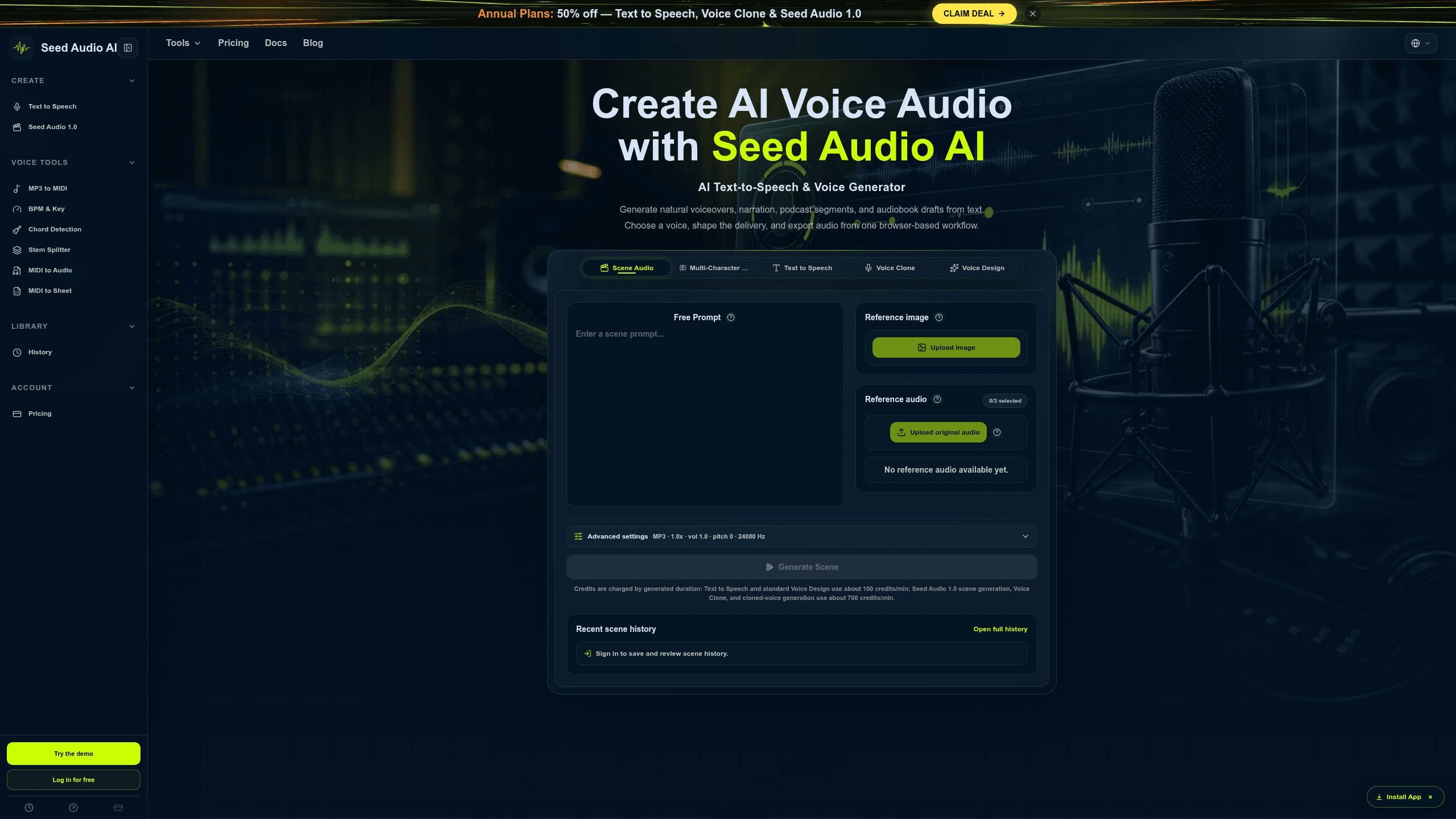
SeedAudio is a browser-based AI audio production tool for creators and small teams that turns scripts into review-ready voice audio. It combines Text to Speech, Voice Clone, Voice Design, and Multi-Character Dialogue, plus generation history, downloads, and shareable audio pages. It is used for YouTube and TikTok workflows. Plans include Creator $99/year, Pro $249/year, Studio $499/year, plus one-time Creator $19, Pro $29, and Studio $49 credit packs.
Last verifiedHow we evaluate
At a glance
- Seed Audio AI is best for creators and small teams who need fast, reviewable voice audio drafts.
- Creator $99; Pro $249; Studio $499; Creator $19; Pro $29; Studio $49
What does SeedAudio do?
Seed Audio AI handles script-to-audio production in the browser by combining text input, voice selection, delivery controls, generation history, downloads, and shareable audio pages. It can turn a written script into review-ready voice audio, while Seed Audio 1.0 adds scene-style generation for dialogue, ambience, BGM, and effects. The workflow supports Text to Speech, Voice Clone, and Voice Design, so teams can draft narration, test alternate reads, and reuse voice settings without leaving the workspace. At scale, the product is built around credit-based generation, with usage measured by audio duration and rates shown for both standard TTS and cloned-voice workflows. The site says failed generations are not charged, and it supports browser-based export for MP3 review and reuse. Seed Audio AI also documents rights requirements for cloned or referenced voices, and its public pages mention YouTube and TikTok use cases alongside signed-in history for review and iteration.
Why use SeedAudio?
- Browser-based generation keeps script writing, review, and audio iteration in one place instead of a separate studio workflow.
- Reusable voice settings and project presets help repeated drafts stay consistent across revisions and team handoffs.
- Scene generation adds dialogue, ambience, music, and effects when plain narration is not enough.
- Signed-in history and share links make it easier to review drafts, compare versions, and reuse outputs.
- Credit-based usage is tied to generated duration, so teams can match spend to actual audio volume.
Who is SeedAudio for?
- Video creators who need quick voiceovers before final recording.
- Podcast producers who want draft narration and host reads in one browser workflow.
- Educators who need spoken lesson audio that can be revised quickly.
- Agencies who need reusable voice settings across client drafts.
- Small production teams who want batch narration and shared audio history.
What are SeedAudio's key features?
Text to Speech
Generate spoken audio from scripts with about 100 credits/min or 700 credits/min options, then preview and download MP3s for publishing workflows.
Voice Clone
Clone a voice from reference audio, using up to 3 audio refs and outputs measured in minutes of cloned speech for consistent narration.
Voice Design
Create custom voices from optional audio or image references, helping teams shape a distinctive voice without relying on a single preset.
Multilingual Content Production
Produce content in multilingual mode for YouTube and TikTok workflows, keeping scripts and voice output aligned across languages and formats.
Long-form narration workflow
Handle podcasts and audiobook drafts with higher script limits, advanced pacing controls, and reusable delivery settings for longer recordings.
Batch narration workflows
Generate multiple narration files in one pass with shared audio history and reusable project presets, reducing repetitive setup for production teams.
Multi-Character Dialogue
Build dialogue scenes with 2, 3 roles and scene audio, making it easier to produce conversational scripts and character-driven content.
MIDI to Sheet Music
Convert MIDI into sheet music, alongside MIDI to audio and stem splitter tools, supporting music production and arrangement workflows.
What are SeedAudio's use cases?
Video creators draft voiceovers
Video creators who need quick voiceovers before final recording use SeedAudio to turn scripts into publishable drafts, using Text to Speech for fast narration and Preview and download to review timing before export. When a line needs a different tone, Voice Design helps them iterate without re-recording from scratch.
Podcast drafts in browser
Podcast producers who want draft narration and host reads in one browser workflow use SeedAudio to shape episode scripts, using Long-form narration workflow for extended reads and Advanced pacing controls to keep delivery natural. Reusable Voice Profiles help them keep recurring hosts consistent across episodes.
Agency voice settings reuse
Agencies who need reusable voice settings across client drafts use SeedAudio to standardize narration across revisions, using Reusable Voice Profiles and Reusable project presets to keep each client's voice consistent. Shared audio history makes it easier to compare versions and hand off approved reads.
Batch narration for teams
Small production teams who want batch narration and shared audio history use SeedAudio to generate multiple clips efficiently, using Batch narration workflows to process scripts in groups and Priority generation queue to keep deadlines moving. Shared audio history helps the team track what was approved and reused.
How does SeedAudio work?
- Input your script in the editor and break it into the sections you want narrated. Use Long-form narration workflow when you need a longer read, or keep it short for quick drafts.
- Choose a voice with Text to Speech, then refine the sound with Voice Clone or Voice Design. If you work across languages, switch on Multilingual Content Production or Multilingual mode.
- Adjust delivery with Advanced pacing controls and, when needed, add Optional audio or image references to guide the read. Save the setup as a Reusable Voice Profile or Reusable project preset.
- Generate the audio, then use Preview and download to check the result before exporting. For larger jobs, rely on Batch narration workflows and Shared audio history to manage revisions.
How much does SeedAudio cost?
| Plan | Price | What's included |
|---|---|---|
| Creator | $99 |
|
| Pro | $249 |
|
| Studio | $499 |
|
Frequently asked questions
What is SeedAudio?
SeedAudio is a browser-based AI audio production tool for creators and small teams that turns scripts into review-ready voice audio. It combines Text to Speech, Voice Clone, Voice Design, and Multi-Character Dialogue, plus generation history, downloads, and shareable audio pages. It is used for YouTube and TikTok workflows. Plans include Creator $99/year, Pro $249/year, Studio $499/year, plus one-time Creator $19, Pro $29, and Studio $49 credit packs.
How much does SeedAudio cost? Is it free?
SeedAudio has 6 paid plans: Creator at $99, Pro at $249, Studio at $499.
What is SeedAudio used for? Who is it for?
SeedAudio is used for Text to Speech, Voice Clone, and Voice Design. It's built for Video creators, Podcast producers, and Educators.
Editor's read
Check the credit math before committing: Creator includes 5,000 monthly credits, Pro 18,000, and Studio 50,000, while the one-time packs are 4,000, 7,500, and 15,000 credits. If your workflow leans on Voice Clone, compare the minute allowances closely because they are much lower than Text to Speech.
