
BeadPattern
What is BeadPattern?
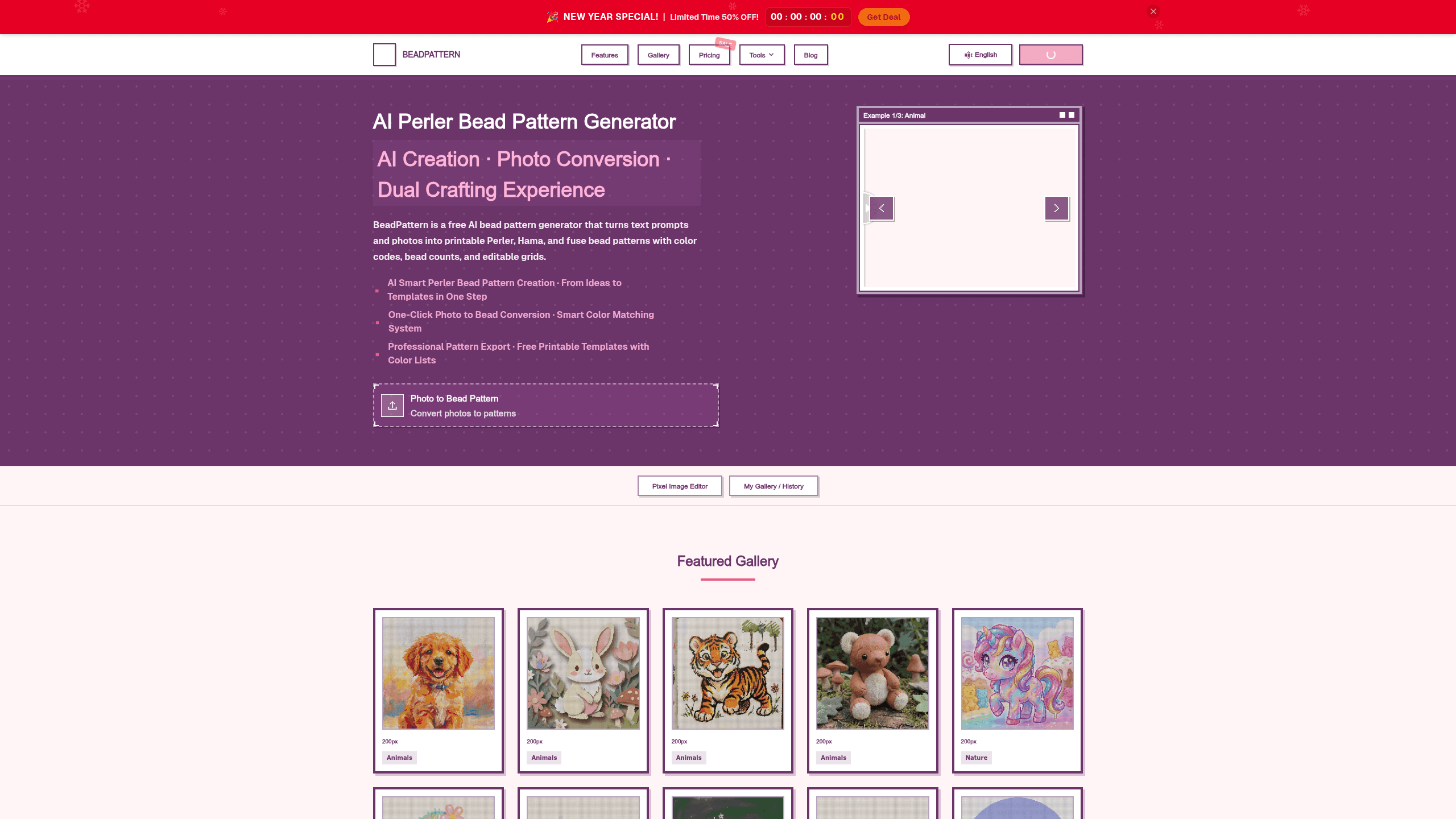
BeadPattern is a browser-based bead-pattern generator for fuse-bead makers that turns text prompts and uploaded images into printable charts. It combines AI Smart Perler Bead Pattern Creation, One-Click Photo to Bead Conversion, Smart Color Matching, and Professional Pattern Export, and it supports 5 major bead brand color systems. The site cites 10,000+ bead artists and examples from Emily, Sarah, Jessica, Yuki, Chloe, Olivia, and Davita. Plans run Starter Free, Pro $4.98/month, Lifetime $79.80 one-time, and Export Credits from $3.99.
Last verifiedHow we evaluate
At a glance
- BeadPattern is best for fuse-bead makers who want fast photo conversion and printable charts.
- Starter Free; Pro $4.98; Lifetime $79.80; 20 Export Credits $3.99; 30 Export Credits $5.99; 100 Export Credits $19.99
What does BeadPattern do?
BeadPattern turns text prompts and uploaded images into printable bead charts, then lets you refine the result with an online editor before exporting. Its workflow combines AI Smart Perler Bead Pattern Creation, One-Click Photo to Bead Conversion, and Smart Color Matching so the output is cleaner than a simple pixelation pass. You can adjust grid size, colors, and export settings, and the generator adds color codes, bead counts, and shopping-list details for craft planning. Behind the scenes, the tool is built for browser use and supports 5 major bead brand color systems, so patterns can be adapted to common fuse-bead workflows. The gallery shows a wide range of finished examples, from small 32x32 pieces to 180x180 designs and 10x10 to 300x300 bead ranges. BeadPattern also shows real user activity with 10,000+ bead artists, and customer examples like Emily, Sarah, Jessica, Yuki, Chloe, Olivia, and Davita appear across the site.
Why use BeadPattern?
- Browser-based editing means you can refine patterns without installing desktop software.
- Smart color matching helps avoid muddy outlines that can happen with basic averaging.
- The generator supports multiple bead color systems, so patterns adapt to different brand inventories.
- Printable exports include grids, color codes, bead counts, and shopping-list details in one file.
- Cloud sync and project limits make it easier to keep ongoing designs organized across sessions.
Who is BeadPattern for?
- Fuse-bead hobbyists who want ready-to-print charts from photos or prompts.
- Beginners who need starter ideas and simple patterns before designing from scratch.
- Craft sellers who want bead counts, color codes, and shopping lists for planning.
- Pixel-art makers who need browser-based editing without installing software.
- Perler-focused makers who want templates aligned to common pegboard workflows.
What are BeadPattern's key features?
AI Smart Perler Bead Pattern Creation
Generate perler bead charts from a source image with AI, supporting patterns from 10x10 to 300x300 beads for faster custom design work.
One-Click Photo to Bead Conversion
Convert your own image into a bead pattern in one step, then export a printable chart instead of manually tracing every square.
Smart Color Matching
Map artwork to 5 major bead brand color systems and custom palettes, helping designs stay buildable with fewer manual color adjustments.
Shopping List Generation
Create bead counts and a color legend from the chart, so buyers can estimate materials before starting a physical fuse-bead build.
Professional Pattern Export
Export printable PDF sheets with grid, legend, coordinate labels, and A4-friendly spacing for cleaner workshop or home printing.
Cloud sync
Save up to 500 projects with cloud sync, making it easier to revisit and refine bead charts across sessions.
Professional Editing Tools
Refine charts with grid control, print setup, black and white mode, and precise proportions for more accurate bead layouts.
Integrations
Connect workflows with Stripe and Alipay for payments, and move designs into Procreate or Photoshop for further editing.
What does BeadPattern integrate with?
- Stripe
- Alipay
- Procreate
- Photoshop
What are BeadPattern's use cases?
Photo charts for hobbyists
Fuse-bead hobbyists use BeadPattern to turn a favorite photo into a ready-to-print chart, using One-Click Photo to Bead Conversion and Smart Color Matching to get a clean layout they can actually build. They can then use Professional Pattern Export to print a usable pattern instead of guessing bead placement.
Starter ideas for beginners
Beginners use BeadPattern to pick a ready idea and move from inspiration to a simple first project, using Massive Pattern Library and beginner projects to avoid starting from a blank canvas. When they are ready, printable bead pattern output gives them a clear chart to follow.
Build planning for sellers
Craft sellers use BeadPattern to plan a physical fuse-bead build before listing or producing it, relying on Shopping List Generation and bead counts to estimate materials and avoid short orders. They can also use Custom palette to match the colors they actually stock.
Browser editing for pixel artists
Pixel-art makers use BeadPattern in the browser to refine designs without installing software, using Professional Editing Tools and Focus Mode to adjust the grid and keep the composition readable. Cloud sync helps them revisit projects later and keep work organized across sessions.
How does BeadPattern work?
- Add your source image or prompt, then start with AI Smart Perler Bead Pattern Creation or One-Click Photo to Bead Conversion to generate the first chart.
- Refine the chart with Professional Editing Tools, Smart Color Matching, and Custom palette so the design fits your bead colors and pegboard workflow.
- Check bead counts, color legend, and Shopping List Generation to confirm materials before you commit to a full build.
- Export with Professional Pattern Export or One-Click Export, choosing printable PDF sheets, A4-friendly chart, or no-watermark output as needed.
- Save finished work with Cloud sync, then reopen projects later to make edits, reuse templates, or download unlimited versions on Pro.
How much does BeadPattern cost?
| Plan | Price | What's included |
|---|---|---|
| Starter | Free |
|
| Pro | $4.98 |
|
| Lifetime | $79.80 |
|
| 20 Export Credits | $3.99 |
|
| 30 Export Credits | $5.99 |
|
| 100 Export Credits | $19.99 |
|
Frequently asked questions
What is BeadPattern?
BeadPattern is a browser-based bead-pattern generator for fuse-bead makers that turns text prompts and uploaded images into printable charts. It combines AI Smart Perler Bead Pattern Creation, One-Click Photo to Bead Conversion, Smart Color Matching, and Professional Pattern Export, and it supports 5 major bead brand color systems. The site cites 10,000+ bead artists and examples from Emily, Sarah, Jessica, Yuki, Chloe, Olivia, and Davita. Plans run Starter Free, Pro $4.98/month, Lifetime $79.80 one-time, and Export Credits from $3.99.
How much does BeadPattern cost? Is it free?
BeadPattern has a free plan, with paid tiers including Pro at $4.98, Lifetime at $79.80, 20 Export Credits at $3.99.
What is BeadPattern used for? Who is it for?
BeadPattern is used for AI Smart Perler Bead Pattern Creation, One-Click Photo to Bead Conversion, and Smart Color Matching. It's built for Fuse-bead hobbyists, Beginners, and Craft sellers.
Does BeadPattern have an API and what does it integrate with?
It integrates with Stripe, Alipay, Procreate, Photoshop.
Editor's read
Check the output limits before choosing a plan: Starter caps patterns at 50 pixels per side and includes only 3 downloads per month with a watermark. If you need 300-pixel canvases, unlimited downloads, or no-watermark exports, Pro or Lifetime is the practical baseline.

Explore other Design Agents


