Favicon of Jasper

Jasper

Jasper is an AI marketing tool for enterprise teams to create on-brand content and visuals with specialized agents and workflows.

Reviewed by Mathijs Bronsdijk · Updated Apr 13, 2026

ToolFree + Paid PlansUpdated 1 month ago
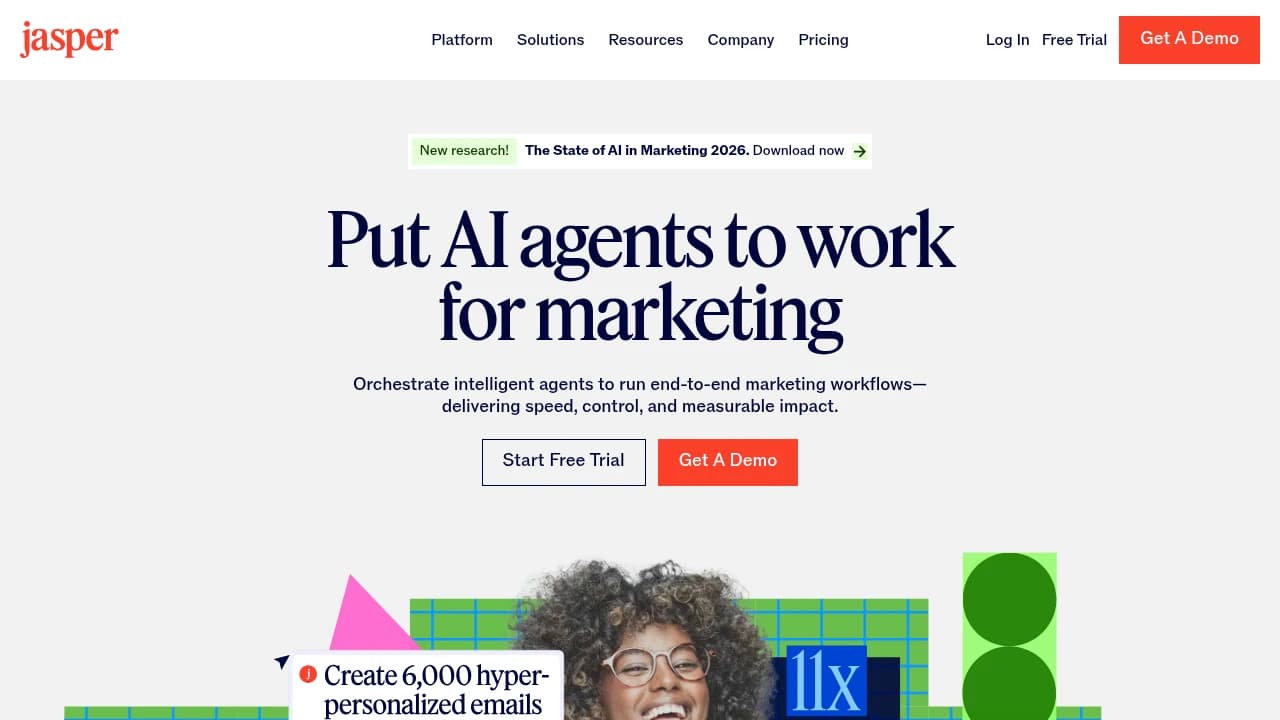
Screenshot of Jasper website

What is Jasper?

Jasper is an AI marketing tool and marketing software platform for teams that create brand content at scale. It combines a shared workspace called Canvas for long-form content, more than 100 pre-built Apps, custom no-code workflows in Studio, and AI agents for e-commerce pages and product descriptions. Jasper also uses Jasper IQ, which includes Brand IQ for voice and style consistency, a Knowledge Base for company-specific data, and Marketing IQ for performance-tuned outputs. It is built for marketing teams, especially enterprise teams that need high-volume content such as emails, social posts, and product pages with consistent messaging.

Key Features

  • Brand Voice: Jasper can train on your tone, style, and messaging, and Creator supports 1 to 3 Brand Voices while Business supports unlimited use for more consistent content across teams.
  • Jasper Chat: Jasper Chat is available on all tiers and keeps conversation context, which helps with iterative drafting, editing, idea generation, and quick revisions without starting over.
  • SEO Mode: SEO Mode connects Jasper to Surfer SEO for real-time keyword recommendations, content scores, and optimization suggestions in the long-form editor, which helps teams create search-focused content with SERP data.
  • Canvas: Canvas is Jasper’s long-form workspace for brainstorming, outlining, writing, and organizing projects, and it supports larger content tasks such as blog posts or campaign drafts in one place.
  • Knowledge Assets: Knowledge Assets store product details, service information, and audience data that Jasper can reference, with up to 5 assets in Creator and unlimited assets in Business for more accurate, on-brand output.
  • Audiences: Audiences lets teams build custom profiles based on demographics, pain points, and behaviors, and lower tiers include up to 3 profiles to tailor content for specific buyer personas.
  • Templates: Templates include over 50 pre-built frameworks such as AIDA, PAS, blog outlines, ad copy, product descriptions, and email sequences, which gives this AI marketing tool structured starting points for common content jobs.
  • Jasper Art: Jasper Art adds image generation and editing to the platform, so marketing software users can create visuals such as graphics or social assets alongside written content.

Use Cases

  • Content Marketing Manager at Webster First Federal Credit Union: Uses Jasper with brand guidelines and audience data to plan and draft SEO-focused blog posts and marketing assets. The team reported 9x traffic growth from its content marketing engine.

  • Real Estate Marketing Director at an enterprise real estate firm: Uses Jasper to draft property listings, emails, and promotional materials across multiple properties and campaigns. The company reported 10,000+ hours saved annually in content creation.

  • Digital Marketing CEO at Mongoose Media: Feeds client briefs and SEO keywords into Jasper to create outlines and full drafts for client blog content. The agency produced 40+ blog posts over six months and reported a 166% increase in organic traffic for the client site.

Strengths and Weaknesses

Strengths:

  • G2 reviewers note that Jasper helps teams move past writer's block and draft marketing copy quickly, which saves time in content production (G2, date not specified).
  • G2 reviewers report that setup is simple and the interface is easy to use, with quick connections to tools such as SurferSEO and Grammarly (G2, date not specified).
  • G2 reviewers say Jasper supports SEO-focused writing and helps keep tone consistent across brand content at scale (G2, date not specified).
  • Trustpilot shows a 3.4/5 rating, and one reviewer said Jasper was helpful for quick drafts (Trustpilot reviewer, 2025-11-20).

Weaknesses:

  • G2 reviewers consistently say Jasper can produce generic or repetitive text, and technical topics often need extra editing before use (G2, date not specified).
  • G2 reviewers frequently complain about price, especially when they compare Jasper with free alternatives such as ChatGPT and Bard (G2, date not specified).
  • G2 reviewers report that Jasper can miss the intent of complex prompts or struggle with niche topics and accuracy (G2, date not specified).
  • G2 reviewers and Trustpilot reviewers raise billing and support issues, including trial plans that default to annual charges and refund disputes (G2, date not specified; Trustpilot reviewer, 2026-01-03).

Pricing

  • Pro: $59/month billed yearly or $69/month billed monthly. 1 user seat, expandable, unlimited words, Canvas, Essential Apps, Jasper Chat, Jasper AI Image Suite, 2 Brand Voices, 5 multi modal Knowledge assets, and 3 Audiences. Includes a 7 day free trial, no credit card required.
  • Business: Custom pricing. Unlimited words, unlimited Brand Voices and Knowledge assets, Jasper Agents, no code AI App Builder (Studio), API access, enterprise controls such as user roles and SSO, dedicated account manager, priority support, and added control, security, team training, and tech support.

Annual billing for Pro is about 20% lower than the monthly rate. Business pricing is available through sales.

Who Is It For?

Ideal for:

  • Content marketer at a mid-market SaaS company: Fits teams that already run SEO programs and need to scale output. Public research says Jasper can help produce SEO blogs 50% faster and whitepapers 40% faster, which suits 5 to 50 person marketing or content teams working toward acquisition goals.
  • Growth marketer in e-commerce or retail: Useful for teams that need many versions of ad copy, emails, and social posts for audience segments. It matches growth-stage brands that run frequent A/B tests and need 100+ variants on a weekly basis.
  • B2B marketing lead at a scale-up: A match for teams that want no-code apps for campaign workflows, brand governance, and audience personalization. It fits companies that already work in tools like HubSpot, WordPress, Ahrefs, and APIs.

Not ideal for:

  • Software developers or engineers: Jasper focuses on marketing content rather than code generation or debugging, so tools like GitHub Copilot or Cursor are a better fit.
  • Solo freelancers with basic writing needs: If you only need occasional writing help, Jasper may be more than you need, and ChatGPT or Claude may fit better.

Jasper fits marketing teams in SaaS, e-commerce, retail, and B2B tech that need to scale content and campaign production. Use it if your team wants faster output, more personalization, and structured workflows. Skip it if you need programming help, customer-facing AI, or simple one-off writing support.

Alternatives and Comparisons

  • Writesonic: Jasper does marketing team workflows, beginner-friendly templates, and persistent brand voice better. Writesonic does SEO and GEO work better, and it has real-time fact-checking plus lower pricing at $16 to $39 per month versus Jasper at $49 to $59 per month. Choose Jasper if your team needs shared marketing content workflows and brand consistency; choose Writesonic if SEO optimization and lower cost matter more. Switching difficulty is medium based on the available research.

  • Copy.ai: Jasper does long-form marketing content and template-guided writing better. Copy.ai does workflow automation for repeatable go-to-market processes better, and it has multi-model access with lower entry pricing at $24 to $49 per month. Choose Jasper if you need broader marketing content creation with support for beginners; choose Copy.ai if a small team is focused on automating repeatable ad and GTM tasks.

  • Scalenut: Jasper does general marketing writing and team collaboration better. Scalenut does SEO-first content work better, with keyword clustering, GEO tracking, and optimization for landing pages at a $30 per month entry price. Choose Jasper if your workflow centers on marketing content and collaboration; choose Scalenut if search optimization drives the work.

Getting Started

Setup:

  • Signup: Jasper starts with an onboarding wizard. Signup needs a name and email, and the free trial lasts 5 to 7 days with a credit card required. Team signup is available.
  • Time to first result: Public data points to 5 to 10 minutes for a first useful result, with minimal interaction needed to get started.

Learning curve:

  • Jasper is beginner-friendly for marketers and truly no-code. The early path is simple, with Day 1 focused on basic prompts and templates, Month 1 on workflows and agents, and Month 6 on advanced automation.
  • Beginner: immediate post-tour. Experienced: not documented.

Where to get help:

  • Help is available through email support, a help center, and the Jasper Community forum. Email response time is vendor-quoted at 4 to 8 hours or within 24 hours, but we found no independent user confirmation.
  • The Jasper Community is positioned as a self-serve hub for guides, courses, events, resources, and marketer connections. Response times are not documented.
  • Community health looks stagnant in the available data, and who answers questions is not documented. Third-party discussion about support is minimal.

Watch out for:

  • Some users may hit delays with email codes during signup.
  • Billing can be a surprise because the trial requires adding a credit card.

Integration Ecosystem

Users describe Jasper's integration ecosystem as broad, with over 1,000 claimed integrations through partnerships and extensions, though most discussion centers on browser-based workflows rather than deep app-to-app connections. Public research also notes Chrome and Edge extensions, API access, and a no-code app builder for custom extensions. In user reports, setup is generally described as quick and the main extension-based connections work without major breakage reports.

  • Google Docs: Users say the browser extension brings Jasper directly into Docs for quick edits and content generation, and it generally works fine.
  • WordPress: Users report using the extension to insert on-brand AI content into posts and pages during publishing.
  • HubSpot: Users say Jasper supports AI-assisted copy for emails and campaigns and fits common marketing workflows.
  • Gmail: Users describe drafting emails through the Chrome or Edge extension with brand voice consistency.
  • Surfer SEO: Users note that the integration brings SEO scores into Jasper workflows for content optimization.

What is less clear from user discussion is the depth of the wider ecosystem, since mentions of Slack and Trello are limited and rarely described in detail. We did not find any user-reported missing integrations in the research data, and no MCP server availability was noted.

Developer Experience

Jasper exposes a REST API for adding AI-generated text to apps such as content automation tools, chatbots, and marketing workflows. The developer surface is fairly thin, with no official SDKs and docs that developers describe as sparse, marketing-focused, and light on edge cases, error handling, and advanced usage. Reports suggest 10 to 30 minutes for a basic API call if you already know REST, but 1 to 2 hours or more for production use because auth flows and rate limit details are unclear.

What developers like:

  • Simple authentication works reliably once it is set up.
  • Developers report low-latency responses for real-time apps.
  • Output quality for marketing copy gets positive mentions.

Common frustrations:

  • There are no official SDKs, so developers often build raw HTTP clients or depend on community wrappers.
  • Docs are described as little more than endpoint listings, with limited guidance on retries, token limits, and real-world use.
  • Poor error messages, strict rate limits, and breaking changes without clear changelogs come up repeatedly.
  • API access requires enterprise plans, and developers report finicky API key setup.

Security and Privacy

Product Momentum

  • Release pace: Jasper appears to ship on a monthly cadence, and its public updates focus on scaling, governance, and integrations.
  • Recent releases: In April 2026, Jasper published its March 2026 product update with direct Adobe Workfront exports, real-time web search in agents, and IQ syncing from Google Drive. Public materials also point to API task endpoints and MCP support for external systems as part of its expansion.
  • Growth: The available signals point to growth, with Jasper described as a well-funded enterprise SaaS company and an expanding product footprint across APIs and integrations.
  • Search interest: Google Trends data is flat, with +0.0% change across the measured period and a latest score of 0/100.
  • Risks: No notable risks are reported in the provided sources. Public research instead emphasizes governance, scale, and ROI as the main challenges for AI adoption.

FAQ

What is Jasper?

Jasper is an AI platform for marketing teams. Public sources describe it as focused on content creation, brand voice control, and campaign workflows.

What is Jasper used for?

Jasper is used for marketing content such as product descriptions, ads, and blog or SEO content. It also supports teams that need to personalize content at scale and keep messaging consistent.

Does Jasper have a Brand Voice feature?

Yes. Jasper includes Brand Voice settings that train the AI on a company’s tone, style, and messaging. Public pricing summaries note limits by plan, with Pro-level access and broader availability on Business plans.

Does Jasper offer AI agents for marketing tasks?

Yes. Jasper has agent pages for tasks such as product detail pages and product descriptions. These are presented as purpose-built tools for marketing content workflows.

How much does Jasper cost?

Official pricing in the research shows a Pro plan at $59 per month billed yearly or $69 month to month. Jasper also offers a Business plan with custom pricing.

Does Jasper have a free trial?

Yes. Research indicates a 5 to 7 day free trial is available, and a credit card is required.

How long does it take to get started with Jasper?

Research suggests first results can come in about 5 to 10 minutes. The setup flow includes an onboarding wizard, profile questions, plan selection, and billing.

Who is Jasper best for?

Jasper is aimed at marketing teams, especially in growth-stage SaaS, e-commerce, and B2B companies. It fits teams that produce a high volume of content and want consistent brand messaging.

Does Jasper integrate with Google Docs?

Yes. Research notes that users often use Jasper through a browser extension in Google Docs for edits and content generation.

Does Jasper work with WordPress?

WordPress appears in the research as one of the integrations users commonly mention. It is used as part of publishing and content workflows.

Is Jasper good for beginners?

Public positioning data says Jasper is aimed at marketing teams and beginners through templates and brand voice tools. It is not positioned as a developer-first product.

What security details are publicly noted for Jasper?

Research lists AES-256 encryption at rest and available audit logs. A sub-processors page is also publicly listed on Jasper’s legal site.

How does Jasper compare with general AI writing tools?

Jasper is positioned more narrowly around marketing use cases than general-purpose AI assistants. Its public materials emphasize brand voice, templates, and team workflows rather than broad developer features.

Categories:

Share:

Similar to Jasper

Favicon


Favicon


Favicon