
StudyX
What is StudyX?
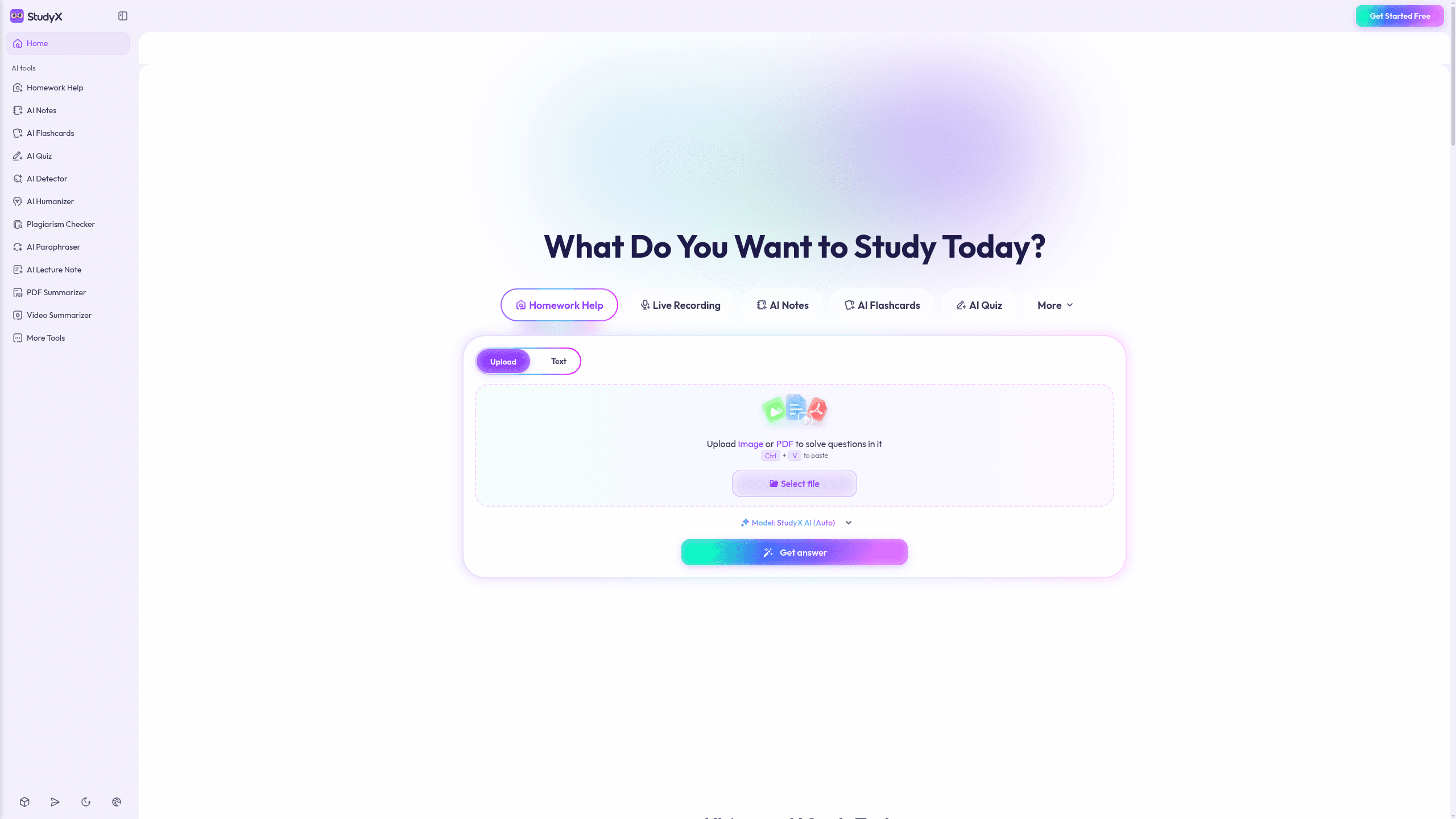
StudyX is an AI study assistant for students that turns homework prompts, uploads, images, PDFs, slides, videos, and live lectures into answers, notes, flashcards, quizzes, and writing help. It combines Homework Help, AI Notes, AI Flashcards, AI Quiz, and AI Transcribe, and works inside Canvas, Blackboard, Moodle, Pearson, and D2L. StudyX says it serves 16M+ users worldwide and offers Plus $5.83/month, Pro $8.92/month, and Max $59.92/month.
Last verifiedHow we evaluate
At a glance
- StudyX is best for students who want fast help turning class materials into answers and study sets.
- Plus $5.83/mo; Pro $8.92/mo; Max $59.92/mo; 3-day trial of the yearly plan, renewing into that annual subscription
- 3 days
What does StudyX do?
StudyX routes homework and study prompts through an AI model picker, then turns uploads, pasted text, images, PDFs, slides, videos, and live lectures into answers, notes, flashcards, quizzes, and writing help. Its workflow combines step-by-step solutions, AI Notes, AI Flashcards, AI Quiz, and live transcription so students can move from a question to a study set without reformatting the material themselves. At scale, StudyX says it serves 16M+ users worldwide and is trusted by 1,000,000+ learners from 2000+ institutions worldwide. The platform covers 50+ subjects and 44 tools, with results that can arrive in under 30 seconds for flashcards and quizzes. The browser extension works inside school systems like Canvas, Blackboard, Moodle, Pearson, and D2L, while the mobile app adds snap-and-submit convenience for on-the-go use. The site also shows GPT-4-based guidance and model options from OpenAI, Google, and Anthropic.
Why use StudyX?
- It combines homework solving, note-making, flashcards, quizzes, and transcription in one study workflow instead of separate tools.
- The browser extension works inside school systems, so students can keep studying without constant tab switching.
- StudyX supports multiple input types, including images, PDFs, slides, videos, and live lectures, which reduces manual retyping.
- The platform surfaces both AI and community guidance, giving learners more than one path to an answer.
- Its scale claims and institutional adoption suggest it is built for high-volume student use, not just one-off questions.
Who is StudyX for?
- Students who need step-by-step help on homework across many subjects.
- Learners who want notes, flashcards, and quizzes from PDFs, videos, or lectures.
- Exam prep users who need quick practice and concept review before tests.
- Students using school platforms who want help inside Canvas, Blackboard, Moodle, Pearson, or D2L.
- Mobile learners who want to snap a question and get help on the go.
What are StudyX's key features?
Homework Help
Get step-by-step solutions for image or PDF questions, with verified answers and deeper explanations that help students check work and learn the method.
AI Notes
Turn lectures, slides, PDFs, and videos into structured notes, including AI lecture note taking and PDF summarization for faster review.
AI Flashcards
Create flashcards from PDFs, YouTube videos, or notes, with support for six input formats so learners can build study sets from existing materials.
AI Quiz
Generate quizzes from PDFs or study content, with seven quiz formats that help students test recall and prepare for exams more efficiently.
AI Detector
Check writing for AI-generated text and plagiarism, using AI detection and plagiarism checks to catch issues before submission.
AI Humanizer
Rewrite AI-generated text to sound more natural, with humanizer and paraphraser tools that help students polish drafts for class use.
AI Transcribe
Transcribe live class or meeting audio into text, then review records later across the mobile app and browser extension for easier note capture.
AI Tutor
Ask follow-up questions and chat with AI for personalized learning, with support from GPT-4, Claude, Gemini, and OpenAI models.
What does StudyX integrate with?
- Google Drive
- Google Docs
- Canvas
- Blackboard
- Moodle
- Pearson
- D2L
What are StudyX's use cases?
Homework help for students
Students who need step-by-step help on homework across many subjects use StudyX to upload a problem or snap a question, then work through the solution with Homework Help and AI Tutor. They can ask follow-up questions until the reasoning clicks, instead of just getting a final answer.
Study materials from class content
Learners who want notes, flashcards, and quizzes from PDFs, videos, or lectures use StudyX to turn class materials into AI Notes, AI Flashcards, and AI Quiz sets. That makes it easier to review key ideas quickly before exams and keep study sessions focused.
Exam prep inside school platforms
Students using Canvas, Blackboard, Moodle, Pearson, or D2L use StudyX to get help where their coursework already lives, combining Homework Help with AI Quiz for fast concept review. It helps them practice more efficiently and catch weak spots before a test.
Mobile question solving on the go
Mobile learners who want to snap a question and get help on the go use StudyX to capture a problem from their phone and get instant guidance through Upload Image or PDF and Step-by-step solutions. They can keep studying between classes without waiting to get back to a laptop.
How does StudyX work?
- Upload a question, PDF, image, or lecture file to start with Homework Help, AI Notes, or AI Transcribe. StudyX reads the material and prepares it for study.
- Choose the output you need, such as AI Flashcards, AI Quiz, or PDF Summarizer. Use the generated study set to review concepts faster and spot gaps.
- Ask follow-up questions in AI Tutor or Chat with AI when a step is unclear. Switch between different guidances until the explanation matches your level.
- Check originality with AI Detector and Plagiarism Checker, then polish drafts with AI Humanizer or AI Paraphraser. Keep your work readable and submission-ready.
- Return to your study records, refresh weak topics, and keep practicing with fast answers and deeper reasoning. Use the browser extension or mobile app for ongoing review.
How much does StudyX cost?
| Plan | Price | What's included |
|---|---|---|
| Plus | $5.83/month billed annually |
|
| Pro | $8.92/month billed annually |
|
| Max | $59.92/month billed annually |
|
Frequently asked questions
What is StudyX?
StudyX is an AI study assistant for students that turns homework prompts, uploads, images, PDFs, slides, videos, and live lectures into answers, notes, flashcards, quizzes, and writing help. It combines Homework Help, AI Notes, AI Flashcards, AI Quiz, and AI Transcribe, and works inside Canvas, Blackboard, Moodle, Pearson, and D2L. StudyX says it serves 16M+ users worldwide and offers Plus $5.83/month, Pro $8.92/month, and Max $59.92/month.
How much does StudyX cost? Is it free?
StudyX has 3 paid plans, all billed annually: Plus at $5.83/month equivalent, Pro at $8.92/month, and Max at $59.92/month. StudyX says you can try its Yearly Plus or Yearly Ultra plan with a 3-day trial that automatically renews into the yearly subscription once the trial ends.
What is StudyX used for? Who is it for?
StudyX is used for Homework Help, AI Notes, and AI Flashcards. It's built for Students, Learners, and Exam prep users.
Does StudyX have an API and what does it integrate with?
StudyX integrates with Google Drive, Google Docs, Canvas, Blackboard, Moodle, Pearson, and D2L. The browser extension lets students use it inside school learning systems without copy-pasting between tabs.
Editor's read
Check the monthly credit limits before committing: Plus includes 3,000 credits, Pro 6,000, and Max 50,000. If you rely on frequent homework help, transcription, or quiz generation, the jump point is usage volume rather than features.

Explore other Education & Learning Agents
