
It records sales calls and writes the result back into the CRM
Sybill is a sales assistant built around recorded customer calls. After each external meeting it produces a structured summary, drafts a follow-up email, and pushes the summary plus a link to the meeting dashboard into the CRM as a Meeting, Call, Note or Task, attaching it to the matching account, opportunity and contacts where it can find them.
The part that separates it from a note taker is CRM Autofill, which updates the deal and company fields you configure after every meeting and every email on that deal. Matching depends on housekeeping: the vendor asks that the opportunity exists before the first call, that participant emails sit on the CRM contact records, and that CRM stages are mapped to Sybill's own deal stages during setup.
Pricing is a seat price with a weekly credit pool on top
Four plans are published: Free, Pro, Business and Enterprise. Pro is $36 per user monthly or $30 billed annually and Business is $108 or $90, with Enterprise quoted by sales.
The seat price is not the whole meter. Each plan carries a weekly allowance of AI credits per user: 500 on Free, 2,500 on Pro, 5,000 on Business, unlimited on Enterprise. Automatic work (summaries, pre-meeting briefs, follow-up drafts, CRM Autofill) is described as not consuming credits, while user-requested work does: asking questions across the pipeline, running analyses, and calls made through the API or the MCP server. Admins buy one-time 5,000-credit bundles or turn on automatic top-offs when a team runs low, and no bundle price is published.
Two gates matter when comparing tiers. Pushing a summary into the CRM starts at Pro; field-level Autofill, API and MCP access, two-way Slack and the deal workspace start at Business, where Autofill is capped at 10 fields.
A REST API and a hosted MCP server, both on Business and above
The API documentation describes bearer-token REST endpoints at api.sybill.ai for reading organization-visible conversations, deals, accounts, messages, rows and documents, and for importing your own records. Keys are created in the dashboard under Settings, Integrations, API Keys.
Alongside it sits an MCP server at mcp.sybill.ai/mcp for assistants such as Claude and Cursor. The two have different identities: REST keys operate with organization-level context and never return private records owned by individual users, while the MCP server acts with the signed-in user's own access. Imported records are private by default and need at least one owner email, and an import response only confirms the record was accepted for asynchronous processing, so transcription and derived fields are not immediately readable.
Published security program, and a training clause against it
A SafeBase trust center lists SOC 2, ISO/IEC 27001:2022, GDPR, CSA STAR Level 1 and the EU-US Data Privacy Framework, names Slack, Intercom, Google Cloud, MongoDB and AWS as subprocessors, and holds a data processing agreement, a CAIQ self-assessment and a pentest report behind an access request. The risk profile states a recovery time objective of 24 to 48 hours. No uptime percentage is published.
Against that, the public master subscription agreement permits using customer data to train Sybill's own expression recognition and speech-to-text engines and to improve its machine learning models, with no opt-out published beside it. The privacy policy ties retention to customer instruction rather than to a schedule. Those are the two documents a security reviewer will want rewritten in an order form.
Single sign-on is documented in detail for Okta, Microsoft Entra ID and other SAML providers, with optional enforcement and SCIM directory sync that follows IdP group changes. It is limited to eligible plans, and the pricing page places SSO at Enterprise. Each user still connects a Google or Outlook calendar on first SSO login, because the calendar is the Sybill identity.
Getting your data out is an assisted transfer, not a button
Deleting a single meeting is self-serve from the meetings dashboard, but removing a recording from Sybill's servers goes through support or privacy@sybill.ai.
Bulk export is the same shape. The help centre states that bulk exports are not available within the app and routes offboarding teams through one of two assisted transfers: an S3 bucket named for your domain with Sybill's canonical ID granted list and write access, or a Google Drive service account. What arrives is MP4 recordings with audio and video. Transcripts, next steps, outcomes and other metadata are explicitly excluded, and anything beyond the recordings is a conversation with your account representative.
Where it fits, and where it does not
The fit is a B2B revenue team on Salesforce, HubSpot, Zoho CRM or Dynamics 365 that wants call notes to become CRM data without a rep retyping them, and that can live inside the Business tier's 10 Autofill fields.
It fits less well in three cases. Teams working in languages other than English get transcription in 100+ languages but the Magic Summary itself in English only. Teams whose legal review requires a contractual no-training commitment start from an agreement that grants the opposite. Teams that need programmatic access or single sign-on pay for it twice over, since the API and MCP sit on Business and SSO on Enterprise.
Sybill price and terms
Terms
- Free plan
- YesYesFree plan: 500 AI credits per user per week, 20 AI meeting summaries and briefs per month, three months of storage
The terms in full
A separate 14-day Business trial runs without a credit card.
- Card to start
- YesNot required
- Sign up without sales
- YesYes
What needs a higher plan
- Business
- Public API, MCP server
- Enterprise
- Single sign-on
For AI agents
- MCP server
- PartlyBusiness
- API
- PartlyBusiness
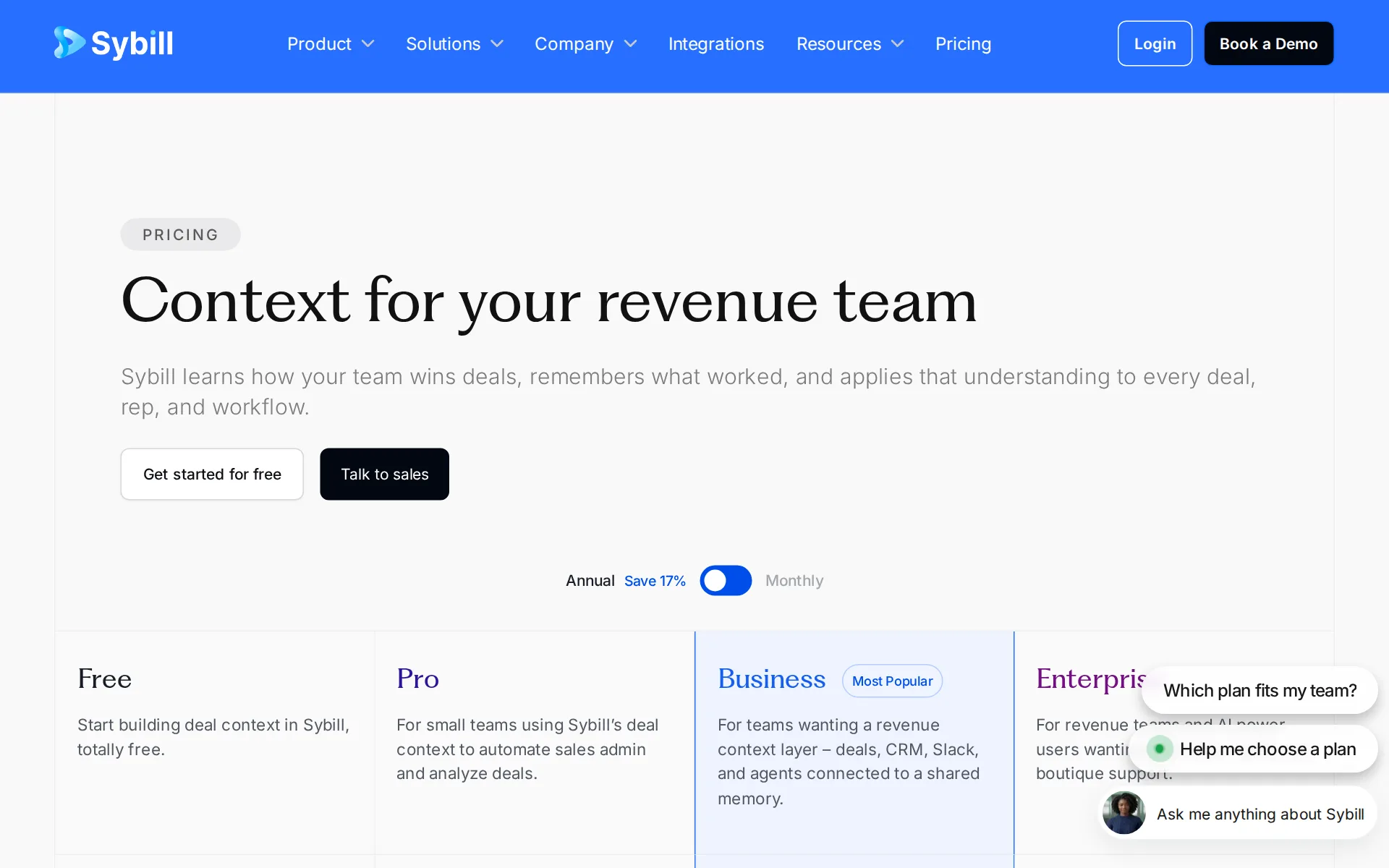
Pricing page, captured
sybill.ai/pricing, checked
What we checked on Sybill
What the price counts
Seats are billed per user per month on Pro and Business, with a weekly AI credit pool on top and a custom quote only at Enterprise.
On the page: Plan cards and comparison table, Pro column, as quoted in search results for the pricing page
sybill.ai/pricingChecked
Free tier
A standing $0 plan exists with 500 weekly credits, 20 AI summaries a month and three months of storage, alongside a 14-day Business trial.
On the page: Plan cards, Free column, as quoted in search results for the pricing page
sybill.ai/pricingChecked
Self-serve signup
Free, Pro and Business are self-serve sign-ups and the Business trial starts without a card; only Enterprise is quoted by sales.
For 14 days you'll get free access to Sybill's Business plan, no credit card information required.
sybill.ai/faqChecked
Card to start
The vendor states the 14-day Business trial starts without any card details, and the Free plan is a standing no-cost tier.
On the page: FAQ answer on the trial, quoted in search results
sybill.ai/faqChecked
Contract
Pro and Business publish both a monthly rate and a cheaper annual rate per user, so a year's commitment buys the lower price; Enterprise terms are not published.
Pro | $30/user/month annually; $36 monthly
sybill.ai/pricingChecked
Works with
The help center names Salesforce, HubSpot, Zoho CRM, Microsoft Dynamics 365 and Pipedrive as native CRM connections, with Slack and email workflows around them.
Sybill integrates natively with Salesforce, HubSpot, Zoho CRM, Microsoft Dynamics 365, and Pipedrive so your customer conversations and your CRM stay…
Public API
A documented REST API exists with bearer keys issued in the dashboard, but the pricing page places API access on the Business plan and above.
The Sybill API provides programmatic access to your Sybill workspace — conversations, insights, and AI-powered analysis — via standard REST endpoints…
api.sybill.ai/docsChecked
MCP server
Sybill publishes a hosted MCP server at mcp.sybill.ai for assistants such as Claude and Cursor, gated to the Business plan and above like the REST API.
MCP | https://mcp.sybill.ai/mcp | Model Context Protocol server for AI assistants (Claude, Cursor, etc.)
api.sybill.ai/docsChecked
Acts on its own
CRM Autofill updates configured deal and company fields after each meeting without approval, while follow-up emails arrive as drafts a rep sends.
With CRM Autofill enabled, Sybill also updates the deal and company fields you configure after every meeting and email on that deal.
Limits on what it may do
Admins set recorder versus collaborator licenses, role-based access and per-meeting visibility, and can require SSO so only directory members sign in.
Sybill offers different user roles and permissions to ensure smooth collaboration and efficient use of the platform.
No code needed
Setup is admin configuration in the product: an admin connects the CRM from settings and maps stages, with no code involved.
A Sybill admin connects the CRM from Settings > Integrations > CRM.
No training on your data
The public master subscription agreement expressly permits using customer data to train Sybill's own recognition and machine learning models, and publishes no opt-out.
To train our expression recognition engine, and speech-to-text engine and improve our machine learning and data analytics models.
sybill.ai/msaChecked
Retention you control
Storage is three months on Free and unlimited on paid plans, and a meeting can be removed in the app, but server-side deletion goes through support rather than a retention setting.
Reach out to us on the blue Intercom icon on any Sybill page and we will delete the meeting recording from our servers for you.
Take your data out
Bulk export exists only as an assisted offboarding transfer to your AWS S3 bucket or Google Drive, and it carries MP4 recordings without transcripts or metadata.
Please note that bulk exports are not available within the app itself—you'll need to follow one of the methods below or reach out to…
Security audits
The trust center lists SOC 2, ISO/IEC 27001:2022, GDPR, CSA STAR Level 1 and the EU-US Data Privacy Framework, with a data processing agreement and pentest report behind access request.
On the page: Compliance section, certification list
trust.sybill.aiChecked
Single sign-on
SAML SSO with Okta and Microsoft Entra ID plus SCIM directory sync is documented, but it is limited to eligible plans and the pricing page places SSO at Enterprise.
Enterprise SSO and SCIM are available on eligible plans. If you don't see the Single sign-on card described below, your plan may not include it yet —…
Sybill alternatives
- This spot is openBe the first tool people see on Sybill's page.
- First on your rivals' pages
- Top of your category
- First in the home page list
- First in search results
- In comparisons and guides
- In the weekly newsletter
- Visits and AI reads each month
7 more alternatives
8 of the 9 publish a price.
- Gojiberry AIFrom $99 a seat a monthAI sales agent that finds B2B prospects from buying signals and runs LinkedIn and email outreach.
- ApolloFree, then $65 a seat a monthB2B prospecting database, outreach sequencing and enrichment, usable from Apollo, your CRM or an MCP client.
- VoiceDropFrom $95 a monthRingless voicemail and SMS outreach that sends personalized drops in a cloned version of your own voice.
- DIRI AIFree, then about $22 a monthVoice practice for sales and advisory calls with an AI customer, scored with a report after each call.


Questions about Sybill
- How much does Sybill cost?
- Sybill is free to use. From sybill.ai/pricing, checked 1 November 2026.
- Does Sybill have an API or an MCP server?
- It has an API on Business. It has an MCP server on Business.
- What have we checked on Sybill?
- 16 facts, under these headings: What it costs to start, what it works with, what it does on its own, what happens to your data, whether a company can buy it.
- How do we check Sybill?
- We hold 16 facts on Sybill, quoted from 10 pages. Facts and price last checked 1 November 2026.
Sources and changes
Last changed
Sources10
- sybill.ai/pricing
- help.sybill.ai/en/articles/8132410-how-does-sybill-s-integration-with-crm-systems-work
- trust.sybill.ai/
- api.sybill.ai/docs
- sybill.ai/faq
- help.sybill.ai/en/articles/10935203-sybill-recordings-export-or-transfer
- help.sybill.ai/en/articles/16049017-enterprise-sso-scim-directory-sync-for-admins
- help.sybill.ai/en/articles/6137772-how-can-i-delete-my-meeting-report-or-call-recording
- help.sybill.ai/en/articles/8131892-user-roles-license-types-and-permissions
- sybill.ai/msa
Is this yours?
AI assistants like ChatGPT, Claude and Perplexity opened AgentsIndex pages 1,443 times from 17 October to 3 November. Claim it free, then see who reads this page and carry the verified owner mark. You confirm it with an email at sybill.ai.
Report an error if a fact is wrong.