CrewAI vs LangGraph: Which Framework Should You Build With?
CrewAI prototypes 40% faster with ~20 lines of code. LangGraph leads production with 34.5M monthly PyPI downloads. Here's which framework fits your use case.

Written by AgentsIndex
Picking between CrewAI and LangGraph comes down to understanding why their features matter for your specific situation. This comparison starts with architecture, because the architectural difference between these two frameworks determines everything else, from how fast you can prototype to whether your agents survive a production crash.
Both frameworks serve real needs. The question isn't which one is better. It's which one fits the shape of the problem you're solving. And for a surprising number of use cases, the right answer turns out to be both.
TL;DR: CrewAI uses a role-based team model that gets you to a working prototype faster with roughly 20 lines of code. LangGraph uses explicit graph-based state machines and leads production adoption with 73.7 million monthly PyPI downloads versus CrewAI's 17.4 million. Start with CrewAI for speed; migrate to LangGraph when you need fault tolerance and fine-grained control over complex workflows.
How do role-based teams and explicit graphs differ in architecture?
This is where everything starts. CrewAI and LangGraph are built on completely different mental models of what an AI agent workflow is, and once you see that difference, the rest of the comparison falls into place.
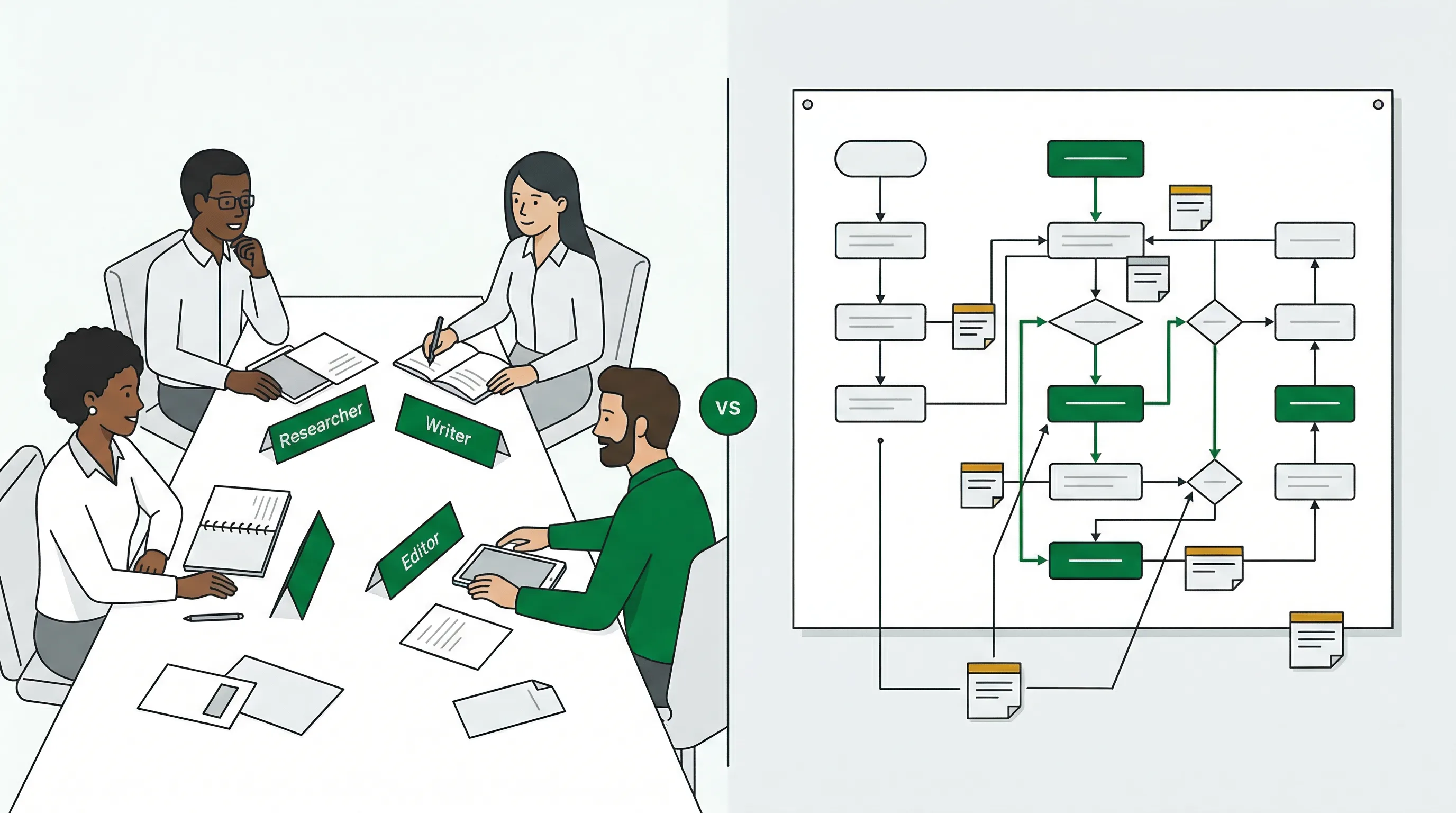
CrewAI maps onto a team metaphor. You define agents the way you'd write job descriptions: a Researcher with a goal of finding competitive data, a Writer with a backstory that shapes how it reasons about tone, an Editor that reviews the final output. CrewAI handles how those roles interact through two built-in process types: Sequential and Hierarchical. A third, Consensual, has sat on the roadmap for years and is still not implemented, so don't plan around it. You describe who does what, and the framework figures out how. About 20 lines of Python gets a functional multi-agent workflow running.
LangGraph approaches the same problem as a graph problem. You define nodes (functions that transform state), edges (connections between nodes), and a typed state object that flows through the graph. You explicitly control when each node runs, what state it sees, and where execution goes next. Conditional routing, cycles, and retry logic are all first-class constructs. A comparable workflow needs 60 or more lines, but every line is doing something intentional.
Neither approach is obviously superior. The team metaphor maps naturally to problems that already have a human team structure: content pipelines, research workflows, document processing. The graph model fits problems that need deterministic control: code generation with tests and retries, customer support with escalation rules, financial workflows where the wrong branch is expensive.
A useful definitional anchor for the whole comparison: CrewAI is a role-orchestration framework; LangGraph is a state-machine framework. Role-orchestration frameworks optimize for expressing who does work. State-machine frameworks optimize for expressing what happens to data between steps. That distinction, more than any feature list, predicts which framework fits a given problem. One practical implication: the line-count advantage CrewAI holds early in a project reaches a maintainability crossover point around five or six agents, where LangGraph's individually testable nodes become easier to audit than an equivalent YAML-configured crew.
| Dimension | CrewAI | LangGraph |
|---|---|---|
| Mental model | Team of workers with defined roles | Graph of nodes with typed state |
| Programming approach | Configuration-driven (declarative) | Code-driven (imperative) |
| Lines of code (basic workflow) | ~20 lines | 60+ lines |
| Agent communication | Via task outputs (automatic) | Via shared typed state object (explicit) |
| Orchestration patterns | Sequential, Hierarchical | Any graph topology, including cycles |
| Python version required | 3.10+ | 3.10+ |
One thing worth clearing up early, because plenty of older comparisons still get it wrong: CrewAI is no longer built on top of LangChain. It was at launch, but the framework has since been refactored into a standalone stack with its own primitives for agents, tasks, crews, flows, and tools. LangChain interoperability is still available — you can drop LangChain tools into CrewAI agents — it just isn't a requirement anymore. Many teams use the two frameworks in combination rather than treating the choice as all-or-nothing, a point we come back to in the decision matrix below. You can explore both on the agent frameworks directory alongside the broader ecosystem of frameworks available today.
How does state management work in each framework?
State management is where the architectural difference becomes most concrete. LangGraph's stateful graph model with native checkpointing is the primary reason it dominates enterprise production deployments despite CrewAI carrying roughly 40% more GitHub stars. Stars measure awareness. Downloads measure actual use.
In CrewAI, state is handled automatically: each task passes its output to the next agent in the process. It's clean and simple. For workflows that don't need to pause, resume, or recover from failure, it's more than enough. The tradeoff is limited visibility into what's happening between steps, and if an agent fails midway through a multi-hour task, there's no native way to pick up from where things stopped.
LangGraph takes the opposite approach. State is a typed Python object that you define explicitly. Every node reads from and writes to that state object. LangGraph persists state through checkpointing, which means two things in practice: you can inspect the exact state at any point in a workflow's execution, and if your process crashes, LangGraph resumes from the last checkpoint rather than starting over.
LangGraph also supports time-travel debugging: you can rewind a workflow to any previous state and inspect what each node saw and what it produced. For figuring out why an agent made a bad decision three steps into a complex pipeline, this is genuinely useful in ways that log files are not. It's available through LangSmith and LangSmith Studio, which is what LangGraph Studio was renamed to in late 2025.
| State management aspect | CrewAI | LangGraph |
|---|---|---|
| State model | Automatic context passing via task outputs | Explicit typed state object |
| Checkpointing | Not built in | Native, configurable backends |
| Resume after crash | No | Yes (durable execution) |
| Time-travel debugging | No | Yes, via LangSmith Studio |
| Streaming | Added in v1.10 | Built-in, per-node token streaming |
| Human-in-the-loop | human_input=True on tasks | First-class via checkpoint interrupts |
A pattern documented across developer forums and case studies: teams start on CrewAI for speed, then migrate the state-sensitive parts of their workflow to LangGraph when reliability requirements increase, while keeping CrewAI's role definitions for orchestration. Because the state-sensitive components can be moved one at a time, this migration is rarely a full rewrite.
A more precise migration trigger than general complexity: the state surface area threshold. When more than three agents need to read or write the same variable, or when any variable must survive a process restart, the workflow has exceeded what CrewAI task outputs can carry cleanly. At that point, LangGraph's typed StateGraph is the lower-risk choice regardless of whether the workflow feels complex in other respects. Teams that use this threshold report fewer partial rewrites than teams that migrate reactively after a production failure. Note also that both frameworks require an external state store such as Redis or Postgres for multi-hour workflows regardless of which is chosen; LangGraph checkpoints solve crash recovery but not the latency of re-hydrating state from disk.
Which framework gets you to a working prototype faster?
If speed is the priority right now, CrewAI wins clearly. CrewAI is roughly 40% faster for prototyping than LangGraph. The learning curve reflects this: most developers get a working CrewAI agent running in under a day. LangGraph's graph paradigm typically takes a week to internalize well enough to build confidently.
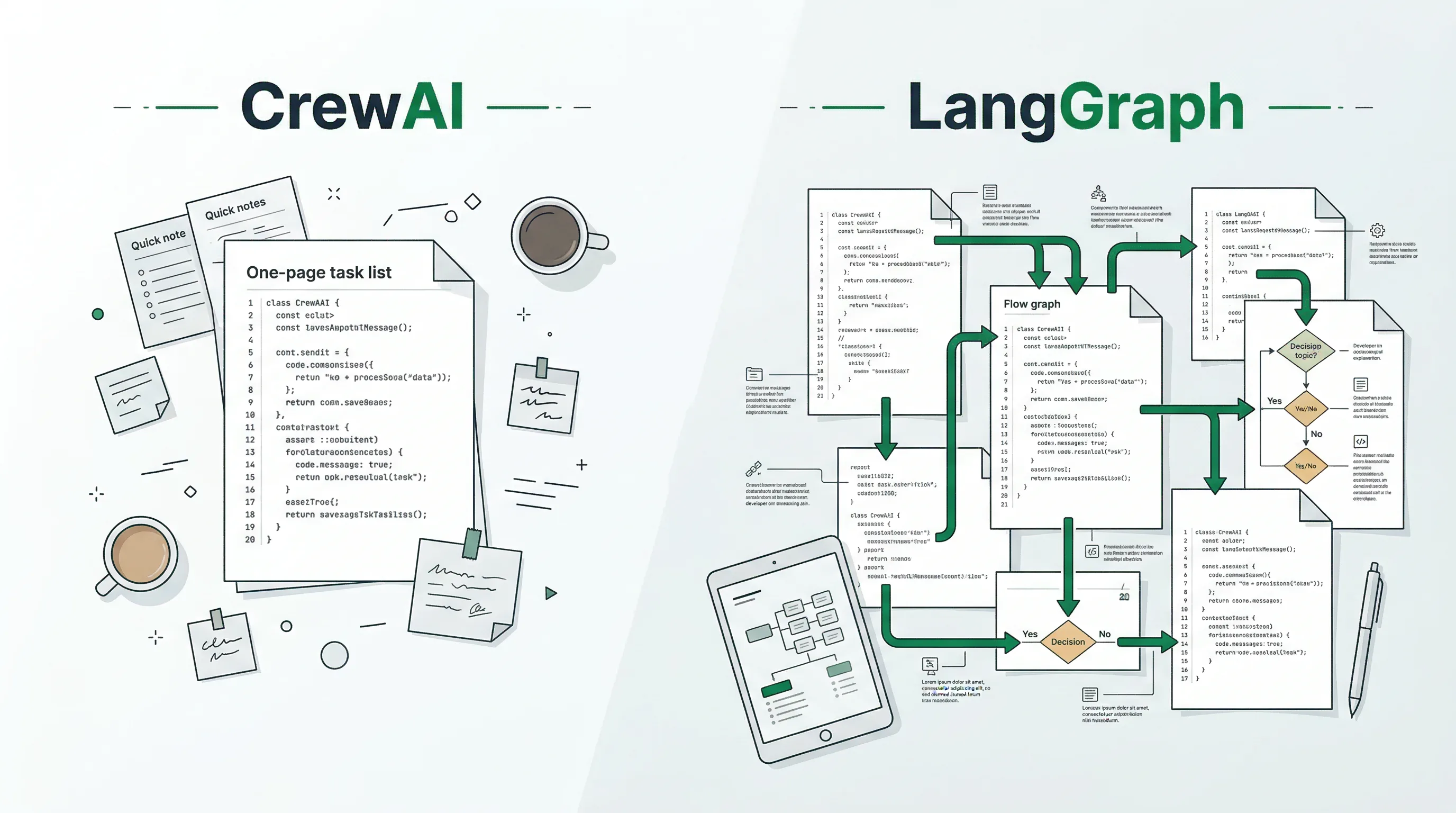
CrewAI's configuration-driven approach requires 20 lines versus LangGraph's 60+ imperative lines.
The role-based model removes significant boilerplate. The two built-in process types (Sequential and Hierarchical) cover most standard multi-agent patterns without requiring you to wire up graph logic manually. CrewAI v1.10.1, released in early 2026, added streaming support, Agent-to-Agent (A2A) protocol compatibility, and Model Context Protocol (MCP) support, closing some of its gaps with LangGraph on communication features. The release cadence has stayed fast since: CrewAI shipped 1.15.15 in August 2026.
LangGraph's learning curve is real, and it's worth being honest about. The graph paradigm clicks for some developers immediately and confuses others for weeks. If you're building a proof-of-concept for a stakeholder meeting next week, CrewAI is the practical choice. If you're building something users will actually depend on, the extra week of learning pays back the first time your agents handle a failure gracefully instead of losing an hour of work.
Worth noting: The 40% speed advantage is real at the start, but it compresses. By the time you're adding error handling, retries, and human-in-the-loop checkpoints to a CrewAI workflow, you're essentially building the graph model by hand. LangGraph just makes that structure explicit from day one.
What do different frameworks do when things go wrong in production?
LangGraph hit general availability at v1.0 in October 2025 and has been the framework of choice for production agent deployments since. The LangSmith platform provides full tracing, cost tracking per conversation, prompt versioning, and evaluation pipelines. Deployment runs through LangGraph Platform, which LangChain now markets as LangSmith Deployment; the older LangServe serving library was deprecated in 2024 and the repository was archived in May 2026, so don't start there. LangSmith Studio, formerly LangGraph Studio, gives you a visual interface to design, debug, and watch your graph execute in real time.
A widely cited production example: Klarna's customer support agent, built on LangGraph, handled 2.3 million customer conversations in its first month of deployment, equivalent to roughly 700 full-time agents. That's the tier of reliability LangGraph is designed for.
One underexamined production advantage of LangGraph in regulated industries: its checkpointed state transitions produce a structured, timestamped record of every agent decision. That record maps directly onto HIPAA event-logging requirements and SOC2 change-management controls. CrewAI 0.177.0 added HIPAA and SOC2 compliance at the platform level, but the framework itself does not emit equivalent per-step decision records from within a workflow. For teams building in healthcare or financial services, this architectural difference can determine whether an internal security review passes without requiring additional logging infrastructure.
CrewAI offers CrewAI Enterprise with monitoring capabilities, but the ecosystem is less mature than LangGraph's. The lack of native checkpointing is the most limiting constraint: workflows that run for hours have no built-in way to survive a process restart, server redeployment, or API timeout. For shorter, non-critical workflows this isn't a problem. For anything customer-facing where a dropped workflow means a degraded user experience, it's a real constraint.
Both frameworks support human-in-the-loop, but the implementations differ. In LangGraph, human approval works through the checkpoint system: the graph pauses at a defined node, waits for human input, then resumes with the response written into the state object. In CrewAI, you set human_input=True on a task. Simpler to configure, but harder to customize for complex multi-step approval flows.
Debugging and observability: what happens when something goes wrong?
Every agent framework fails in production eventually. The question is how much help you have when that happens.
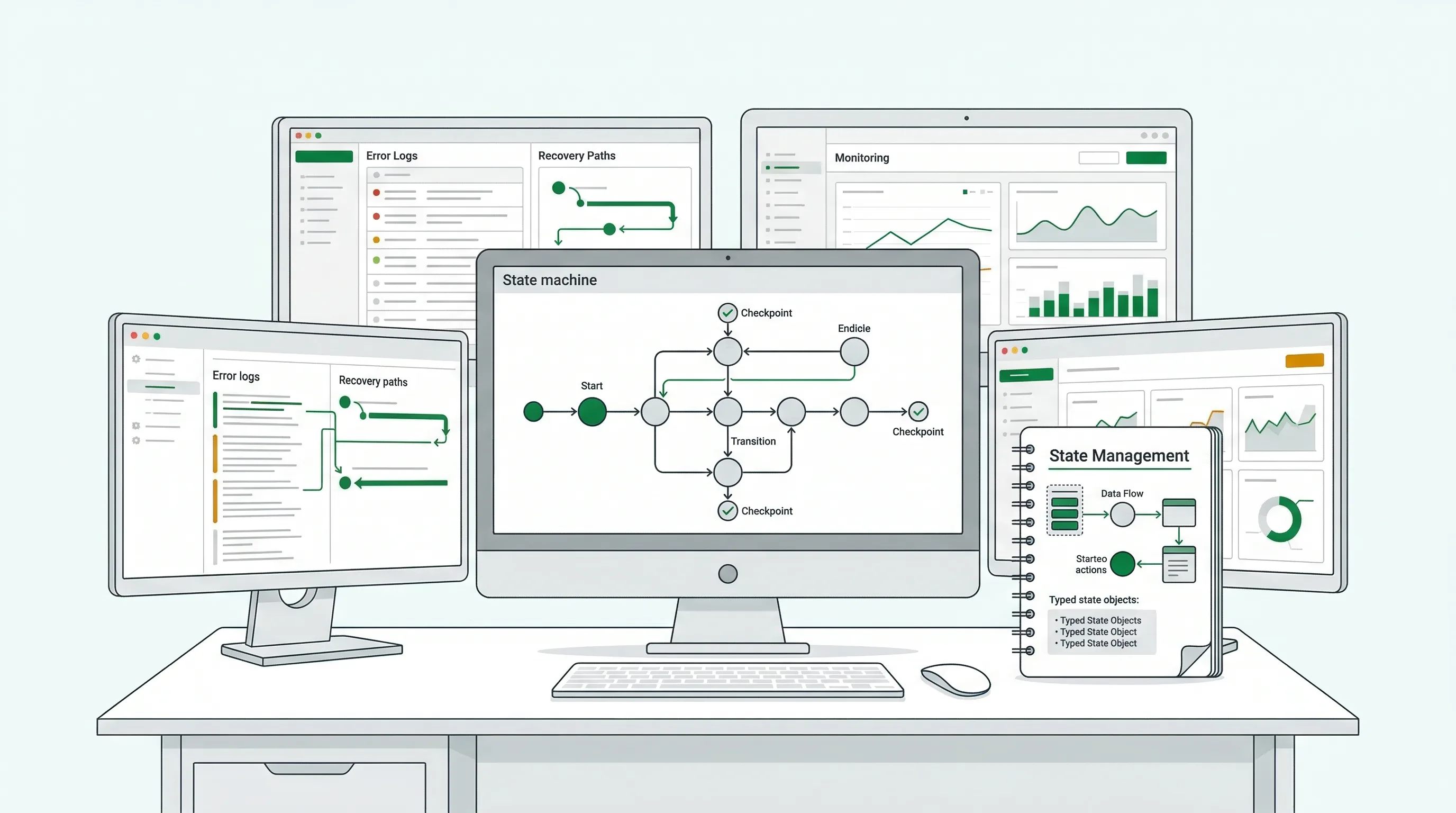
LangGraph's explicit state tracking and native checkpointing make production monitoring and fault recovery much more manageable.
LangGraph's debugging story is among the best in the agent framework space. LangSmith captures complete traces of every agent run: which nodes executed, what state each received, what they produced, and what LLM calls cost. When an agent produces wrong output, you can trace back through the exact execution path. The time-travel feature in LangSmith Studio lets you rewind to any checkpoint and re-execute from that point with different inputs or parameters.
CrewAI's debugging tooling has improved significantly in recent versions, but it's still more limited. Basic logging is available, and CrewAI Enterprise adds some monitoring, but you don't get the granular per-step state inspection LangGraph provides through LangSmith. For workflows you're still building, this difference might not matter much. For tracking down a bug in a production workflow that only triggers under specific conditions, it matters a lot.
For teams that want observability across multiple frameworks or LLM providers, third-party tools like Langfuse and AgentOps work with both CrewAI and LangGraph. The full list of observability and monitoring tools is in the directory if you're evaluating options.
One underappreciated advantage of LangGraph's explicit state model: it makes unit testing individual nodes much more straightforward. Each node is a function that takes state and returns state, so you can test it in isolation without spinning up a full agent runtime. CrewAI's more automated context-passing makes that kind of granular testing harder to set up.
Decision matrix: which framework fits your use case?
Most real-world decisions fall into one of these patterns. Rather than a simple pick-one answer, here's a structured way to think through the choice:
| Use case | Recommended | Why |
|---|---|---|
| Content pipeline (research to published post) | CrewAI | Sequential role-based workflows map directly to the team metaphor |
| Code generation with tests and retries | LangGraph | Cyclic graphs, conditional routing on test failures, checkpoint recovery |
| Customer support with escalation logic | LangGraph | Branching on sentiment and topic, durable execution for long sessions |
| Rapid proof-of-concept or internal demo | CrewAI | 40% faster to working prototype, intuitive role definitions |
| Long-running research tasks (hours or more) | LangGraph | Checkpoint recovery prevents losing work on failures |
| Small team, no ML background | CrewAI | Lower learning curve, configuration-driven, minimal boilerplate |
| Enterprise SaaS with SLA requirements | LangGraph | LangSmith observability, durable execution, mature production tooling |
| Google Cloud or Vertex AI environment | LangGraph | Better GCP integration, JavaScript support for mixed codebases |
The cleanest version of this decision: if your workflow runs in under five minutes, doesn't need to survive a server restart, and doesn't have complex branching, CrewAI is the right tool and you'll ship faster. If any one of those conditions is false, the extra week learning LangGraph is worth it.
Choosing one doesn't exclude the other. Many production systems use CrewAI for high-level orchestration while LangGraph handles the state-critical parts of the workflow. Both are ordinary Python libraries with no conflicting runtime requirements, so running them side by side in one service is a matter of composition rather than integration work.
Frequently asked questions
Can you use CrewAI and LangGraph together?
Yes. They are independent Python libraries that coexist in one project without conflict, so you can pair CrewAI's role-based orchestration with LangGraph's state management for the parts of your workflow that need it. CrewAI still accepts LangChain tools if you already have them, though it no longer depends on LangChain. Many production systems use this hybrid approach rather than committing entirely to one framework. The migration path also tends to be incremental rather than a complete rewrite.
Which framework is better for beginners?
CrewAI is meaningfully easier for developers new to agent frameworks. Its role-based model maps onto familiar team structures, and most developers get a working prototype running in under a day. LangGraph's graph paradigm typically takes about a week to internalize. That said, if you already know your use case will eventually need production-grade state management, starting with LangGraph avoids a migration later and the week of learning pays back quickly.
How do the download numbers compare between CrewAI and LangGraph?
As of August 2026, LangGraph leads production adoption with approximately 73.7 million monthly PyPI downloads compared to CrewAI's 17.4 million. CrewAI has more GitHub stars (roughly 57,000 vs. 39,600 for LangGraph), which reflects community awareness. The download gap tells the more important story: LangGraph is running in more production systems.
A more granular signal is the production depth ratio: downloads divided by GitHub stars. On current figures, LangGraph registers roughly 1,860 monthly downloads per star (73.7 million downloads against 39,600 stars) while CrewAI registers roughly 305 (17.4 million against 57,000 stars). A high ratio indicates a framework has moved from community evaluation into embedded infrastructure. A low ratio indicates a larger share of the audience is still in the assessment stage. By this measure, LangGraph is running infrastructure; CrewAI is still winning evaluations.
Does LangGraph support languages other than Python?
Yes. LangGraph supports both Python (3.10+) and JavaScript, making it more flexible for teams with TypeScript backends or mixed-language codebases. CrewAI is Python-only and requires Python 3.10 or higher. LangGraph is no longer the only serious option on the JavaScript side, though: Mastra is a TypeScript-first agent framework now well into its 1.x line, and it belongs in the evaluation alongside LangGraph.js if your whole stack is JavaScript.
What changed in CrewAI v1.10 and LangGraph v1.0?
CrewAI v1.10.1, released in early 2026, added streaming support, Agent-to-Agent (A2A) protocol compatibility, and Model Context Protocol (MCP) support, meaningfully closing gaps in communication features. LangGraph v1.0 hit general availability in October 2025, marking a commitment to API stability and signaling production readiness. Both releases represent the end of the experimental phase and the beginning of each framework's mature production life. Both lines have kept moving: as of August 2026, CrewAI is at 1.15.15 and LangGraph at 1.2.11.
Who are the Big 4 AI agents?
There is no official "Big 4" in AI agent frameworks. The category is still too fragmented for that. In the broader AI assistant space, ChatGPT, Claude, Gemini, and Perplexity often get grouped as a de facto "Big 4." In agent frameworks specifically, the four names that show up most often in 2025-2026 comparison guides are LangGraph, CrewAI, AutoGen (with its community fork AG2), and Agno. That list is dating fast: Microsoft moved AutoGen into maintenance mode and folded it, together with Semantic Kernel, into Microsoft Agent Framework 1.0 in April 2026, so new projects should be looking at AG2 or Microsoft Agent Framework rather than AutoGen itself. LangGraph wins on production adoption with 73.7 million monthly downloads. CrewAI now leads on GitHub stars at roughly 57,000, ahead of Agno's 41,700.
Is CrewAI any good?
Yes, for the right use case. CrewAI is built for rapid prototyping. Most teams get a working multi-agent setup running in 2-4 hours using the role-based YAML configuration, which is faster than anything else in the category. It fits well for content generation, research workflows, and business process automation where you want agents with distinct roles collaborating. Where CrewAI runs into trouble is production reliability under complex state management. That is where LangGraph takes over.
Is CrewAI based on LangChain?
CrewAI was originally built on top of LangChain when it launched in 2023. It used LangChain's LLM abstractions and tool ecosystem. In later versions, the framework was refactored so LangChain became optional instead of a hard dependency. You can run modern CrewAI standalone with direct LLM provider integrations through LiteLLM. The decoupling was part of CrewAI's push toward a simpler, more opinionated API for multi-agent teams.
Does CrewAI use LangChain?
No. Modern CrewAI installations do not require LangChain. CrewAI uses LiteLLM to connect directly to OpenAI, Anthropic, Google, and local model providers, so new projects can skip LangChain entirely. Optional LangChain compatibility is still there for teams who want to bring existing LangChain tools into a CrewAI workflow, but it is no longer a runtime requirement. Early CrewAI versions shipped with LangChain baked in. That changed.
Which is the best agentic framework?
There is no single "best" framework. The right pick depends on your constraints. LangGraph is the production default when reliability, state management, and observability are the priority. CrewAI wins on prototyping speed when you need a working multi-agent system in hours instead of days. Agno has grown to roughly 41,700 GitHub stars and tends to get picked when teams want a simpler API. AG2, the community fork of AutoGen, is a good fit for conversational multi-agent scenarios; classic AutoGen itself is in maintenance mode and Microsoft now points new users at Microsoft Agent Framework. Start with the workflow you need to build, then pick the framework that fits it.
When should I choose CrewAI over LangGraph?
Pick CrewAI over LangGraph when you need a working multi-agent prototype in under a day, your workflow fits a team-of-specialists model (researcher plus writer plus editor, for example), and your production requirements are moderate instead of mission-critical. The role-based YAML configuration is readable for non-developers, and the 2-4 hour prototype time is the fastest in the category. Skip CrewAI if you need fine-grained state control, complex branching logic, or workflows that have to resume after a crash.
When is LangGraph the better option?
LangGraph is the better option for production workflows where reliability, state persistence, and observability matter more than how fast you can prototype. Go with LangGraph when you need to pause and resume workflows after failures, keep complex shared state across many agent steps, debug workflows with step-level traces, or run at scale with millions of requests. The explicit graph architecture keeps complex branching logic manageable once the workflow gets large, which is where CrewAI's role-based model starts to break down.
Is LangGraph better than CrewAI for production?
For most production deployments, yes. LangGraph's stateful execution model includes built-in checkpointing. A crashed workflow can resume from the last successful step instead of restarting from scratch. The graph-based architecture also gives you step-level observability: you can see which node executed what and why. CrewAI can run in production but does not offer comparable resilience or debugging tooling. That matters most when an agent workflow is business-critical and a silent failure is expensive.
What is LangGraph used for?
LangGraph is used for building stateful, multi-step AI agent workflows where reliability and observability matter. Common use cases: enterprise automation like document processing, customer service routing, and compliance workflows; research agents that need to maintain context across many steps; and multi-agent systems where you need explicit control over how information flows. The graph-based model is particularly strong for workflows with conditional branching, retries, and human-in-the-loop checkpoints.
What companies use LangGraph in production?
LangChain has published case studies for several production LangGraph deployments. The named companies include Klarna (customer service automation), LinkedIn (internal AI tooling), Replit (AI-powered coding workflows), and Elastic (enterprise search agents). The case studies are only part of the picture. LangGraph's 73.7 million monthly downloads suggest adoption is much wider than what has been publicly documented.
What's the final verdict?
Both frameworks are worth understanding, and many developers working in this space use both. CrewAI when speed matters and the workflow is straightforward. LangGraph when reliability matters and the workflow has edges that need careful handling.
The CrewAI and LangGraph listings have links to the official docs, GitHub repos, community channels, and related tools for each framework. If you've already narrowed down your choice, the step-by-step tutorials for each framework are coming up next in this series.
Most production systems that push agent workflows hard end up using pieces of both. That's not a failure to commit, it's the right engineering call. CrewAI gets you running fast. LangGraph keeps you running reliably. Together, they cover most of what you'll need.
What are the key differences between LangChain and LangGraph frameworks?
IBM Technology's explainer on LangGraph's graph-based architecture versus LangChain, directly relevant for readers who want to understand why LangGraph thinks in graphs.