
Cursor
What is Cursor?
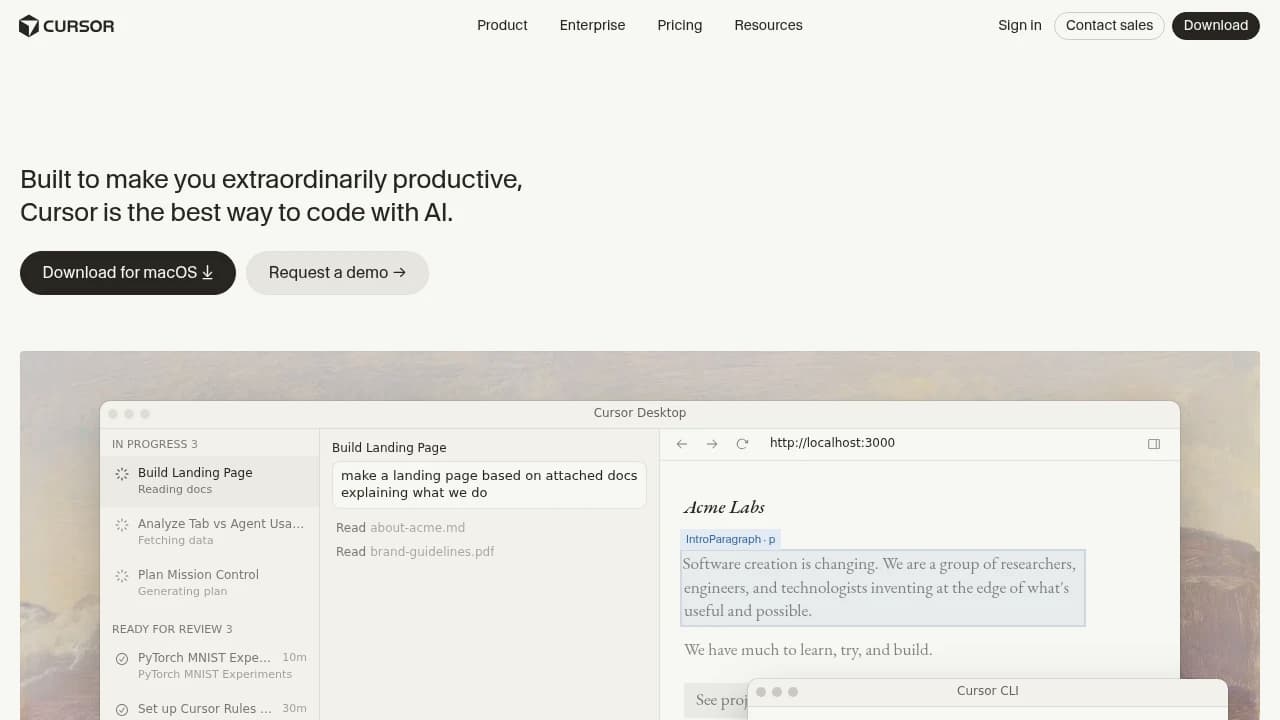
Cursor is an AI-powered code editor and development platform for engineers and teams that want to write, review, and ship software faster. It combines AI-Powered Code Assistance, Tab Autocomplete, Cloud Agents, Code Review, Mission Control Interface, Usage analytics, and the Marketplace to reduce context switching. It supports Slack, GitHub, Microsoft Teams, Jira, Trello, GitLab, CLI, and Google Workspace, and is used by Stripe, Brex, OpenAI, NVIDIA, and Y Combinator.
Last verifiedHow we evaluate
At a glance
- Cursor is best for software engineers who want AI help across coding, review, and team workflows.
- Free; Individual $20/mo.; Teams $40/user/mo.; Enterprise custom
What it does well
Cursor is a full VS Code-based editor (not a thin wrapper or extension) with a multi-agent architecture: Composer for in-editor edits, Cloud/Background Agents that run on remote machines and keep working after you close your laptop, and a CLI agent for terminal workflows. It reached $500M ARR by June 2025 and $4 billion in annualized revenue by June 2026 (Forbes, Bloomberg via Wikipedia), a growth rate rarely seen even among AI-native startups, which is corroborating evidence that developers who try it tend to keep paying for it. As of September 2026 it ships "Projects" — a coordinator agent that delegates work across many subagents and maintains shared context over weeks of work — and self-hosted machine pools that let enterprises keep code and secrets entirely on their own infrastructure while Cursor's agent still drives tool calls.
OpenAI is leaving Cursor on November 12, 2026
On August 28, 2026, OpenAI announced it would wind down its contract supplying models to Cursor, with a proposed cutoff of November 12, 2026 (OpenAI, 'Our decision on Cursor following its acquisition by SpaceX'). OpenAI says the reason is a change-of-control clause: Cursor's parent Anysphere was acquired by Elon Musk's SpaceX, and OpenAI says it 'cannot be confident that SpaceX will use our technology within our terms of service,' citing Musk-controlled companies' past contract violations — a claim OpenAI made, not one we've independently verified. Until the cutoff, existing OpenAI models keep working in Cursor as they do today, and OpenAI has proposed maximum notice under its contract; it says it will not supply future models to Cursor under the current agreement (OpenAI Help Center, 'Using OpenAI models in Cursor'). After the cutoff, OpenAI documents three ways to keep using its models inside Cursor: bring your own OpenAI API key (billed separately, works only in local Chat/Agent — not Tab, Auto, Cloud Agents, Automations, CLI, or the API/SDK), install OpenAI's Codex IDE extension as a parallel agent, or connect through an AI gateway like Bedrock or Azure. Cursor co-founder Michael Truell has said OpenAI accounts for only around 5% of Cursor's model traffic (Tom's Guide, citing Truell), and Anthropic has publicly said it will increase Claude compute allocated to Cursor in response — so most users on Claude, Grok, or Cursor's own Composer models should see no disruption at all. This matters most for teams whose workflow leans specifically on GPT models through Cursor's built-in routing, Cloud Agents, or CLI, where a personal API key won't help.
Ownership: now a SpaceX subsidiary
Cursor's parent company Anysphere was acquired by SpaceX in an all-stock deal implying a $60 billion valuation, announced June 16, 2026 and closed August 14, 2026 (Wikipedia, citing SEC Form 8-K and Bloomberg Law). Cursor now operates as a wholly owned subsidiary integrated into SpaceXAI, alongside Grok and other SpaceX AI products. This is the largest-ever acquisition of a venture-backed startup and follows Cursor's own IPO-adjacent run: a $2.3 billion Series D in November 2025 valued the company at $29.3 billion before the SpaceX deal roughly doubled that. The practical effect for buyers beyond the OpenAI cutoff: Cursor is no longer an independent company answerable only to its own roadmap, and its product direction will increasingly be set jointly with SpaceX/xAI priorities — for instance, Cursor's homepage as of September 2026 already prominently features Grok 4.6 as a default model option and 'Grok Bot' access is now bundled into every paid tier.
Pricing
Cursor publishes real numbers on its pricing page: Hobby is free with limited Agent requests and access to Composer; Individual is $20/month for Pro (with Pro+ and Ultra tiers above it) and includes extended Agent limits, frontier model access, MCPs/skills/hooks, and cloud agents; Teams is $40/user/month with centralized billing, SSO, and shared team context; Enterprise is custom-quoted with pooled usage, SCIM, and audit logging. The free tier and the $20 entry point make Cursor one of the more accessible ways to try a full agentic coding workflow rather than a single-model chat wrapper.
Company scale and continuity
Anysphere was founded in 2022 by four MIT students (Michael Truell, Sualeh Asif, Aman Sanger, Arvid Lunnemark) and employed roughly 300 people as of August 2025 (Fortune, cited via Wikipedia) — small relative to its revenue, but not a single-founder operation. Co-founder Arvid Lunnemark left in October 2025 to start a separate AI safety lab; the other three founders remain, with Truell as CEO. Cursor has made several acquisitions of its own (Supermaven in 2024, engineering talent from Koala in 2025, code-review startup Graphite in December 2025), suggesting a company still actively building rather than in maintenance mode, even as it now answers to SpaceX ownership.
Security and compliance
Cursor's public security page (last updated August 25, 2026) lists AIUC-1, ISO/IEC 27001:2022, and ISO/IEC 42001:2023 certifications plus a SOC 2 Type II attestation, with certificates available on request via trust.cursor.com. It states Cursor does not use or maintain infrastructure in China and does not use China-headquartered subprocessors. Privacy Mode (available on free and paid plans) disables training on customer data. This is a reasonably substantial published trust posture for a developer tool at this price point.
A past reliability incident worth knowing about
In April 2025, a Cursor AI support agent named 'Sam' fabricated a login policy that did not exist, prompting user cancellations before staff apologized and issued refunds (Ars Technica). Separately, a July 2025 change to the $20 Pro plan silently switched from a fixed request count to usage-metered billing, causing unexpected charges; Cursor apologized, rolled back the change, and refunded affected users (TechCrunch). Both incidents were resolved and are now over a year old, but they're the kind of operational history a buyer evaluating billing predictability or support quality would want to know before committing.
How much does Cursor cost?
| Plan | Price | What's included |
|---|---|---|
| Hobby | Free |
|
| Individual | $20 / mo. |
|
| Teams | $40 / user / mo. |
|
| Enterprise | Custom |
|
Frequently asked questions
What platforms does Cursor support?
Cursor supports web, Linux, macOS, and Windows. That makes it usable across common developer setups, whether you work in a browser or on a desktop machine.
Is there a free version of Cursor?
Yes. Cursor offers a free Hobby plan with no credit card required, plus limited Agent requests and limited Tab completions so you can try the product before upgrading.
Does Cursor have an API?
Yes. Cursor offers a public API for developers who want to integrate it with other applications. The API note on the site points to developer-facing integration rather than a closed internal-only interface.
Can Cursor connect to my existing tools?
Yes. Cursor supports integrations such as Slack and GitHub, and its Marketplace also features tools like Datadog, Figma, and Linear. That makes it easier to bring code, chat, and issue context into one workflow.
How does Cursor handle privacy and security?
Cursor supports privacy mode, which can be enabled in settings or by a team admin. When enabled, code data is never stored by model providers or used for training. Enterprise pricing also includes SAML/OIDC SSO, SCIM seat management, audit logs, and granular admin controls.
Can teams manage Cursor centrally?
Yes. The Teams and Enterprise plans include centralized billing, usage analytics, shared team context, and admin controls. Enterprise adds pooled usage, invoice or PO billing, SCIM seat management, and an AI code tracking API.
What plan should a team choose?
Cursor recommends Teams for professionals collaborating with others, and Enterprise for larger organizations that need invoicing, pooled usage, or advanced security. Individual users who code daily with agents are pointed toward Pro+ or Ultra in the FAQ.
Editor's read
Check whether your team needs SAML/OIDC SSO, enforced privacy mode, or SCIM seat management, since those controls appear on Teams and Enterprise. If audit logs and the AI code tracking API matter, verify the Enterprise path before committing.

Explore other Coding Agents


