
CloudPloy
What is CloudPloy?
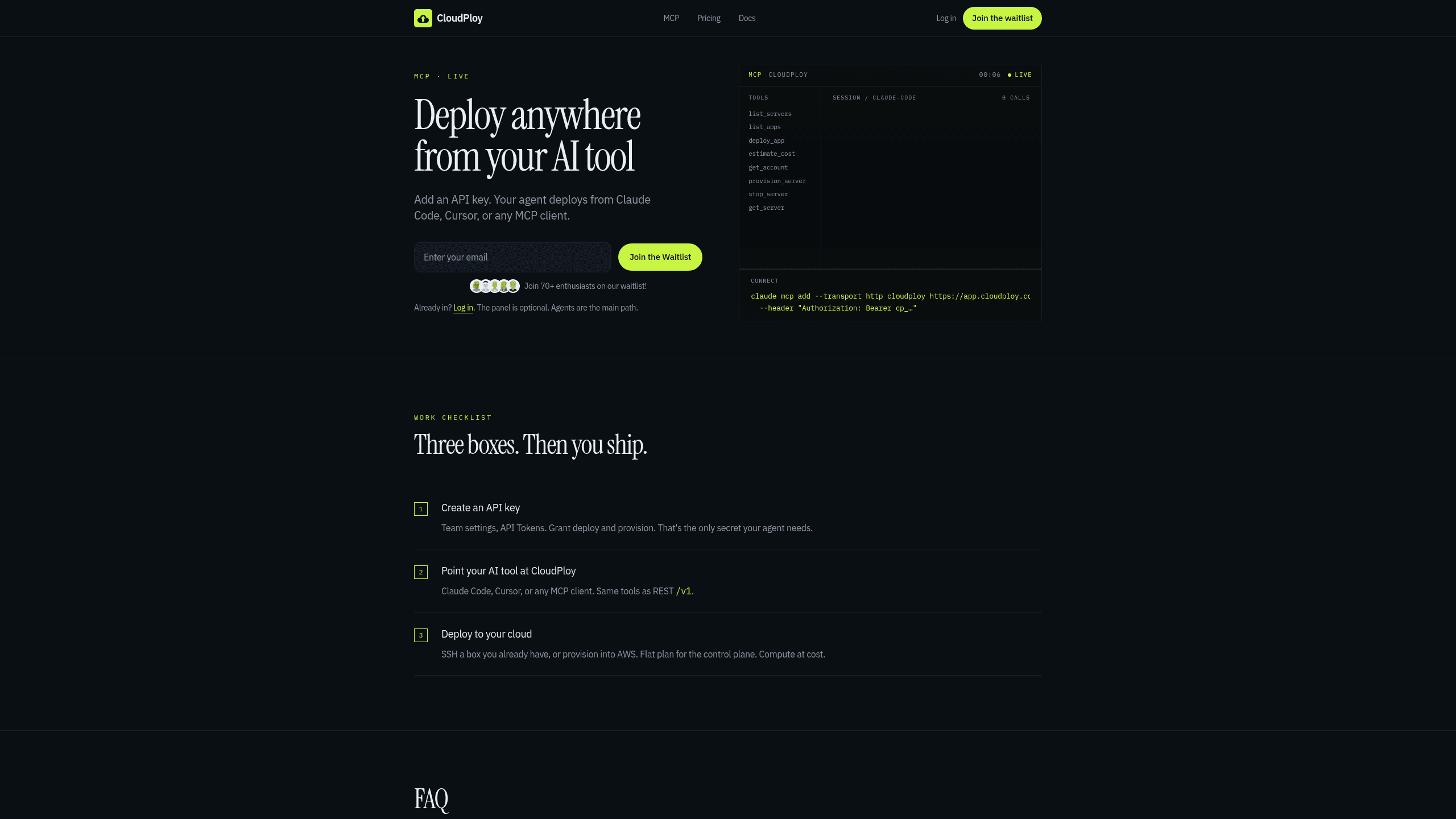
CloudPloy is a deployment platform for developers that lets an agent create apps, provision servers, and push updates from Claude Code, Cursor, or another MCP client. It combines API key and MCP access with list_servers, deploy_app, provision_server, scoped tokens, Nixpacks builds, and WordPress and Laravel presets. It also supports SSL and routing, and plans run Free $0 forever, Starter $9.99/mo, Pro $19/mo, and Scale $39/mo.
Last verifiedHow we evaluate
At a glance
- CloudPloy is best for developers who want an agent to deploy and manage apps from their editor.
- Starter $9.99/mo; Pro $19/mo; Scale $39/mo; Free $0 forever
- Yes — Agents use an API key and that power users get a full API, with tools available over MCP HTTP transport and the same tools as REST /v1.
What it actually does
CloudPloy is a deploy control plane you drive from an AI coding agent over MCP (Model Context Protocol), or from a REST API / dashboard. After creating a scoped API token, an agent can call list_servers, deploy_app, provision_server, estimate_cost, get_account and similar tools to inspect infrastructure, push a deploy, or spin up a new box, all gated by the token's granted abilities and the team's plan limits. Builds go through Nixpacks, which the vendor says covers Node, Python, Go, Rust, Ruby, Java, PHP, Deno, and static sites, with WordPress and Laravel offered as one-click presets rather than the whole product. (Source: https://cloudploy.com/mcp, https://cloudploy.com/features)
Pricing: flat plan, zero markup on your own servers
Confirmed on the vendor's pricing page today: Free is $0 forever for 1 server, 1 app, capped at 2 vCPU/2 GB RAM; Starter is $9.99/mo for up to 3 servers (16 vCPU/16 GB cap each); Pro is $19/mo for up to 10 servers (32 vCPU/64 GB cap each, 3 seats); Scale is $39/mo for unlimited servers and uncapped size. The subscription pays only for the control plane — the dashboard, deploy pipeline, and MCP/API surface. If you connect a server you already own (Hetzner, DigitalOcean, AWS, or any Ubuntu box), CloudPloy says it never marks up or bills for that compute; you pay your own provider directly. (Source: https://cloudploy.com/pricing)
The provisioning feature is advertised ahead of what's shipped
The homepage, features page, and FAQ all say CloudPloy provisions servers from Hetzner, DigitalOcean, or AWS at the provider's exact rate, billed from a prepaid credit balance. The pricing page tells a narrower story: under "AWS provisioning" it states, as of today, "We're verifying prepaid AWS provisioning before opening it to customers... Credit top-ups are currently unavailable," and "Prepaid AWS provisioning is not available yet." There is no equivalent Hetzner or DigitalOcean provisioning document — the docs index links a single provider guide, for AWS, and it only covers connecting a server you already control via IAM, not CloudPloy provisioning one for you. In practice, the feature that works today is bringing a server you already have; CloudPloy standing up new compute on your behalf, for any of the three providers it lists, is not yet something a buyer can verify by using it. (Source: https://cloudploy.com/pricing, https://cloudploy.com/docs, https://cloudploy.com/docs/server-providers/aws)
Security and token model
API tokens are scoped to read, deploy, provision, or destroy, so an agent can be handed only the ability it needs and tokens can be rotated or revoked from team settings. Apps run in isolated containers per the vendor; SSL is automatic via Let's Encrypt for attached domains; provision_server checks plan limits and credit balance before acting, and estimate_cost/get_account let an agent check cost before spending. CloudPloy's own security page is notably restrained — it states "we don't invent enterprise checklists we don't ship" and does not claim SOC 2 or any formal compliance certification. For AWS BYO, CloudPloy asks for an IAM user with AWS's managed PowerUserAccess policy plus one inline iam:PassRole permission, rather than a narrower custom policy. (Source: https://cloudploy.com/security, https://cloudploy.com/docs/server-providers/aws)
Company stage and what's missing from the record
CloudPloy's own about page describes it as "a small team" and explicitly avoids inventing executive bios or headcount claims. Its GitHub organization (created 20 November 2025) holds zero public repositories, so none of the product is open source or independently inspectable. The waitlist on the homepage shows 70+ signups as of this writing (CloudPloy's own count, not independently verified). No independent reviews, press coverage, or third-party benchmarks of CloudPloy were found; the few sites that mention it are AI-tool directory listings that read as aggregator-generated rather than hands-on evaluations. There is no public changelog or status page. (Source: https://cloudploy.com/about, https://api.github.com/orgs/cloudploy, https://cloudploy.com/)
How much does CloudPloy cost?
| Plan | Price | What's included |
|---|---|---|
| Starter | $9.99/mo |
|
| Pro | $19/mo |
|
| Scale | $39/mo |
|
| Free | $0 forever |
|
Frequently asked questions
What is CloudPloy?
CloudPloy is a deployment platform for developers that lets an agent create apps, provision servers, and push updates from Claude Code, Cursor, or another MCP client. It combines API key and MCP access with list_servers, deploy_app, provision_server, scoped tokens, Nixpacks builds, and WordPress and Laravel presets. It also supports SSL and routing, and plans run Free $0 forever, Starter $9.99/mo, Pro $19/mo, and Scale $39/mo.
How much does CloudPloy cost? Is it free?
CloudPloy has a free plan, with paid tiers including Starter at $9.99/mo, Pro at $19/mo, Scale at $39/mo.
What is CloudPloy used for? Who is it for?
CloudPloy is used for API key, MCP, and list_servers. It's built for Developers, Platform engineers, and Teams managing their own cloud account and wanting deployments without manual SSH work.
Does CloudPloy have an API and what does it integrate with?
Agents use an API key and that power users get a full API, with tools available over MCP HTTP transport and the same tools as REST /v1.
Our take
Check the server limits on Starter and Pro before committing: Starter caps at 3 servers and 16 vCPU / 16 GB RAM per server, while Pro raises that to 10 servers and 32 vCPU / 64 GB RAM. If you expect to exceed those ceilings, Scale is the only unlimited option.

Explore other Workflow Automation


